
Sutra
Sutra is a decision-intelligence platform for hardware teams that pulls context from systems like PLM/ERP/MES, simulates downstream change impact, and automates follow-on workflows such as ECRs, approvals, and traceability.
https://www.heysutra.com/?ref=producthunt
Product Information
Updated:May 15, 2026
What is Sutra
Sutra is built for engineering and operations teams working on complex hardware products where critical context is scattered across tools like PLM, ERP, MES, email, Slack, PDFs, and spreadsheets. It helps teams answer engineering questions quickly with sourced, cross-system context, then reduces change risk by showing what a decision will impact before it’s committed. Positioned as “Decision Intelligence for hardware teams,” Sutra focuses on making engineering changes faster, more confident, and less dependent on manual coordination and checklist chasing.
Key Features of Sutra
Sutra is a decision-intelligence platform for hardware engineering teams that connects to systems like PLM, ERP, MES, Slack, email, spreadsheets, and PDFs to quickly answer engineering questions with sourced context, simulate the downstream operational impact of proposed changes (e.g., affected BOMs, orders, schedules, re-qualification, stakeholders), and then automatically execute follow-on work such as ECR/ECO creation, routing, approvals, notifications, and traceability—reducing risk, eliminating rework, and speeding up change management.
Cross-system reasoning and sourced answers: Pulls and reconciles context across PLM/ERP/MES plus Slack, email, spreadsheets, and PDFs to answer engineering questions in seconds with clear sourcing.
Downstream change-impact simulation: Before committing a change, simulates operational consequences such as impacted BOMs, exposed orders, schedule shifts, inventory/rework risk, required re-qualification tests, and who needs to weigh in.
Automated ECR/ECO execution: Creates change records, attaches relevant context, notifies the right reviewers, routes approvals, and tracks status so teams don’t have to chase checklists.
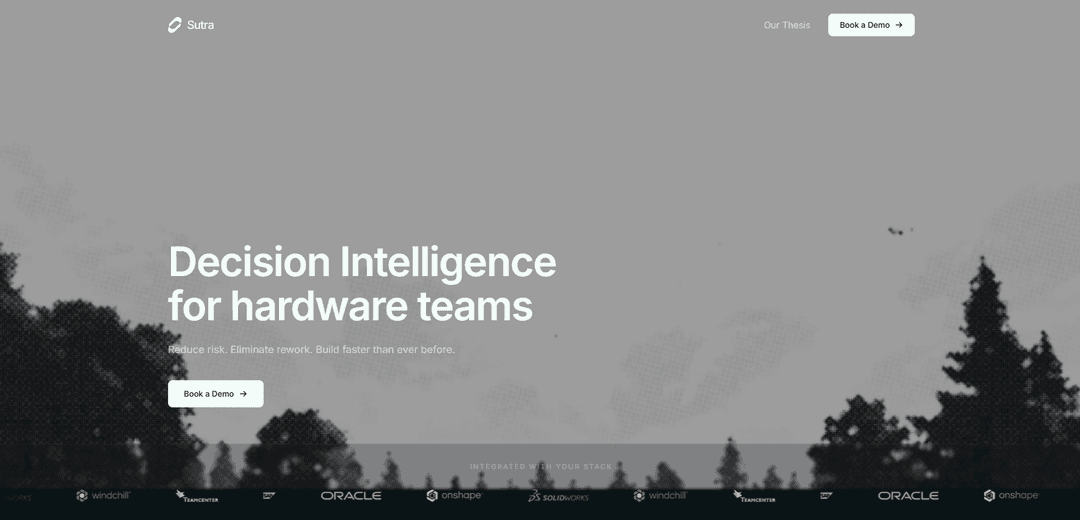
Integrated with hardware toolchains: Designed to fit common hardware stacks and workflows, with highlighted integrations including PLM tools (e.g., Windchill, Teamcenter) and CAD ecosystems (e.g., SolidWorks, Onshape), plus enterprise systems like SAP.
Stakeholder coordination and traceability: Identifies stakeholders to notify, logs decisions and artifacts, and maintains traceability across the change lifecycle for auditability and learning.
Use Cases of Sutra
Manufacturing change management (ECR/ECO acceleration): Hardware manufacturers can simulate the effect of a part/material/supplier change on active builds and orders, then auto-create and route ECRs with attached evidence and traceability.
Supply-chain risk and shortage triage: Operations and engineering teams can quickly determine where a constrained part is used (BOMs/programs), what open POs exist, inventory on hand, and which lines are on the critical path.
Program execution and schedule protection: Program teams can assess whether an engineering decision will introduce schedule slips, rework risk, or re-qualification needs, and coordinate approvals before committing changes.
Quality and reliability response: When failures occur, teams can gather relevant history (prior changes, field reports, affected assemblies) from scattered systems and drive controlled corrective actions through automated workflows.
Cross-functional collaboration in complex orgs: In organizations where context lives in Slack/email/spreadsheets as much as in PLM/ERP, Sutra centralizes decision context and ensures downstream teams aren’t surprised by upstream changes.
Pros
Reduces rework by simulating downstream impacts before changes are committed.
Saves engineering time by answering questions quickly with sourced, cross-system context.
Automates administrative change-work (drafts, routing, notifications, approvals, traceability).
Cons
Value depends on integration depth and data quality across PLM/ERP/MES and informal sources (email/spreadsheets).
May require process alignment/change-management to trust automated routing and simulation outputs.
Best fit appears geared toward hardware-centric organizations; non-hardware teams may see less benefit.
How to Use Sutra
1) Book a demo / get access: Go to https://www.heysutra.com/ and use “Book a Demo” to schedule a call and get Sutra provisioned for your team and workflows.
2) Connect Sutra to your engineering systems: Integrate Sutra with the systems where your context lives (as shown on the site): PLM/CAD (e.g., Windchill, Teamcenter, SolidWorks, Onshape), ERP (e.g., SAP), MES, plus Slack, Email, Excel, and PDFs so Sutra can pull sourced context across tools.
3) Ask an engineering question in Sutra: In Sutra (example shown as “Sutra · Engineering”), ask about a part, supplier, change, order, or failure. Sutra returns an answer in seconds and cites where it was sourced from (e.g., Windchill, SAP, Slack, Excel).
4) Review the sourced context and operational signals: Use Sutra’s response to see impacted assemblies/BOM usage and operational details like stock, lead time, open POs, and critical-path exposure—pulled from connected systems.
5) Simulate a proposed change before committing it: Open “Change simulation” and define the change (example shown: material change “1045 → 4140”). Sutra simulates downstream impact including affected BOMs, exposed orders, schedule shifts, re-qualification needs, and who needs to weigh in.
6) Validate impact outputs and confidence: Check simulation outputs such as number of affected BOMs, schedule delta, inventory/rework risk, required tests (e.g., fatigue, fit), stakeholders to notify, and the displayed confidence score.
7) Notify the right stakeholders from the simulation: Use the stakeholder list produced by Sutra (example roles shown: Structures, Hydraulics, Manufacturing, Reliability) to ensure the correct reviewers are included before the change proceeds.
8) Execute the follow-on workflow automatically (ECR/ECO): Once the decision is made, have Sutra run the follow-on work: create the ECR draft, attach context, notify reviewers, route for approvals, and maintain traceability—so no one has to chase checklists.
9) Track approvals and status in-flight: Monitor the ECR/ECO progress (example shown: “Awaiting approvals” with counts like “2 of 4 in”) and rely on Sutra’s auto-routing and updates.
10) Use attached context for auditability and traceability: Review the automatically attached artifacts (examples shown: material change history, field failure report, impact summary) and the traceability log to document why the change was made and what it affected.
Sutra FAQs
Sutra is a “decision intelligence” product for hardware teams that pulls context from systems like PLM, ERP, MES, Slack, email, and spreadsheets to answer engineering questions quickly, simulate downstream impact of changes, and execute follow-on workflows (e.g., ECRs, approvals, and traceability).
Sutra Video
Popular Articles

Atoms: A Multi-Agent AI Platform That Transforms Ideas into Launch-Ready Products
May 22, 2026

Nano Banana SBTI: What It Is, How It Works, and How to Use It in 2026
Apr 15, 2026

Atoms Review — The AI Product Builder Redefining Digital Creation in 2026
Apr 10, 2026

Kilo Claw: How to Deploy and Use a True "Do‑It‑For‑You" AI Agent(2026 Update)
Apr 3, 2026
Latest AI Tools Similar to Sutra

Hapticlabs
Hapticlabs is a no-code toolkit that enables designers, developers and researchers to easily design, prototype and deploy immersive haptic interactions across devices without coding.

Deployo.ai
Deployo.ai is a comprehensive AI deployment platform that enables seamless model deployment, monitoring, and scaling with built-in ethical AI frameworks and cross-cloud compatibility.

CloudSoul
CloudSoul is an AI-powered SaaS platform that enables users to instantly deploy and manage cloud infrastructure through natural language conversations, making AWS resource management more accessible and efficient.

Devozy.ai
Devozy.ai is an AI-powered developer self-service platform that combines Agile project management, DevSecOps, multi-cloud infrastructure management, and IT service management into a unified solution for accelerating software delivery.
Popular AI Tools Like Sutra

A2A Protocol
A2A (Agent2Agent) Protocol is an open interoperability protocol developed by Google that enables seamless communication and collaboration between AI agents across different frameworks and vendors, regardless of their underlying architecture.

VoltOps
VoltOps is a framework-agnostic LLM observability platform that provides real-time visual monitoring, debugging, and optimization tools for AI agents across any technology stack.

Chaterm
Chaterm is an open-source AI-native terminal and SRE copilot that enables engineers to manage complex infrastructure through natural language, automating deployment, troubleshooting, and operations without memorizing commands.

Open Browser Use
Open Browser Use is an open-source, agent-runtime-neutral browser automation layer that pairs a Chrome extension with a CLI/SDK/MCP to enable DOM-aware, CDP-powered tab control, navigation, and actions across different AI agent tools.