
Spredly
Spredly is an AI-powered spreadsheet workspace that lets you chat with your data to clean and calculate it, auto-generate dashboards, and export executive-ready PDFs while keeping local-first privacy.
https://spredlyapp.vercel.app/?ref=producthunt
Product Information
Updated:May 19, 2026
What is Spredly
Spredly is an intelligent spreadsheet product built for AI-assisted analysis, instant visualization, and executive reporting—especially geared toward running local AI workloads. It combines a familiar spreadsheet-style workflow with natural-language interactions, automated charting, and export tools so teams can turn raw data into clear insights quickly. With options that emphasize running locally (including an air-gapped desktop edition), Spredly positions itself as a privacy-focused alternative for users who want AI features without sending data to the cloud.
Key Features of Spredly
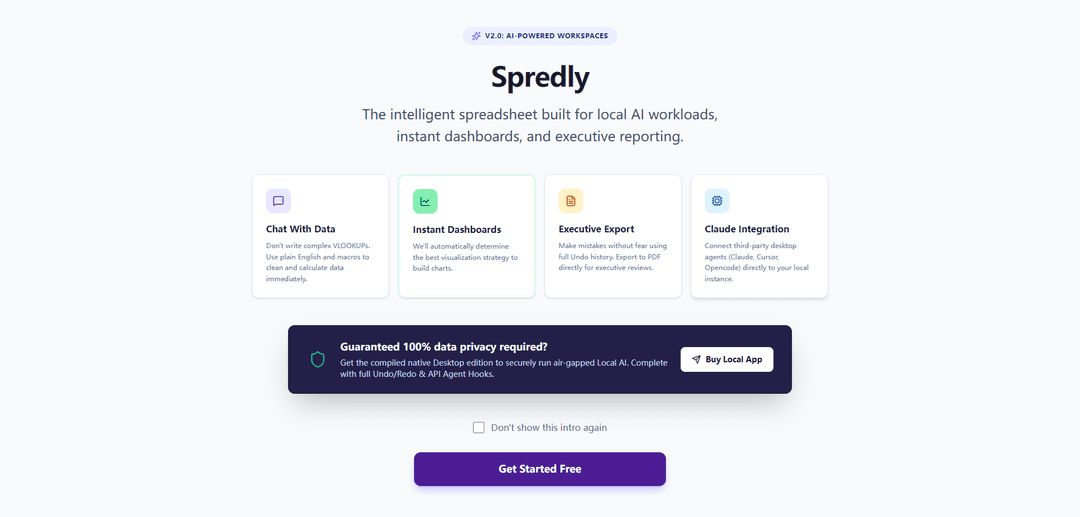
Spredly is an AI-powered spreadsheet/workspace (v2.0) designed for local AI workloads, fast analysis, and polished reporting. It lets users “chat with data” in plain English to clean, calculate, and automate spreadsheet tasks, auto-generates dashboards by selecting suitable visualizations, and supports executive-ready exports (e.g., PDF) with full undo history. It also emphasizes privacy via a compiled native desktop edition for air-gapped use and offers hooks/integrations to connect third-party desktop agents (e.g., Claude, Cursor, Opencode) to a local instance.
Chat with Data (plain-English analysis): Ask questions and perform spreadsheet operations using natural language and macros instead of complex formulas like VLOOKUPs, enabling faster cleaning and calculations.
Instant Dashboards (auto-visualization): Automatically determines an appropriate visualization strategy to generate charts and dashboards quickly from your data.
Executive Export (PDF-ready reporting): Export outputs directly to PDF for executive reviews, supported by a workflow geared toward shareable, presentation-friendly reporting.
Full Undo History (safer iteration): Built-in undo capabilities let users experiment freely and revert changes without fear of breaking a workbook.
Desktop Agent Integrations (Claude/Cursor/Opencode): Connect third-party desktop agents to your local Spredly instance to assist with workflows and automation.
Local & Air-Gapped Privacy Mode (native desktop edition): A compiled desktop version supports running local AI workloads in an air-gapped environment, aiming for strong data privacy and control.
Use Cases of Spredly
Finance & FP&A reporting: Rapidly clean and analyze financial tables, generate dashboards for KPIs, and export executive-ready PDFs for leadership reviews.
Operations dashboards for teams: Turn operational datasets into instant charts and dashboards for throughput, SLAs, and performance monitoring without heavy BI setup.
Privacy-sensitive analytics (healthcare/legal/government): Run local, air-gapped analysis for sensitive datasets where cloud tools are restricted, while still using AI-assisted spreadsheet workflows.
Sales & revenue analytics: Use natural-language queries to segment pipeline data, compute metrics, and produce quick visual summaries for weekly business reviews.
Executive briefings and board packs: Iterate safely with undo history, then export concise PDF outputs for stakeholder updates and decision-making meetings.
Pros
Strong focus on local/air-gapped privacy for sensitive data workflows
Natural-language “chat with data” reduces reliance on complex spreadsheet formulas
Fast dashboarding with automatic chart/visualization selection
Executive-friendly outputs (PDF export) and safer iteration (undo history)
Cons
Details on pricing, supported file formats, and platform availability are not clearly specified in the provided sources
Integration claims mention specific agents, but depth of integrations/APIs and setup requirements are unclear
May be less suitable for organizations needing cloud-native collaboration features (not described in the sources)
How to Use Spredly
1. Open Spredly: Go to https://spredlyapp.vercel.app/ in your browser to access Spredly v2.0 (AI-Powered Workspaces).
2. Start a workspace/spreadsheet: Create or open a workspace where you’ll load and work with your spreadsheet-style data for analysis, dashboards, and reporting.
3. Add your data: Enter or paste your dataset into the grid (tables/cells) so Spredly can compute metrics and generate visualizations.
4. Chat with your data (plain English): Use the “Chat With Data” capability to request transformations and calculations in natural language instead of writing complex formulas (e.g., ask it to clean columns, compute totals, or create derived fields).
5. Use macros for cleaning and calculations: Apply macros to quickly clean and calculate data (e.g., standardize values, remove duplicates, compute KPIs) as part of your workflow.
6. Generate instant dashboards: Use “Instant Dashboards” to have Spredly automatically choose an appropriate visualization strategy and build charts from your dataset.
7. Iterate safely with Undo history: Make changes freely and rely on the full Undo history to revert mistakes and compare iterations while refining calculations and dashboards.
8. Export for executive reporting: Use “Executive Export” to export your results and dashboards to PDF for executive reviews and sharing.
9. Connect third-party desktop agents (optional): If available in your setup, use “Claude Integration” to connect third-party desktop agents (e.g., Claude, Cursor, Opencode) to your local instance for agent-assisted workflows.
10. Run locally for maximum privacy (optional): If you require air-gapped or 100% data privacy, get the compiled native Desktop edition to run Local AI workloads securely with full Undo/Redo and API agent hooks (linked as “Buy Local App”).
11. Skip the intro next time (optional): Select “Don’t show this intro again” to bypass the onboarding screen on future launches.
Spredly FAQs
Spredly v2.0 is an AI-powered workspace described as an “intelligent spreadsheet” designed for local AI workloads, instant dashboards, and executive reporting.
Spredly Video
Popular Articles

Atoms: A Multi-Agent AI Platform That Transforms Ideas into Launch-Ready Products
May 22, 2026

Nano Banana SBTI: What It Is, How It Works, and How to Use It in 2026
Apr 15, 2026

Atoms Review — The AI Product Builder Redefining Digital Creation in 2026
Apr 10, 2026

Kilo Claw: How to Deploy and Use a True "Do‑It‑For‑You" AI Agent(2026 Update)
Apr 3, 2026
Latest AI Tools Similar to Spredly
Tomat
Tomat.AI is an AI-powered desktop application that enables users to easily explore, analyze, and automate large CSV and Excel files without coding, featuring local processing and advanced data manipulation capabilities.
Gentables
Gentables is an AI-powered tool for extracting and generating tables from various file formats with features like table editing, visualization and data processing capabilities.
SheetBot AI
SheetBot AI is an AI-powered data analyst tool that automates data visualization and analysis tasks in spreadsheets, enabling users to generate precise graphs and insights within seconds.
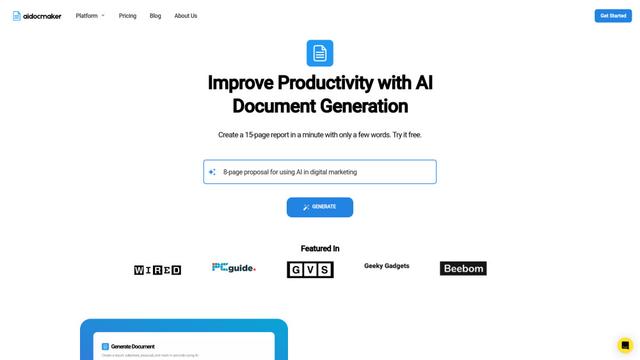
Aidocmaker.com
Aidocmaker.com is an AI-powered document creation platform that allows users to effortlessly generate professional documents, presentations, spreadsheets, and voiceovers in minutes.
Popular AI Tools Like Spredly

Microsoft Excel: Spreadsheets
Microsoft Excel is the industry-leading spreadsheet software that allows users to organize, analyze, and visualize data through powerful features like formulas, charts, and AI-powered insights.
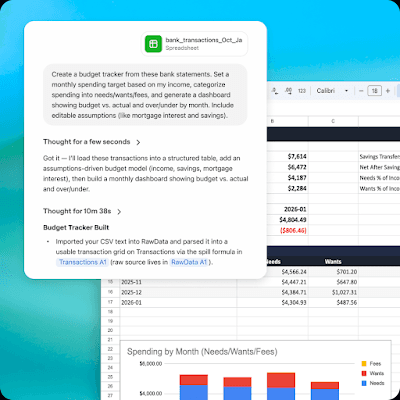
ChatGPT for Google Sheets
FreemiumAI Spreadsheet
ChatGPT for Google Sheets is an OpenAI add-on that brings ChatGPT into a Sheets sidebar so you can build, analyze, and update multi-tab spreadsheets with natural-language prompts, including formulas and cross-tab insights.

Zoho Tables
Zoho Tables is a modern spreadsheet-database hybrid that helps teams organize data with relational links, build views and dashboards, collaborate in real time, and automate workflows with no-code and AI assistance.
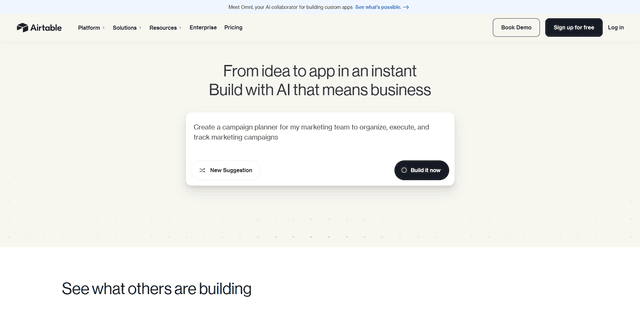
Airtable
Airtable is an AI-powered cloud collaboration platform that combines the functionality of spreadsheets and databases with no-code app building capabilities to help teams organize, track and manage their workflows and data.