
ChatGPT for Google Sheets
ChatGPT for Google Sheets is an OpenAI add-on that brings ChatGPT into a Sheets sidebar so you can build, analyze, and update multi-tab spreadsheets with natural-language prompts, including formulas and cross-tab insights.
https://workspace.google.com/marketplace/app/chatgpt/870214997678?ref=producthunt
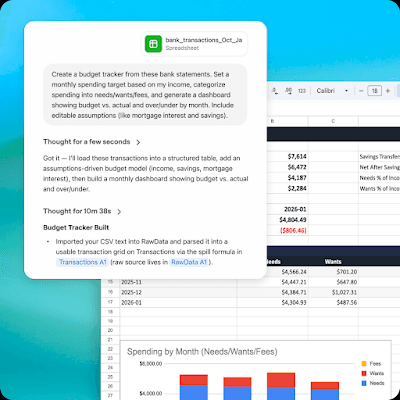
Product Information
Updated:May 18, 2026
ChatGPT for Google Sheets Monthly Traffic Trends
ChatGPT for Google Sheets received 190.1m visits last month, demonstrating a Slight Decline of -4.5%. Based on our analysis, this trend aligns with typical market dynamics in the AI tools sector.
View history trafficWhat is ChatGPT for Google Sheets
ChatGPT for Google Sheets is a Google Workspace Marketplace add-on by OpenAI that embeds ChatGPT directly inside Google Sheets to help you create, edit, and understand spreadsheets using natural language. It can start from a blank workbook (e.g., budgets, business plans, trackers) or work with existing data to generate formulas, restructure tabs, and provide insights across thousands of cells. The listing notes it supports large, multi-tab workbooks and can incorporate context via connected ChatGPT Apps (where available), while reminding users to review changes carefully and verify important outputs.
Key Features of ChatGPT for Google Sheets
ChatGPT for Google Sheets is an OpenAI add-on that embeds ChatGPT in a sidebar inside Google Sheets so you can build, edit, analyze, and update spreadsheets using natural language. It can create full multi-tab workbooks from scratch, generate insights across tabs and formulas, and help you understand existing sheets—supporting large spreadsheets with thousands of cells and references. It can also bring context from connected ChatGPT Apps (e.g., Gmail, Stripe, SharePoint) and supports reusable workflows via uploaded Skills, with changes applied directly in the spreadsheet (so results should be reviewed before sharing).
Natural-language spreadsheet building: Start from a blank sheet and describe what you want (e.g., budget, tracker, plan); ChatGPT can generate the structure, tables, and content directly in Sheets.
Cross-tab analysis and formula help: Generates insights across tabs and formulas, helping you analyze data and understand how calculations and references work within the workbook.
In-sheet editing and real-time updates: Edits and updates existing spreadsheets from the sidebar, applying changes in the workbook to move work forward without tab-switching.
Scales to large, multi-tab workbooks: Designed to handle large spreadsheets with thousands of cells and references, making it practical for team and operational spreadsheets.
Bring external context via ChatGPT Apps: Can incorporate context from Apps connected to your ChatGPT account (e.g., Gmail, Stripe, SharePoint) to inform spreadsheet creation and analysis (subject to entitlements/permissions).
Reusable workflows with Skills: Supports building/uploading Skills for repeatable workflows such as scenario analysis, consistent formatting styles, and financial reconciliation.
Use Cases of ChatGPT for Google Sheets
Finance & budgeting: Create and maintain budgets, cash-flow trackers, and spending analysis sheets; ask questions about trends and have ChatGPT update categories, formulas, or summaries.
Business planning & operations: Generate multi-tab business plan models, KPI dashboards, and operational trackers; iterate quickly by requesting structural changes and new analyses in natural language.
Project planning (personal or teams): Plan events (e.g., wedding planning), timelines, checklists, and resource trackers; update tasks/statuses and generate rollups across tabs.
Sales/RevOps and payments reconciliation: Use connected context (e.g., Stripe) and Skills for reconciliation workflows, summarizing performance and aligning transactions or metrics into reporting sheets.
Education and classroom administration: Build gradebooks, assignment trackers, and simple analytics; quickly generate and update structured sheets for teachers/admins in Edu and K-12 environments.
Pros
Works directly inside Google Sheets via a sidebar, reducing context switching for building, editing, and analysis.
Can generate full spreadsheets and handle large, multi-tab workbooks with many cells and references.
Supports connected ChatGPT Apps and reusable Skills for richer context and repeatable workflows.
Cons
Spreadsheet chats are separate from your main ChatGPT chat history and do not sync.
Memory is not available in the Sheets experience.
Requires careful review of AI actions because it can make unintended edits; outputs are not financial/legal/tax advice.
Some data (chats/attachments/workbook content) may be shared with Google and OpenAI to enable spreadsheet reading/updating, depending on settings.
How to Use ChatGPT for Google Sheets
1) Confirm eligibility and access: Ensure you have an active ChatGPT plan that supports the add-on (Free, Go, Plus, Pro; also available for Business, Enterprise, Edu, and K-12). If you’re on an Enterprise workspace, note it may be disabled by default and may require an admin to enable it in workspace settings.
2) Install the add-on from Google Workspace Marketplace: Open the ChatGPT listing in the Google Workspace Marketplace and click Install. Follow the prompts to proceed with installation.
3) Grant requested Google permissions: During installation, approve the permissions shown (e.g., view and manage spreadsheets where the app is installed, display/run third-party web content in sidebars, and access basic account info like your email).
4) Open a Google Sheets file: Create a new spreadsheet or open an existing Google Sheets workbook where you want to use ChatGPT.
5) Launch ChatGPT from the Extensions menu: In Google Sheets, go to Extensions → ChatGPT → Open. This opens the ChatGPT sidebar inside Sheets.
6) Sign in to ChatGPT inside the sidebar: In the sidebar, sign in with the OpenAI account associated with your ChatGPT plan (the listing notes using the account tied to Plus/Pro where applicable).
7) Build a spreadsheet from scratch with natural language: In the sidebar, describe what you want (e.g., “Create a monthly budget tracker with categories, planned vs actual, and a summary tab”). ChatGPT can generate multi-tab sheets, formulas, and structure.
8) Edit and update an existing spreadsheet: Ask ChatGPT to modify your current workbook (e.g., add columns, create formulas, format tables, or reorganize tabs). It can update sheets in real time.
9) Ask questions about your data (analysis across tabs): Use the sidebar to ask questions that require reading your workbook (e.g., “Which category overspent the most this quarter?” or “Summarize trends by month across tabs”).
10) Review changes carefully before sharing or relying on results: Because ChatGPT can take actions within your spreadsheet, verify edits and important numbers. The listing notes outputs are not financial, legal, or tax advice and AI can make mistakes.
11) (Optional) Use Apps from your ChatGPT account for added context: If available in your plan/workspace, you can bring in Apps from your ChatGPT account (e.g., Gmail, Stripe, Sharepoint) to provide additional context while working in Sheets.
12) (Optional) Create or upload Skills for repeatable workflows: If available, build/upload Skills tailored to repeated spreadsheet workflows (e.g., scenario analysis, specific formatting styles, reconciliation) to reuse consistent processes.
13) Manage privacy and data controls: Be aware workbook content, chats, and attachments may be shared with Google and OpenAI to enable reading/updating spreadsheets, and the add-on respects your ChatGPT data training preferences. Use the add-on’s Settings controls to delete or download your data if needed.
ChatGPT for Google Sheets FAQs
ChatGPT for Google Sheets is an add-on from OpenAI that brings ChatGPT into Google Sheets in a sidebar so you can build, analyze, edit, and update spreadsheets using natural language.
ChatGPT for Google Sheets Video
Popular Articles

Vosko AI: Localize and Dub Videos for Global Audiences
Oct 15, 2026

Atoms: A Multi-Agent AI Platform That Transforms Ideas into Launch-Ready Products
Oct 13, 2026

Nano Banana SBTI: What It Is, How It Works, and How to Use It in 2026
Apr 15, 2026

Atoms Review — The AI Product Builder Redefining Digital Creation in 2026
Apr 10, 2026
Analytics of ChatGPT for Google Sheets Website
ChatGPT for Google Sheets Traffic & Rankings
190.1M
Monthly Visits
-
Global Rank
-
Category Rank
Traffic Trends: Jul 2024-Jun 2025
ChatGPT for Google Sheets User Insights
00:01:23
Avg. Visit Duration
1.6
Pages Per Visit
74.94%
User Bounce Rate
Top Regions of ChatGPT for Google Sheets
US: 27.51%
FR: 6.32%
BR: 4.97%
ES: 4.52%
IN: 3.79%
Others: 52.89%
Latest AI Tools Similar to ChatGPT for Google Sheets
Tomat
Tomat.AI is an AI-powered desktop application that enables users to easily explore, analyze, and automate large CSV and Excel files without coding, featuring local processing and advanced data manipulation capabilities.
Gentables
Gentables is an AI-powered tool for extracting and generating tables from various file formats with features like table editing, visualization and data processing capabilities.
SheetBot AI
SheetBot AI is an AI-powered data analyst tool that automates data visualization and analysis tasks in spreadsheets, enabling users to generate precise graphs and insights within seconds.
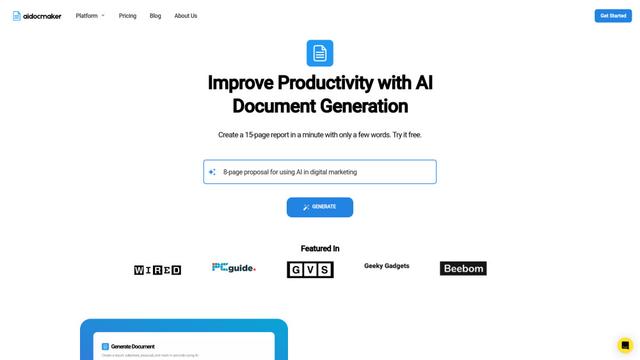
Aidocmaker.com
Aidocmaker.com is an AI-powered document creation platform that allows users to effortlessly generate professional documents, presentations, spreadsheets, and voiceovers in minutes.
Popular AI Tools Like ChatGPT for Google Sheets

Microsoft Excel: Spreadsheets
Microsoft Excel is the industry-leading spreadsheet software that allows users to organize, analyze, and visualize data through powerful features like formulas, charts, and AI-powered insights.

Zoho Tables
Zoho Tables is a modern spreadsheet-database hybrid that helps teams organize data with relational links, build views and dashboards, collaborate in real time, and automate workflows with no-code and AI assistance.
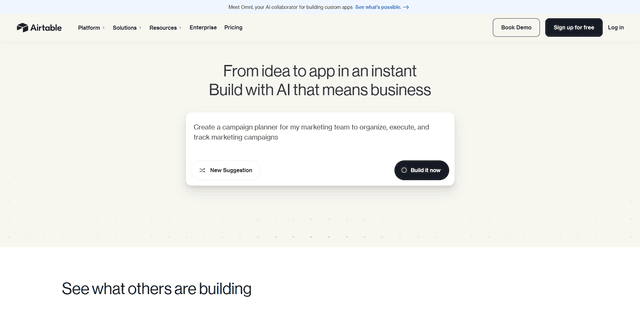
Airtable
Airtable is an AI-powered cloud collaboration platform that combines the functionality of spreadsheets and databases with no-code app building capabilities to help teams organize, track and manage their workflows and data.
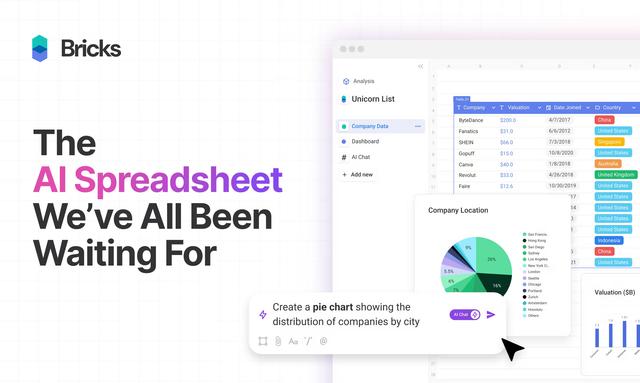
Bricks
FreemiumAI Spreadsheet
Bricks is an AI-powered spreadsheet platform that helps users create dashboards, reports, presentations and visuals without requiring spreadsheet expertise.