
Sheet Ninja
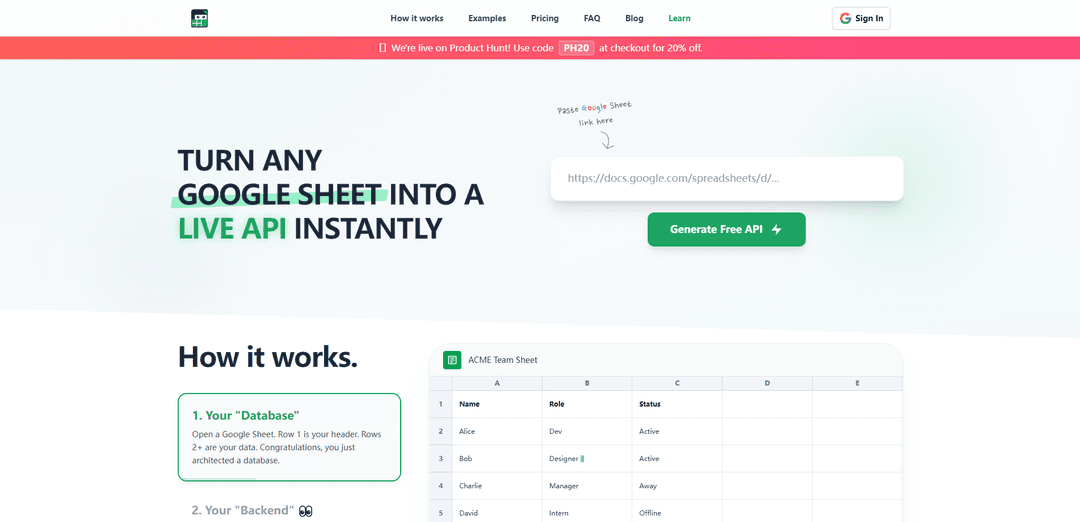
Sheet Ninja is a tool that instantly turns any Google Sheet into a live API backend, enabling rapid development of web applications without traditional infrastructure setup.
https://sheetninja.io/?ref=producthunt
Product Information
Updated:Apr 8, 2026
What is Sheet Ninja
Sheet Ninja is a powerful backend-as-a-service platform that bridges Google Sheets with modern web applications. It allows developers and creators to use Google Sheets as their database and backend infrastructure, eliminating the need for complex server setups or database management. The platform is designed specifically for 'vibe coders' and developers who want to quickly prototype and ship applications while keeping their data management simple and accessible.
Key Features of Sheet Ninja
Sheet Ninja is a service that transforms Google Sheets into live APIs instantly, allowing developers to use spreadsheets as a backend database without traditional infrastructure setup. It enables quick deployment of data-driven applications by providing API endpoints for Google Sheets data, supporting both read and write operations, and integrating seamlessly with various AI coding tools like Replit, ChatGPT, and Claude.
Instant API Generation: Convert any Google Sheet into a live API endpoint by simply pasting the sheet link, with automatic updates when sheet content changes
AI Tool Integration: Seamless compatibility with popular AI coding tools including Replit, ChatGPT, Claude, and others through ready-to-use prompts
Bidirectional Data Flow: Support for both reading from and writing to Google Sheets through API endpoints, with instant synchronization
Security Controls: Secure access management through API keys and Google OAuth authentication, keeping sheet data private and controlled
Use Cases of Sheet Ninja
AI Context Management: Store and manage LLM context data in Google Sheets for AI agents, allowing easy editing and updates of Q&A pairs
Marketing Content Management: Enable marketing teams to update website content through spreadsheets without requiring developer intervention for A/B testing
Startup Validation: Quickly create waitlist systems or MVP products using Google Sheets as a backend to validate business ideas
Internal Tools Development: Build internal business tools by connecting existing Google Sheets data to custom frontend applications
Pros
No infrastructure setup required - instant deployment
Familiar spreadsheet interface for non-technical users
Free tier available for testing and small projects
Easy integration with AI development tools
Cons
Request limits on different pricing tiers
Dependency on Google Sheets as the database
May not be suitable for very large-scale applications
How to Use Sheet Ninja
1. Create a Google Sheet: Open a Google Sheet and structure your data with headers in Row 1 and your data starting from Row 2
2. Get Sheet Link: Copy your Google Sheet's URL from the browser address bar
3. Generate API: Go to sheetninja.io, paste your Google Sheet link into the provided field and click 'Generate Free API'
4. Authenticate: Allow Sheet Ninja's service account access to your specific Google Sheet through Google's OAuth authentication
5. Get API Credentials: Once authenticated, Sheet Ninja will provide you with an API key and endpoint URL for accessing your sheet data
6. Integrate with Your App: Use Sheet Ninja's provided prompts with your preferred AI tool (Replit, Claude, ChatGPT, etc.) to integrate the API into your application
7. Test API Functions: Test the API endpoints for reading data (GET), adding rows (POST), editing data (PUT), and deleting rows (DELETE) as needed
8. Monitor Usage: Track your API request usage through Sheet Ninja's dashboard and upgrade your plan if you exceed the free tier's 250 requests
9. Manage Data: Edit your data either directly in Google Sheets or through the API - changes sync automatically in both directions
10. Scale As Needed: Start with the free tier and upgrade to Pro ($9/mo) or Max ($49/mo) plans as your project grows and requires more requests
Sheet Ninja FAQs
Yes. Your sheet remains private. You share it only with their service account and they use Google's OAuth to authenticate. They can't see your other files. They provide an API Key that you need to keep safe.
Popular Articles

Vosko AI: Localize and Dub Videos for Global Audiences
Oct 15, 2026

Atoms: A Multi-Agent AI Platform That Transforms Ideas into Launch-Ready Products
Oct 13, 2026

Nano Banana SBTI: What It Is, How It Works, and How to Use It in 2026
Apr 15, 2026

Atoms Review — The AI Product Builder Redefining Digital Creation in 2026
Apr 10, 2026
Latest AI Tools Similar to Sheet Ninja
Tomat
Tomat.AI is an AI-powered desktop application that enables users to easily explore, analyze, and automate large CSV and Excel files without coding, featuring local processing and advanced data manipulation capabilities.
Gentables
Gentables is an AI-powered tool for extracting and generating tables from various file formats with features like table editing, visualization and data processing capabilities.
SheetBot AI
SheetBot AI is an AI-powered data analyst tool that automates data visualization and analysis tasks in spreadsheets, enabling users to generate precise graphs and insights within seconds.
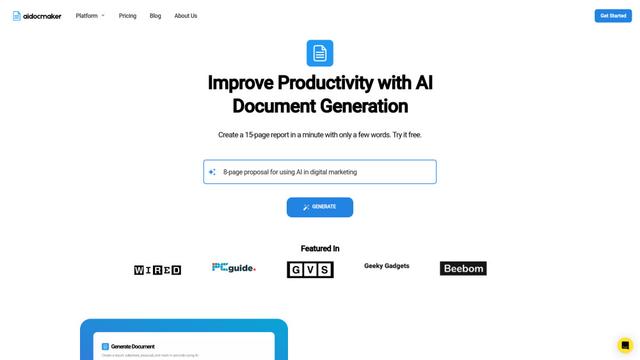
Aidocmaker.com
Aidocmaker.com is an AI-powered document creation platform that allows users to effortlessly generate professional documents, presentations, spreadsheets, and voiceovers in minutes.
Popular AI Tools Like Sheet Ninja

Microsoft Excel: Spreadsheets
Microsoft Excel is the industry-leading spreadsheet software that allows users to organize, analyze, and visualize data through powerful features like formulas, charts, and AI-powered insights.
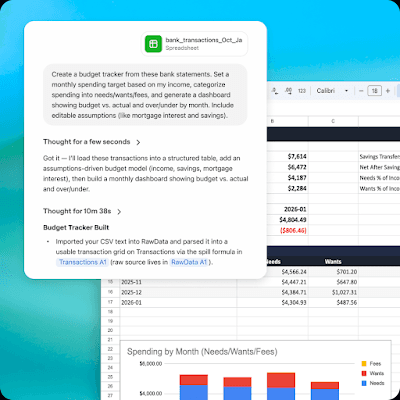
ChatGPT for Google Sheets
FreemiumAI Spreadsheet
ChatGPT for Google Sheets is an OpenAI add-on that brings ChatGPT into a Sheets sidebar so you can build, analyze, and update multi-tab spreadsheets with natural-language prompts, including formulas and cross-tab insights.

Zoho Tables
Zoho Tables is a modern spreadsheet-database hybrid that helps teams organize data with relational links, build views and dashboards, collaborate in real time, and automate workflows with no-code and AI assistance.
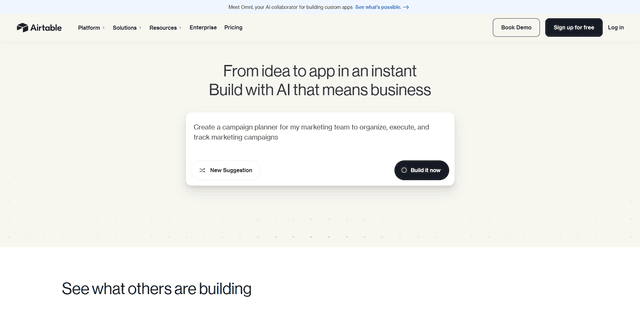
Airtable
Airtable is an AI-powered cloud collaboration platform that combines the functionality of spreadsheets and databases with no-code app building capabilities to help teams organize, track and manage their workflows and data.