
SemanticGuard
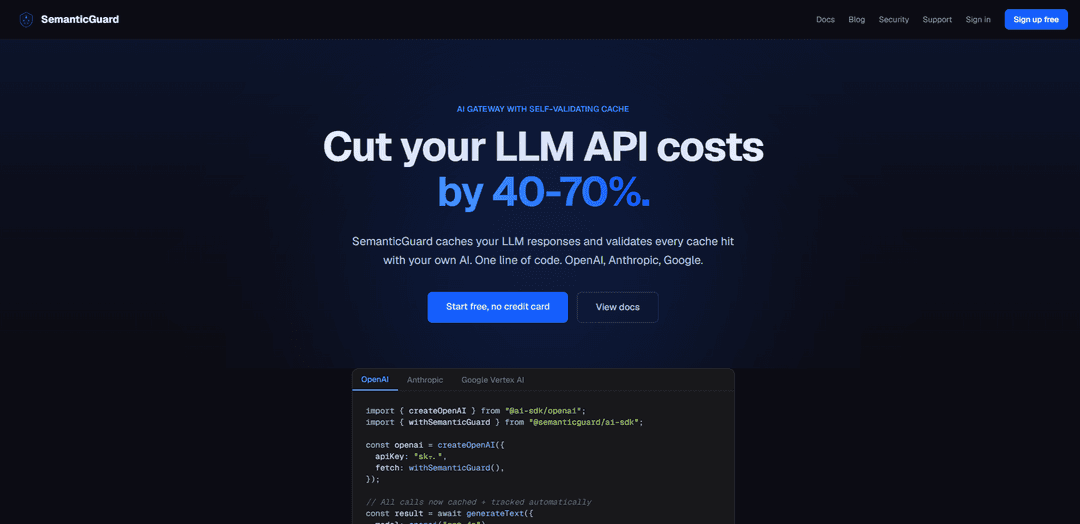
SemanticGuard is an AI gateway with a self-validating semantic cache that cuts LLM API costs by 40–70% by serving fast (<50ms) cache hits across providers while continuously verifying correctness with your own AI.
https://www.semanticguard.dev/?ref=producthunt
Product Information
Updated:Jun 8, 2026
What is SemanticGuard
SemanticGuard is a production-focused AI gateway designed to reduce the cost and latency of large language model (LLM) usage by caching responses and safely reusing them when similar requests repeat. Positioned between your application and LLM providers (OpenAI, Anthropic, Google, and others), it helps teams avoid paying for redundant generations while keeping reliability high through automated validation. It supports one-line integration via SDKs, offers an OpenAI-compatible API endpoint, and includes real-time analytics such as request tracing, cost per request/model, and cache performance reporting.
Key Features of SemanticGuard
SemanticGuard is an AI gateway that reduces LLM API spend by caching responses and serving fast cache hits while continuously validating each hit with AI to avoid silently returning incorrect answers. It integrates with popular providers (OpenAI, Anthropic, Google, and others) via a one-line SDK change or an OpenAI-compatible endpoint, offers Shadow Mode to measure savings before enabling caching, and is designed for production with fail-open behavior, observability (headers, tracing, metrics), and deployment on your own infrastructure (e.g., Vercel Marketplace) so prompts and keys stay under your control.
Self-validating semantic cache: Caches LLM responses and uses AI-based validation on cache hits to ensure correctness, flagging failures instead of serving wrong answers silently.
Shadow Mode savings measurement: Runs without serving cached responses so you can see cost-per-request/model and projected savings before turning caching on.
One-line SDK integration: Add `fetch: withSemanticGuard()` (TypeScript/Python SDK support) to route requests through the gateway with minimal code changes.
OpenAI-compatible endpoint + multi-provider routing: Supports an OpenAI-style API and can sit in front of multiple vendors (e.g., OpenAI, Anthropic, Google, Azure, Bedrock, Mistral) with a single gateway and shared cache.
Production-ready reliability (fail-open): If the cache/gateway is unavailable, requests go directly to the underlying provider to minimize downtime risk.
Observability and agent-native tooling: Includes request tracing/logging (opt-in), health and Prometheus metrics endpoints, machine-readable response headers (cache status/latency/cost/confidence), and an MCP server for IDE/agent access to performance data.
Use Cases of SemanticGuard
Customer support and help centers: Reduce costs and latency for repetitive Q&A (policy, troubleshooting, FAQs) across many users while validating cached answers to maintain response quality.
Internal enterprise copilots: Cache recurring HR/IT/finance questions across an organization so one employee’s query can safely benefit others, with shared caching across providers.
SaaS products with high repeat prompts: Lower unit economics for features like summarization, classification, and content rewriting where many requests are semantically similar but not byte-identical.
Agentic developer tooling and IDE assistants: Use the OpenAI-compatible endpoint and MCP integration so agents/tools can inspect cache performance and costs directly, improving speed and reducing spend during iterative workflows.
Multi-provider LLM operations: Standardize routing, caching, and analytics across OpenAI/Anthropic/Google/etc. to simplify platform operations and capture savings beyond provider-specific prompt caching.
Pros
Meaning-based caching can capture repeats even when prompts differ by names/dates/IDs, improving savings beyond exact-match caching.
Shadow Mode enables low-risk evaluation before changing runtime behavior.
Fail-open design reduces outage risk by falling back to direct provider calls.
Deployable on your own infrastructure (e.g., Vercel) with control over data and optional logging.
Cons
Semantic caching with validation adds system complexity (gateway, cache store, monitoring) compared to direct-to-provider calls.
Effectiveness depends on workload repeatability; highly unique or real-time queries may yield fewer cache hits.
Ongoing validation introduces additional computation and may require careful tuning to balance cost, latency, and strictness.
How to Use SemanticGuard
1) Create a SemanticGuard account: Go to https://www.semanticguard.dev/signup and create an account (free tier available; no credit card required).
2) Choose your deployment path (recommended: Vercel Marketplace): If you use Vercel, install SemanticGuard from the Vercel Marketplace so the proxy deploys into your own Vercel account (your infrastructure).
3) Connect your existing data stores (for cache + analytics): During/after install, connect your existing Neon (Postgres) and Upstash resources as prompted so SemanticGuard can store cache entries and power dashboards.
4) Add the one-line integration in your app (TypeScript / AI SDK): In your AI SDK provider configuration, add `fetch: withSemanticGuard()` so requests route through SemanticGuard.
Example:
import { createOpenAI } from "@ai-sdk/openai";
import { withSemanticGuard } from "@semanticguard/ai-sdk";
const openai = createOpenAI({
apiKey: "sk-...",
fetch: withSemanticGuard(),
});
5) Make LLM calls as usual: Call your model normally; SemanticGuard sits between your app and providers (OpenAI, Anthropic, Google, etc.).
Example:
const result = await generateText({
model: openai("gpt-4o"),
prompt: "Summarize this document...",
});
6) Start in Shadow Mode (measure savings safely): Enable Shadow Mode first to see cost per request/model and what caching would save, without serving cached responses yet.
7) Review savings and request traces in the dashboard: Use SemanticGuard’s analytics to inspect cost, latency, and request tracing/logging (prompt logging is opt-in).
8) Turn on caching when ready: After validating Shadow Mode results, enable caching. Cache hits should return in under ~50ms.
9) Rely on self-validating cache behavior: SemanticGuard validates every cache hit using your own AI to ensure correctness; validation failures are flagged to admins so wrong answers aren’t served silently.
10) Operate with fail-open safety: Keep fail-open enabled (default per the site): if the gateway/cache is unreachable, requests go directly to your LLM provider to avoid downtime.
11) (Optional) Use the OpenAI-compatible endpoint for zero-migration tooling: If you have tools/agents that already call OpenAI’s API format, point them at SemanticGuard’s OpenAI-compatible endpoint by changing the base URL (wire format stays the same).
12) (Optional) Use MCP to inspect performance from dev tools: Connect via the built-in MCP server so tools like Claude/Cursor can query costs, cache performance, and request traces directly from your IDE.
13) Monitor health and metrics: Use the built-in health check and Prometheus metrics endpoints to integrate with Grafana/Datadog or your existing monitoring stack.
14) Scale across providers with one gateway: Route multiple providers (OpenAI, Anthropic, Google, Azure, AWS Bedrock, Mistral) through SemanticGuard to share one cache and one set of analytics across vendors.
SemanticGuard FAQs
SemanticGuard is an AI gateway with a self-validating semantic cache designed to reduce LLM API costs by caching LLM responses and validating cache hits with your own AI.
Popular Articles

How to Create Viral Talking Baby Podcast Videos with AI: Step-by-Step Guide
Nov 2, 2026

Proferex: A Cloud-Based Ad Tracking and Campaign Optimization Platform
Nov 2, 2026

Vosko AI: Localize and Dub Videos for Global Audiences
Oct 15, 2026

Atoms: A Multi-Agent AI Platform That Transforms Ideas into Launch-Ready Products
Oct 13, 2026
Latest AI Tools Similar to SemanticGuard

Gait
Gait is a collaboration tool that integrates AI-assisted code generation with version control, enabling teams to track, understand, and share AI-generated code context efficiently.

invoices.dev
invoices.dev is an automated invoicing platform that generates invoices directly from developers' Git commits, with integration capabilities for GitHub, Slack, Linear, and Google services.

EasyRFP
EasyRFP is an AI-powered edge computing toolkit that streamlines RFP (Request for Proposal) responses and enables real-time field phenotyping through deep learning technology.

Cart.ai
Cart.ai is an AI-powered service platform that provides comprehensive business automation solutions including coding, customer relations management, video editing, e-commerce setup, and custom AI development with 24/7 support.
Popular AI Tools Like SemanticGuard

GitHub Copilot Chat
GitHub Copilot Chat is an AI-powered coding assistant that provides natural language interactions, real-time code suggestions, and contextual support directly within supported IDEs and GitHub.com.

CopilotForXcode
CopilotForXcode is an Xcode Source Editor Extension that integrates GitHub Copilot, Codeium, and ChatGPT to provide AI-powered code suggestions, chat assistance, and prompt-to-code functionality within Xcode.

BrowserAI
BrowserAI is an open-source library that enables running local Large Language Models (LLMs) directly in web browsers with WebGPU acceleration, offering privacy-focused AI capabilities without requiring server infrastructure.

OpenAI Codex CLI
OpenAI Codex CLI is a lightweight, open-source coding agent that runs in your terminal, enabling developers to translate natural language into code execution while providing ChatGPT-level reasoning with the ability to run code, manipulate files, and iterate under version control.