
Ventilate · At the right time
Ventilate · At the right time is a no‑account mobile app that uses your home layout, window directions, indoor temperature, and local weather to give per‑window guidance on when to open or close windows and where to place a fan—without air conditioning.
https://getventilate.app/?ref=producthunt

Product Information
Updated:Aug 15, 2026
What is Ventilate · At the right time
Ventilate · At the right time is a window-ventilation guidance app designed to help you cool your home intentionally during hot weather using outdoor air and fans rather than AC. By combining details about your home (such as building profile, window orientations, and whether you have cross-ventilation or single-sided airflow) with your indoor temperature and local forecasts, it provides clear, actionable recommendations—window by window—on what to do next. It also includes free-to-read “Heat guides” that explain practical strategies for your home and comfort, plus context on why cities get hotter.
Key Features of Ventilate · At the right time
Ventilate · At the right time is a mobile app that helps you cool and ventilate your home without air conditioning by using your home layout, each window’s orientation, your indoor temperature, and local weather forecasts to recommend when to open, crack, or close windows and how to position fans. It provides window-by-window guidance, anticipates weather transitions with timely reminders, and keeps your home data on-device (no account required), using Apple WeatherKit only for weather data. It also includes free educational “heat guides” that explain practical strategies for managing heat and comfort.
Per-window ventilation guidance: Gives window-by-window recommendations—close, crack open, open wide, or use a fan—based on forecast conditions and each window’s direction/orientation.
Home layout & airflow modeling: Incorporates your building profile and ventilation style (cross-ventilation vs. single-sided) to tailor advice to how air actually moves through your space.
Fan placement recommendations: Suggests how to place a fan to improve airflow and comfort when opening windows alone isn’t enough.
Forecast-driven “next action” and reminders: Uses local weather and transitions (e.g., evening cool-down) to tell you the next best action and can prompt you at the right time.
Privacy-first, on-device home data: Requires no account and keeps your home configuration local to your device; weather data is fetched via WeatherKit.
Built-in heat guides (free to read): Includes educational guides for managing heat at home, improving comfort, and understanding why cities get hotter.
Use Cases of Ventilate · At the right time
No-AC home cooling during heat waves: Helps residents reduce indoor heat by timing window opening/closing and using fans effectively—especially useful when AC is unavailable or limited.
Apartment and rental comfort optimization: Renters can improve comfort without permanent upgrades by following per-window advice tailored to the unit’s orientation and ventilation constraints.
Energy-conscious households: Supports passive cooling strategies that can reduce reliance on mechanical cooling and help manage energy costs by leveraging cooler outdoor periods.
Home management for caregivers or remote helpers: Clear “next action” guidance and reminders can simplify ventilation routines for households managing heat-sensitive occupants (e.g., seniors).
Education and community resilience programs: The included heat guides can be used by community groups or public health initiatives to teach practical, low-cost heat mitigation behaviors.
Pros
Actionable, window-by-window recommendations (not generic advice) based on layout, orientation, indoor temperature, and forecast.
Designed for cooling without AC, including fan placement guidance and timing around weather transitions.
Privacy-friendly: no account required and home data stays on-device (WeatherKit used for weather only).
Cons
Effectiveness depends on accurate home setup inputs (layout, window directions, indoor temperature) and user follow-through.
Best results may be limited in climates/periods where outdoor air doesn’t cool sufficiently or windows/fans can’t be used (noise, safety, air quality constraints).
How to Use Ventilate · At the right time
1) Install Ventilate: Go to https://getventilate.app/ and choose App Store or Google Play to download and install Ventilate on your device.
2) Start the app and proceed without creating an account: Open Ventilate. The app is designed to work with no account; your home data stays on your device (weather is fetched via WeatherKit).
3) Set up your home profile: Enter your building/home details and define your ventilation layout (e.g., cross-ventilation or single-sided), as supported by the app’s “Your home” setup.
4) Add your windows and their directions: Input your home layout window-by-window and set each window’s orientation/direction so Ventilate can provide per-window advice based on sun exposure and weather.
5) Provide indoor temperature: Enter your indoor temperature when prompted so Ventilate can compare indoor conditions with local outdoor weather and recommend actions.
6) Add your fan inventory (if you have fans): Tell the app what fans you have available so it can recommend when and how to place a fan as part of the ventilation plan.
7) Review the per-window recommendation: Check the app’s guidance for each window. It will recommend actions such as: close, crack open, open wide, or place a fan—based on weather and each window’s orientation.
8) Follow the timing guidance for heat management: Use the app’s core strategy: close windows during the day when it’s hotter outside; open at night when the air cools; and place a fan in the recommended spot to improve airflow.
9) Use forecasts and transitions to plan ahead: Look at the local forecast and the app’s “next recommended action” so you know what to do next (open/close/fan placement) as conditions change.
10) Enable and use reminders: Turn on timely reminders so Ventilate can notify you when it’s time to switch actions (for example, when to close during hotter periods or open when outdoor air cools).
11) Iterate as conditions change: Re-check recommendations throughout the day/night and adjust window positions and fan placement according to the app’s updated guidance.
12) Read the built-in Heat Guides (optional): Open the Heat Guides (also available on the website under “All guides”) to understand the rationale and get additional guidance for your home, your comfort, and why cities get hotter.
Ventilate · At the right time FAQs
Ventilate is an app that uses your home layout, window directions (orientation), indoor temperature, and local weather to tell you when to open or close windows and how to place a fan—aimed at cooling and ventilating without air conditioning.
Popular Articles

Vosko AI: Localize and Dub Videos for Global Audiences
Oct 15, 2026

Atoms: A Multi-Agent AI Platform That Transforms Ideas into Launch-Ready Products
Oct 13, 2026

Nano Banana SBTI: What It Is, How It Works, and How to Use It in 2026
Apr 15, 2026

Atoms Review — The AI Product Builder Redefining Digital Creation in 2026
Apr 10, 2026
Latest AI Tools Similar to Ventilate · At the right time

Stoke
Stoke is an AI-powered relationship assistant app that helps users remember important dates, plan surprises, set goals, and improve their romantic relationships.

Codlixe
FreemiumLife Assistant
Codlixe is an AI-powered goal setting and journaling platform that helps users balance different areas of their life through personalized suggestions and prompts.

Palmyst
Palmyst is an AI-powered palm reading app that provides personalized insights and guidance through analysis of palm images.

Textbff
TextBFF is an AI companion that texts you once a day to discuss your life, goals, and emotions.
Popular AI Tools Like Ventilate · At the right time
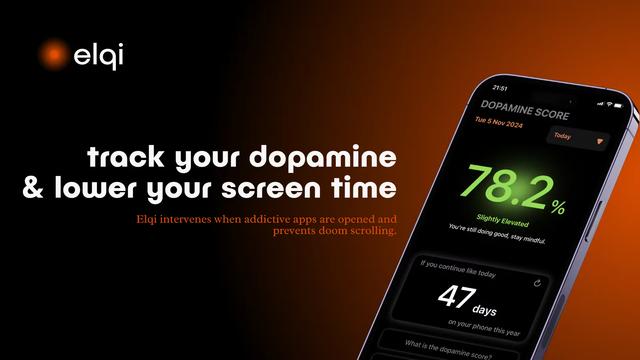
Elqi
Elqi is a dopamine tracking and digital wellness app that helps users combat phone addiction through mindfulness exercises, app blocking, and dopamine level monitoring.

Futudo
Futudo is an innovative AI life assistant that combines advanced AI technology with personal planning to help users shape their destiny by defining goals, breaking bad habits, and unlocking their potential.

Manifest AI
Manifest AI is a personal AI-powered manifestation app that helps users transform their mindset and achieve their goals through customized affirmations, goal tracking, and various manifestation techniques.

Center Meditation Timer
Center Meditation Timer is a minimalist meditation companion app that offers customizable timers, tracking capabilities, and seamless integration across Apple devices without unnecessary distractions like guided meditations or background music.