
Scheduled
Scheduled is an open-source email scheduling agent that automatically drafts email responses to help streamline communication.
https://tryscheduled.com/?ref=producthunt

Product Information
Updated:Apr 8, 2026
What is Scheduled
Scheduled is an AI-powered email assistant that integrates directly into your email workflow to help manage and automate email responses. As an open-source solution, it gives users full control and transparency over their calendar and email data while providing smart scheduling capabilities. The tool aims to simplify the back-and-forth of scheduling meetings and responding to common email scenarios.
Key Features of Scheduled
Scheduled is an open-source email scheduling agent that automatically drafts responses to emails, helping users manage their calendar and communications more efficiently. It integrates directly with email systems to provide smart response suggestions and handle meeting scheduling automatically.
Automated Email Response Drafting: Automatically generates contextual email responses for common scheduling and meeting-related communications
Calendar Integration: Seamlessly integrates with user's calendar to suggest available meeting times and handle scheduling conflicts
Open Source Architecture: Fully open-source platform allowing users to view, modify, and contribute to the code while maintaining control over their calendar data
Use Cases of Scheduled
Business Meeting Coordination: Efficiently handles meeting rescheduling requests and coordinates new meeting times with multiple participants
Professional Networking: Manages introductory meetings and follow-ups with new business contacts and potential clients
Client Communication: Handles scheduling of demos, reviews, and follow-up meetings with clients while maintaining professional communication
Pros
Open source and transparent code base
Automated response generation saves time
Seamless calendar integration
Cons
May require technical knowledge to self-host
Limited to email and calendar-related tasks
How to Use Scheduled
Sign up for an account: Visit the Scheduled website and click 'Get Started' to create a new account
Connect your email: Allow Scheduled to access your email account so it can help manage your scheduling
Review draft responses: When you receive scheduling-related emails, Scheduled will automatically generate draft responses for you to review
Customize and send responses: Review the AI-generated draft responses, make any needed edits, and send them to confirm scheduling arrangements
Monitor scheduled events: Keep track of your scheduled meetings, calls and appointments through the Scheduled interface
Optional: Access source code: As an open source tool, you can view, modify or contribute to the code on GitHub if desired
Scheduled FAQs
Scheduled is an open-source AI email scheduling agent that lives in your email and automatically drafts responses for scheduling-related communications.
Scheduled Video
Popular Articles

Atoms: A Multi-Agent AI Platform That Transforms Ideas into Launch-Ready Products
May 22, 2026

Nano Banana SBTI: What It Is, How It Works, and How to Use It in 2026
Apr 15, 2026

Atoms Review — The AI Product Builder Redefining Digital Creation in 2026
Apr 10, 2026

Kilo Claw: How to Deploy and Use a True "Do‑It‑For‑You" AI Agent(2026 Update)
Apr 3, 2026
Latest AI Tools Similar to Scheduled

10xBeast
10xBeast is an AI-powered sales platform that helps businesses automate and personalize cold email outreach to convert leads into customers in just a few clicks.

Inbox AI
Inbox AI is a privacy-focused MacOS productivity app that combines voice-driven AI automation with email management capabilities, allowing users to create custom workflows and commands while offering both cloud-based and on-device AI options.

MailSense
MailSense is an AI-powered email assistant that filters, summarizes, and generates replies to emails through a Telegram bot interface to help users manage their inbox more efficiently.

Voltmailer
Voltmailer is an AI-powered email automation tool that helps businesses scale their cold outreach by generating personalized emails through website data scraping and automated personalization.
Popular AI Tools Like Scheduled

Mailmeteor AI for Gmail
Mailmeteor is a powerful Gmail extension that combines AI email writing, mail merge, automated follow-ups, and email export capabilities to enhance productivity and email management within Gmail.
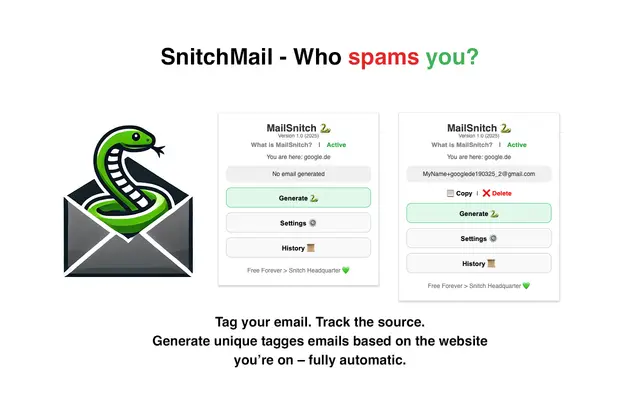
MailSnitch
MailSnitch is a free email tracking and anti-spam Chrome extension that helps users identify spam sources through automated email tagging and tracking system.

MailMood - AI Email Rewriter
MailMood is a Chrome extension that instantly transforms Gmail messages into professional, clean, and confident business language with three different tone options - corporate, casual, or assertive - all with just one click.

Apparent for Gmail
Apparent for Gmail is a Chrome extension that enhances Gmail's readability and usability by reorganizing conversations, simplifying layouts, and streamlining workflows while maintaining privacy and security.