
Rewisp
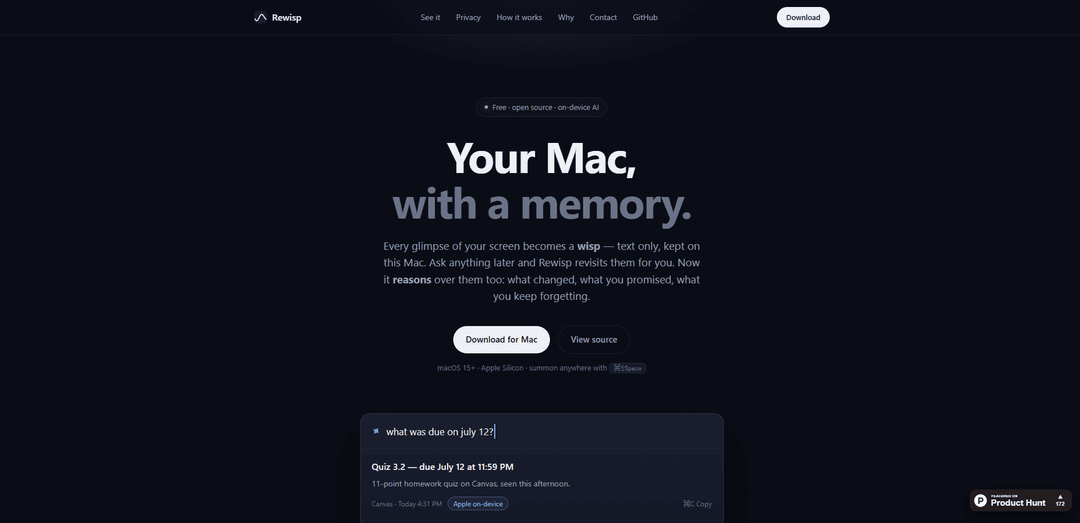
Rewisp is a free, open-source, on-device “ambient memory” app for Apple Silicon Macs that extracts text from what you see on screen, lets you ask questions later (including “what changed since Tuesday?”), and can detect/track commitments like “I’ll send it Friday.”
https://yashmitb.github.io/Rewisp?ref=producthunt
Product Information
Updated:Aug 8, 2026
What is Rewisp
Rewisp is a macOS menu bar app that gives your Mac a searchable, private memory of your day—built from the text you’ve already seen on your screen. Instead of recording video or uploading screenshots, it captures “wisps” (text-only snapshots) so you can later search by meaning, review what changed on a page, recall details from past work, and get reminders for promises you made. It runs on macOS 15+ on Apple Silicon, can be summoned anywhere with a global hotkey (⌘⇧Space), and is MIT-licensed with the code available on GitHub—no account required.
Key Features of Rewisp
Rewisp is an open-source, on-device “ambient memory” app for Apple Silicon Macs that passively captures moments from your screen as text-only “wisps,” stores them locally, and lets you ask natural-language questions later (e.g., what changed since Tuesday). It can reason over your screen history to find information by meaning, show diffs across page versions, catch small commitments like “I’ll send it Friday” and remind you, generate a daily digest, and compute honest time-spent per app from what you actually viewed. Privacy is central: screenshots are discarded immediately, data lives in a local SQLite file, sensitive apps can be blocked via a kill list, and a Touch ID–locked Vault can store trusted personal details for form-filling (excluding passwords/cards). It can answer fully on-device or optionally escalate to external models (Gemini/Claude/ChatGPT) when you ask, and it can expose read-only memory access to agents via MCP.
Text-only screen memory (“wisps”): Captures screen moments using smart triggers and extracts text on-device (via Apple Vision), discarding the screenshot immediately; stores only text locally for long-term recall.
Semantic search + Q&A with sources: Ask in plain English and retrieve the right moment even without shared keywords; answers are generated with references to the underlying captured text and timestamps.
Change tracking for any page: Keeps multiple text versions of what you viewed and can show exactly what was added/removed/moved since a prior time (e.g., “what changed since Tuesday?”).
Promise catching & reminders: Detects lightweight commitments written in context (e.g., “I’ll send it Friday”), asks for confirmation, then reminds you on the due day until marked done—designed to reduce missed follow-ups.
Daily digest + “time honestly” analytics: Produces a quiet end-of-day summary of what happened and what’s unfinished (with user approval for saved facts) and computes minutes-per-app from what you actually looked at—no manual timers.
Privacy controls + Vault + agent integration: Local-first storage (SQLite), absolute kill list for sensitive contexts, a one-click “forget last 10 minutes,” auto-expiry (e.g., 6 months), Touch ID–locked Vault for safe form-fill (no passwords/cards), and read-only MCP access for tools like Claude Desktop/Cursor/VS Code.
Use Cases of Rewisp
Student coursework tracking: Monitor syllabus/assignment pages for deadline or point changes, recall where you saw instructions, and get reminders for commitments (e.g., submitting a PDF) without manual note-taking.
Product & engineering work recall: Answer “what changed in the spec?” across docs and tickets, quickly retrieve prior decisions from scattered tabs, and share read-only memory with coding agents via MCP to reduce context switching.
Sales, recruiting, and client follow-ups: Catch and track promises like “I’ll send the proposal Friday,” surface relevant details from emails/CRM pages you viewed, and reduce dropped follow-ups across many conversations.
Compliance- and privacy-sensitive workflows: Use local-only, text-extracted memory with a strict kill list and Touch ID Vault to minimize cloud exposure while still enabling searchable recall for regulated or confidential environments.
Personal admin & form completion: Store trusted personal details (resume, addresses, standard answers) in the Vault and autofill forms on demand—while refusing passwords/cards and never auto-submitting.
Pros
Privacy-by-construction: screenshots never touch disk; text-only storage stays local with strong controls (kill list, forget button, expiry).
High leverage for real work: semantic recall, page diffs, and promise-catching address common “lost in tabs/chats” failures.
Flexible model routing: can answer on-device for free/offline and optionally escalate to stronger external models only when you ask.
Open source (MIT) and no account required, improving auditability and trust.
Cons
Platform constraints: macOS 15+ and Apple Silicon only, limiting accessibility for other systems.
Early-stage product (v0.9): may have rough edges, missing features, or accuracy issues (e.g., false positives/negatives in promise detection).
Ambient capture can raise privacy concerns in shared-device or sensitive-screen contexts, requiring careful configuration of exclusions.
How to Use Rewisp
1) Check requirements and install Rewisp: Use a Mac with macOS 15+ on Apple Silicon. Download/install Rewisp from its GitHub Releases (the app updates via GitHub Releases and can check daily). Launch it as a menu bar app.
2) Learn the global shortcut to open Rewisp: Summon Rewisp anywhere with the global hotkey ⌘⇧Space. This opens a Spotlight-style panel where you can ask questions about what you’ve seen on-screen.
3) Let Rewisp start capturing “wisps” (text-only moments): Go about your normal work. Rewisp uses smart triggers (switching apps, opening a page, settling after a scroll) to capture a “wisp.” It extracts on-screen text using Apple’s Vision framework on-device, then discards the screenshot immediately.
4) Ask questions about your screen history: Press ⌘⇧Space and ask in plain English (e.g., “what changed since Tuesday?”). Rewisp searches your captured text history and returns an answer with sources and timestamps.
5) Search by meaning (semantic search): Use natural queries that don’t need exact keywords (e.g., “that article about burnout”). Rewisp can find relevant pages even when the wording differs (e.g., matching “burnout” to “exhaustion”).
6) Check what changed on a page you revisited: After viewing the same page on different days, open Rewisp (⌘⇧Space) and ask what changed. Rewisp keeps versions of the page as text and shows what was added, removed, or moved since your last view.
7) Use promise tracking (commitments and reminders): When Rewisp detects a commitment like “I’ll send it Friday,” confirm it when prompted. Rewisp will remind you on the due day (once, until it’s done). You can also ask questions like “What did I promise this week?”
8) Use the Touch ID Vault for trusted personal details: Add stable info (resume, addresses, standard answers) to the Vault and lock it with Touch ID. Rewisp treats Vault content as trusted and can use it for autofill and consistent answers.
9) Autofill forms from your Vault (without submitting): On a signup/checkout form, press ⌘⇧Space. Rewisp reads the form fields and fills them from your Vault. It never fills passwords or cards and never submits the form—you review and submit yourself.
10) Choose how answers are generated (on-device first, optional cloud escalation): Use Apple on-device answers by default. If you want sharper answers, configure Rewisp’s model chain to escalate (e.g., Gemini, then Claude, or ChatGPT) only when needed—typically only when you ask.
11) Enable a local model for offline use (optional): On first launch, Rewisp can offer a local model that fits your Mac for unlimited offline answering. You can skip this and remain on Apple on-device only.
12) Review the nightly digest (and approve what gets kept): At 9 PM, Rewisp can generate a daily summary: what happened, what’s unfinished, and what it learned about you. Approve any facts before they’re kept.
13) Check “Time, honestly” (attention-based app time): View minutes per app computed locally from what you actually looked at (no manual timers). Use it to understand where your day went (e.g., Xcode vs Chrome vs YouTube).
14) Connect Rewisp to agent tools via MCP (read-only memory access): Connect Claude Desktop, Claude Code, Cursor, VS Code, or any MCP client so the agent can search your memory and read your promises while it works. This is read-only, local, and designed not to spend your subscriptions.
15) Use privacy controls: kill list, forget button, and retention: Ensure sensitive apps/contexts are on the kill list (messages, password managers, banking, private windows) so capture fully pauses there. Use the “Forget” button to delete the last 10 minutes. By default, content expires after 6 months.
16) Inspect and control what Rewisp knows: Rewisp keeps a plain markdown file of what it knows. Edit, approve, or delete lines—Rewisp won’t confirm facts on its own.
Rewisp FAQs
Rewisp is a free, open-source “ambient memory” app for Mac that reads the text on your screen, stores it locally as searchable moments (“wisps”), and lets you ask questions later (e.g., “what changed since Tuesday?”) with sources and timestamps.
Popular Articles

Vosko AI: Localize and Dub Videos for Global Audiences
Oct 15, 2026

Atoms: A Multi-Agent AI Platform That Transforms Ideas into Launch-Ready Products
Oct 13, 2026

Nano Banana SBTI: What It Is, How It Works, and How to Use It in 2026
Apr 15, 2026

Atoms Review — The AI Product Builder Redefining Digital Creation in 2026
Apr 10, 2026
Latest AI Tools Similar to Rewisp

Parcae
Parcae is a mind mapping mobile application that helps users organize thoughts and ideas into structured visual maps with intuitive gesture-based controls and automatic saving features.
想读 (WantRead)
想读(WantRead) is an AI-powered reading and note-taking platform that helps users easily import, read, annotate and build their personal knowledge base.

Hiring Studio by Metaview
Hiring Studio by Metaview is a free AI-powered tool that helps recruiting teams generate customized interview questions with follow-up suggestions and detailed answer rubrics.

AI Journaler
AI Journaler is a free Windows PC app that combines traditional journaling with AI-powered analysis and conversation capabilities to enhance emotional well-being and self-reflection.
Popular AI Tools Like Rewisp
Lore
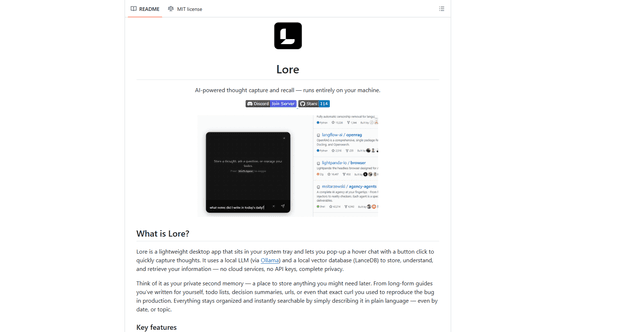
Lore is an AI-powered desktop application that enables quick thought capture and intelligent recall through a local LLM system, allowing users to store and retrieve information privately without cloud services.
Second Brain for AI
Second Brain for AI is a self-hosted, MCP-compatible persistent memory layer on Cloudflare that lets Claude, ChatGPT, Cursor, and other AI clients store and semantically recall shared context across sessions.
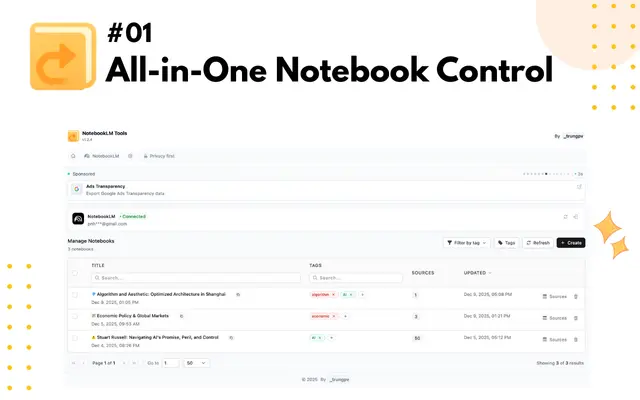
NotebookLM Tools Chrome Extension
NotebookLM Tools is a comprehensive Chrome extension that enhances Google's NotebookLM with advanced notebook management, multi-language support, bulk operations, and seamless source importing capabilities.
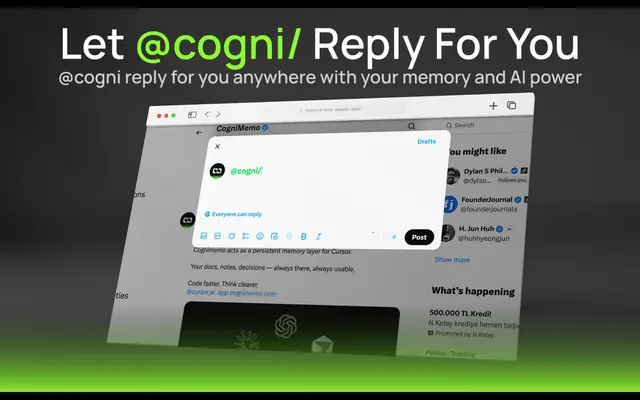
CogniMemo Extension
CogniMemo is a browser extension that adds long-term memory capabilities to AI tools like ChatGPT, Claude, Gemini, and DeepSeek by enabling context-aware conversations and knowledge management through saved notes and past chats.