Ralv Alpha
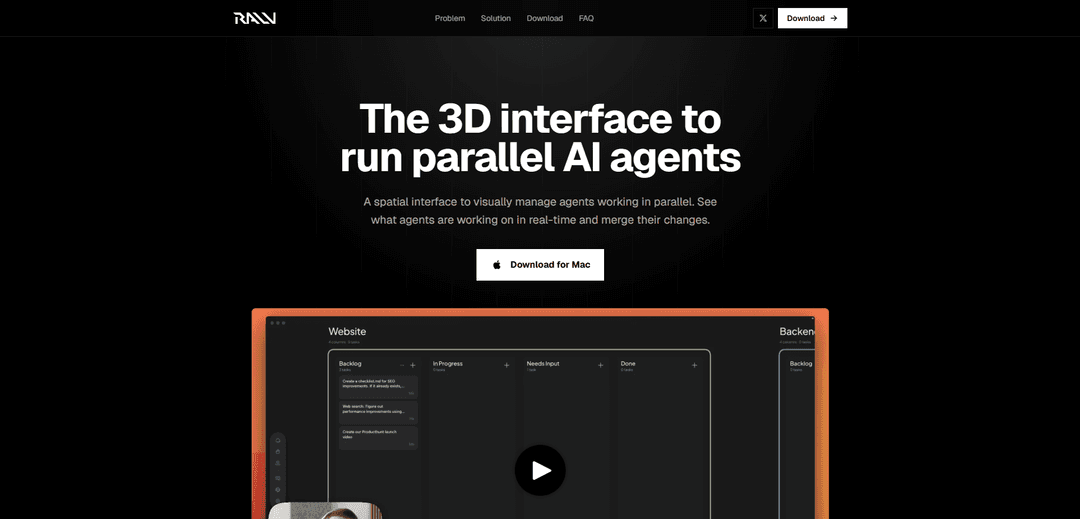
Ralv Alpha is a 3D, RTS-inspired spatial interface that lets developers orchestrate and monitor many AI coding agents in parallel from one screen with real-time visibility, visual alerts, and one-click drill-down into each agent’s work.
https://ralv.ai/?ref=producthunt
Product Information
Updated:May 18, 2026
What is Ralv Alpha
Ralv Alpha is an early-stage (alpha) tool designed to make running multiple AI agents at once feel intuitive instead of chaotic. Rather than managing agents through a 1D list of terminal splits, tabs, or chat windows, Ralv provides a spatial 3D canvas—similar to the control paradigm of real-time strategy games—so you can see what many agents are doing simultaneously, understand status at a glance, and jump into details instantly. The alpha is aimed first at developers coordinating multiple coding agents, and it’s positioned as an interface layer that can work alongside existing agent subscriptions such as Claude Code or Codex.
Key Features of Ralv Alpha
Ralv Alpha is a 3D, RTS-inspired spatial interface for orchestrating many AI agents in parallel from a single screen. Instead of managing agents through 1D lists, terminal splits, or multiple chat tabs, it uses zoom/pan/detail-on-demand to help users monitor real-time agent activity, spot when agents need input via visual alerts, drill into any agent’s work quickly, and merge changes—aimed first at developers running multiple coding agents while remaining adaptable to broader knowledge-work orchestration.
3D spatial canvas for agent orchestration: A real-time strategy–style interface that replaces 1D lists with a navigable 3D workspace designed to scale to many concurrent agents.
Zoom/pan/detail-on-demand navigation: RTS visualization primitives let you zoom out to see all agents, pan across the workspace, and click into a specific agent for deep inspection.
Real-time parallel agent monitoring: See what each agent is working on simultaneously, helping maintain situational awareness across multiple tasks and projects.
Visual alerts for human input: Clear visual signals indicate when an agent is blocked or needs attention, improving prioritization and reducing context-switching.
One-click drill-down into agent work: Quickly open an individual agent’s current context/workstream without hunting through tabs or terminal panes.
Works with existing coding-agent subscriptions: Positioned as an interface layer that can be used alongside tools like Claude Code or Codex (using existing subscriptions) rather than replacing them.
Use Cases of Ralv Alpha
Parallel coding tasks for software teams: Run multiple coding agents for bug fixes, refactors, tests, and documentation at once, while a lead developer oversees progress and unblocks agents via visual prompts.
Multi-repo project orchestration: Coordinate agents across several repositories/services (e.g., backend, frontend, infra), using the spatial layout to track ownership, status, and priority.
Incident response and ops automation: Assign agents to investigate logs, draft remediation steps, update runbooks, and prepare status updates—while operators monitor which threads need approval.
Research and synthesis for knowledge work: Deploy agents to gather sources, summarize findings, and compare alternatives in parallel, then drill into any agent’s evidence trail when decisions are needed.
Product development support: Use multiple agents for PRD drafting, competitor analysis, UX copy variants, and release notes concurrently, keeping progress visible and easy to prioritize.
Pros
Scales better than tabs/lists for many concurrent agents via spatial navigation and fast recognition.
Improves prioritization and responsiveness with visual alerts when agents need input.
Reduces context switching by enabling quick drill-down into any agent’s work from one screen.
Cons
Alpha-stage product may have limited integrations, stability, or workflow polish compared to mature IDE/chat-based tools.
3D/spatial UI can add a learning curve and may feel heavier than simple lists for small numbers of agents.
How to Use Ralv Alpha
1) Download and install Ralv Alpha (Mac): Go to https://ralv.ai/ and click “Download for Mac”, then open the .dmg and install Ralv.
2) Launch Ralv and start a workspace/session: Open Ralv. Create or open a session where you’ll orchestrate multiple agents in parallel (the core workflow Ralv is designed for).
3) Connect your existing coding-agent subscriptions: Configure Ralv to use your existing agent tools/subscriptions (the site states you can use existing Claude Code or Codex subscriptions with Ralv).
4) Create multiple agents (one agent per task): Spin up several agents so each can work on a separate task (e.g., bug fix, refactor, feature, tests). Ralv is intended to scale beyond 1–2 agents without relying on terminal splits or chat lists.
5) Arrange agents on the 3D canvas for parallel visibility: Use the spatial 3D canvas to place agents so you can see what each is working on at a glance and maintain persistent state and prioritization.
6) Zoom out to monitor the big picture: Zoom out to see every agent working in parallel in real time, similar to an RTS overview.
7) Pan to navigate across your agent swarm: Pan around the canvas to quickly move between clusters of agents and keep situational awareness as tasks progress.
8) Watch for visual alerts that an agent needs input: Use Ralv’s visual alerting to spot when an agent is blocked or requires a decision, rather than constantly checking multiple tabs/terminals.
9) Drill into an agent’s details on demand: Click into any agent to view specifics of its work (details-on-demand), then return to the overview when done.
10) Direct agents like a ‘general’ (not a sysadmin): Issue high-level instructions and prioritize tasks across agents from the single-screen interface, leveraging the spatial layout for fast recognition and control.
11) Review progress in real time and iterate: Continuously monitor what each agent is doing in real time, reassign tasks, and provide clarifications when alerts indicate an agent is stuck.
12) Merge agents’ changes: When agents complete work, use Ralv’s ability to “merge their changes” (as described on the site) to combine outputs into your project.
Ralv Alpha FAQs
Ralv Alpha is an early (alpha) release of Ralv, a 3D/spatial interface designed to visually manage many AI agents working in parallel, showing what they’re doing in real time and helping you merge their changes.
Ralv Alpha Video
Popular Articles

Atoms: A Multi-Agent AI Platform That Transforms Ideas into Launch-Ready Products
May 22, 2026

Nano Banana SBTI: What It Is, How It Works, and How to Use It in 2026
Apr 15, 2026

Atoms Review — The AI Product Builder Redefining Digital Creation in 2026
Apr 10, 2026

Kilo Claw: How to Deploy and Use a True "Do‑It‑For‑You" AI Agent(2026 Update)
Apr 3, 2026
Latest AI Tools Similar to Ralv Alpha

Hapticlabs
Hapticlabs is a no-code toolkit that enables designers, developers and researchers to easily design, prototype and deploy immersive haptic interactions across devices without coding.

Deployo.ai
Deployo.ai is a comprehensive AI deployment platform that enables seamless model deployment, monitoring, and scaling with built-in ethical AI frameworks and cross-cloud compatibility.

CloudSoul
CloudSoul is an AI-powered SaaS platform that enables users to instantly deploy and manage cloud infrastructure through natural language conversations, making AWS resource management more accessible and efficient.

Devozy.ai
Devozy.ai is an AI-powered developer self-service platform that combines Agile project management, DevSecOps, multi-cloud infrastructure management, and IT service management into a unified solution for accelerating software delivery.
Popular AI Tools Like Ralv Alpha

A2A Protocol
A2A (Agent2Agent) Protocol is an open interoperability protocol developed by Google that enables seamless communication and collaboration between AI agents across different frameworks and vendors, regardless of their underlying architecture.

VoltOps
VoltOps is a framework-agnostic LLM observability platform that provides real-time visual monitoring, debugging, and optimization tools for AI agents across any technology stack.

Chaterm
Chaterm is an open-source AI-native terminal and SRE copilot that enables engineers to manage complex infrastructure through natural language, automating deployment, troubleshooting, and operations without memorizing commands.

Open Browser Use
Open Browser Use is an open-source, agent-runtime-neutral browser automation layer that pairs a Chrome extension with a CLI/SDK/MCP to enable DOM-aware, CDP-powered tab control, navigation, and actions across different AI agent tools.