
Penqwin
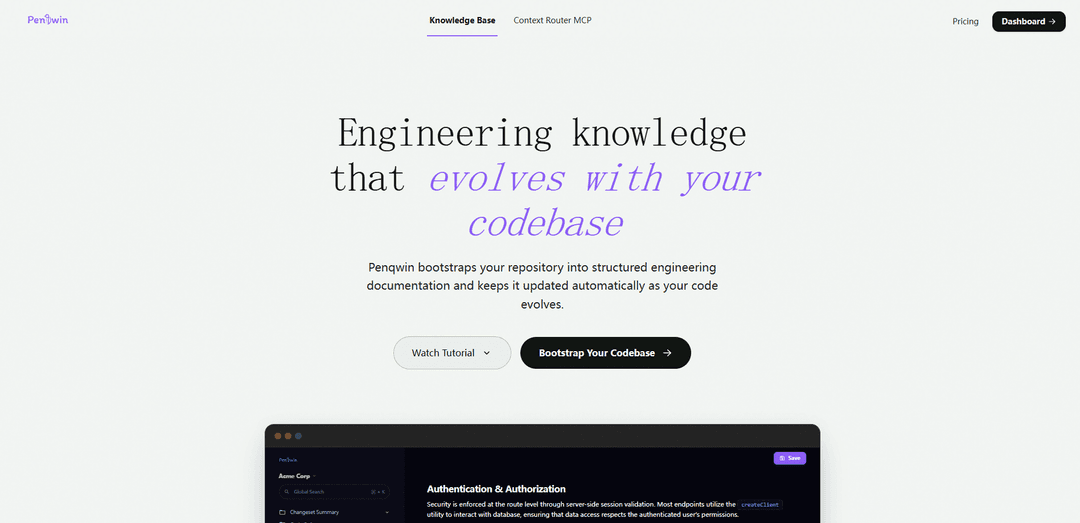
Penqwin is an AI code wiki and engineering knowledge base that automatically turns GitHub pull requests and commits into structured, searchable, continuously updated technical documentation.
https://www.penqwin.com/?ref=producthunt
Product Information
Updated:Jul 8, 2026
What is Penqwin
Penqwin is a documentation platform built for modern software teams that want engineering knowledge to stay aligned with the real codebase. Instead of manually writing and maintaining docs, it bootstraps a repository into structured documentation—covering areas like architecture, APIs/endpoints, modules, workflows, and key technical systems—and keeps that knowledge current as the repository evolves. It’s designed to reduce tribal knowledge by transforming everyday development activity (PRs, commits, code changes) into living documentation that teams can review, share, and use for onboarding and handovers.
Key Features of Penqwin
Penqwin is an AI-powered code wiki and engineering knowledge base that turns GitHub pull requests, commits, and repository structure into structured technical documentation that stays in sync as the codebase changes. It bootstraps documentation across architecture, APIs, modules, and workflows, then continuously updates docs from ongoing diffs—helping teams reduce tribal knowledge, speed up onboarding, and maintain continuity across long-running projects. Penqwin also provides a specialized documentation workspace with global search, and emphasizes security controls, minimal GitHub permissions, and that customer code is not used to train public AI models.
PR/commit-to-docs generation: Automatically generates accurate technical documentation (feature docs, API docs, code review summaries, release notes) directly from GitHub PR diffs and commits—no templates or manual input required.
Repository bootstrapping into a code wiki: Connect a repository and Penqwin builds a structured knowledge layer spanning architecture, APIs/endpoints, modules, business logic, database/models, and key workflows.
Continuous doc synchronization: Tracks code changes over time and keeps documentation aligned with the current state of the system, creating “living docs” that evolve with the repo.
Structured engineering knowledgebase entries: Transforms development activity into organized artifacts such as architecture decisions, onboarding guides, and project context that teams can reference long after changes ship.
Global search across documentation: Indexes technical, engineering, and API documentation across the workspace for fast retrieval (e.g., searching endpoints, auth patterns, or implementation details).
Security and permission transparency: Access is limited to explicitly authorized repositories with minimal GitHub permissions; code is processed securely and is not used to train public AI models.
Use Cases of Penqwin
Software teams documenting fast-moving products: Keep feature documentation and API references up to date automatically as PRs land, reducing documentation drift and improving developer velocity.
Agencies maintaining long-term client projects: Preserve architecture rationale and implementation context so teams can revisit or hand off projects months later with documentation that matches the actual code.
Onboarding and handovers for engineering orgs: Generate onboarding guides and system overviews so new developers can understand the codebase quickly without relying on a few key individuals.
Release and change communication: Turn merged PRs and commits into review-ready summaries and release notes to streamline internal updates and stakeholder communication.
Code review and PR review support: Produce structured summaries of changes and impacted areas (e.g., auth middleware, DB schema, new billing endpoints) to improve review quality and speed.
Pros
Automatically generates and updates documentation from real code changes, reducing manual effort and doc drift.
Improves engineering continuity by capturing decisions, context, and system knowledge in a searchable workspace.
Security-focused positioning: minimal permissions, controlled repo access, and not training public models on customer code.
Cons
Best value depends on GitHub-based workflows; teams using other SCM platforms may have limited fit.
AI-generated docs may still require human review for nuance, edge cases, and product/architecture intent.
Effectiveness can vary with code quality and PR hygiene (e.g., unclear diffs or missing context can reduce doc accuracy).
How to Use Penqwin
1. Create an account and sign in: Go to Penqwin (penqwin.com) and sign in to the app. Complete authentication to start a server-side validated session for accessing protected features.
2. Create (or select) a workspace: Create a new workspace for your team/product/environment, or select an existing one. Penqwin supports multiple workspaces and lets you switch between them from the sidebar to keep documentation isolated by context.
3. Connect your GitHub repository: Authorize Penqwin to access GitHub repositories you explicitly choose. Penqwin requests minimal permissions and only reads repos you approve.
4. Bootstrap documentation from the repository: Start repository bootstrapping so Penqwin can generate an initial structured knowledge layer across areas like architecture, APIs/endpoints, frontend/UI, utilities/helpers, business logic, and database/models.
5. Generate docs from a pull request (PR) URL: Paste a GitHub pull request link into Penqwin. The system analyzes what changed and generates a structured documentation draft explaining what changed, why it changed, and how it fits into the system.
6. Generate docs from a commit URL: Paste a GitHub commit link to produce a documentation entry from that change set. Use this for smaller updates or incremental documentation improvements.
7. Review and refine the generated draft: Open the generated document in Penqwin’s documentation workspace and edit for accuracy, clarity, and team conventions. Treat it like a PR review: validate behavior, assumptions, and any architectural rationale.
8. Organize documentation by system area: Ensure the generated content is categorized into the relevant sections (e.g., API & Endpoints, Authentication, Database & Models) so future updates sync cleanly as the codebase evolves.
9. Collaborate with teammates in the workspace: Invite team members to the workspace and collaborate on documentation. Keep docs as a shared, living resource rather than a single-owner artifact.
10. Manage member access and roles: Assign roles per workspace (admin, read and write, read only) to control who can edit or administer documentation. Update or remove members as needed.
11. Use global search to find knowledge quickly: Use Penqwin’s global search to query across technical documentation, engineering documentation, and API documentation within the workspace.
12. Keep documentation automatically up to date: Enable/maintain auto-sync so Penqwin continuously tracks pull requests and code changes and updates documentation to match the current state of the repository.
13. Verify security and data handling expectations: Confirm your team’s requirements: Penqwin processes code in an isolated environment, only accesses authorized repos, and does not use repository data to train public AI models.
14. Upgrade if you need more capacity: Start on the free plan to test workflows. Upgrade to a paid plan if you need unlimited smart document sync, unlimited documents, and broader team collaboration features.
Penqwin FAQs
Penqwin is an AI code wiki and engineering knowledge base for GitHub repositories that turns pull requests and commits into structured, up-to-date engineering documentation.
Penqwin Video
Popular Articles

Atoms: A Multi-Agent AI Platform That Transforms Ideas into Launch-Ready Products
May 22, 2026

Nano Banana SBTI: What It Is, How It Works, and How to Use It in 2026
Apr 15, 2026

Atoms Review — The AI Product Builder Redefining Digital Creation in 2026
Apr 10, 2026

Kilo Claw: How to Deploy and Use a True "Do‑It‑For‑You" AI Agent(2026 Update)
Apr 3, 2026
Latest AI Tools Similar to Penqwin

Gait
Gait is a collaboration tool that integrates AI-assisted code generation with version control, enabling teams to track, understand, and share AI-generated code context efficiently.

invoices.dev
invoices.dev is an automated invoicing platform that generates invoices directly from developers' Git commits, with integration capabilities for GitHub, Slack, Linear, and Google services.

EasyRFP
EasyRFP is an AI-powered edge computing toolkit that streamlines RFP (Request for Proposal) responses and enables real-time field phenotyping through deep learning technology.

Cart.ai
Cart.ai is an AI-powered service platform that provides comprehensive business automation solutions including coding, customer relations management, video editing, e-commerce setup, and custom AI development with 24/7 support.
Popular AI Tools Like Penqwin

GitHub Copilot Chat
GitHub Copilot Chat is an AI-powered coding assistant that provides natural language interactions, real-time code suggestions, and contextual support directly within supported IDEs and GitHub.com.

CopilotForXcode
CopilotForXcode is an Xcode Source Editor Extension that integrates GitHub Copilot, Codeium, and ChatGPT to provide AI-powered code suggestions, chat assistance, and prompt-to-code functionality within Xcode.

BrowserAI
BrowserAI is an open-source library that enables running local Large Language Models (LLMs) directly in web browsers with WebGPU acceleration, offering privacy-focused AI capabilities without requiring server infrastructure.

OpenAI Codex CLI
OpenAI Codex CLI is a lightweight, open-source coding agent that runs in your terminal, enabling developers to translate natural language into code execution while providing ChatGPT-level reasoning with the ability to run code, manipulate files, and iterate under version control.