
PandaProbe
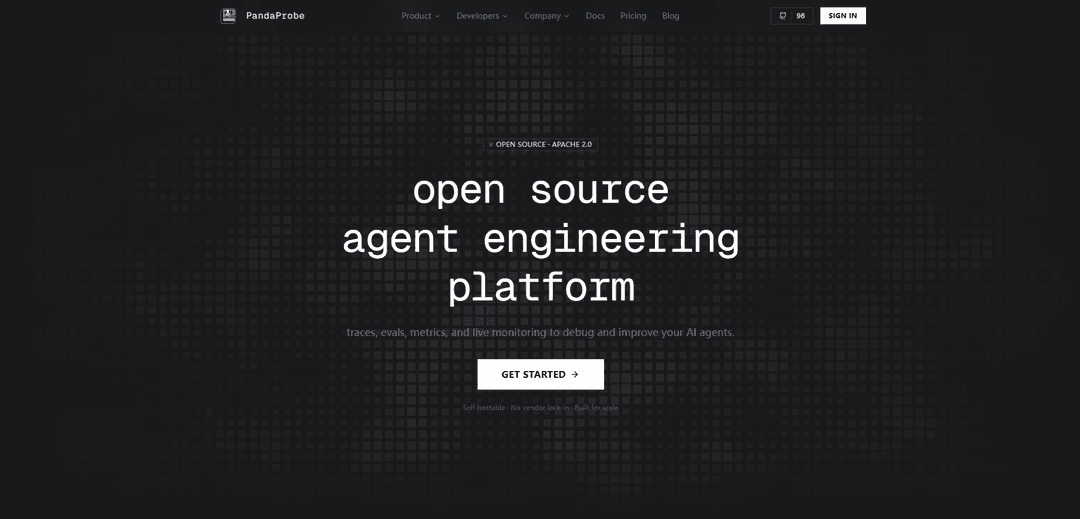
PandaProbe is an open-source, self-hostable agent engineering platform that provides tracing, evals, metrics, and live monitoring to debug and improve AI agents at production scale.
https://www.pandaprobe.com/?ref=producthunt
Product Information
Updated:May 19, 2026
What is PandaProbe
PandaProbe is an Open Source (Apache 2.0) agent engineering platform by Chirpz AI designed to help developers understand, debug, and continuously improve AI agents. It focuses on the full agent development lifecycle—from early experimentation to production operations—by offering a unified place to capture detailed execution traces, run evaluations, track metrics, and monitor agent behavior over time. PandaProbe can be used via PandaProbe Cloud or self-hosted with the same core platform features and APIs, aiming to reduce vendor lock-in while supporting real-world scalability needs.
Key Features of PandaProbe
PandaProbe is an open-source, self-hostable agent engineering platform (Apache 2.0) for taking AI agents to production by providing end-to-end observability and improvement tooling—tracing, evals, metrics, and live monitoring. It integrates with popular agent frameworks and LLM providers via a Python SDK and offers plug-and-play instrumentation (e.g., a single instrument() call) to capture detailed run data such as tool calls, LLM hops, token usage, and metadata, enabling teams to debug, measure, and continuously improve agent behavior at scale without vendor lock-in.
One-call end-to-end tracing: Automatically captures full agent runs (chains, agents, LLM calls, tool invocations) via a single instrument() setup, including token usage and key metadata for rapid debugging.
Evals & metrics for continuous improvement: Supports evaluation runs and metrics tracking to measure agent quality over time and validate changes before and after deployment.
Live monitoring for production agents: Provides monitoring capabilities to observe agent behavior in real usage, helping detect regressions, failures, or performance issues.
Broad ecosystem integrations: Works with common agent frameworks and providers (e.g., LangGraph, LangChain, CrewAI, Google ADK, OpenAI, Anthropic, Gemini) and supports custom instrumentation.
Self-hostable open source core: All core platform features and APIs can be deployed and run in your own environment for free, enabling customization and avoiding vendor lock-in.
Cloud and scalable deployment options: Offers hosted plans with usage-based scaling and higher limits for teams, while maintaining parity with the self-hosted core for flexibility.
Use Cases of PandaProbe
Debugging complex multi-tool agents: Engineering teams can trace every LLM hop and tool call to pinpoint failures, hallucination triggers, or brittle tool integrations in agent workflows.
Quality gating for agent releases: Product teams can run evals/metrics to compare versions of prompts, tools, or models and prevent regressions before shipping to production.
Production monitoring for customer support agents: Support organizations can monitor real conversations, latency, and failure patterns to improve reliability and reduce escalations.
Compliance-friendly deployments in regulated industries: Finance/healthcare/public sector teams can self-host to keep trace data in controlled environments while still gaining observability and evaluation tooling.
Performance optimization and cost control: Platform/ML ops teams can use token usage and run metadata to identify expensive steps, optimize model selection, and reduce inference costs.
Pros
Open source (Apache 2.0) and self-hostable with no vendor lock-in
Strong observability focus: tracing plus evals/metrics and monitoring for the full lifecycle
Easy adoption via Python SDK and plug-and-play integrations with popular frameworks/providers
Cons
Full capability may require operational effort when self-hosting (deployment, scaling, maintenance)
Ecosystem breadth implies varying depth/coverage across integrations depending on framework specifics
How to Use PandaProbe
1) Choose your deployment (Cloud or Self-hosted OSS): If you want PandaProbe hosted for you, use PandaProbe Cloud via https://app.pandaprobe.com/. If you want no vendor lock-in and to run it yourself, deploy the open-source (Apache 2.0) version from https://github.com/chirpz-ai/pandaprobe (the site states all core features/APIs are available and self-hosting is free).
2) Create/access a PandaProbe workspace: For Cloud: sign in at https://app.pandaprobe.com/ and create a project/workspace for your agent runs. For OSS: complete the deployment steps from the repo docs, then open your self-hosted PandaProbe UI/API endpoint and create a project/workspace there.
3) Add the PandaProbe Python SDK to your agent codebase: Use the PandaProbe Python SDK (linked from the site as 'Python SDK' at https://github.com/chirpz-ai/pandaprobe-sdk). Install it in the same environment where your agent runs so it can emit traces/metrics/evals data.
4) Pick an integration that matches your agent framework (or use custom instrumentation): PandaProbe supports plug-and-play integrations with common stacks (shown on the site): LangGraph, LangChain, CrewAI, Google ADK, Claude Agent SDK, OpenAI Agents SDK, plus wrappers for OpenAI, Gemini, and Anthropic. Choose the integration that matches your framework to get automatic end-to-end tracing.
5) Instrument your agent run (single call at startup): Call the integration adapter’s instrument() once at application startup—before creating/running agents—so PandaProbe can automatically trace the full run (chains/agents/LLM calls/tool calls). Example from the official site uses Google ADK:
from pandaprobe.integrations.google_adk import GoogleADKAdapter
adapter = GoogleADKAdapter(
session_id="session-abc",
user_id="user-123",
tags=["production"],
)
adapter.instrument()
After this, ADK runners are traced (including token usage and TTFT per the site).
6) Run your agent normally to generate traces: Execute your agent workflow as you usually would. With instrumentation enabled, PandaProbe captures spans across the run and records metadata like model type/parameters, token usage, and other key fields (as described under 'Tracing' on the official site).
7) Inspect traces in PandaProbe to debug behavior: Open PandaProbe (Cloud UI or your self-hosted UI) and review the captured trace for a session. Use the span breakdown to see each hop—LLM calls, tool calls, chains/agent steps—and identify where errors, latency, or unexpected outputs occur.
8) Add evals and metrics to measure quality over time: Use PandaProbe’s 'Evals & Metrics' capabilities (listed as a core feature) to evaluate traces/sessions and track performance. This helps you move from one-off debugging to continuous improvement by comparing runs and monitoring quality signals.
9) Enable monitoring for ongoing production visibility: Use PandaProbe’s 'Monitoring' feature (listed as a core feature) to keep visibility into agent runs in production—so you can spot regressions, failures, or performance changes after deployments.
10) Iterate: fix prompts/tools/logic, then re-run and compare: Make changes to your agent (prompting, tool selection, routing logic, model choice), re-run with the same instrumentation, and compare new traces/evals/metrics against prior runs to validate improvements.
PandaProbe FAQs
PandaProbe is an open-source agent engineering platform for debugging and improving AI agents using traces, evals, metrics, and live monitoring. It is self-hostable, built for scale, and licensed under Apache 2.0.
PandaProbe Video
Popular Articles

Atoms: A Multi-Agent AI Platform That Transforms Ideas into Launch-Ready Products
May 22, 2026

Nano Banana SBTI: What It Is, How It Works, and How to Use It in 2026
Apr 15, 2026

Atoms Review — The AI Product Builder Redefining Digital Creation in 2026
Apr 10, 2026

Kilo Claw: How to Deploy and Use a True "Do‑It‑For‑You" AI Agent(2026 Update)
Apr 3, 2026
Latest AI Tools Similar to PandaProbe

Hapticlabs
Hapticlabs is a no-code toolkit that enables designers, developers and researchers to easily design, prototype and deploy immersive haptic interactions across devices without coding.

Deployo.ai
Deployo.ai is a comprehensive AI deployment platform that enables seamless model deployment, monitoring, and scaling with built-in ethical AI frameworks and cross-cloud compatibility.

CloudSoul
CloudSoul is an AI-powered SaaS platform that enables users to instantly deploy and manage cloud infrastructure through natural language conversations, making AWS resource management more accessible and efficient.

Devozy.ai
Devozy.ai is an AI-powered developer self-service platform that combines Agile project management, DevSecOps, multi-cloud infrastructure management, and IT service management into a unified solution for accelerating software delivery.
Popular AI Tools Like PandaProbe

A2A Protocol
A2A (Agent2Agent) Protocol is an open interoperability protocol developed by Google that enables seamless communication and collaboration between AI agents across different frameworks and vendors, regardless of their underlying architecture.

VoltOps
VoltOps is a framework-agnostic LLM observability platform that provides real-time visual monitoring, debugging, and optimization tools for AI agents across any technology stack.

Chaterm
Chaterm is an open-source AI-native terminal and SRE copilot that enables engineers to manage complex infrastructure through natural language, automating deployment, troubleshooting, and operations without memorizing commands.

Open Browser Use
Open Browser Use is an open-source, agent-runtime-neutral browser automation layer that pairs a Chrome extension with a CLI/SDK/MCP to enable DOM-aware, CDP-powered tab control, navigation, and actions across different AI agent tools.