
Open Source Alternative Finder
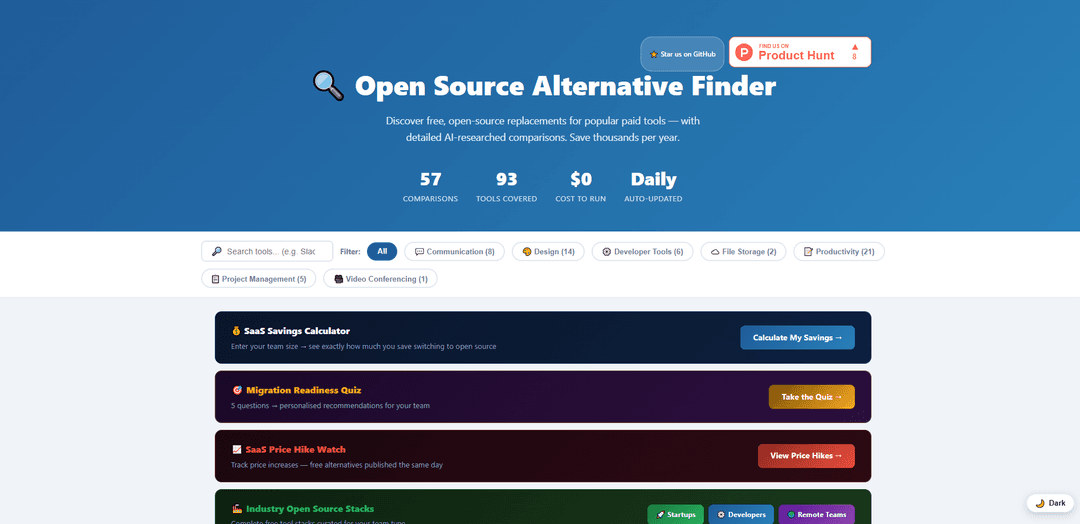
Open Source Alternative Finder adalah direktori perbandingan yang diteliti AI dan sering diperbarui yang membantu tim mengganti alat SaaS yang mahal dengan alternatif sumber terbuka (seringkali dapat di-self-host) gratis dan memperkirakan potensi penghematan biaya.
https://osalfinder.com/?ref=producthunt&utm_source=aipure
Informasi Produk
Diperbarui:Jun 8, 2026
Apa itu Open Source Alternative Finder
Open Source Alternative Finder adalah situs perbandingan yang berfokus membantu individu, startup, dan organisasi menemukan pengganti perangkat lunak berbayar populer yang gratis dan bersumber terbuka. Ini mengkurasi perbandingan langsung di berbagai kategori seperti komunikasi, produktivitas, alat pengembang, desain, manajemen proyek, penyimpanan file, dan konferensi video—memasangkan produk berpemilik yang terkenal (misalnya, Slack, Notion, Figma, Jira, Dropbox, Zoom) dengan opsi sumber terbuka (misalnya, Element, AppFlowy, Penpot, Plane, Nextcloud, Jitsi). Tujuannya adalah untuk memudahkan pemahaman tentang apa yang dapat Anda alihkan, berapa yang akan Anda hemat, dan apa yang tersirat dari self-hosting untuk kepemilikan dan kontrol.
Fitur Utama Open Source Alternative Finder
Open Source Alternative Finder adalah situs perbandingan yang diperbarui setiap hari yang membantu orang mengganti alat SaaS berbayar dengan alternatif sumber terbuka gratis (seringkali dapat di-host sendiri). Situs ini menyajikan perbandingan berdampingan (misalnya, Slack vs Element/Mattermost/Zulip, Notion vs AppFlowy/Obsidian/Logseq, Dropbox vs Nextcloud) dengan konteks harga/penghematan dan panduan berbasis penelitian. Situs ini menekankan kriteria keputusan praktis—fitur, harga, dan pertimbangan hosting mandiri—dan dibangun serta dipelihara menggunakan alat sumber terbuka dengan basis kode yang tersedia secara terbuka.
Perbandingan SaaS vs sumber terbuka berdampingan: Jelajahi perbandingan pilihan yang memasangkan produk berpemilik populer dengan satu atau lebih pengganti sumber terbuka di berbagai kategori seperti komunikasi, manajemen proyek, desain, penyimpanan file, dan alat pengembang.
Konteks harga yang berfokus pada penghematan: Menunjukkan berapa yang biasanya dibayar tim per pengguna/bulan (atau per bulan) untuk alat berpemilik versus opsi sumber terbuka gratis (seringkali di-host sendiri), sehingga dampak anggaran mudah diperkirakan.
Cakupan kategori luas (60+ alat): Mencakup banyak tumpukan bisnis umum—obrolan, dokumen/basis pengetahuan, CRM, analitik, formulir, pengelola kata sandi, desain, dan lainnya—sehingga tim dapat mengevaluasi beberapa pengganti di satu tempat.
Konten yang diperbarui setiap hari, diteliti AI: Perbandingan secara otomatis diperbarui setiap hari (melalui otomatisasi) untuk mencerminkan ekosistem alat yang berubah, sambil tetap mendorong pengguna untuk memverifikasi detail di situs vendor resmi.
Orientasi hosting mandiri: Menyoroti kapan alternatif dapat di-host sendiri, membantu tim memprioritaskan kepemilikan/kontrol data dan menghindari penskalaan langganan per-kursi.
Infrastruktur situs sumber terbuka, berbiaya rendah: Proyek itu sendiri dibangun menggunakan alat gratis/terbuka (misalnya, Python, GitHub Actions/Pages) dan menerbitkan kode sumbernya, menyelaraskan produk dengan misi sumber terbukanya.
Kasus Penggunaan Open Source Alternative Finder
Perencanaan pengurangan biaya startup: Pendiri dapat mengidentifikasi pengganti sumber terbuka untuk alat per-kursi yang mahal (obrolan, dokumen, CRM, pemasaran email) dan memodelkan penghematan biaya seiring bertambahnya jumlah karyawan.
Standardisasi IT/DevOps untuk hosting mandiri: Tim infrastruktur dapat membuat daftar alternatif yang dapat di-host sendiri (misalnya, Nextcloud, Mattermost, GitLab/Gitea) untuk mengonsolidasikan vendor dan meningkatkan kontrol atas penerapan.
Penilaian keamanan dan kedaulatan data: Organisasi yang sadar keamanan dapat menggunakan perbandingan untuk memprioritaskan alat yang mendukung hosting mandiri dan mengurangi paparan data pihak ketiga.
Adopsi sumber terbuka dalam pendidikan dan nirlaba: Sekolah dan organisasi nirlaba dapat mengganti langganan SaaS yang mahal dengan alternatif gratis untuk kolaborasi, dokumentasi, dan pelacakan proyek dalam anggaran terbatas.
Audit agensi/perkakas untuk tumpukan klien: Konsultan dan agensi dapat dengan cepat mengusulkan alternatif sumber terbuka berbiaya lebih rendah untuk klien (misalnya, desain, formulir, analitik, helpdesk) dan membangun rekomendasi migrasi.
Kelebihan
Perbandingan yang jelas dan berorientasi penghematan yang membuat pertukaran langganan mudah dipahami
Cakupan luas di seluruh kategori SaaS umum dengan beberapa alternatif untuk alat utama
Pembaruan sering melalui otomatisasi; proyek selaras dengan nilai-nilai sumber terbuka dan menerbitkan kodenya
Kekurangan
Konten yang diteliti AI dapat tertinggal atau kehilangan nuansa; pengguna masih perlu memverifikasi harga/fitur saat ini di situs resmi
Perbandingan tingkat tinggi mungkin tidak menangkap persyaratan kasus ekstrem (kepatuhan, integrasi, kinerja pada skala) tanpa evaluasi yang lebih mendalam
Alternatif "gratis" yang di-host sendiri masih memerlukan upaya operasional dan biaya infrastruktur
Cara Menggunakan Open Source Alternative Finder
1) Buka situs web: Kunjungi https://osalfinder.com/ (situs “Open Source Alternative Finder”).
2) Jelajahi daftar perbandingan: Gulir daftar perbandingan berdampingan di beranda (misalnya, Slack vs Element, Notion vs AppFlowy, Figma vs Penpot). Setiap kartu menunjukkan kategori (Komunikasi, Produktivitas, Alat Pengembang, dll.) dan ringkasan harga “Beralih dan hemat” yang cepat.
3) Pilih alat berpemilik yang ingin Anda ganti: Temukan alat yang saat ini Anda bayar (atau sedang Anda evaluasi) di sisi kiri perbandingan (contoh yang ditampilkan di situs termasuk Slack, Notion, GitHub, Jira, Dropbox, Zoom, Calendly, Postman, Shopify, QuickBooks, dll.).
4) Tinjau alternatif sumber terbuka yang disarankan: Lihat sisi kanan perbandingan untuk melihat pengganti sumber terbuka yang direkomendasikan (misalnya, Slack → Element/Mattermost/Zulip; Notion → AppFlowy/Obsidian/Logseq; Dropbox → Nextcloud; Zoom → Jitsi Meet).
5) Periksa harga dan model hosting: Gunakan baris “Beralih dan hemat” untuk memahami perbedaan biaya dan apakah alternatifnya “Gratis” atau “Gratis (self-hosted)”. Ini membantu Anda memutuskan antara menjalankannya sendiri atau membayar paket hosting di tempat lain.
6) Sesuaikan rekomendasi dengan ukuran tim Anda: Gunakan petunjuk ukuran tim yang ditampilkan pada setiap perbandingan (misalnya, “Solo + tim kecil”, “Tim jarak jauh”, “Ukuran menengah hingga perusahaan”, “Tim pengembang + teknik”, “Ukuran tim apa pun”) untuk memilih opsi yang sesuai dengan organisasi Anda.
7) Ulangi untuk membandingkan beberapa alternatif untuk alat yang sama: Beberapa alat berpemilik muncul beberapa kali dengan opsi sumber terbuka yang berbeda (misalnya, Slack dibandingkan dengan Element, Mattermost, dan Zulip). Tinjau masing-masing untuk membuat daftar pendek yang paling sesuai dengan kebutuhan Anda.
8) Gunakan kalkulator penghematan (jika tersedia di situs): Jika Anda melihat “Masukkan ukuran tim Anda → Hitung Penghematan Saya”, masukkan ukuran tim Anda untuk memperkirakan berapa banyak yang dapat Anda hemat dengan beralih dari alat berbayar ke alternatif sumber terbuka.
9) Verifikasi detail sebelum bermigrasi: Situs ini mencatat bahwa harga dan fitur dapat berubah; konfirmasikan harga, fitur, dan persyaratan penyebaran saat ini di situs web resmi setiap alat sebelum membuat keputusan akhir.
10) Sarankan perbandingan baru atau laporkan masalah: Jika alat Anda tidak terdaftar atau Anda menemukan kesalahan, gunakan opsi kontak situs (misalnya, sarankan perbandingan alat baru, laporkan kesalahan, atau buka masalah/PR GitHub jika disediakan) untuk meminta pembaruan atau koreksi.
FAQ Open Source Alternative Finder
Open Source Alternative Finder adalah situs yang membantu tim dan individu menemukan alternatif gratis dan sumber terbuka untuk alat SaaS berbayar populer, dengan perbandingan yang diteliti oleh AI.
Artikel Populer

Vosko AI: Lokalisasi dan Sulih Suara Video untuk Audiens Global
Oct 15, 2026

Atoms: Platform AI Multi-Agen yang Mengubah Ide menjadi Produk Siap Diluncurkan
May 22, 2026

Nano Banana SBTI: Apa Itu, Bagaimana Cara Kerjanya, dan Cara Menggunakannya di Tahun 2026
Apr 15, 2026

Ulasan Atoms — Pembuat Produk AI yang Mendefinisikan Ulang Kreasi Digital di Tahun 2026
Apr 10, 2026
Alat AI Terbaru Serupa dengan Open Source Alternative Finder
Sweet Justice AI
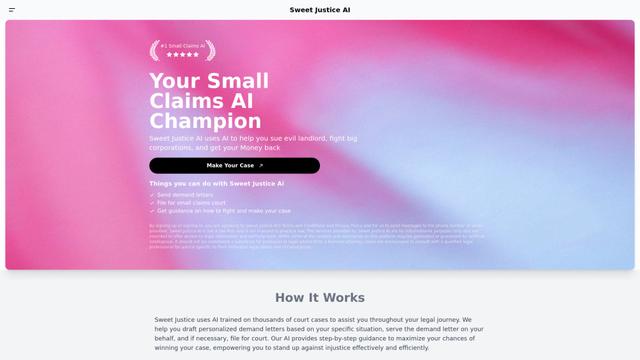
Sweet Justice AI adalah platform bantuan hukum yang didukung AI yang membantu individu melawan pemilik, korporasi, dan praktik tidak adil melalui surat tuntutan otomatis, pengajuan di pengadilan klaim kecil, dan panduan hukum langkah demi langkah dengan harga terjangkau.

BlacktoothAI
BlacktoothAI adalah platform AI serba ada yang menyediakan akses ke beberapa model AI terkemuka seperti ChatGPT, Claude, Gemini, dan Stable Diffusion melalui satu antarmuka terpadu untuk pembuatan konten, pembuatan gambar, dan peningkatan produktivitas.
aiworkflow.tools
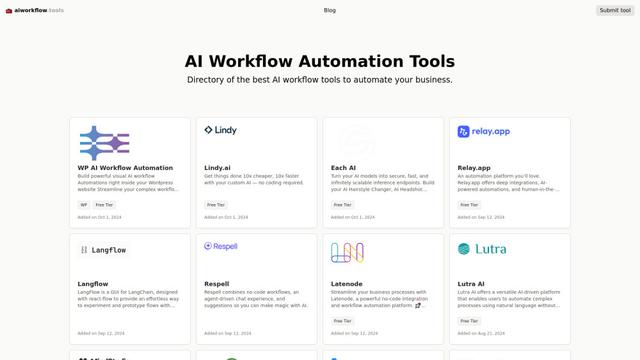
AIworkflow.tools adalah direktori komprehensif dan platform perbandingan yang menampilkan alat otomatisasi alur kerja AI terbaik untuk membantu bisnis menyederhanakan proses mereka dan meningkatkan produktivitas.
Dang.ai
FreemiumAI Tools Directory
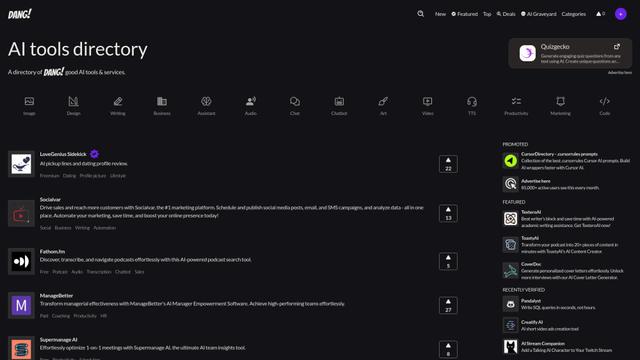
Dang.ai adalah direktori komprehensif alat dan layanan AI, menampilkan lebih dari 5000 alat AI di berbagai kategori.
Alat AI Populer Seperti Open Source Alternative Finder

Copy as Markdown for AI
Ekstensi Chrome yang secara instan mengonversi konten web menjadi format Markdown yang bersih dan terstruktur dengan satu klik, dioptimalkan untuk platform AI seperti ChatGPT, Claude, dan LLM lainnya.
MemSync
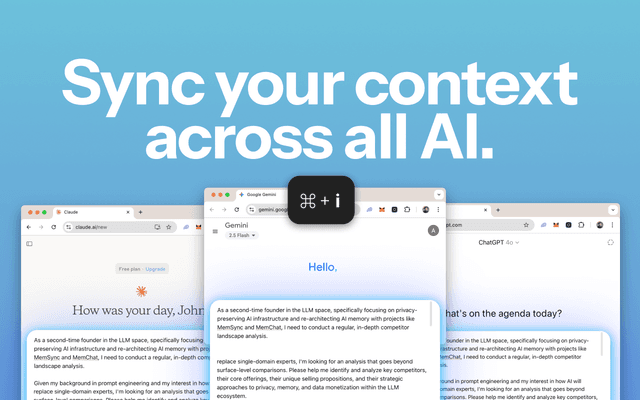
MemSync adalah ekstensi Chrome yang menciptakan lapisan memori terpadu di seluruh platform AI seperti ChatGPT, Claude, dan Grok dengan mengumpulkan interaksi pengguna secara aman untuk memungkinkan percakapan AI yang dipersonalisasi dan kontekstual.
Promptify
Promptify adalah ekstensi Chrome yang dapat beradaptasi sendiri yang secara otomatis mengubah perintah sederhana menjadi instruksi yang kuat dan kaya konteks untuk model AI seperti ChatGPT, Gemini, dan Claude dengan belajar dari perilaku pengguna dan mempersonalisasi peningkatan.

Scroll
Scroll adalah ekstensi Chrome yang menghasilkan daftar isi yang dapat diklik untuk percakapan AI di ChatGPT, Claude, dan Gemini, memungkinkan navigasi instan dan manajemen percakapan yang efisien.