
Mosaic
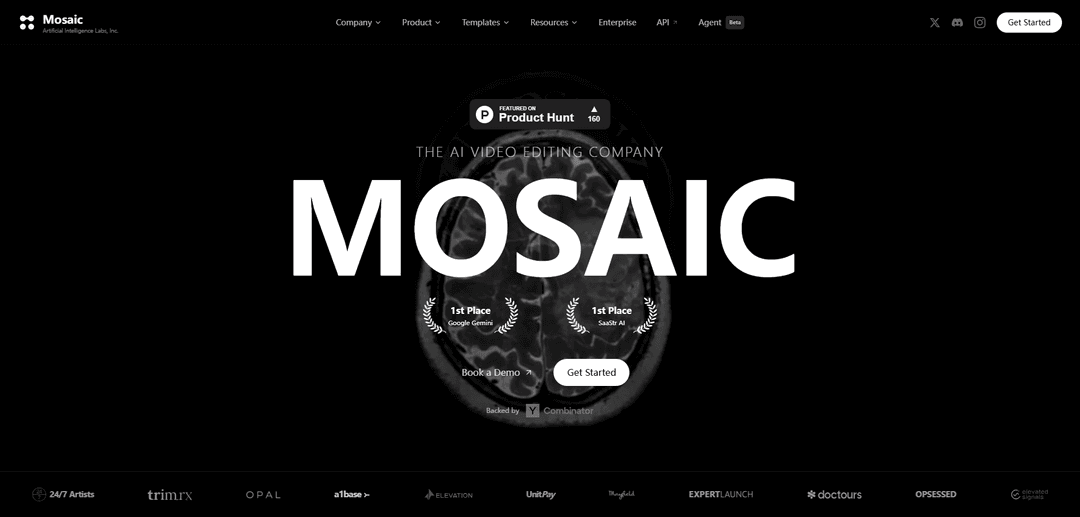
Mosaic es una plataforma de edición de video impulsada por IA que permite la edición de video automatizada y las pruebas A/B de múltiples variantes a partir de metraje sin editar, al tiempo que proporciona un control creativo práctico a través de un editor de línea de tiempo familiar.
https://mosaic.so/?ref=producthunt&utm_source=aipure
Información del Producto
Actualizado:08/03/2026
¿Qué es Mosaic?
Mosaic es una innovadora empresa de edición de video con IA que sirve como lienzo para la edición de video agentic. Combina el poder de la inteligencia artificial con las capacidades tradicionales de edición de video para agilizar el proceso de postproducción. Como plataforma respaldada por organizaciones notables como Y Combinator y utilizada por varias empresas, Mosaic representa la próxima generación de herramientas de edición de video que equilibran la automatización con el control creativo.
Características Principales de Mosaic
Mosaic es una plataforma de edición de video y gestión de recursos impulsada por IA que ayuda a los equipos a optimizar sus operaciones a través de capacidades de planificación de proyectos, previsión y generación de informes. Combina las técnicas tradicionales del arte del mosaico con la tecnología moderna para crear contenido visual y gestionar los recursos de manera eficiente.
Gestión de recursos impulsada por IA: Proporciona herramientas inteligentes para la planificación de proyectos, la asignación de recursos y la planificación de la capacidad con automatización de IA y capacidades de previsión
Informes visuales y análisis: Ofrece informes visuales y paneles fáciles de entender para rastrear el progreso del proyecto y el rendimiento del equipo
Herramientas de colaboración en equipo: Permite una colaboración perfecta entre los miembros del equipo a través de funciones integradas de gestión de proyectos y comunicación
Controles financieros: Incluye herramientas de gestión financiera de proyectos para controlar los presupuestos y mejorar la rentabilidad
Casos de Uso de Mosaic
Creación de contenido de video: Ayuda a los creadores de contenido y a los equipos de marketing a producir y editar contenido de video de manera eficiente utilizando la asistencia de la IA
Gestión de proyectos: Permite a las organizaciones planificar, rastrear y gestionar proyectos complejos y la asignación de recursos
Inteligencia empresarial: Proporciona análisis e informes para la toma de decisiones basada en datos en todas las operaciones
Ventajas
Plataforma todo en uno que combina la gestión de recursos y la edición de video
Automatización impulsada por IA para mejorar la eficiencia
Sólidas capacidades de visualización e informes
Desventajas
Puede requerir capacitación para utilizar el conjunto completo de funciones
El precio no se indica claramente en el sitio web
Cómo Usar Mosaic
Elige un material base: Selecciona una superficie plana y dura como una mesa, un escalón o madera contrachapada para que sirva como base de tu mosaico. Para proyectos de interior, puedes usar madera, terracota o vidrio. Evita los materiales plásticos flexibles.
Prepara tu diseño: Dibuja primero tu diseño en papel, luego transfiérelo a la base usando papel de transferencia o dibuja directamente en la base con un marcador. Mantén los diseños simples para los principiantes.
Reúne materiales de teselas: Recoge tus piezas de mosaico (teselas); pueden ser azulejos, piezas de vidrio, piedras, porcelana rota u otros materiales. Límpialos a fondo con agua y jabón y déjalos secar por completo.
Elige adhesivo: Selecciona el adhesivo apropiado según la ubicación: Weldbond para proyectos de interior, mortero de capa delgada para áreas exteriores o húmedas, adhesivos a base de acrílico para piezas de cerámica y vidrio.
Aplica adhesivo y coloca las teselas: Trabaja en secciones pequeñas, aplicando adhesivo y colocando las piezas de teselas de acuerdo con tu diseño. Asegúrate de que las piezas estén espaciadas uniformemente y presiónalas firmemente en su lugar.
Deja que el adhesivo se seque: Deja que el adhesivo se seque por completo de acuerdo con las instrucciones del fabricante antes de pasar al rejuntado.
Aplica lechada: Usa lechada con arena para la mayoría de los proyectos. Aplica con una espátula, extendiendo uniformemente para llenar todos los huecos entre las piezas. Espera unos 20 minutos para el fraguado inicial.
Limpia el exceso de lechada: Limpia el exceso de lechada de la superficie con agua tibia y una esponja. Si la lechada se endurece demasiado, usa una almohadilla de nailon no abrasiva.
Sella el proyecto: Después de 3 días, aplica sellador de lechada para proteger tu trabajo, incluso para proyectos de interior. Esto ayuda a mantener la durabilidad y la apariencia del mosaico.
Preguntas Frecuentes de Mosaic
Mosaic es una plataforma de edición de vídeo impulsada por IA que permite a los usuarios ejecutar ediciones de vídeo en piloto automático y realizar pruebas A/B de múltiples variantes a partir del mismo material de archivo sin editar, al tiempo que proporciona un editor de línea de tiempo familiar para un control creativo práctico.
Video de Mosaic
Artículos Populares

Atoms: Una Plataforma de IA Multiagente Que Transforma Ideas en Productos Listos para Lanzar
May 22, 2026

Nano Banana SBTI: Qué es, cómo funciona y cómo usarlo en 2026
Apr 15, 2026

Reseña de Atoms: El Constructor de Productos de IA que Redefine la Creación Digital en 2026
Apr 10, 2026

Kilo Claw: Cómo implementar y usar un verdadero agente de IA "Hágalo por usted" (Actualización 2026)
Apr 3, 2026
Últimas herramientas de IA similares a Mosaic

EzVideos
EzVideos es una herramienta de creación de videos todo en uno que ayuda a los usuarios a generar videos virales para plataformas de redes sociales como Instagram, TikTok y YouTube con características de edición automatizadas y recursos integrados.

Blanc AI
Blanc AI es una solución de IA revolucionaria que permite la traducción y el doblaje de contenido de video a más de 47 idiomas mientras preserva la voz original, las emociones y la sincronización de labios.

Wink Mody
Wink Mody es una versión modificada de la aplicación de edición de video Wink que ofrece funciones premium como retoque impulsado por IA, exportaciones en 4K y edición sin marcas de agua completamente gratis.

Shortmake AI
ShortMake es una plataforma de creación de videos impulsada por IA que transforma ideas en videos listos para volverse virales al generar automáticamente guiones, voces en off, visuales y subtítulos específicamente optimizados para plataformas como TikTok y YouTube Shorts.
Herramientas de IA populares como Mosaic

AI Clips - New Gen
AI Clips - New Gen es una herramienta de recorte de video impulsada por IA que genera automáticamente contenido atractivo de formato corto a partir de videos largos para múltiples plataformas de redes sociales como YouTube Shorts, TikTok, Instagram Reels y más.

Edit Mind
Edit Mind es una plataforma de indexación de video y búsqueda semántica de código abierto impulsada por IA que permite a los usuarios analizar y buscar contenido de video utilizando consultas en lenguaje natural, con funciones que incluyen transcripción, análisis de fotogramas, reconocimiento facial y detección de objetos.

Dinamo Notebook
FreeAI Video Editing
Dinamo Notebook es una extensión de navegador gratuita, con licencia MIT y de prioridad local para el análisis de videos de fútbol que le permite dibujar anotaciones tácticas en imágenes de YouTube/Dailymotion/Twitch y, opcionalmente, usar IA (con su propia clave de API de OpenAI) para obtener información táctica.

MediaSeg
MediaSeg es una utilidad estable para macOS, local-first, que divide archivos multimedia MP4/WEBM grandes en fragmentos listos para cargar bajo un límite de tamaño configurable, preservando la calidad mediante ffmpeg/ffprobe y una estrategia de dimensionamiento asistida por IA basada en objetivos.