Mistral Medium 3.5
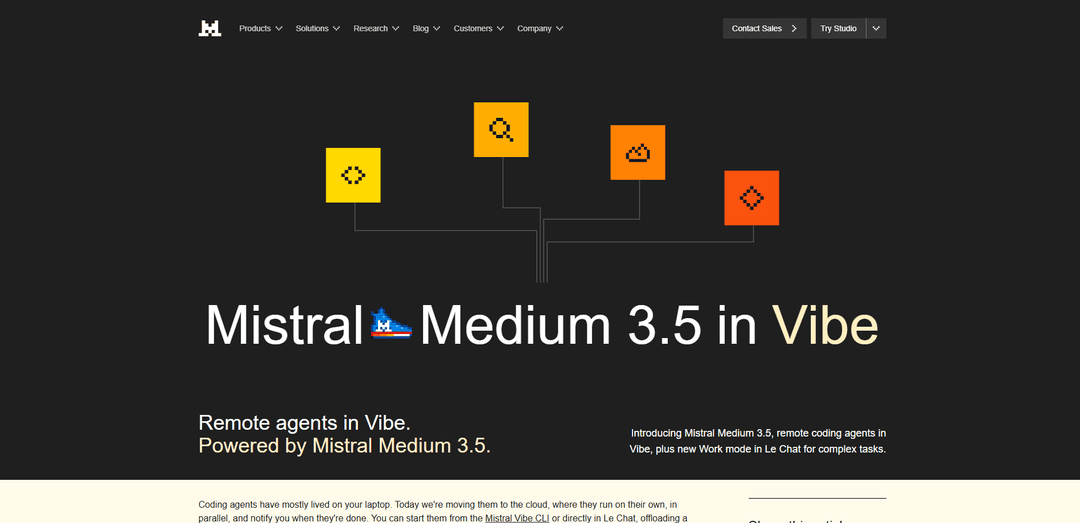
Mistral Medium 3.5 is Mistral AI’s flagship merged, open-weights 128B dense multimodal model with a 256K context window, built for long-horizon reasoning, coding, and reliable tool-calling/structured outputs.
https://mistral.ai/news/vibe-remote-agents-mistral-medium-3-5?ref=producthunt
Product Information
Updated:May 18, 2026
Mistral Medium 3.5 Monthly Traffic Trends
Mistral Medium 3.5 received 8.3m visits last month, demonstrating a Slight Growth of 7.4%. Based on our analysis, this trend aligns with typical market dynamics in the AI tools sector.
View history trafficWhat is Mistral Medium 3.5
Mistral Medium 3.5 is a new flagship “merged” foundation model from Mistral AI (public preview) designed to unify instruction-following, reasoning, and coding in a single set of weights. It is a dense 128B-parameter model with a 256,000-token context window and multimodal input support (text + images, text output). Released as open weights under a modified MIT license, it is positioned to run long, complex productivity and engineering tasks, and is now the default model behind Mistral’s Le Chat and the Vibe coding agent.
Key Features of Mistral Medium 3.5
Mistral Medium 3.5 is Mistral AI’s open-weights flagship “merged” model that combines instruction-following, reasoning, and coding in a single dense 128B-parameter model with a 256K context window. It is designed for long-horizon, agentic work (reliable multi-step execution, tool calling, and structured outputs), supports multimodal input (text + image, text output), and offers configurable reasoning effort per request. It powers Mistral’s cloud-based async coding agents in Vibe and the new Work mode in Le Chat, while remaining practical to self-host (as few as four GPUs) and available via API and deployment options like NVIDIA NIM.
Merged flagship model (instruction + reasoning + coding): Unifies instruction-following, deeper reasoning, and coding capability in one set of weights, targeting both chat productivity and agentic coding workflows.
Dense 128B with 256K context window: Large, dense architecture optimized for stable long runs and large inputs (e.g., long documents or substantial codebase context) with a 256,000-token window.
Configurable reasoning effort: Reasoning depth can be adjusted per request, allowing fast responses for simple tasks or more deliberate reasoning for complex, multi-step/agentic runs.
Agentic reliability: tool calling + structured outputs: Built for long-horizon tasks that involve calling multiple tools reliably and producing structured output (e.g., JSON/function calling) that downstream systems can consume.
Multimodal input (text + image): Accepts both text and image inputs (with text output), with a vision encoder trained to handle variable image sizes and aspect ratios.
Open weights + practical self-hosting: Released as open weights under a modified MIT license and positioned as self-hostable on as few as four GPUs, alongside API access and containerized deployments (e.g., NVIDIA NIM).
Use Cases of Mistral Medium 3.5
Asynchronous software engineering (remote coding agents): Run long coding tasks in the cloud via Vibe remote agents—refactors, dependency upgrades, test generation, CI investigations, and bug fixes—returning results as branches or draft PRs for review.
Enterprise productivity automation (Work mode): In Le Chat Work mode, execute multi-step workflows across connected tools (docs, email, calendar, chat), synthesize context, and draft outputs with human approval gates for sensitive actions.
Customer support and incident response: Triage incidents and support issues by analyzing logs/tickets, summarizing root cause hypotheses, and generating remediation steps; integrates well with tool-driven workflows (e.g., issue trackers, incident systems).
Telecom and operations analytics: Apply the model’s strong agentic and domain performance (e.g., τ³-Telecom score) to assist with troubleshooting, knowledge-base synthesis, and workflow automation in network operations contexts.
Document-heavy research and reporting: Use the 256K context window to ingest large internal documentation sets and web research, then produce structured briefs, reports, or decision memos suitable for downstream editing and distribution.
Visual understanding for business workflows: Leverage multimodal input to interpret screenshots, diagrams, or UI states and convert them into actionable text outputs (e.g., bug reports, implementation notes, or step-by-step guidance).
Pros
Open weights under a modified MIT license, enabling greater deployment control and self-hosting options.
Designed for long-horizon agentic work (tool calling, structured outputs, stable multi-step execution) with a large 256K context window.
Practical deployment footprint for a flagship-class model (positioned as self-hostable on as few as four GPUs) plus multiple delivery channels (API, Vibe, Le Chat, NVIDIA NIM).
Cons
Public preview status may imply evolving behavior, tooling, and enterprise readiness compared with fully mature releases.
Dense 128B models can be more expensive to run at inference than smaller or MoE alternatives, despite improved stability.
Some flagship experiences (e.g., remote agents, Work mode) are tied to paid plans (Pro/Team/Enterprise) and/or Mistral’s ecosystem.
How to Use Mistral Medium 3.5
1) Choose how you want to run Mistral Medium 3.5: Pick one of the supported entry points depending on your goal: (a) Le Chat for interactive use and Work mode (Preview), (b) Mistral Vibe CLI for coding-agent workflows (local or remote), (c) Mistral API for app integration, or (d) self-host/open-weights via Hugging Face / NVIDIA NIM for on-prem or controlled deployments.
2) Use Mistral Medium 3.5 in Le Chat (interactive chat): Open Le Chat (chat.mistral.ai). Mistral Medium 3.5 is the default model in Le Chat, so you can start prompting immediately for reasoning, coding help, or long-context tasks (it supports a 256k context window).
3) Use Work mode in Le Chat (Preview) for multi-step tasks: In Le Chat, switch to Work mode (Preview) when you need long-horizon, multi-step execution (research, analysis, cross-tool actions). Work mode runs a dedicated agent harness powered by Mistral Medium 3.5 and can call tools in parallel until the job is done.
4) Approve sensitive actions in Work mode: As the agent proceeds, review the visible tool calls and rationales. Le Chat will request explicit approval (based on your permissions) before sensitive actions such as sending messages, writing documents, or modifying data.
5) Start a coding session from Le Chat (Vibe Code workflow): From the Le Chat homepage, run the Vibe Code workflow (or use the “New Code Session” shortcut). Enter a clear coding task prompt (e.g., “fix the failing tests in my repo”). This launches a coding agent session powered by Mistral Medium 3.5.
6) Use Mistral Vibe CLI locally for coding-agent tasks: Install and open the Mistral Vibe CLI. Configure your API key by saving it to ~/.vibe/.env for reuse. Select the model “mistral-medium-3.5” in Vibe (it replaces Devstral 2 as the default coding-agent model) and start an agentic coding task from your terminal.
7) Launch Vibe remote agents (async cloud coding): From either Vibe CLI or Le Chat, start a remote agent session to offload long tasks to the cloud. Sessions run in isolated sandboxes, can run in parallel, and keep going while you step away. You can inspect progress via tool calls, diffs, and status updates.
8) Teleport an ongoing local Vibe session to the cloud: If you began a task locally in Vibe CLI and want it to continue asynchronously, use Vibe’s teleport capability to move the session to the cloud. Session history, task state, and approvals carry over; after teleporting, continue interacting from Le Chat (teleport is one-way per the source).
9) Review outputs and GitHub changes (branches/PRs): When the agent finishes, it can open a branch and/or a draft pull request on GitHub. Review the PR like any other change set; commits, branches, and draft PRs persist in your repository.
10) Use the Mistral API for application integration: Call Mistral Medium 3.5 via the Mistral API when embedding it into products. Set the model to “mistral-medium-3.5” and use it for instruction-following, reasoning, coding, and structured outputs (native function calling/JSON output are highlighted as strengths).
11) Configure reasoning effort per request (API usage): When using the API, set “reasoning_effort” based on task complexity: use “high” for complex prompts and agentic runs; use “none” for quick, direct responses. This lets the same model behave like a fast chat model or a deeper reasoning engine.
12) Self-host using open weights (Hugging Face) or deploy via NVIDIA NIM: If you need self-hosting, download the open weights from Hugging Face (released under a modified MIT license). For production deployment, you can also use NVIDIA NIM (containerized inference microservice) or NVIDIA-hosted endpoints for prototyping, as referenced in the official announcement.
Mistral Medium 3.5 FAQs
Mistral Medium 3.5 is Mistral AI’s flagship merged model (public preview as of April 29, 2026) that combines instruction-following, reasoning, and coding in a single 128B dense model with a 256k context window.
Popular Articles

Atoms: A Multi-Agent AI Platform That Transforms Ideas into Launch-Ready Products
May 22, 2026

Nano Banana SBTI: What It Is, How It Works, and How to Use It in 2026
Apr 15, 2026

Atoms Review — The AI Product Builder Redefining Digital Creation in 2026
Apr 10, 2026

Kilo Claw: How to Deploy and Use a True "Do‑It‑For‑You" AI Agent(2026 Update)
Apr 3, 2026
Analytics of Mistral Medium 3.5 Website
Mistral Medium 3.5 Traffic & Rankings
8.3M
Monthly Visits
#8656
Global Rank
#9
Category Rank
Traffic Trends: Oct 2024-Oct 2025
Mistral Medium 3.5 User Insights
00:03:38
Avg. Visit Duration
2.95
Pages Per Visit
43.14%
User Bounce Rate
Top Regions of Mistral Medium 3.5
FR: 41.73%
RU: 6.79%
DE: 5.95%
US: 5.7%
IN: 2.9%
Others: 36.94%
Latest AI Tools Similar to Mistral Medium 3.5

Gait
Gait is a collaboration tool that integrates AI-assisted code generation with version control, enabling teams to track, understand, and share AI-generated code context efficiently.

invoices.dev
invoices.dev is an automated invoicing platform that generates invoices directly from developers' Git commits, with integration capabilities for GitHub, Slack, Linear, and Google services.

EasyRFP
EasyRFP is an AI-powered edge computing toolkit that streamlines RFP (Request for Proposal) responses and enables real-time field phenotyping through deep learning technology.

Cart.ai
Cart.ai is an AI-powered service platform that provides comprehensive business automation solutions including coding, customer relations management, video editing, e-commerce setup, and custom AI development with 24/7 support.
Popular AI Tools Like Mistral Medium 3.5

GitHub Copilot Chat
GitHub Copilot Chat is an AI-powered coding assistant that provides natural language interactions, real-time code suggestions, and contextual support directly within supported IDEs and GitHub.com.

CopilotForXcode
CopilotForXcode is an Xcode Source Editor Extension that integrates GitHub Copilot, Codeium, and ChatGPT to provide AI-powered code suggestions, chat assistance, and prompt-to-code functionality within Xcode.

BrowserAI
BrowserAI is an open-source library that enables running local Large Language Models (LLMs) directly in web browsers with WebGPU acceleration, offering privacy-focused AI capabilities without requiring server infrastructure.

OpenAI Codex CLI
OpenAI Codex CLI is a lightweight, open-source coding agent that runs in your terminal, enabling developers to translate natural language into code execution while providing ChatGPT-level reasoning with the ability to run code, manipulate files, and iterate under version control.