
Mindra
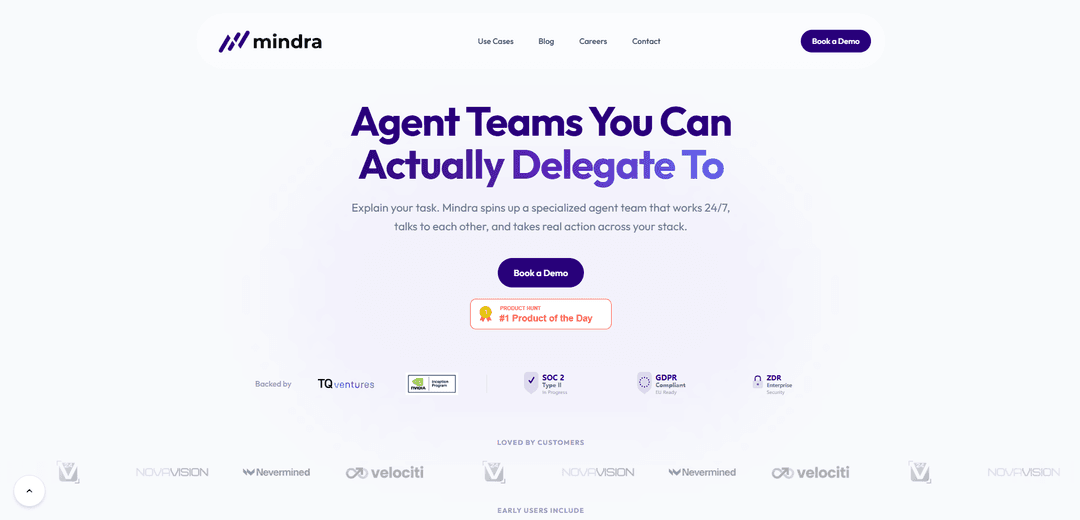
Mindra is a production-ready multi-agent AI orchestrator that spins up specialized agent teams to run adaptive workflows with anomaly detection, self-healing retries, and auditable real-world actions across your tools and stack.
https://mindra.co/?ref=producthunt
Product Information
Updated:May 19, 2026
What is Mindra
Mindra is an AI agent orchestration platform designed to move agentic systems from isolated demos into reliable, enterprise-ready automation. It lets you describe a task in plain language and then assembles a coordinated “team” of specialized agents—each aligned to a channel, tool, or domain—to plan, communicate, and execute work end-to-end. Mindra positions itself as a unified runtime where intent meets execution, emphasizing universal connectivity, orchestration, and operational/financial guardrails for deploying multi-agent workflows in production.
Key Features of Mindra
Mindra is a production-ready multi-agent orchestration platform that lets teams delegate real work to specialized AI agent “teams” that coordinate across tools and channels. It provides adaptive, phase-based workflows, transparent/auditable execution traces, and operational reliability features like anomaly detection and self-healing when tools fail or APIs hit limits. Mindra also emphasizes enterprise readiness with security/compliance positioning (e.g., GDPR, SOC 2 in progress) and includes infrastructure for value flows such as built-in payments/micropayments for agent-to-agent (A2A) interactions.
Multi-agent teams with specialization: Spins up a roster of specialist agents (per channel, tool, or domain) that share context, hand off tasks, and collaborate to complete end-to-end work.
Adaptive, phase-based orchestration: Runs structured workflows that evolve with needs, coordinating tasks in phases (e.g., inspect → analyze → act) across multiple systems.
Anomaly detection and self-healing: Automatically detects failures and potential hallucinations, then retries or routes around issues to keep workflows running smoothly.
Transparent, auditable execution traces: Logs actions and retries with a step-by-step record that is debuggable, replayable, and suitable for operational oversight.
Real-world actions with guardrails: Goes beyond chat to take actions (e.g., pause/scale campaigns, reallocate budgets, post diffs to Slack/email) with logging and reversibility.
Payments/micropayments infrastructure (A2A): Supports built-in wallet and decentralized agent-to-agent payment concepts for autonomous workflows, enabling near-zero-fee micro-transactions and traceability (positioned for compliance/debugging).
Use Cases of Mindra
Always-on paid media optimization: Continuously audits Google/Meta/LinkedIn ads, flags wasted spend, scales winners, pauses losers, and posts change summaries to team channels.
Cross-tool enterprise workflow automation: Orchestrates multi-step business processes spanning internal systems and SaaS tools, coordinating multiple agents to execute and verify outcomes.
Operational incident response and remediation: Monitors automated workflows for anomalies or tool failures, applies self-healing retries/workarounds, and maintains an audit trail for postmortems.
Customer support and back-office task execution: Uses specialized agents (support, billing, CRM, knowledge) to resolve tickets, update records, and escalate edge cases with full traceability.
Autonomous agent marketplaces and paid agent services: Enables agents to transact via embedded payments/micropayments, supporting scenarios where agents pay other agents/tools for data or actions.
Pros
Designed for production: orchestration, monitoring, and recovery features aimed at keeping agent workflows reliable.
Action-oriented automation: agents can execute real changes across tools with logs and reversibility rather than only generating text.
Transparency/auditability: step-by-step traces make debugging and governance easier for teams.
Enterprise positioning: security/compliance signals (e.g., GDPR, SOC 2 Type II in progress) and guardrails for operational control.
Cons
Integration effort may be non-trivial: real value depends on connecting the right tools/APIs and configuring workflows to match your stack.
Autonomous actions introduce risk: misconfigurations or incorrect decisions can have real-world impact, requiring strong guardrails and review processes.
Some enterprise assurances may still be maturing: certain compliance items are indicated as “in progress,” which may matter for regulated buyers.
How to Use Mindra
1) Define the task you want delegated: Write a clear, single-sentence description of the outcome you want (e.g., “Audit Google/Meta/LinkedIn ads weekly, pause underperformers, reallocate budget to winners, and post a summary to Slack”). Mindra is designed to spin up a specialized agent team based on this task.
2) Use Mindra’s “Describe the work” prompt to generate an orchestrator plan: On Mindra’s site, enter your sentence into the “Build Your Team” / “Drop a sentence below” box. Mindra will sketch a personalized orchestrator: which sub-agents it would create (specialists per channel/tool/domain) and which tools/integrations it would lean on. The site indicates this step is “no action taken.”
3) Review the proposed agent team roster: Confirm the team composition (e.g., Google Ads Performance Analyst, Meta Ads Performance Analyst, LinkedIn Ads Performance Analyst). Mindra’s model is “one specialist per channel, tool, or domain,” collaborating by sharing context and handing off tasks.
4) Configure the workflow structure (phase-based execution): Set up the workflow to run in phases (the examples show an audit flow like “PHASE 1: INSPECT / ACCOUNT HEALTH,” followed by deeper analysis and actions). This aligns with Mindra’s “phase-based workflows” and “real-time orchestration across the team.”
5) Connect the tools your agents will act on: Attach the relevant platforms in your stack (examples shown: Google Ads, Meta Ads, LinkedIn Ads; plus communication like Slack/email). Mindra is positioned to take real actions across your stack, not just chat.
6) Add guardrails for real-world actions: Enable budget and action controls (the site highlights “pause and scale with budget guardrails,” and that actions are “logged and reversible”). Define what agents are allowed to change (pause campaigns, reduce spend, reinvest budgets) and any limits/approval rules you require.
7) Run the workflow and watch agents collaborate live: Start the workflow and monitor the live execution view where agents “talk to each other,” share context, and complete tasks. The examples show multiple agents running tasks concurrently and producing platform-specific performance summaries.
8) Use the reasoning/audit trail to validate outputs: Inspect Mindra’s “transparent reasoning” and logs: “every action and every retry is on the record,” with “full reasoning trace” and “auditable, replayable, debuggable” execution. Use this to verify decisions, calculations, and changes made.
9) Rely on automatic recovery when tools/APIs fail: When an API limit or tool error occurs, Mindra can adapt (example: splitting a request into smaller date windows to satisfy a maximum range limit, then merging results). Review the recovery steps in the trace to ensure the workaround is correct.
10) Deliver results to your team channels: Configure reporting outputs (the site mentions posting summaries/diffs to Slack and email). Ensure the workflow posts what changed (e.g., paused items, scaled items, budget reallocations) along with supporting metrics.
11) Set the workflow to run continuously (24/7 monitoring): Schedule the orchestrator to run on a cadence (daily/weekly) or continuously, matching Mindra’s positioning as an always-on agent team that works 24/7 and performs ongoing audits/anomaly detection.
12) (API) Get an API key and authenticate for programmatic use: If using Mindra via API, obtain an API key from https://app.mindra.co and export it as an environment variable as shown in the snippet: export MINDRA_API_KEY="mk_your_api_key". Then follow Mindra’s API documentation/quick start to make your first API call and deploy agents using templates.
13) Expand incrementally: add agents, tools, and workflows: Start with one workflow/team and expand as confidence grows. Mindra is described as supporting incremental adoption—adding more specialized agents, more integrations (ERPs/CRMs/banking/payroll are referenced as examples), and more complex orchestration over time.
Mindra FAQs
Mindra is an agentic orchestrator for adaptive AI workflows that spins up specialized multi-agent teams to execute complex tasks across your tools and stack.
Mindra Video
Popular Articles

Atoms: A Multi-Agent AI Platform That Transforms Ideas into Launch-Ready Products
May 22, 2026

Nano Banana SBTI: What It Is, How It Works, and How to Use It in 2026
Apr 15, 2026

Atoms Review — The AI Product Builder Redefining Digital Creation in 2026
Apr 10, 2026

Kilo Claw: How to Deploy and Use a True "Do‑It‑For‑You" AI Agent(2026 Update)
Apr 3, 2026
Latest AI Tools Similar to Mindra

Hapticlabs
Hapticlabs is a no-code toolkit that enables designers, developers and researchers to easily design, prototype and deploy immersive haptic interactions across devices without coding.

Deployo.ai
Deployo.ai is a comprehensive AI deployment platform that enables seamless model deployment, monitoring, and scaling with built-in ethical AI frameworks and cross-cloud compatibility.

CloudSoul
CloudSoul is an AI-powered SaaS platform that enables users to instantly deploy and manage cloud infrastructure through natural language conversations, making AWS resource management more accessible and efficient.

Devozy.ai
Devozy.ai is an AI-powered developer self-service platform that combines Agile project management, DevSecOps, multi-cloud infrastructure management, and IT service management into a unified solution for accelerating software delivery.
Popular AI Tools Like Mindra

A2A Protocol
A2A (Agent2Agent) Protocol is an open interoperability protocol developed by Google that enables seamless communication and collaboration between AI agents across different frameworks and vendors, regardless of their underlying architecture.

VoltOps
VoltOps is a framework-agnostic LLM observability platform that provides real-time visual monitoring, debugging, and optimization tools for AI agents across any technology stack.

Chaterm
Chaterm is an open-source AI-native terminal and SRE copilot that enables engineers to manage complex infrastructure through natural language, automating deployment, troubleshooting, and operations without memorizing commands.

Open Browser Use
Open Browser Use is an open-source, agent-runtime-neutral browser automation layer that pairs a Chrome extension with a CLI/SDK/MCP to enable DOM-aware, CDP-powered tab control, navigation, and actions across different AI agent tools.