
kodwai
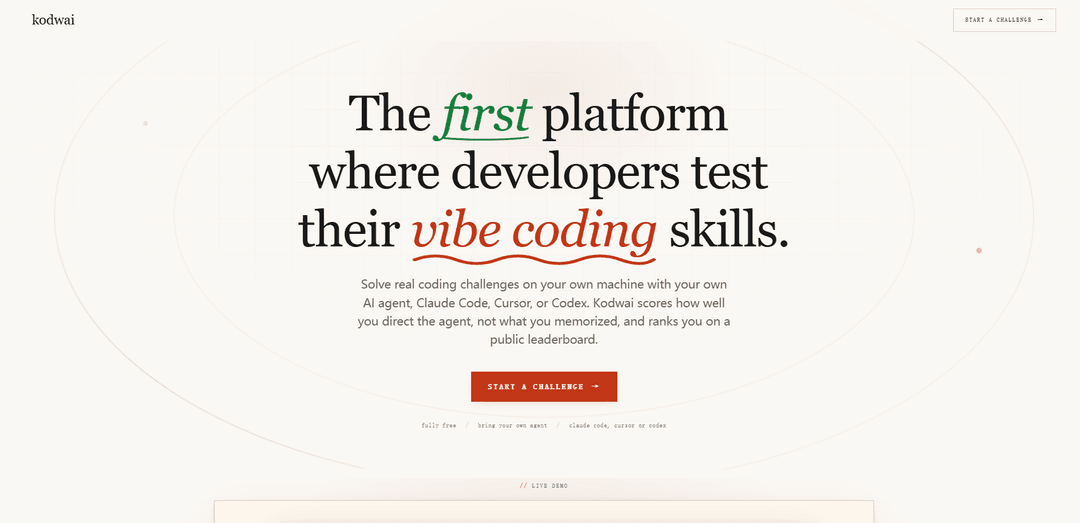
Kodwai là một nền tảng miễn phí dành cho các thử thách mã hóa tác nhân AI mà bạn giải quyết cục bộ bằng các công cụ của riêng mình (ví dụ: Claude Code, Cursor, Codex), và nó chấm điểm mức độ bạn chỉ đạo, xác minh và xuất bản với một tác nhân AI—chứ không phải những gì bạn đã ghi nhớ.
https://kodwai.com/?ref=producthunt&utm_source=aipure
Thông tin Sản phẩm
Đã cập nhật:Jul 8, 2026
kodwai là gì
Kodwai là một nền tảng thử thách tập trung vào nhà phát triển được thiết kế cho kỷ nguyên "vibe coding", nơi các kỹ sư xây dựng phần mềm bằng cách cộng tác với các tác nhân AI. Thay vì kiểm tra khả năng giải đố, Kodwai đánh giá công việc mã hóa thực tế, có kích thước như một ticket được hoàn thành trên máy của bạn bằng cách sử dụng tác nhân và trình chỉnh sửa ưa thích của bạn. Sau khi bạn gửi, Kodwai tạo ra một điểm số và hồ sơ công khai phản ánh không chỉ liệu giải pháp có hoạt động hay không, mà còn cả chất lượng của quy trình của bạn—ghi lại các lời nhắc, cam kết, chạy thử nghiệm và khả năng phục hồi khi tác nhân AI sai.
Các Tính năng Chính của kodwai
Kodwai là một nền tảng thử thách mã hóa miễn phí, ưu tiên cục bộ được thiết kế cho kỷ nguyên "AI-agent": bạn giải quyết các vấn đề kỹ thuật thực tế, có kích thước như một vé trên máy của riêng bạn bằng cách sử dụng tác nhân AI ưa thích của bạn (ví dụ: Claude Code, Cursor, Codex), và Kodwai chấm điểm toàn bộ phiên—không chỉ việc các bài kiểm tra có vượt qua hay không. Nó đánh giá mức độ bạn điều khiển và xác minh tác nhân tốt như thế nào thông qua ba trục (Hướng dẫn, Kết quả, Nâng cao), sử dụng bằng chứng từ lời nhắc/bảng điểm, các cam kết, các lần chạy thử nghiệm và thời gian, sau đó công bố kết quả lên bảng xếp hạng và một hồ sơ nhà phát triển có thể chia sẻ với thứ hạng và huy hiệu.
Chấm điểm phiên tác nhân AI (Hướng dẫn / Kết quả / Nâng cao): Chấm điểm cách bạn điều khiển, xác minh, phân tách và phục hồi với một tác nhân AI (Hướng dẫn), những gì thực sự được vận chuyển và liệu nó có giữ được hay không (Kết quả), và sự chặt chẽ của trường hợp biên bổ sung ngoài một lời nhắc một lần (Nâng cao), với bằng chứng theo tín hiệu.
Quy trình làm việc ưu tiên cục bộ thông qua CLI: Các thử thách chạy trên máy của riêng bạn (không có hộp cát trình duyệt). CLI tải xuống PROBLEM.md, các tệp khởi động và bài kiểm tra, khởi tạo một kho lưu trữ git, bắt đầu bộ đếm thời gian và sau đó gửi toàn bộ lần chạy để chấm điểm.
Hỗ trợ tác nhân tự mang theo: Hoạt động với các tác nhân phổ biến như Claude Code và Cursor như các tùy chọn hạng nhất, và hỗ trợ các tác nhân dựa trên thiết bị đầu cuối khác (ví dụ: Codex CLI, Aider, Cline), cho phép các nhà phát triển sử dụng thiết lập thực tế của họ.
Các thử thách thực tế, có kích thước như vé: Các vấn đề được giới hạn như các nhiệm vụ kỹ thuật thực tế hơn là các câu đố, trải rộng nhiều danh mục và độ khó, nhằm phản ánh cách các nhà phát triển thực sự vận chuyển phần mềm.
Đánh giá dựa trên bằng chứng (không chỉ các bài kiểm tra xanh): Gói gửi mã, lịch sử git, các lần chạy thử nghiệm, bảng điểm tác nhân và thời gian; chấm điểm trích dẫn bằng chứng cụ thể (ví dụ: các lượt bảng điểm hoặc các bước xác minh) để giải thích lý do bạn kiếm được điểm.
Bảng xếp hạng, hồ sơ và huy hiệu tự động kiếm được: Mỗi lần chạy được chấm điểm ảnh hưởng đến bảng xếp hạng toàn cầu có trọng số độ khó và xây dựng một hồ sơ công khai hiển thị phân tích điểm, thứ hạng, huy hiệu (cột mốc/chuỗi/kỹ năng/tác nhân) và các tác nhân bạn đã sử dụng.
Các Trường hợp Sử dụng của kodwai
Đánh giá kỹ năng nhà phát triển trong kỷ nguyên AI: Các cá nhân có thể đo lường và cải thiện khả năng thực tế của họ trong việc cộng tác với các tác nhân AI (nhắc nhở, xác minh, phục hồi) thay vì thực hành các định dạng câu đố nặng về ghi nhớ.
Hồ sơ tuyển dụng và tín hiệu ứng viên: Các nhà phát triển có thể chia sẻ hồ sơ công khai (điểm số, thứ hạng, huy hiệu, việc sử dụng tác nhân) với các nhà tuyển dụng/quản lý tuyển dụng như một tín hiệu thay thế cho các dự án làm tại nhà hoặc các bài kiểm tra kiểu LeetCode.
Nâng cao kỹ năng nhóm và đào tạo quy trình làm việc AI: Các nhóm kỹ thuật có thể sử dụng các thử thách để thực hành các thói quen phát triển an toàn, có thể xác minh được dựa trên tác nhân—viết thông số kỹ thuật, thêm bài kiểm tra, thăm dò các trường hợp biên và ngăn chặn các kết quả "kiểm tra xanh nhưng sai".
So sánh công cụ giữa các tác nhân AI: Các nhà phát triển có thể chạy các thử thách tương tự với các tác nhân khác nhau (Claude Code so với Cursor so với Codex, v.v.) để hiểu quy trình làm việc nào tạo ra Hướng dẫn/Nâng cao tốt hơn và kết quả vận chuyển đáng tin cậy hơn.
Học tập cạnh tranh và động lực: Bảng xếp hạng, chuỗi và huy hiệu tạo ra một cách có cấu trúc để duy trì sự nhất quán, theo dõi tiến độ theo thời gian và cạnh tranh với các đồng nghiệp trong khi xây dựng các kỹ năng cộng tác tác nhân thực tế.
Ưu điểm
Đo lường kỹ năng điều khiển tác nhân thực tế (điều khiển, xác minh, phục hồi), không chỉ việc các bài kiểm tra có vượt qua hay không.
Ưu tiên cục bộ và tác nhân tự mang theo phản ánh môi trường và quy trình làm việc phát triển thực tế.
Chấm điểm minh bạch, có bằng chứng và hồ sơ công khai/bảng xếp hạng có thể chia sẻ để báo hiệu tiến độ.
Nhược điểm
Yêu cầu cài đặt/sử dụng CLI và chạy cục bộ, điều này có thể gây thêm khó khăn cho những người dùng thích các nền tảng chỉ có trình duyệt.
Việc chấm điểm phụ thuộc vào việc thu thập bảng điểm/cam kết/các lần chạy thử nghiệm; người dùng có thể có lo ngại về quyền riêng tư về những gì được gửi.
Giá trị tốt nhất giả định bạn thường xuyên sử dụng các tác nhân AI; các nhà phát triển không sử dụng có thể thấy tiền đề ít liên quan hơn.
Cách Sử dụng kodwai
1) Chọn một thử thách trên Kodwai: Truy cập https://kodwai.com/ và duyệt qua các thử thách có sẵn. Chọn một thử thách phù hợp với danh mục và độ khó mà bạn muốn thực hành (chúng được phân loại như các vấn đề thực tế, có kích thước như một ticket).
2) Chuẩn bị thiết lập cục bộ của bạn (tự mang theo tác nhân AI): Quyết định tác nhân mã hóa AI nào bạn sẽ sử dụng trên máy của mình (ví dụ: Claude Code, Cursor, Codex CLI hoặc một tác nhân điều khiển bằng terminal khác). Kodwai được thiết kế cho các quy trình làm việc "tự mang theo tác nhân AI của bạn".
3) Bắt đầu thử thách với Kodwai CLI: Trong terminal của bạn, chạy Kodwai CLI để tải xuống các tài liệu thử thách (PROBLEM.md, các tệp khởi động và các bài kiểm tra), khởi tạo một kho lưu trữ git và bắt đầu đồng hồ đếm ngược: `$ npx @kodwai/cli challenge <slug>` trong đó `<slug>` là định danh thử thách từ trang web.
4) Đọc vấn đề và các ràng buộc cục bộ: Mở `PROBLEM.md` đã tải xuống và bất kỳ mã khởi động nào trong trình chỉnh sửa của bạn. Đảm bảo bạn hiểu các yêu cầu, các trường hợp biên và những gì các bài kiểm tra đang xác nhận.
5) Giải quyết cục bộ bằng cách sử dụng tác nhân AI + trình chỉnh sửa của bạn: Thực hiện giải pháp trên máy của bạn (không có sandbox trình duyệt). Sử dụng tác nhân AI của bạn để giúp triển khai, tái cấu trúc và suy luận—nhưng điều khiển nó một cách chủ động: làm rõ đặc tả, chia công việc thành các bước và xác minh các giả định.
6) Chạy và chạy lại các bài kiểm tra được cung cấp khi bạn lặp lại: Thực thi bộ kiểm thử đi kèm cục bộ trong suốt quá trình phát triển để xác nhận tính đúng đắn. Nếu các bài kiểm tra thất bại, hãy sử dụng phản hồi để hướng dẫn các bản sửa lỗi và cải tiến.
7) Cam kết tiến độ có ý nghĩa vào git: Vì Kodwai chấm điểm toàn bộ phiên (bao gồm lịch sử git), hãy thực hiện các cam kết khi bạn đạt được các mốc quan trọng hợp lý (ví dụ: triển khai ban đầu, sửa lỗi, xử lý trường hợp biên, sửa lỗi đồng thời).
8) Thêm xác minh và bao phủ trường hợp biên: Đừng chỉ dựa vào một lời nhắc duy nhất. Củng cố giải pháp bằng cách kiểm tra các trường hợp khó (ví dụ: đồng thời, điều kiện biên, ràng buộc hiệu suất) và, khi thích hợp, thêm hoặc điều chỉnh các bài kiểm tra để chứng minh các tuyên bố chính.
9) Gửi lần chạy của bạn từ CLI: Khi bạn hài lòng và các bài kiểm tra vượt qua, hãy gửi bằng cách: `$ npx @kodwai/cli submit`. Thao tác này đóng gói mã của bạn, lịch sử git, các lần chạy thử nghiệm, bản ghi tác nhân AI và thời gian thực hiện để chấm điểm.
10) Xem lại điểm số và bằng chứng của bạn: Sau khi gửi, Kodwai trả về điểm số trên ba trục—Hướng, Kết quả và Nâng cao—với bằng chứng theo tín hiệu được rút ra từ bản ghi, các cam kết và các lần chạy thử nghiệm của bạn để bạn có thể thấy chính xác lý do tại sao bạn đạt được điểm số đó.
11) Kiểm tra bảng xếp hạng và hồ sơ công khai của bạn: Xem vị trí của bạn trên bảng xếp hạng công khai và hồ sơ nhà phát triển của bạn (hiển thị là `kodwai.com/developers/you` trong bản sao trang web). Hồ sơ của bạn phản ánh điểm số, thứ hạng, huy hiệu và các tác nhân AI bạn đã sử dụng.
12) Cải thiện bằng cách chạy thêm thử thách: Lặp lại với các thử thách bổ sung để leo lên bảng xếp hạng và cải thiện các phần mà Kodwai nhấn mạnh nhất—đặc biệt là Hướng (điều khiển, xác minh, phân tách và phục hồi khi tác nhân AI sai).
Câu hỏi Thường gặp về kodwai
Kodwai là một nền tảng dành cho các thử thách viết mã của AI-agent, nơi các nhà phát triển giải quyết các vấn đề thực tế, có kích thước như một "ticket" trên máy của riêng họ bằng cách sử dụng AI agent ưa thích của họ (ví dụ: Claude Code, Cursor, Codex). Nó chấm điểm mức độ bạn điều khiển agent trong phiên làm việc và xếp hạng bạn trên bảng xếp hạng công khai.
Video kodwai
Bài viết phổ biến

Atoms: Nền tảng AI đa tác nhân biến ý tưởng thành sản phẩm sẵn sàng ra mắt
May 22, 2026

Nano Banana SBTI: Nó là gì, Cách thức hoạt động và Cách sử dụng nó vào năm 2026
Apr 15, 2026

Đánh giá Atoms — Trình tạo sản phẩm AI định nghĩa lại việc tạo nội dung số vào năm 2026
Apr 10, 2026

Kilo Claw: Cách Triển Khai và Sử Dụng AI Agent "Làm-Thay-Bạn" Thực Sự (Cập Nhật 2026)
Apr 3, 2026
Công cụ AI Mới nhất Tương tự kodwai

Gait
Gait là một công cụ hợp tác tích hợp việc tạo mã hỗ trợ AI với kiểm soát phiên bản, cho phép các nhóm theo dõi, hiểu và chia sẻ bối cảnh mã do AI tạo ra một cách hiệu quả.

invoices.dev
invoices.dev là một nền tảng lập hóa đơn tự động tạo hóa đơn trực tiếp từ các cam kết Git của các nhà phát triển, với khả năng tích hợp cho các dịch vụ GitHub, Slack, Linear và Google.

EasyRFP
EasyRFP là một bộ công cụ tính toán biên được hỗ trợ bởi AI giúp đơn giản hóa các phản hồi RFP (Yêu cầu đề xuất) và cho phép phân loại hình thái thực địa theo thời gian thực thông qua công nghệ học sâu.

Cart.ai
Cart.ai là một nền tảng dịch vụ dựa trên AI cung cấp các giải pháp tự động hóa doanh nghiệp toàn diện bao gồm lập trình, quản lý quan hệ khách hàng, chỉnh sửa video, thiết lập thương mại điện tử và phát triển AI tùy chỉnh với hỗ trợ 24/7.
Công cụ AI Phổ biến Giống kodwai

GitHub Copilot Chat
GitHub Copilot Chat là một trợ lý lập trình được hỗ trợ bởi AI cung cấp các tương tác bằng ngôn ngữ tự nhiên, các gợi ý mã theo thời gian thực, và hỗ trợ theo ngữ cảnh trực tiếp trong các IDE được hỗ trợ và GitHub.com.

CopilotForXcode
CopilotForXcode là một Tiện ích mở rộng Trình chỉnh sửa mã nguồn Xcode tích hợp GitHub Copilot, Codeium và ChatGPT để cung cấp các gợi ý mã được hỗ trợ bởi AI, hỗ trợ trò chuyện và chức năng từ prompt đến mã trong Xcode.

BrowserAI
BrowserAI là một thư viện mã nguồn mở cho phép chạy các Mô hình Ngôn ngữ Lớn (LLM) cục bộ trực tiếp trong trình duyệt web với khả năng tăng tốc WebGPU, cung cấp các khả năng AI tập trung vào quyền riêng tư mà không cần cơ sở hạ tầng máy chủ.

OpenAI Codex CLI
OpenAI Codex CLI là một coding agent mã nguồn mở, nhẹ, chạy trong terminal của bạn, cho phép các nhà phát triển dịch ngôn ngữ tự nhiên thành thực thi mã trong khi cung cấp khả năng suy luận ở cấp độ ChatGPT với khả năng chạy mã, thao tác tệp và lặp lại dưới sự kiểm soát phiên bản.