
Keen Code
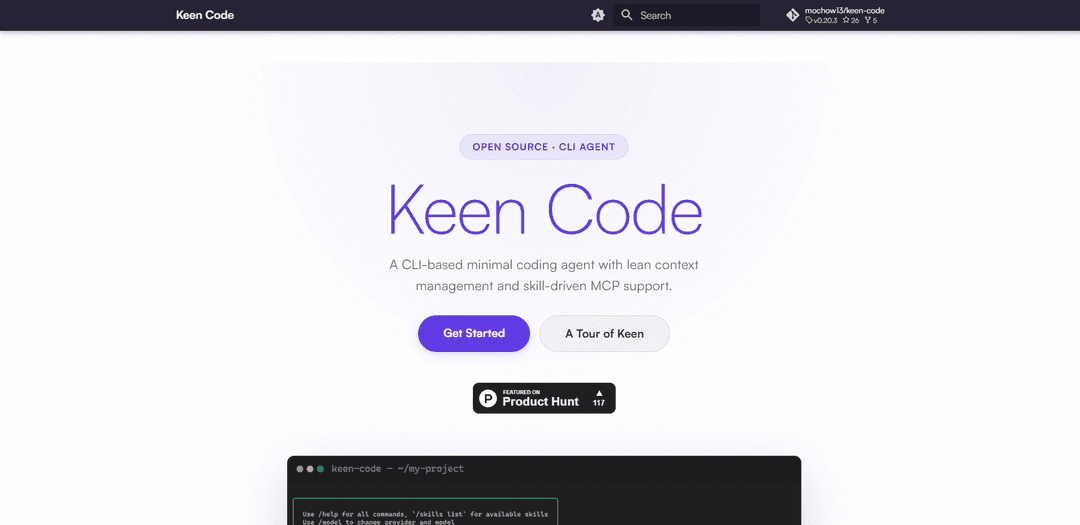
Keen Code is an open-source, CLI-based minimal coding agent featuring lean turn-memory context management, multi-provider AI model swapping, and skill-driven MCP support with built-in developer tools.
https://mochow13.github.io/keen-code?ref=producthunt
Product Information
Updated:Jun 8, 2026
What is Keen Code
Keen Code is an open-source command-line coding agent designed to help developers work faster while keeping context usage lean and controllable. It focuses on a minimal, terminal-first workflow and supports extending the agent through a skills system (custom slash commands) and MCP (Model Context Protocol) integrations. The project positions itself as a practical, developer-oriented agent that can connect to different AI providers (avoiding lock-in) and comes with essential built-in tools for common codebase tasks.
Key Features of Keen Code
Keen Code is an open-source, CLI-based minimal coding agent focused on lean context management and extensibility via a skills system and MCP (Model Context Protocol) integrations. It supports swapping between multiple AI providers (e.g., OpenAI, Anthropic, Gemini, DeepSeek) to avoid vendor lock-in, and includes built-in developer tools (read/write/edit files, glob, grep, bash). Its “turn memory” approach keeps cross-turn context compact through summaries rather than large raw traces, aiming to stay fast and controllable in real-world coding workflows.
CLI-based coding agent: Runs directly in the terminal for lightweight, developer-centric workflows without needing a heavy GUI.
Multi-provider AI support (no lock-in): Swap between providers such as Gemini, OpenAI, Anthropic, and DeepSeek, enabling flexibility on cost, latency, and model capability.
Lean context via Turn Memory: Maintains cross-turn continuity using compact summaries instead of raw tool traces, helping keep context small and manageable.
MCP server integrations: Connect external MCP servers to extend the agent with additional tools and data sources beyond what’s built in.
Skills system (custom slash commands): Create specialized sub-agents for tasks like review, security checks, or refactoring using skill-driven commands.
Built-in dev tools: Ships with six core tools out of the box: read, write, edit, glob, grep, and bash for common codebase operations.
Use Cases of Keen Code
Software development productivity: Automate routine coding tasks (searching, editing, refactoring, running commands) from the terminal to speed up day-to-day engineering work.
Security and compliance checks: Use skill-driven workflows to perform secure coding reviews, identify risky patterns with grep, and standardize remediation steps across repositories.
DevOps and SRE automation: Combine bash + file tools with MCP integrations to assist with incident debugging, config changes, and operational runbooks in infrastructure repos.
Data/ML engineering pipelines: Apply CLI agent assistance to manage experiment scripts, refactor pipeline code, and integrate external data/tooling through MCP servers.
Education and onboarding: Help learners and new team members explore unfamiliar codebases using guided search (glob/grep), incremental edits, and review-oriented skills.
Pros
Open-source and extensible via skills and MCP integrations.
Multi-provider support reduces model/vendor lock-in and improves flexibility.
Lean context management (Turn Memory) can keep sessions efficient and controllable.
Useful built-in tools cover common codebase operations without extra setup.
Cons
CLI-first workflow may be less approachable for users who prefer GUI-based assistants/IDEs.
MCP/skills extensibility can add setup and operational complexity compared to a single bundled experience.
Lean summarization-based memory may omit details some debugging/refactoring tasks rely on if not configured carefully.
How to Use Keen Code
1) Install Keen Code: Follow the project’s “Get Started” instructions on the Keen Code site (About → Install). After installation, confirm the CLI runs from your terminal.
2) Open a project directory: In your terminal, change into the repository/folder you want to work on (e.g., cd ~/my-project).
3) Start Keen Code in the project: Launch the Keen Code CLI from inside your project so it can operate on local files and commands in that workspace.
4) Configure an AI provider (multi-provider support): Pick a provider (Gemini, OpenAI, Anthropic, DeepSeek, etc.) and configure it using the AI Providers documentation. This enables swapping providers without lock-in.
5) Use the built-in tools for codebase work: Use the six built-in tools as needed: read (inspect files), write (create files), edit (modify files), glob (find files by pattern), grep (search text), and bash (run shell commands).
6) Keep context lean with Turn Memory: Rely on Keen Code’s turn memory to maintain cross-turn context via compact summaries rather than large raw tool traces (see Turn Memory docs).
7) Run Skills (custom slash commands): Invoke skills (custom slash commands) to run specialized sub-agents for tasks like review, security checks, or refactoring (see Skills System docs).
8) Connect MCP servers to extend capabilities: Enable MCP Support by connecting one or more MCP servers so the agent can access external tools and data sources (see MCP Servers docs).
9) Use MCP Skills to combine skills + MCP integrations: Set up MCP Skills to tie slash-command workflows to MCP-backed tool integrations (see MCP Skills docs).
10) Iterate: inspect → change → verify: Repeat a tight loop: read/glob/grep to understand the code, edit/write to apply changes, and bash to run tests/builds. Use skills for focused sub-tasks and switch AI providers if needed.
Keen Code FAQs
Keen Code is an open-source, CLI-based minimal coding agent focused on lean context management and skill-driven MCP support.
Popular Articles

Vosko AI: Localize and Dub Videos for Global Audiences
Oct 15, 2026

Atoms: A Multi-Agent AI Platform That Transforms Ideas into Launch-Ready Products
Oct 13, 2026

Nano Banana SBTI: What It Is, How It Works, and How to Use It in 2026
Apr 15, 2026

Atoms Review — The AI Product Builder Redefining Digital Creation in 2026
Apr 10, 2026
Latest AI Tools Similar to Keen Code

Gait
Gait is a collaboration tool that integrates AI-assisted code generation with version control, enabling teams to track, understand, and share AI-generated code context efficiently.

invoices.dev
invoices.dev is an automated invoicing platform that generates invoices directly from developers' Git commits, with integration capabilities for GitHub, Slack, Linear, and Google services.

EasyRFP
EasyRFP is an AI-powered edge computing toolkit that streamlines RFP (Request for Proposal) responses and enables real-time field phenotyping through deep learning technology.

Cart.ai
Cart.ai is an AI-powered service platform that provides comprehensive business automation solutions including coding, customer relations management, video editing, e-commerce setup, and custom AI development with 24/7 support.
Popular AI Tools Like Keen Code

GitHub Copilot Chat
GitHub Copilot Chat is an AI-powered coding assistant that provides natural language interactions, real-time code suggestions, and contextual support directly within supported IDEs and GitHub.com.

CopilotForXcode
CopilotForXcode is an Xcode Source Editor Extension that integrates GitHub Copilot, Codeium, and ChatGPT to provide AI-powered code suggestions, chat assistance, and prompt-to-code functionality within Xcode.

BrowserAI
BrowserAI is an open-source library that enables running local Large Language Models (LLMs) directly in web browsers with WebGPU acceleration, offering privacy-focused AI capabilities without requiring server infrastructure.

OpenAI Codex CLI
OpenAI Codex CLI is a lightweight, open-source coding agent that runs in your terminal, enabling developers to translate natural language into code execution while providing ChatGPT-level reasoning with the ability to run code, manipulate files, and iterate under version control.