
Jet Admin
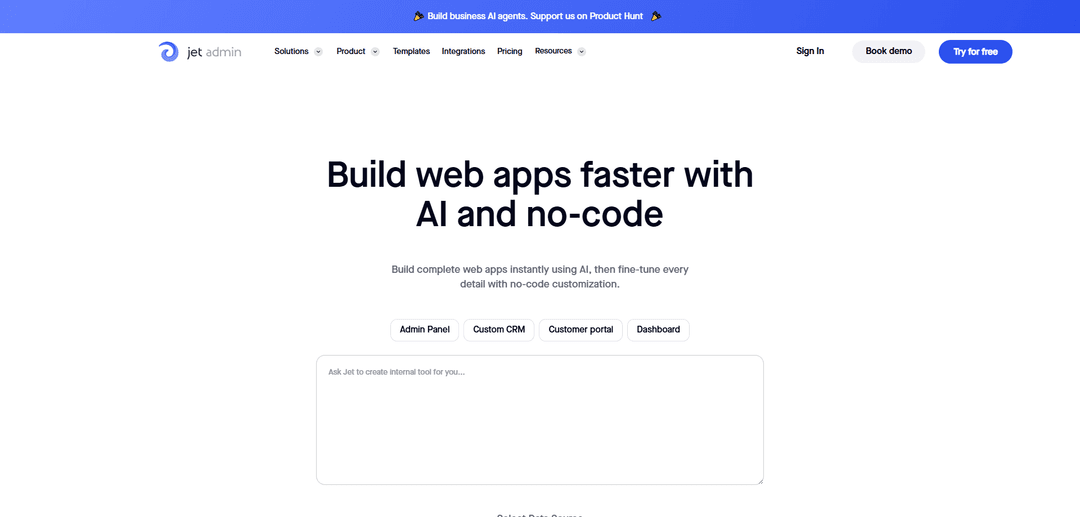
Jet Admin is a no-code platform that uses AI and a drag-and-drop builder to create secure custom business apps (admin panels, dashboards, CRMs, portals) on top of your existing databases and APIs, with workflows, permissions, and extensibility via SQL/HTTP/JavaScript.
https://www.jetadmin.io/?ref=producthunt
Product Information
Updated:May 18, 2026
What is Jet Admin
Jet Admin is a no-code business app builder for creating internal tools, admin panels, customer/client portals, dashboards, and custom CRMs. It connects to existing data sources—such as SQL databases, SaaS tools, and REST/GraphQL APIs—so teams can manage and visualize operational data without building a frontend from scratch. The platform emphasizes enterprise-ready needs like authentication options, permissions, and secure deployment patterns, while still offering developer-friendly customization for complex logic and UI.
Key Features of Jet Admin
Jet Admin is a no-code/low-code platform for building custom business apps—especially admin panels, internal tools, dashboards, and portals—on top of existing data sources (databases, SaaS tools, and APIs). It provides a drag-and-drop visual builder with rich UI components, data editing (CRUD) across sources, automation/workflow tooling (including scheduled jobs and webhooks), and extensibility via JavaScript, SQL, and custom components. Jet Admin also emphasizes enterprise security and compliance needs with features like permissions, SSO/2FA, audit logging, and deployment options such as self-hosted Jet Bridge to keep data inside your network; it additionally offers AI-assisted app generation, custom components, and in-app AI assistants that respect permissions.
Visual app builder + component designer: Drag-and-drop builder with 100+ UI components and styling controls (themes, fonts, colors) to create pixel-perfect multi-page apps without coding; supports custom UI elements like charts, forms, and cards.
Broad data connectivity & CRUD: Connect to databases and tools (e.g., PostgreSQL/MySQL/MongoDB/Supabase/Airtable/Google Sheets) and to REST/GraphQL/SOAP APIs; manage, visualize, and edit records from multiple sources in one interface.
Automations & workflows: Build workflows triggered by button clicks, API calls, webhooks, or schedules (minute/hour/day/week); supports conditional logic (if/else, switch, iterators), transformations, and integrations to operationalize business processes.
AI-assisted app and agent building: Prompt-to-app generation for CRMs, dashboards, trackers, and agents; AI can generate layouts/components, help produce SQL/HTTP requests, and provide in-app AI assistants that answer questions using live data while respecting permissions.
Security, permissions, and compliance-ready controls: Role-based access and record-level filtering, secure authentication options (including Google login and magic links), plus enterprise features like SSO/SAML, 2FA, and audit logging for governance.
Extensibility & self-hosting via Jet Bridge: Extend apps with JavaScript, custom SQL/HTTP requests, and custom views; deploy Jet Bridge on your own infrastructure (e.g., VPC/VPN/DMZ) so data can flow directly between browser and your systems while Jet hosts the UI configuration.
Use Cases of Jet Admin
Internal admin panel for operations teams: Create a centralized back office to manage orders, customers, inventory, and payments with fast CRUD, dashboards, and role-based access—common in e-commerce, logistics, and marketplaces.
Customer/vendor/partner portals: Publish secure portals where external users can view and update relevant records (e.g., order status, invoices, onboarding tasks) with granular permissions—useful for B2B SaaS, suppliers, and agencies.
Custom CRM for sales and support: Build a tailored CRM that unifies data from multiple sources (databases + HubSpot-like tools/APIs), adds workflow automations (lead routing, follow-ups), and provides dashboards for pipeline visibility.
Compliance-sensitive dashboards in finance/healthcare: Deploy behind VPN/DMZ with self-hosted Jet Bridge, enforce SSO/2FA and audit logging, and provide controlled access to sensitive records for analysts and admins.
Issue tracker / approval workflows: Implement workflows to log, triage, and assign issues (or route approvals) with statuses, priorities, and automated notifications—useful for IT, product teams, and shared-services organizations.
Data assistant and analytics agent for business users: Add an in-app AI assistant/agent that answers questions from live operational data, generates queries/requests, and supports reporting tasks for analysts and stakeholders.
Pros
Fast time-to-value: build admin tools, dashboards, and portals quickly with no-code plus optional low-code (JS/SQL).
Strong data-source flexibility: works across databases and APIs, enabling a unified operational view.
Enterprise-oriented security options: permissions, SSO/SAML, 2FA, audit logging, and self-hosted Jet Bridge for tighter data control.
Cons
Best fit is CRUD/admin-style apps; may be less ideal for highly bespoke consumer-grade frontends or complex UX beyond internal tools.
Pricing can scale with user count (per-user model), which may become costly as access expands to many external users.
Some advanced scenarios may require low-code customization (JavaScript/SQL/custom views), increasing implementation complexity.
How to Use Jet Admin
1) Create a Jet Admin account and a new project: Go to https://app.jetadmin.io/projects/create, sign in (or create an account), and register a new project. After registration you’ll be redirected into your project workspace where you can start building.
2) Choose how you will connect data: Decide whether your app will use (a) an existing data source (SQL databases, SaaS tools, REST/GraphQL APIs, Google Sheets, etc.) or (b) Jet Tables (Jet’s built-in database) if you want to create tables directly in Jet.
3) Connect your first data source: In the project, open the data/integrations area and add a resource (e.g., PostgreSQL/MySQL/MongoDB/Supabase/Airtable/Google Sheets/REST API/GraphQL). Provide the required connection details and verify the connection.
4) (If using SQL with Jet Bridge) Install Jet Bridge on your infrastructure: Jet Admin’s architecture uses Jet Bridge (open-source) as the backend connector you run on your side to expose your SQL database via an API that Jet Admin can use. Install and configure Jet Bridge with your database settings and project credentials so your Jet Admin frontend can interact with your database through Jet Bridge.
5) Sync schema/data when needed: If you want Jet to keep a synchronized copy for API access and blending, use a “Sync” connection mode (where available) and run schema/data sync so Jet can generate resource documentation and enable broader API usage.
6) Generate an initial admin panel or start from a template: Use Jet’s templates (Admin Panel, Custom CRM, Customer Portal, Dashboard, etc.) to quickly scaffold pages and common UI patterns, or start from scratch in the App Builder.
7) Build pages in the Visual App Builder (Canvas): Open the App Builder and use the canvas to create pages. Drag-and-drop UI components (tables, forms, charts, buttons, cards, etc.) and bind them to your connected resources.
8) Configure data views and CRUD operations: Add a Table component to list records and enable create/edit/delete. Add Form components for record creation and updates. Configure fields, validation, and relationships/lookup values where applicable.
9) Add filtering, search, and segments: Use built-in search and advanced filters to retrieve subsets of data. Create segments (saved filters) for common operational views (e.g., “Open tickets”, “High-value customers”, “Pending approvals”).
10) Create dashboards and visualizations: Add charts and KPI components to visualize metrics. Pull data from resources directly, via SQL queries, or via custom API calls, then display results in charts/cards.
11) Use low-code enhancements (SQL, HTTP, JavaScript, formulas): When you need more control, use custom SQL queries, HTTP requests (REST/GraphQL), JavaScript transformations, and formulas to join/transform data, compute fields, or call external services.
12) Add workflows and automations: Create workflows triggered by button clicks, API calls, or schedules (every minute/hour/day/week). Chain steps like fetching data, transforming it, branching with conditions (if/else, switch, iterator), and sending results to external tools (e.g., Slack/email/Zapier/Make).
13) Add custom actions (buttons that run logic): Create custom action buttons to trigger API calls for business operations (e.g., refund a customer, apply a coupon, ban a user). Configure success/failure paths and follow-up actions.
14) Configure authentication for your app users: Set up user sign-in options such as secure login, Google OAuth, or magic links. If needed, integrate external auth providers (e.g., SAML SSO or custom auth flows) based on your security requirements.
15) Set permissions and role-based access control: Define roles/groups and configure granular permissions for pages, data (Create/Read/Update/Delete), and even UI components (conditional visibility). Apply record-level filtering based on user/team attributes to ensure users only see what they’re allowed to see.
16) Test in preview and iterate on UI/UX: Use preview to test pages, forms, and workflows end-to-end. Refine layout and styling with the Component Designer and global styles (fonts, colors, spacing) to match your design system.
17) Use version control and releases to publish safely: Create drafts, publish updates to make changes live for all users, and revert to earlier versions if needed. Use a dev/staging/production release flow if your team requires controlled deployments.
18) Access and extend via Jet Admin API (optional): Use Jet Admin’s API to interact with connected resources outside the UI (list records, fetch individual records, create/update/delete). Find API documentation per resource in the data section of the resource page.
19) Embed or extend with custom components (optional): If you need UI beyond the built-in library, build custom components (e.g., in React/Angular/other frameworks) and integrate them into Jet Admin. You can also embed external pages via iFrame or use modals for multi-step flows.
20) Deploy self-hosted/on-premise if required (optional): If you need Jet deployed inside your own network (VPN/VPC) for compliance, use Jet’s self-hosted/on-premise deployment option and follow the provided install instructions for your environment.
Jet Admin FAQs
Jet Admin is a no-code platform for building custom business web apps such as admin panels, internal tools, dashboards, customer portals, custom CRMs, approval apps, and AI agents.
Jet Admin Video
Popular Articles

Atoms: A Multi-Agent AI Platform That Transforms Ideas into Launch-Ready Products
May 22, 2026

Nano Banana SBTI: What It Is, How It Works, and How to Use It in 2026
Apr 15, 2026

Atoms Review — The AI Product Builder Redefining Digital Creation in 2026
Apr 10, 2026

Kilo Claw: How to Deploy and Use a True "Do‑It‑For‑You" AI Agent(2026 Update)
Apr 3, 2026
Latest AI Tools Similar to Jet Admin

Hapticlabs
Hapticlabs is a no-code toolkit that enables designers, developers and researchers to easily design, prototype and deploy immersive haptic interactions across devices without coding.

Monyble
Monyble is a no-code AI platform that enables users to launch AI tools and projects within 60 seconds without requiring technical expertise.
Abyss
Abyss is an AI-powered platform that enables users to create, share and run automated task-specific Widgets without requiring technical expertise.
AppScape
AppScape is a no-code platform offering ready-to-use AI-powered apps and customizable SaaS solutions, enabling quick deployment without traditional development costs and technical expertise.
Popular AI Tools Like Jet Admin
GitHub MCP Server
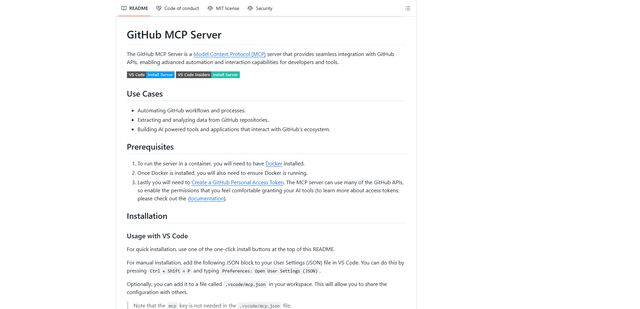
GitHub MCP Server is a Model Context Protocol server that enables seamless integration between AI models and GitHub APIs, providing standardized tools for repository management, issue tracking, and code operations.

GoCodeo SaaS Builder
GoCodeo SaaS Builder is an AI-native framework that automatically generates production-ready full-stack SaaS applications using autonomous AI agents, complete with authentication, real-time features, and TypeScript integration.

iBrowsy
iBrowsy is a modern, AI-powered web browser for macOS that combines intelligent features, privacy-first design, and seamless user experience with built-in GPT-4 assistance.
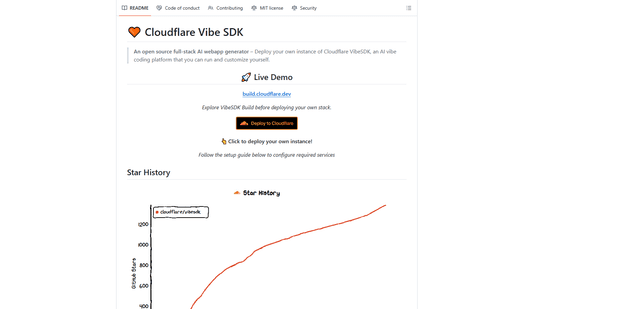
VibeSDK by CloudFlare
VibeSDK is an open-source AI-powered platform by Cloudflare that enables developers to deploy their own full-stack vibe coding environment with one click, allowing users to generate and deploy applications through natural language descriptions.