
HeimWall
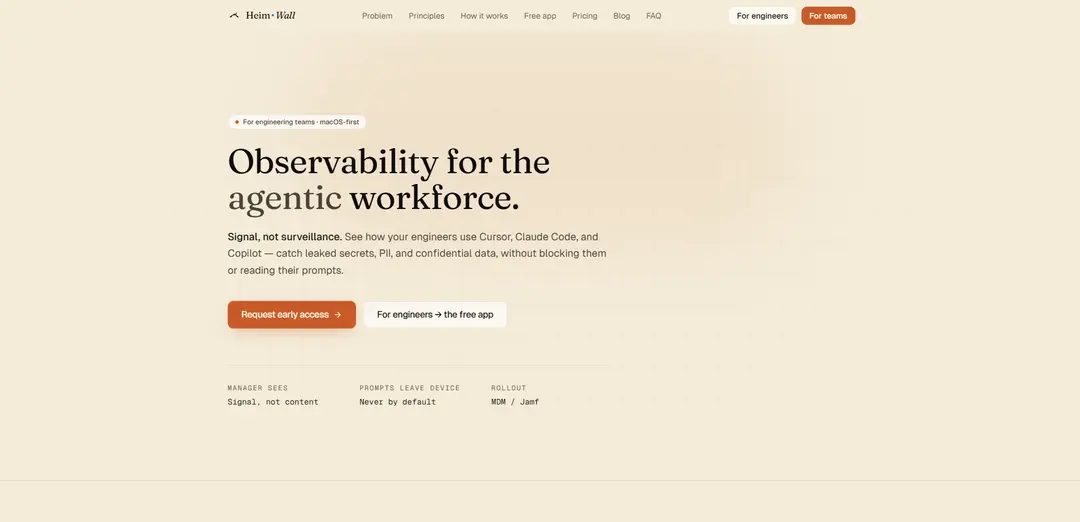
HeimWall is a macOS-first, on-device menu-bar agent that detects and redacts secrets, PII, and confidential data in AI prompts across tools like Cursor, Claude Code, and Copilot—providing “signal, not surveillance” with zero prompt egress by default.
https://heimwall.ai/?ref=producthunt
Product Information
Updated:Aug 8, 2026
What is HeimWall
HeimWall is an observability and safety layer for the “agentic workforce,” designed to prevent accidental leakage of sensitive information when engineers use AI coding and chat tools. As AI assistants like Cursor, Claude Code, Copilot, and Windsurf become part of everyday development workflows, teams often lack a cross-tool control plane to understand what risky data might be pasted into prompts. HeimWall addresses this by running locally on each Mac, flagging potential secrets and PII in the moment, while emphasizing privacy: it does not require an account for individual use, is local-only by design, and aims to provide actionable safety visibility without reading or storing raw prompt content.
Key Features of HeimWall
HeimWall is a macOS-first, on-device menu-bar agent that detects secrets, PII, and confidential data in AI prompts across tools like Cursor, Claude Code, Copilot (and similar agentic chat surfaces). It captures prompt text locally (before it’s sent), runs fast tiered detection (deterministic regex plus an on-device classifier), and redacts matches at the source so raw prompts don’t leave the machine by default. For teams, it provides cross-tool visibility via a manager dashboard that shows redacted “signal” (scores, categories, trends) rather than prompt content, with additional safeguards if access to sealed payloads is ever required.
On-device prompt capture (pre-network): Reads the prompt composer locally using macOS Accessibility, clipboard polling, and an optional local TLS proxy so it can flag leaks before the AI tool sends data to its cloud—without writing prompts to disk.
Secrets & PII detection in <50ms: Uses 25+ hand-written regex rules for hard-shaped items (API keys, tokens, private keys, SSNs) plus a pretrained on-device classifier for fuzzier leaks; it does not train on your prompts.
Redaction at the source: When a match is found, sensitive values are masked immediately so the stored/forwarded record is limited to category, severity, and a masked snippet; hashes allow correlating repeated leaks without storing the secret.
Cross-tool visibility (signal, not surveillance): Aggregates redacted metadata across multiple AI tools to provide trends and breakdowns (e.g., Safety Score, categories over time) rather than exposing raw prompt text.
Enterprise rollout support: Designed for engineering teams with MDM/Jamf deployment options and a manager dashboard for organization-wide observability across rapidly changing AI tool stacks.
Controlled access to sensitive payloads (teams): If opening sealed content is needed, it requires safeguards such as 2FA, written justification, and employee notification—aimed at minimizing misuse and maintaining trust.
Use Cases of HeimWall
Software engineering teams preventing key leakage: Detects accidental pasting of AWS keys, GitHub tokens, private keys, and other credentials into Cursor/Claude Code/Copilot prompts before they leave the developer’s Mac.
Security & compliance monitoring for AI tool adoption: Gives security leaders a cross-tool view of leak categories and trends (without reading prompts) as teams adopt multiple AI coding assistants and chat tools.
Healthcare and regulated data protection: Flags potential PII/regulated identifiers in prompts to reduce the risk of staff inadvertently sharing sensitive patient/customer data with external AI services.
Financial services confidentiality safeguards: Helps prevent exposure of client data, account identifiers, or proprietary trading/analytics logic by detecting and redacting sensitive elements in AI-assisted workflows.
Legal and professional services prompt hygiene: Reduces the chance that confidential client matter details or identifying information are included in AI prompts, while preserving productivity by avoiding hard blocks.
Incident response and repeated-leak correlation: Uses hashing of detected secrets to identify repeated exposures of the same credential across time/tools, enabling faster rotation and remediation without storing the secret itself.
Pros
Local-only by default: prompts and raw text stay on-device, reducing data egress risk.
Cross-tool coverage: observes multiple AI tools from one agent instead of siloed native controls.
Fast, explainable detection: deterministic regex rules plus an on-device classifier for broader coverage.
Redacted analytics for managers: provides trends and safety scoring without exposing prompt content.
Cons
macOS-first: may not cover Windows/Linux developer environments if your org is cross-platform.
Requires elevated permissions: needs macOS Accessibility access (and possibly local proxy setup) which some orgs/users may be cautious about.
Focuses on detection over blocking: may not satisfy organizations that require strict preventative controls in all cases.
Team dashboard features appear to be early access: enterprise capabilities may depend on availability and rollout maturity.
How to Use HeimWall
1) Download HeimWall for macOS: Go to the official HeimWall site and download the Mac build (v0.0.6 in the source snippet). Confirm your Mac meets the requirements (Apple Silicon, macOS 13+).
2) Install the app: Open the downloaded file and drag HeimWall into your Applications folder.
3) Launch HeimWall: Open HeimWall from Applications. It should open normally because it’s signed and notarized.
4) Grant Accessibility permission: When prompted, allow macOS Accessibility access so HeimWall can read the prompt/composer box in AI tools (as described in the snippet).
5) Keep HeimWall running in the menu bar: HeimWall runs as a menu-bar agent and monitors prompts on-device before they are sent.
6) Use your AI coding/chat tools as usual: Continue using tools like Cursor, Claude Code, Copilot (and similar). HeimWall is designed to work across tools rather than only inside one vendor’s product.
7) Let HeimWall capture prompts before network send: HeimWall captures on-device before the network using macOS Accessibility (and may also use clipboard polling and a local TLS proxy per the architecture description). Nothing is written to disk per the source.
8) Review detections for secrets/PII/confidential data: When HeimWall detects potential leaks (e.g., API keys, tokens, private keys, SSNs, PII), it flags them quickly using tiered detection (regex rules first, then an on-device classifier for fuzzier cases).
9) Understand what gets stored/shared: Per the source, raw prompt text is intended to stay on-device by default; detections are redacted at the source so what could leave is limited to category/severity and a masked snippet (plus a hash to correlate repeats).
10) (Teams) Roll out via MDM/Jamf and use the manager view: For engineering teams, deploy HeimWall through MDM/Jamf. The manager dashboard is described as showing “signal, not content” (e.g., Safety Score, category breakdown, trends) rather than raw prompts.
11) (Teams) Access sealed payloads only with additional controls: If your organization enables it, opening a sealed payload is described as requiring 2FA, written justification, and employee notification.
HeimWall FAQs
HeimWall is a macOS-first, on-device tool that flags secrets, PII, and confidential data in AI prompts across tools like Cursor, Claude Code, and Copilot. It’s positioned as “signal, not surveillance,” aiming to provide visibility without reading or exporting raw prompt content by default.
HeimWall Video
Popular Articles

Vosko AI: Localize and Dub Videos for Global Audiences
Oct 15, 2026

Atoms: A Multi-Agent AI Platform That Transforms Ideas into Launch-Ready Products
Oct 13, 2026

Nano Banana SBTI: What It Is, How It Works, and How to Use It in 2026
Apr 15, 2026

Atoms Review — The AI Product Builder Redefining Digital Creation in 2026
Apr 10, 2026
Latest AI Tools Similar to HeimWall

Gait
Gait is a collaboration tool that integrates AI-assisted code generation with version control, enabling teams to track, understand, and share AI-generated code context efficiently.

invoices.dev
invoices.dev is an automated invoicing platform that generates invoices directly from developers' Git commits, with integration capabilities for GitHub, Slack, Linear, and Google services.

EasyRFP
EasyRFP is an AI-powered edge computing toolkit that streamlines RFP (Request for Proposal) responses and enables real-time field phenotyping through deep learning technology.

Cart.ai
Cart.ai is an AI-powered service platform that provides comprehensive business automation solutions including coding, customer relations management, video editing, e-commerce setup, and custom AI development with 24/7 support.
Popular AI Tools Like HeimWall

GitHub Copilot Chat
GitHub Copilot Chat is an AI-powered coding assistant that provides natural language interactions, real-time code suggestions, and contextual support directly within supported IDEs and GitHub.com.

CopilotForXcode
CopilotForXcode is an Xcode Source Editor Extension that integrates GitHub Copilot, Codeium, and ChatGPT to provide AI-powered code suggestions, chat assistance, and prompt-to-code functionality within Xcode.

BrowserAI
BrowserAI is an open-source library that enables running local Large Language Models (LLMs) directly in web browsers with WebGPU acceleration, offering privacy-focused AI capabilities without requiring server infrastructure.

OpenAI Codex CLI
OpenAI Codex CLI is a lightweight, open-source coding agent that runs in your terminal, enabling developers to translate natural language into code execution while providing ChatGPT-level reasoning with the ability to run code, manipulate files, and iterate under version control.