
Flodesk Studio
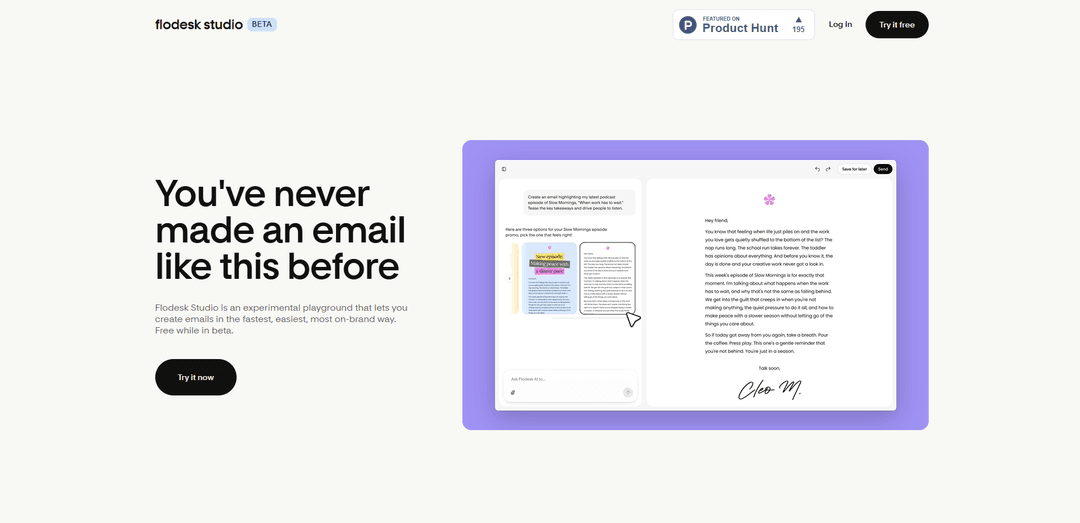
Flodesk Studio is a standalone, beta-free AI email design app that turns a single prompt into a beautiful, on-brand, high-converting email in seconds—then lets you refine it via chat, drag-and-drop, or pixel-level editing and export it as HTML to any provider.
https://studio.flodesk.com/?ref=producthunt
Product Information
Updated:Jul 16, 2026
What is Flodesk Studio
Flodesk Studio is a new, standalone app from Flodesk focused specifically on designing emails—separate from the main Flodesk email marketing platform where you manage subscribers and send campaigns. Built as an “experimental playground” for fast creation, Studio helps small business owners and creators generate polished, brand-consistent emails from a simple description, using a foundation of hand-crafted layouts made by professional designers and AI to accelerate the setup. It’s free during beta (no credit card required), and you can either send designs through Flodesk or export clean HTML to use with other email platforms.
Key Features of Flodesk Studio
Flodesk Studio is a standalone, AI-powered email design app that turns a simple prompt (or pasted draft copy) into a beautiful, on-brand email in seconds. It’s built on a foundation of hand-crafted, professional email designs, then uses AI to apply your brand (fonts, colors, imagery, voice) and generate multiple design directions. From there, you can refine via conversational, prompt-based edits, drag-and-drop building, or pixel-level manual control. Finished emails can be sent directly through Flodesk or exported as clean HTML to other email platforms, and the product is free to use while in beta.
Prompt-to-email generation (3 directions): Describe the email you want in plain language and Studio generates a polished, structured email—often offering multiple design directions to choose from—so you start with a strong first draft in minutes.
Brand Profile & on-brand automation: Upload or define brand colors, fonts, logos, imagery, and voice/tone so Studio can automatically match layouts and styling to your identity; you can also start from curated presets if you don’t have a full brand yet.
Human-crafted design foundation (no “AI slop”): Instead of generating generic layouts from scratch, Studio builds from a library of designer-made email designs, then uses AI to adapt and accelerate—aiming for results that look designed, not generated.
Edit your way: chat + drag-and-drop + pixel control: Iterate using conversational prompt-based editing, adjust layouts with a visual builder, or fine-tune details with granular controls—letting you decide how automated vs. hands-on the process is.
Rich block library for modern email content: Compose emails using purpose-built blocks like headers, banners, testimonials, countdown timers, invitations, recipes, quotes, bios, polls, signatures, and list sections, with additional blocks planned over time.
Send via Flodesk or export clean HTML anywhere: Send designs natively through Flodesk in one click, or export portable HTML for use with other ESPs that support HTML email (e.g., Mailchimp, Klaviyo, Beehiiv, Kit), reducing platform lock-in.
Use Cases of Flodesk Studio
Creator newsletters & content drops: Creators, podcasters, and writers can turn a topic idea or rough draft into a branded newsletter quickly, then refine sections (featured links, quotes, polls) with minimal layout work.
Service businesses promoting launches and availability: Coaches, studios, agencies, and freelancers can produce premium-looking announcements (new offers, openings, case studies, client wins) that match their brand without spending hours designing.
Ecommerce-style promotions and seasonal campaigns: Small shops and DTC brands can rapidly build promotional emails (sales, limited-time offers, countdown timers, product highlights) and keep visuals consistent across campaigns.
Events, hospitality, and local experiences: Restaurants, venues, and event organizers can create invitations and event updates with strong visual hierarchy (hero banners, schedules, RSVP CTAs) that look professionally designed.
Multi-platform email design workflow for marketers: Teams or consultants who design emails for clients across different ESPs can use Studio to generate on-brand layouts and export clean HTML for deployment in the client’s preferred platform.
Early-stage brands needing a fast design starting point: New businesses without established brand systems can start from Flodesk presets, then iteratively define colors, typography, and tone while still sending polished emails from day one.
Pros
Fast time-to-first-draft: turns prompts or copy into a near-finished email in minutes.
Strong brand fidelity: applies fonts, colors, imagery, and tone so emails look consistently “you.”
Flexible editing: supports chat-based iteration plus drag-and-drop and pixel-level manual control.
Portable output: can send via Flodesk or export clean HTML to other ESPs, reducing lock-in.
Cons
Beta limitations: may include bugs, missing features, and evolving capabilities during the public beta period.
Email-focused for now: currently centered on email design; other assets (forms/pages) are planned but not fully available yet.
Requires brand inputs for best results: output quality and consistency improves significantly when you provide clear brand assets and guidance.
How to Use Flodesk Studio
1) Sign up and open Flodesk Studio: Go to Flodesk Studio (https://app.studio.flodesk.com/) and create an account/log in. Studio is a standalone app (separate from Flodesk) and is free to use while it’s in beta (no credit card required).
2) (Optional) Connect Studio to your Flodesk account: If you already use Flodesk, connect it so you can send Studio designs through Flodesk in one click. If you don’t use Flodesk, you can still use Studio and export your email as HTML for another provider.
3) Add your brand settings: Set up your brand identity so Studio can generate on-brand emails. Add items like your colors, fonts, images, and guidance for voice/tone and business context. (If you’re already a Flodesk user, your brand settings may load automatically—review and edit as needed.)
4) Start a new email design: Create a new email in Studio. You can begin from a prompt, from existing copy, or from an idea—Studio is designed to help you avoid starting from a blank canvas.
5) Write a clear prompt describing the email you want: Describe the email’s purpose and content (e.g., newsletter, product launch, event announcement), your audience, the sections you want included, and any style preferences. Studio uses your prompt plus your brand settings to generate a polished starting point.
6) Choose a direction from the generated options: Studio will generate multiple design directions (e.g., three options). Review them and select the one that best matches your goal and brand vibe.
7) Refine the email using chat-based edits: Use the built-in chat to request changes in plain language (e.g., adjust layout, rewrite a section, change hierarchy, add/remove sections, modify tone). This is a fast way to iterate without manually rebuilding.
8) Fine-tune with manual, pixel-level controls: Edit the design by hand as needed—adjust spacing, typography, images, and layout blocks. Studio is designed so you stay in control of every pixel, with more blocks/controls and many layouts to choose from.
9) Review the final email for brand consistency and clarity: Do a final pass to ensure the email looks unmistakably like your brand (fonts/colors/imagery), reads well, and includes the right calls-to-action and links.
10) Send via Flodesk (one-click) OR export HTML to another provider: If connected to Flodesk, send your Studio design through Flodesk in one click. Otherwise, export the email as HTML and upload/import it into any email platform that supports HTML email (the sources mention options like Mailchimp, Klaviyo, Beehiiv, and Kit/ConvertKit).
11) Share feedback during the beta: Use the in-app “share feedback” option to report bugs, missing pieces, and feature requests. Studio is in beta and is being built in public based on user feedback.
Flodesk Studio FAQs
Flodesk Studio is an AI email design app that turns a simple description (prompt) into a beautiful, on-brand email in seconds. You can create in Studio and send from Flodesk, or export the design as HTML to another email platform.
Flodesk Studio Video
Popular Articles

Vosko AI: Localize and Dub Videos for Global Audiences
Oct 15, 2026

Atoms: A Multi-Agent AI Platform That Transforms Ideas into Launch-Ready Products
Oct 13, 2026

Nano Banana SBTI: What It Is, How It Works, and How to Use It in 2026
Apr 15, 2026

Atoms Review — The AI Product Builder Redefining Digital Creation in 2026
Apr 10, 2026
Latest AI Tools Similar to Flodesk Studio

10xBeast
10xBeast is an AI-powered sales platform that helps businesses automate and personalize cold email outreach to convert leads into customers in just a few clicks.
Inbox AI
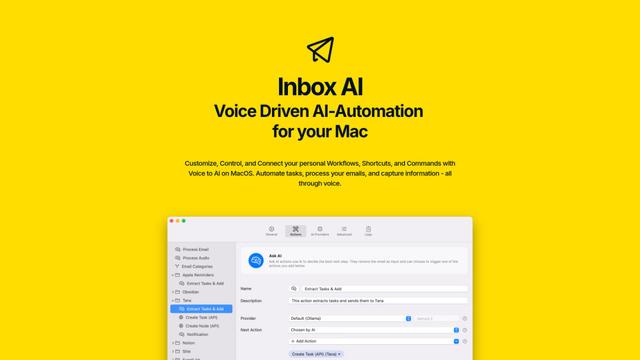
Inbox AI is a privacy-focused MacOS productivity app that combines voice-driven AI automation with email management capabilities, allowing users to create custom workflows and commands while offering both cloud-based and on-device AI options.

MailSense
MailSense is an AI-powered email assistant that filters, summarizes, and generates replies to emails through a Telegram bot interface to help users manage their inbox more efficiently.
Voltmailer
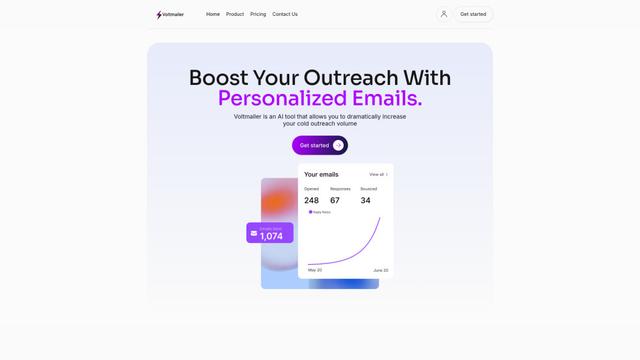
Voltmailer is an AI-powered email automation tool that helps businesses scale their cold outreach by generating personalized emails through website data scraping and automated personalization.
Popular AI Tools Like Flodesk Studio
Mailmeteor AI for Gmail
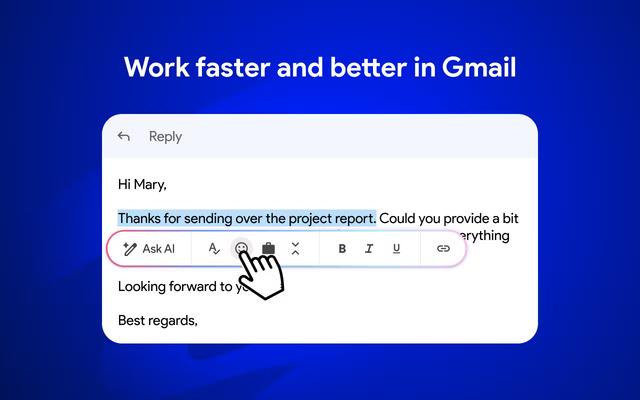
Mailmeteor is a powerful Gmail extension that combines AI email writing, mail merge, automated follow-ups, and email export capabilities to enhance productivity and email management within Gmail.
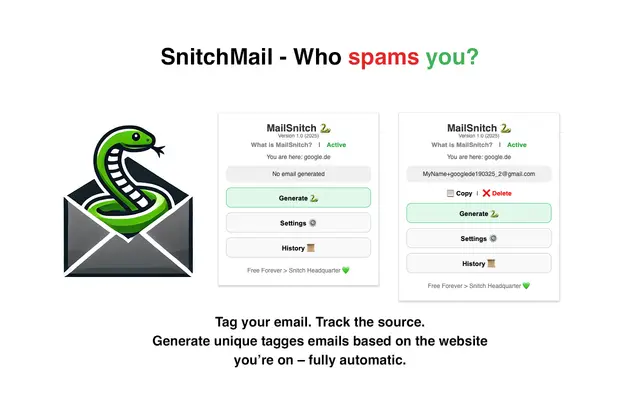
MailSnitch
MailSnitch is a free email tracking and anti-spam Chrome extension that helps users identify spam sources through automated email tagging and tracking system.
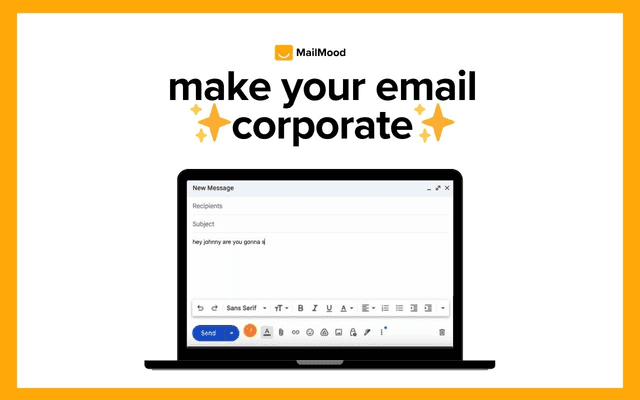
MailMood - AI Email Rewriter
MailMood is a Chrome extension that instantly transforms Gmail messages into professional, clean, and confident business language with three different tone options - corporate, casual, or assertive - all with just one click.
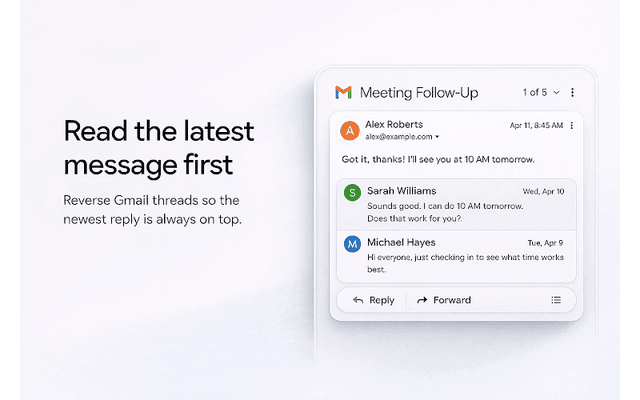
Apparent for Gmail
Apparent for Gmail is a Chrome extension that enhances Gmail's readability and usability by reorganizing conversations, simplifying layouts, and streamlining workflows while maintaining privacy and security.