
Dirac
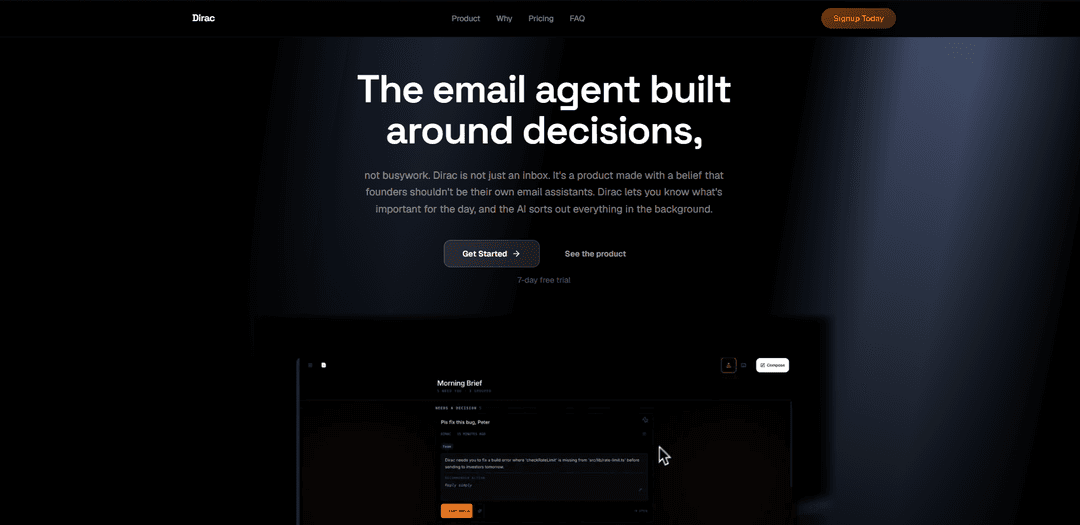
Dirac is an AI email agent for Gmail that processes your inbox overnight to deliver a morning brief with prioritized summaries, action items, and ready-to-send replies drafted in your own writing voice—nothing sends without your approval.
https://dirac.email/?ref=producthunt
Product Information
Updated:Jul 8, 2026
What is Dirac
Dirac is an intelligent email client designed to reduce the daily time founders and busy operators spend triaging, summarizing, and drafting responses. Instead of giving you a faster interface to work through email manually, Dirac focuses on outcomes: it reads and organizes your inbox in the background and presents a concise morning brief that highlights what matters, what can be handled automatically, and what needs your judgment. It also learns how you write from your sent mail so drafts sound like you rather than generic AI templates, and it’s positioned as a lightweight layer behind the email you already use rather than a brand-new inbox to learn.
Key Features of Dirac
Dirac is an AI email agent that connects to your existing inbox (e.g., Gmail) and processes email in the background so your day starts with a concise morning brief. It summarizes threads, identifies priorities and action items, drafts ready-to-send replies in your personal writing style by learning from your sent mail, and can prepare bulk inbox actions from plain-English instructions—while keeping you in control since nothing is sent or applied without your approval.
Morning Brief: Delivers a daily snapshot of what matters, what was handled, and what needs your judgment—reducing morning inbox triage to a short review.
Priority & decision-focused triage: Surfaces high-signal threads (e.g., deals, investors, customers, signatures required) and de-emphasizes routine noise like newsletters and automated notifications.
Voice learning for natural drafts: Learns your tone from sent email and produces replies that sound like you—avoiding generic assistant phrasing and templates.
Ready-to-send reply drafts: Creates context-aware response drafts you can approve and send with a tap, so you don’t start from scratch.
Plain-English inbox commands: Lets you instruct actions like “star anything from investors” or “archive newsletters from last month,” then finds matching threads and queues changes for one-tap approval.
Approval-first workflow & privacy posture: Designed so nothing sends automatically; positions itself as private-by-default (e.g., not selling data and not training public models on your inbox, per site messaging).
Use Cases of Dirac
Founder/executive inbox management: Prioritize investor, legal, and customer threads; get a morning brief and high-quality drafts to keep momentum without losing the first hour of the day.
Sales & customer success responsiveness: Draft quick, on-brand replies to prospects and customers, and highlight urgent issues so teams respond faster without living in the inbox.
Operations & admin workload reduction: Auto-triage routine inbound (receipts, scheduling, newsletters), prepare bulk filing actions via instructions, and leave only decision items for review.
Busy professionals with high email volume: Reduce cognitive load by converting a large inbox into a short list of decisions plus pre-written drafts, while keeping full control over sending.
Startup teams using Gmail: Connect quickly to existing workflows, get summaries and drafts overnight, and standardize faster communication without adopting a new inbox client.
Pros
Saves time by shifting triage, summarization, and drafting to an overnight/background workflow.
Drafts are personalized to your writing style (trained from sent mail), reducing “generic AI” tone.
Approval-first design: nothing is sent or applied without your confirmation.
Simple natural-language instructions for bulk inbox actions.
Cons
Requires access to your inbox and sent mail to learn your voice, which may be a privacy/compliance hurdle for some users/orgs.
Best value depends on accuracy of prioritization and draft quality; misclassification could still require manual oversight.
Provider support appears centered on Gmail (other providers unclear from the provided source).
How to Use Dirac
1) Sign up and start the free trial: Go to https://app.dirac.app/signup and create your Dirac account to begin the 7-day free trial.
2) Connect your email provider (Gmail): During setup, connect your Gmail account so Dirac can read, prioritize, and draft responses in the background.
3) Let Dirac process your inbox overnight: Once connected, Dirac continuously processes your inbox (especially overnight) to identify what matters, summarize threads, and prepare drafts.
4) Open your Morning Brief: Each morning, review Dirac’s Morning Brief to see: (a) what needs your judgment, (b) what’s urgent, and (c) what was filed/archived.
5) Review “Needs Reply” items first: Open the threads Dirac flags as needing your decision (e.g., customers, deals, investors, urgent issues) and read the provided summaries for context.
6) Approve or edit ready-to-send drafts: For emails with drafted replies, quickly review the draft written in your voice, make any edits you want, and then send.
7) Use voice learning to improve drafts over time: Dirac learns your writing style from your sent mail. As you keep approving/editing drafts, future replies better match your tone.
8) Manage your inbox with plain-English instructions: Give Dirac commands like “star anything from investors this week” or “archive newsletters from last month.” Dirac finds matching threads and prepares the actions.
9) Confirm actions with one tap: When Dirac proposes bulk actions (e.g., starring, archiving, filing), review the list of affected threads and approve to apply the changes.
10) Keep control: nothing sends without approval: Use Dirac as a decision layer: it drafts and prepares actions, but you remain the final approver before anything is sent.
11) Continue daily: brief → decisions → done: Repeat the workflow each day: open the Morning Brief, handle the few items that need you, approve drafts/actions, and leave the rest to Dirac’s background processing.
Dirac FAQs
Dirac is an AI email agent that reads, prioritizes, and drafts replies so you start your day with a “morning brief” and only approve what needs your judgment.
Dirac Video
Popular Articles

Vosko AI: Localize and Dub Videos for Global Audiences
Oct 15, 2026

Atoms: A Multi-Agent AI Platform That Transforms Ideas into Launch-Ready Products
Oct 13, 2026

Nano Banana SBTI: What It Is, How It Works, and How to Use It in 2026
Apr 15, 2026

Atoms Review — The AI Product Builder Redefining Digital Creation in 2026
Apr 10, 2026
Latest AI Tools Similar to Dirac

10xBeast
10xBeast is an AI-powered sales platform that helps businesses automate and personalize cold email outreach to convert leads into customers in just a few clicks.

Inbox AI
Inbox AI is a privacy-focused MacOS productivity app that combines voice-driven AI automation with email management capabilities, allowing users to create custom workflows and commands while offering both cloud-based and on-device AI options.

MailSense
MailSense is an AI-powered email assistant that filters, summarizes, and generates replies to emails through a Telegram bot interface to help users manage their inbox more efficiently.
Voltmailer
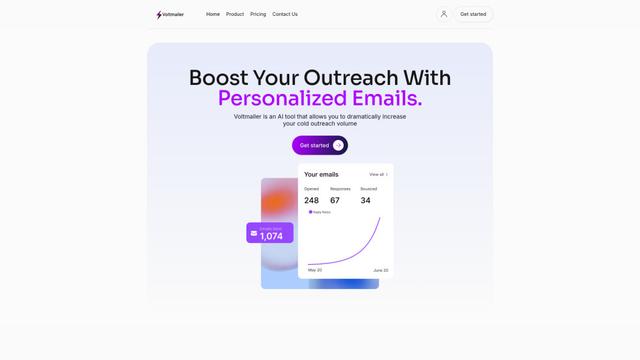
Voltmailer is an AI-powered email automation tool that helps businesses scale their cold outreach by generating personalized emails through website data scraping and automated personalization.
Popular AI Tools Like Dirac
Mailmeteor AI for Gmail
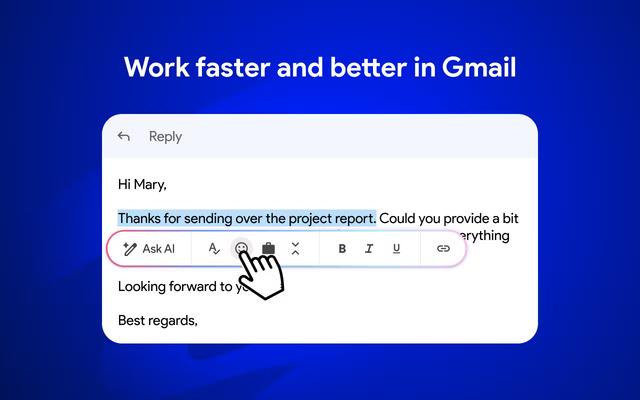
Mailmeteor is a powerful Gmail extension that combines AI email writing, mail merge, automated follow-ups, and email export capabilities to enhance productivity and email management within Gmail.
MailSnitch
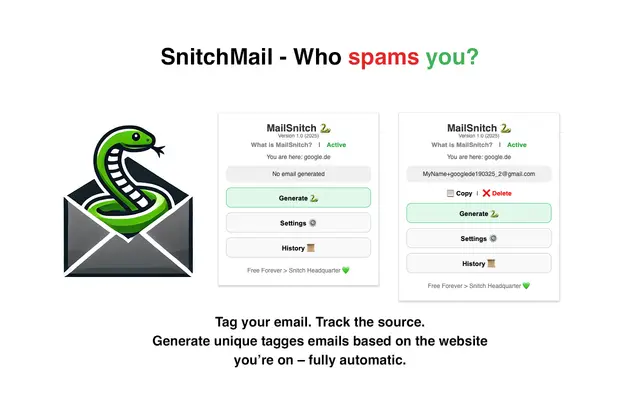
MailSnitch is a free email tracking and anti-spam Chrome extension that helps users identify spam sources through automated email tagging and tracking system.
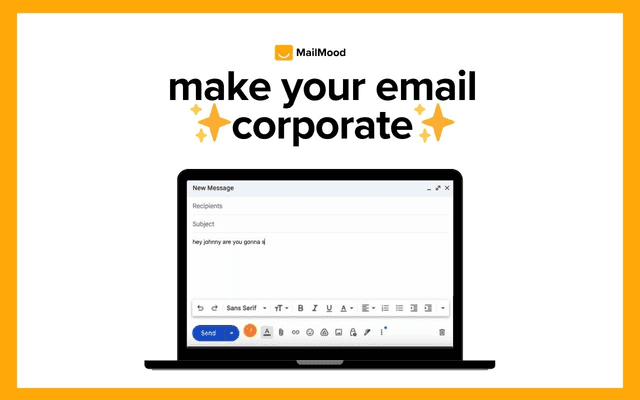
MailMood - AI Email Rewriter
MailMood is a Chrome extension that instantly transforms Gmail messages into professional, clean, and confident business language with three different tone options - corporate, casual, or assertive - all with just one click.

Apparent for Gmail
Apparent for Gmail is a Chrome extension that enhances Gmail's readability and usability by reorganizing conversations, simplifying layouts, and streamlining workflows while maintaining privacy and security.