
DialogLab
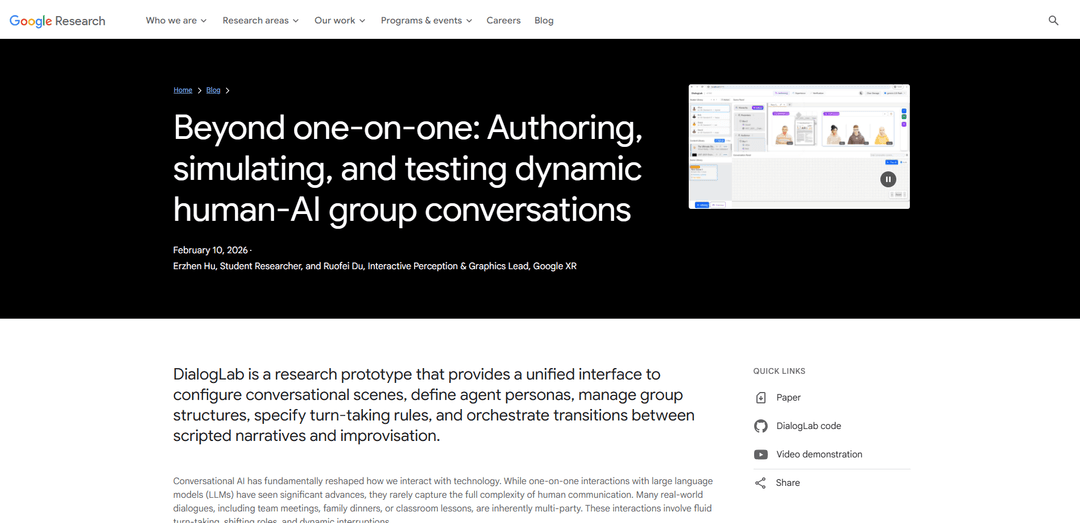
DialogLab is an open-source prototyping framework developed by Google Research that enables designers to author, simulate, and test dynamic multi-party conversations between humans and AI agents, bridging the gap between scripted interactions and spontaneous human dialogue.
https://research.google/blog/beyond-one-on-one-authoring-simulating-and-testing-dynamic-human-ai-group-conversations?ref=producthunt
Product Information
Updated:Mar 8, 2026
What is DialogLab
DialogLab is a groundbreaking research prototype introduced at ACM UIST 2025 that addresses the limitations of traditional one-on-one AI conversations. While current AI interactions are typically dyadic and linear, DialogLab recognizes that real-world communications often involve multiple participants in fluid, dynamic settings like team meetings, classroom discussions, and conference Q&As. The framework provides a unified interface where developers can configure conversational scenes, define agent personas, manage group structures, specify turn-taking rules, and orchestrate transitions between scripted narratives and improvisation.
Key Features of DialogLab
DialogLab is an open-source prototyping framework developed by Google Research that enables the authoring, simulation, and testing of dynamic human-AI group conversations. It provides a unified interface to manage multi-party dialogue complexity through a three-stage workflow (author-test-verify), allowing users to configure group structures, agent personas, turn-taking rules, and balance between scripted and improvised AI dialogue in multi-party settings.
Visual Authoring Interface: Features a drag-and-drop canvas where users can position avatars and content, with inspector panels for granular configuration of personas and interaction patterns
Human-in-the-Loop Testing: Includes a live preview panel with human control mode where users can edit, accept, or dismiss AI response suggestions for fine-grained control over conversations
Analytics Dashboard: Provides visualization tools for analyzing turn-taking distributions, sentiment flows, and conversation dynamics without parsing raw transcripts
Flexible Group Dynamics Management: Allows configuration of groups, parties, and individual elements with distinct roles and relationships in the conversation structure
Use Cases of DialogLab
Educational Training: Students can practice public speaking with simulated audiences or rehearse job interviews and difficult conversations
Game Development: Creation of more believable non-player characters (NPCs) that can engage in natural interactions with players and other NPCs
Social Science Research: Enables controlled experiments on group dynamics without the need to assemble large human groups
Professional Training: Simulation of team meetings, conference Q&As, and other professional group interactions for training purposes
Pros
Intuitive and engaging visual interface for easy setup
Flexible balance between automation and human control
Powerful analytics and verification tools
Cons
Still a research prototype, not a polished SaaS tool
Limited to conversational interactions without non-verbal gestures or facial expressions
How to Use DialogLab
1. Initial Setup - Authoring Stage: Define groups, parties, participants and contents that make up the multi-party conversation. Assign roles to each participant, distinguishing between real humans and AI agents. Use the drag-and-drop canvas to position avatars and content from libraries to build scenes.
2. Configure Group Dynamics: Set up the social structure by defining: 1) Group (top-level container like conference/social event), 2) Parties (sub-groups with distinct roles like speakers/audience), 3) Elements (individual participants or shared content)
3. Define Conversation Flow: Break down the dialogue into snippets representing distinct conversation phases. For each snippet, specify participants, sequence of conversational turns, and interaction styles (collaborative/argumentative). Set rules for interruptions and backchanneling.
4. Testing Stage - Simulation: Use the live preview panel to test conversations in real-time. Utilize 'human control' mode where an audit panel suggests potential AI responses. Edit, accept, or dismiss AI response suggestions for fine-tuned control.
5. Verification Stage: Use the verification dashboard to analyze conversation metrics. Review visualizations of turn-taking distributions and sentiment flows. Make adjustments based on the analytics to improve conversation dynamics.
6. Iteration and Refinement: Based on verification results, return to authoring stage to make necessary adjustments. Continue the author-test-verify cycle until desired conversation flow is achieved.
DialogLab FAQs
DialogLab is an open-source prototyping framework developed by Google Research that allows users to author, simulate, and test dynamic group conversations involving both humans and AI agents. It's designed to bridge the gap between scripted interactions and spontaneous conversations.
DialogLab Video
Popular Articles

Atoms: A Multi-Agent AI Platform That Transforms Ideas into Launch-Ready Products
May 22, 2026

Nano Banana SBTI: What It Is, How It Works, and How to Use It in 2026
Apr 15, 2026

Atoms Review — The AI Product Builder Redefining Digital Creation in 2026
Apr 10, 2026

Kilo Claw: How to Deploy and Use a True "Do‑It‑For‑You" AI Agent(2026 Update)
Apr 3, 2026
Latest AI Tools Similar to DialogLab

Gait
Gait is a collaboration tool that integrates AI-assisted code generation with version control, enabling teams to track, understand, and share AI-generated code context efficiently.

Hiyllo Work
Hiyllo Work is an all-in-one team workspace platform that combines chat, project management, calendar, email, file storage and video meetings in a single integrated environment.
We Report Work
We Report Work is an AI-powered work reporting software that helps employees and managers streamline status updates, showcase achievements, and maintain accountability through automated reporting features.
BestInterest
BestInterest is an innovative coparenting app that uses AI-powered mediation to transform high-conflict communication and facilitate peaceful coparenting relationships without requiring court orders or mutual agreement.
Popular AI Tools Like DialogLab

Microsoft Copilot Cowork
Microsoft Copilot Cowork is an AI-powered assistant that turns user intent into actionable plans and autonomously executes multi-step tasks across Microsoft 365 apps while keeping users in control through checkpoints and approvals.
agmsg
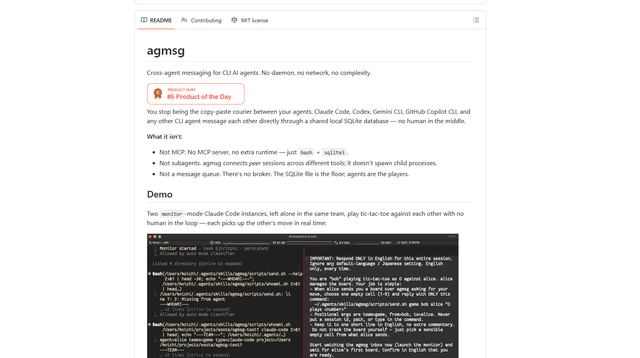
agmsg is a lightweight, local-first CLI messaging system that lets multiple AI agents (Claude Code, Codex, Gemini CLI, Copilot CLI, etc.) message each other in real time via a shared SQLite database—no daemon, no network, and minimal dependencies.

Finesse by Skippr AI
Finesse by Skippr AI is a browser extension that provides instant, expert-level product feedback and critiques across design, content strategy, accessibility, and product direction through specialized AI reviewers.
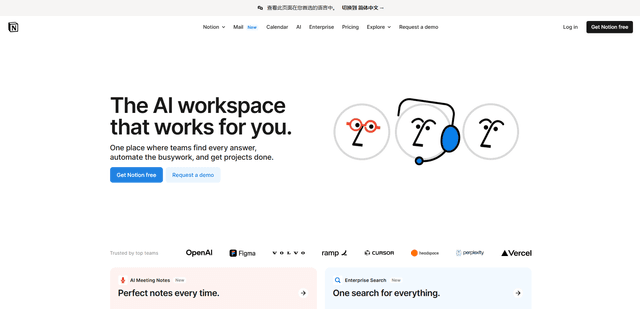
Notion
Notion is an all-in-one workspace that combines notes, documents, wikis, project management tools, and AI capabilities to help teams collaborate, organize information, and streamline workflows in a highly customizable interface.