
Darkmoon
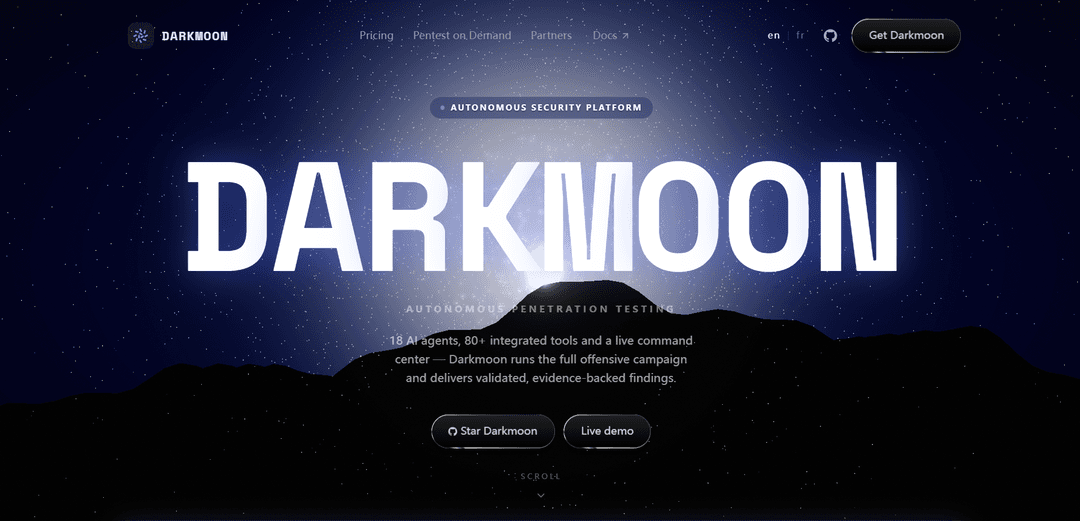
Darkmoon is an open-source, AI-powered autonomous penetration testing platform that orchestrates end-to-end offensive campaigns with 18 specialized agents, 80+ integrated tools, a live dashboard, infrastructure mapping, and publication-ready evidence-backed reports.
https://dark-moon.org/?ref=producthunt
Product Information
Updated:Jul 8, 2026
What is Darkmoon
Darkmoon is an autonomous AI pentesting engine designed to run professional-grade security assessments across environments such as web, cloud, Active Directory, and Kubernetes. Rather than acting like a traditional vulnerability scanner, it coordinates a full offensive workflow—reasoning about the target, exploring the attack surface, validating findings with real executions, and producing structured reports teams can act on quickly. It is available as a free, self-hosted open-source Community edition under GPLv3, with additional Pro and enterprise options that add hardened runtime and operational features.
Key Features of Darkmoon
Darkmoon is an autonomous AI penetration testing platform that orchestrates end-to-end offensive security campaigns beyond one-pass scanning. It reasons about a target’s attack surface, dispatches specialized agents, runs and gatekeeps tool execution, validates findings with real payload evidence, maps infrastructure and attack paths into a graph, and produces structured, actionable reports via a live dashboard. It’s available as a free GPLv3 open-source self-hosted edition and a Pro edition with a hardened sealed runtime, managed command center, and enterprise-ready reporting/SSO options.
Autonomous pentest orchestration (not a scanner): Models the target’s attack surface, plans multi-step campaigns, and coordinates domain specialist agents to pursue attack paths instead of relying on single-pass signatures.
18 AI agents + 80+ integrated tools: Uses an orchestrator to dispatch the right specialists and coordinate a large toolchain for web, cloud, AD, and Kubernetes-style assessments.
Evidence-backed validation with real payloads: Validates findings through real exploit/payload execution to produce proof-based vulnerabilities rather than purely theoretical detections.
Infrastructure graph & attack-path mapping: Builds an infrastructure map showing hosts, connections, and vulnerabilities to help teams understand blast radius and chaining opportunities.
MCP-gated tool execution (auditable safety): The model generates plans, while an MCP gateway gatekeeps each tool call—supporting controlled execution and auditability.
Live dashboard + reporting workflows: Provides live campaign visibility (status, severity breakdown, recent runs) and structured reporting; Pro adds branded PDF/report formats and a managed command center.
Use Cases of Darkmoon
Continuous security testing for SaaS and web apps: Run recurring autonomous campaigns against staging/production scopes to catch regressions, validate exploitability, and generate same-day actionable reports.
Cloud posture validation for DevOps teams: Assess cloud-exposed services and configurations by chaining recon to exploitation attempts, producing an infra graph that highlights reachable attack paths.
Internal network / Active Directory attack-path assessment: Model lateral movement opportunities and privilege escalation paths, validating misconfigurations with evidence and mapping relationships in the infra graph.
Kubernetes and container environment assessments: Apply autonomous testing to cluster attack surfaces and workload exposures, using coordinated agents/tools to validate real impact.
Managed pentest delivery for compliance-driven orgs: Use the “Pentest on Demand” workflow to obtain authorization, run an end-to-end engagement, and deliver a debriefed, evidence-backed report aligned to common methodologies.
Pros
End-to-end autonomous pentesting with evidence-backed validation, not just signature scanning.
Strong visibility via infra graph and live dashboard, improving prioritization and remediation.
Open-source GPLv3 core enables auditing, customization, and self-hosting.
Controlled execution model (MCP-gated tool calls) supports safer, more auditable automation.
Cons
Requires a strong reasoning/tool-calling model configuration (e.g., OPENCODE_MODEL) or campaigns may stall.
GPU acceleration is supported but depends on host setup and is not auto-installed, adding deployment complexity.
Pro-only features (sealed runtime, managed command center, branded report formats, hardware-bound licensing) may be necessary for some enterprise workflows.
How to Use Darkmoon
1) Choose how you will run Darkmoon (Community vs Pro vs Managed): Pick one: (a) Community (GPLv3) self-host from GitHub, (b) Pro self-host with the hardened sealed runtime + dashboard and hardware-bound license, or (c) “Pentest on Demand” where Darkmoon’s team runs the engagement and delivers a debriefed report.
2) (Community) Clone the open-source engine: On a Linux host, clone the repository and enter it:
- git clone https://github.com/ASCIT31/Dark-Moon
- cd Dark-Moon
3) Define your scope/target in a single command: Darkmoon supports flexible scope definition from the command line. Start by expressing the target clearly (domain/IP/environment) in the campaign string you pass to the launcher script.
4) Launch a campaign from the CLI: Run the provided launcher script with your target string, for example:
- ./darkmoon.sh "TARGET: acme.test"
Darkmoon will begin recon, detect technology signals, and dispatch specialist agents automatically.
5) Watch the orchestration behavior (what happens after launch): After starting, Darkmoon performs recon, detects technology signals (the site describes 14 signals), then routes the campaign to the appropriate specialist agents. It can run sequentially or in parallel, with cascade depth capped (described as capped at three levels) to avoid runaway recursion.
6) Understand the safety model (MCP-gated tool execution): Darkmoon’s architecture separates planning from execution: the AI reasons and writes the plan, while an MCP gateway gatekeeps every tool call. This is described as the core security guarantee (“The model plans. It never gets a shell.”).
7) Review results in the dashboard (if using Pro / command center): In Pro, use the managed live command center/dashboard to view campaign summaries (duration, risk, vulnerability counts), severity breakdowns, and the infrastructure graph (nodes, connections, mapped paths and vulnerabilities).
8) (Pro Demo) Access the live demo and complete first-login password change: Go to demo.dark-moon.org. On first access, log in with admin / admin. You will be forced to change the password immediately; after changing it, you are redirected to the home page.
9) (SSO) Integrate authentication via OIDC if needed: Darkmoon’s authentication layer is powered by Authelia and supports OpenID Connect (OIDC). Configure your preferred SSO provider that supports OIDC to enable SSO-compatible login flows.
10) Decide on GPU vs CPU execution (CPU fallback is automatic): Darkmoon can run without a GPU. It falls back to CPU automatically via pocl-opencl-icd with no configuration needed. If you see an error like “could not select device driver 'nvidia' with capabilities: [[gpu]]”, CPU fallback is the expected path unless GPU is properly available.
11) (Linux + AMD ROCm) Add device mappings if you want AMD GPU access: On native Linux with AMD/ROCm, add these to your docker-compose.yml for GPU passthrough:
- devices: /dev/kfd:/dev/kfd and /dev/dri:/dev/dri
- group_add: video and render
You can sanity-check ROCm visibility with:
- docker run --rm --device=/dev/kfd --device=/dev/dri --group-add video --group-add render rocm/rocm-terminal rocm-smi
12) (WSL notes) Avoid unsupported AMD GPU passthrough in WSL2: AMD GPU passthrough in WSL2 is noted as not officially supported. Prefer native Linux or a VM for AMD GPU workloads. Darkmoon still runs fine on CPU fallback.
13) (Windows + WSL2 + NVIDIA via Docker Desktop) Don’t install NVIDIA container toolkit inside WSL: If you are using Docker Desktop with WSL2 backend, the guidance is: do not install nvidia-container-toolkit inside WSL and do not run nvidia-ctk there; Docker Desktop handles GPU automatically. Ensure “Use WSL2 backend” is enabled in Docker Desktop settings, then fully restart Windows if needed.
14) Export/consume reports (Pro feature): In Pro, generate deliverables in multiple report formats including branded PDF, and use the dashboard’s structured campaign outputs (evidence-backed findings, infra graph, severity breakdown) for remediation workflows.
15) (Managed engagement) Run Darkmoon as a service instead of self-hosting: If you choose “Pentest on Demand,” you describe your target, sign the legal framework/authorizations online, pay a flat rate, and Darkmoon’s experts run the end-to-end offensive engagement and deliver a debriefed, evidence-backed report in a secure client space.
Darkmoon FAQs
Darkmoon is an autonomous AI penetration testing platform that reasons about a target, models the attack surface, dispatches specialist agents, validates findings with real payloads, builds an infrastructure graph, and produces a structured report.
Darkmoon Video
Popular Articles

Vosko AI: Localize and Dub Videos for Global Audiences
Oct 15, 2026

Atoms: A Multi-Agent AI Platform That Transforms Ideas into Launch-Ready Products
Oct 13, 2026

Nano Banana SBTI: What It Is, How It Works, and How to Use It in 2026
Apr 15, 2026

Atoms Review — The AI Product Builder Redefining Digital Creation in 2026
Apr 10, 2026
Latest AI Tools Similar to Darkmoon

Hapticlabs
Hapticlabs is a no-code toolkit that enables designers, developers and researchers to easily design, prototype and deploy immersive haptic interactions across devices without coding.

Deployo.ai
Deployo.ai is a comprehensive AI deployment platform that enables seamless model deployment, monitoring, and scaling with built-in ethical AI frameworks and cross-cloud compatibility.

CloudSoul
CloudSoul is an AI-powered SaaS platform that enables users to instantly deploy and manage cloud infrastructure through natural language conversations, making AWS resource management more accessible and efficient.

Devozy.ai
Devozy.ai is an AI-powered developer self-service platform that combines Agile project management, DevSecOps, multi-cloud infrastructure management, and IT service management into a unified solution for accelerating software delivery.
Popular AI Tools Like Darkmoon

A2A Protocol
A2A (Agent2Agent) Protocol is an open interoperability protocol developed by Google that enables seamless communication and collaboration between AI agents across different frameworks and vendors, regardless of their underlying architecture.

VoltOps
VoltOps is a framework-agnostic LLM observability platform that provides real-time visual monitoring, debugging, and optimization tools for AI agents across any technology stack.

Chaterm
Chaterm is an open-source AI-native terminal and SRE copilot that enables engineers to manage complex infrastructure through natural language, automating deployment, troubleshooting, and operations without memorizing commands.

Open Browser Use
Open Browser Use is an open-source, agent-runtime-neutral browser automation layer that pairs a Chrome extension with a CLI/SDK/MCP to enable DOM-aware, CDP-powered tab control, navigation, and actions across different AI agent tools.