
Daemons by Charlie Labs
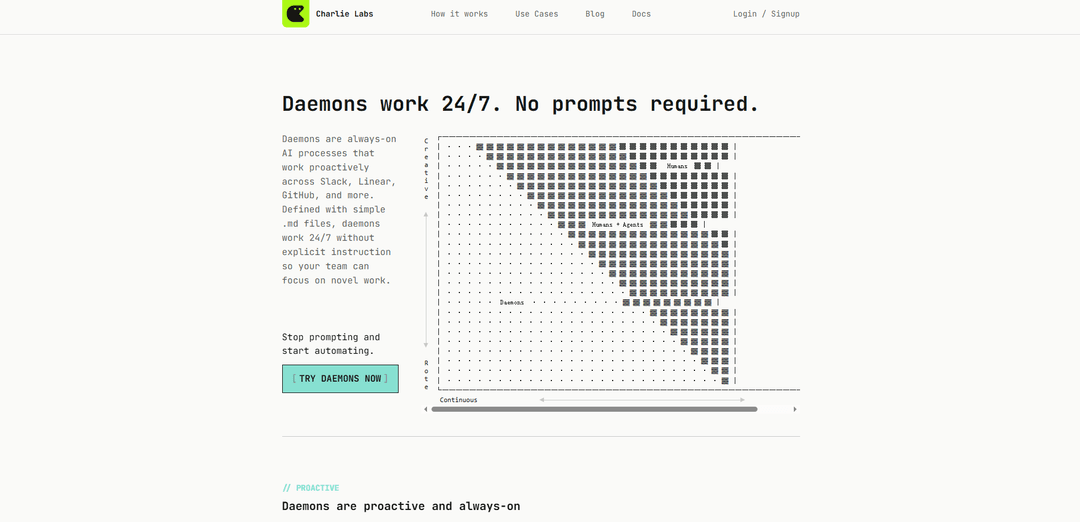
Daemons by Charlie Labs are always-on, proactive AI processes defined in simple Markdown files that work 24/7 across tools like Slack, Linear, and GitHub to keep engineering workflows organized, maintained, and followed through with clear boundaries.
https://charlielabs.ai/?ref=producthunt
Product Information
Updated:Jul 8, 2026
What is Daemons by Charlie Labs
Daemons by Charlie Labs are a product category for ongoing engineering “role automation”: instead of prompting an agent for one-off tasks, you define a daemon once and it continuously handles recurring operational work in the background. Each daemon is configured with a portable DAEMON.md file stored in your repo, describing what the daemon is responsible for (purpose), what events it watches (e.g., PR opened, issue created), what routines it should run (e.g., improve PR descriptions, triage bugs, label issues), and what it is explicitly not allowed to do (deny rules). The goal is to reduce operational drag created by fast-moving development and agent-generated output by keeping issues, PRs, docs, dependencies, and hygiene loops in a consistently “clean next state.”
Key Features of Daemons by Charlie Labs
Daemons by Charlie Labs are always-on, proactive AI processes that run across tools like GitHub, Linear, and Slack to keep engineering hygiene and operational loops moving without prompts. Teams define each daemon as a Markdown “role” (what it watches, what it does, what it must not do, and optional schedules/limits), enabling predictable autonomy with clear guardrails, rate limits, and escalation/approval boundaries. Daemons focus on durable maintenance work—organizing issues/PRs, preventing drift in docs/dependencies, and following through on recurring signals—while accumulating team- and repo-specific context over time to improve accuracy and usefulness.
Proactive, 24/7 automation: Daemons self-initiate work based on events (e.g., PR opened, label added) and/or schedules (cron sweeps), so routine maintenance happens continuously without someone remembering to prompt an agent.
Role-based configuration in Markdown: Each daemon is defined via a portable .md file with frontmatter (name, purpose, watch, routines, deny, schedule) plus policy/format sections that specify how it should behave—"roles, not tasks."
Guardrails via deny rules and approvals: Explicit deny lists constrain actions (e.g., no merging PRs, no modifying source/config, no changing human-set priority), keeping behavior predictable and reducing risk.
Rate limiting with per-activation limits: A Limits section caps how much work a daemon can do per run (e.g., process only the triggering issue; label at most 20 issues on a sweep) to avoid overwhelming reviewers and workflows.
Cross-tool follow-through (GitHub/Linear/Slack): Daemons turn incoming signals into durable outcomes—issue updates, PR/CI hygiene, triage comments, escalations—across the systems where engineering work actually happens.
Compounding org memory and conventions: Over time, daemons build a richer model of team preferences (labeling schemes, ownership, escalation patterns), improving consistency and reducing repetitive coordination.
Use Cases of Daemons by Charlie Labs
Bug triage and prioritization (SaaS/product teams): When a Linear bug is created/labeled, a bug-triage daemon can ensure completeness, set priority using impact signals (e.g., Sentry context), assign via CODEOWNERS, and request/record root-cause evidence—without changing fields humans already set.
Issue labeling hygiene (any team using Linear): An issue-labeler daemon can add missing labels from defined label groups on creation and via daily sweeps, while being constrained to additive-only changes (never removing or overwriting existing labels).
PR readiness and reviewer context (software engineering): A pr-helper daemon can watch PR open/sync events to suggest PR description improvements, flag missing context, and keep reviews efficient—while being forbidden from merging or pushing to protected branches.
PR review thread correctness triage (high-volume repos): A pr-review-triage daemon can wake on review submissions/comments and produce explicit decisions per thread (valid/invalid/uncertain), handle duplicates/conflicts, and resolve fixed feedback safely using GitHub thread actions.
Documentation/runbook drift prevention (platform/ops): A “librarian” style daemon can continuously check for stale docs/runbooks as systems change, prompting updates or opening reviewable change proposals so onboarding and incident response don’t degrade.
Dependency and maintenance loops (security/compliance-minded orgs): A codebase-maintainer daemon can keep recurring maintenance visible and moving (patches, dependency freshness, CI breakage follow-ups) within strict boundaries and escalation points for risky changes.
Pros
Always-on maintenance reduces operational drag and prevents drift in issues/PRs/docs without relying on human memory.
Clear, auditable guardrails (deny rules, limits, approval boundaries) make autonomy more predictable and safer to adopt.
Markdown-based role specs are simple to version, review, and share across repos/teams.
Cross-tool coverage (GitHub/Linear/Slack) supports end-to-end follow-through where work actually happens.
Cons
Requires thoughtful upfront policy design (watch/routines/deny/limits) to avoid noisy or mis-scoped automation.
Guardrails that prevent risky actions (e.g., no code changes/merges) may limit usefulness for teams wanting fully automated remediation.
Effectiveness depends on integration quality and the team’s consistency in tools (labels, ownership rules, priority conventions).
How to Use Daemons by Charlie Labs
1. Pick a recurring role to automate: Choose an ongoing responsibility (a role), not a one-off task—e.g., PR hygiene, bug triage, issue labeling, dependency maintenance, or documentation upkeep.
2. Create a daemon definition file in your repo: Add a Markdown file (commonly stored at `.agents/daemons/<daemon-name>/DAEMON.md`) that will define the daemon’s behavior.
3. Define the daemon using frontmatter: At the top of the file, add `---` fenced frontmatter fields that declare what the daemon is: `name`, `purpose`, `watch` triggers, `routines`, `deny` rules, and optionally `schedule` (cron).
4. Specify what the daemon watches (event-based activation): List the events that should wake the daemon (e.g., “when a pull request is opened/synchronized”, “when a Linear issue is created with the bug label”, “when a label is added”).
5. Specify what the daemon does (routines): Enumerate the repeatable actions the daemon should perform when activated (e.g., suggest PR description improvements, set priority based on Sentry impact, assign via CODEOWNERS, append missing context, post an RCA comment with evidence).
6. Set hard boundaries with deny rules: Explicitly list actions the daemon must never take (e.g., don’t merge PRs, don’t open PRs, don’t modify source/config, don’t create/delete Linear issues, don’t add/remove labels, don’t override human-set priority).
7. Add a schedule for periodic sweeps (optional): If you want the daemon to catch missed work, add `schedule: "<cron>"` (e.g., nightly). This enables hybrid operation: event-driven + scheduled cleanup.
8. Write operating policy below the frontmatter: In the Markdown body, define how it should behave (e.g., “Only fill in what is missing”, “Focus on short, actionable feedback”, escalation/approval expectations, and any team conventions).
9. Define an output format for consistency: Specify a stable structure for the daemon’s responses (e.g., “1. Findings 2. Suggested edits 3. Questions for author”) so reviewers can quickly scan results.
10. Add limits to prevent overload: Include a `Limits` section to cap work per activation (e.g., on event triggers process only the triggering item; on daily sweeps process at most N items) so it doesn’t overwhelm reviewers.
11. Start with a known-good template (recommended): Copy and adapt an example such as `pr-helper` (PR readiness) or `issue-labeler` (additive labeling only). Keep the first version narrow and safe.
12. Connect it to your workflow tools via Charlie: Ensure Charlie is installed/authorized for your org and repo so it can operate across GitHub/Linear/Slack as specified by your daemon’s `watch` and `schedule` settings.
13. Trigger the daemon and review its outputs: Create the relevant event (open/sync a PR, create a labeled Linear issue, etc.) or wait for the scheduled run. Review the daemon’s comments/updates and confirm it stayed within deny rules and policy.
14. Iterate safely and expand scope gradually: Adjust the daemon file to refine behavior (policy, routines, limits). Expand only after results are consistently trustworthy; small edits compound across future activations.
Daemons by Charlie Labs FAQs
Daemons are always-on AI processes that work proactively across tools like Slack, Linear, and GitHub. They run 24/7 without explicit prompts and are defined by simple Markdown files in your repo.
Popular Articles

Vosko AI: Localize and Dub Videos for Global Audiences
Oct 15, 2026

Atoms: A Multi-Agent AI Platform That Transforms Ideas into Launch-Ready Products
Oct 13, 2026

Nano Banana SBTI: What It Is, How It Works, and How to Use It in 2026
Apr 15, 2026

Atoms Review — The AI Product Builder Redefining Digital Creation in 2026
Apr 10, 2026
Latest AI Tools Similar to Daemons by Charlie Labs

Hapticlabs
Hapticlabs is a no-code toolkit that enables designers, developers and researchers to easily design, prototype and deploy immersive haptic interactions across devices without coding.

Deployo.ai
Deployo.ai is a comprehensive AI deployment platform that enables seamless model deployment, monitoring, and scaling with built-in ethical AI frameworks and cross-cloud compatibility.

CloudSoul
CloudSoul is an AI-powered SaaS platform that enables users to instantly deploy and manage cloud infrastructure through natural language conversations, making AWS resource management more accessible and efficient.

Devozy.ai
Devozy.ai is an AI-powered developer self-service platform that combines Agile project management, DevSecOps, multi-cloud infrastructure management, and IT service management into a unified solution for accelerating software delivery.
Popular AI Tools Like Daemons by Charlie Labs

A2A Protocol
A2A (Agent2Agent) Protocol is an open interoperability protocol developed by Google that enables seamless communication and collaboration between AI agents across different frameworks and vendors, regardless of their underlying architecture.

VoltOps
VoltOps is a framework-agnostic LLM observability platform that provides real-time visual monitoring, debugging, and optimization tools for AI agents across any technology stack.

Chaterm
Chaterm is an open-source AI-native terminal and SRE copilot that enables engineers to manage complex infrastructure through natural language, automating deployment, troubleshooting, and operations without memorizing commands.

Open Browser Use
Open Browser Use is an open-source, agent-runtime-neutral browser automation layer that pairs a Chrome extension with a CLI/SDK/MCP to enable DOM-aware, CDP-powered tab control, navigation, and actions across different AI agent tools.