CometAPI
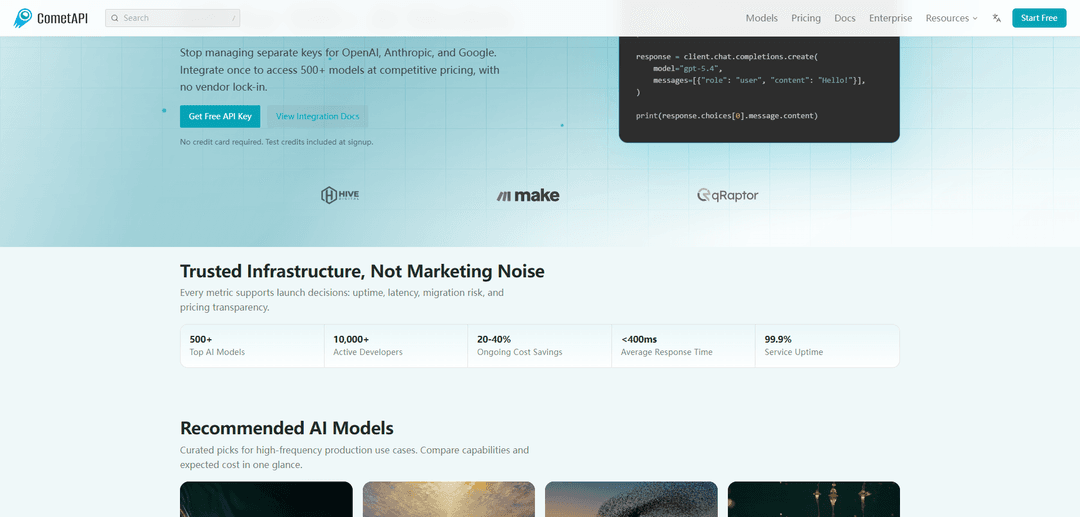
CometAPI is an OpenAI-compatible unified AI gateway that lets developers access 500+ models via one API key and endpoint, with pay-as-you-go pricing, built-in routing, and usage observability.
https://www.cometapi.com/?utm_source=aipure
Product Information
Updated:Jun 18, 2026
What is CometAPI
CometAPI is a comprehensive AI platform and unified API gateway that aggregates access to 500+ AI models from leading providers including OpenAI, Anthropic, Google, xAI, DeepSeek, Alibaba, and many more. It functions as a single endpoint,that supports text generation, image creation, video production, music composition, audio processing, and specialized tasks like coding and reasoning.
Key Features of CometAPI
CometAPI is a developer-centric AI API aggregation platform that provides unified, OpenAI-compatible access to 500+ models (LLMs plus image, video, music, and speech) through a single endpoint and API key. It emphasizes fast adoption (point existing OpenAI SDKs to CometAPI), pay-as-you-go billing with transparent usage dashboards, and model portability to avoid vendor lock-in. The platform also highlights cost savings versus official provider rates, production-grade reliability/latency, and enterprise-oriented controls like monitoring, budget alerts, and key management.
Unified API for 500+ models: Access a broad catalog of AI capabilities (text, images, video, music, TTS/STT, coding/reasoning) from many providers via one consistent interface and model-name switching.
OpenAI-compatible integration: Reuse existing OpenAI SDKs and workflows by updating the base_url to CometAPI’s endpoint, minimizing migrations and avoiding business-logic refactors.
Pay-as-you-go with transparent billing: No monthly fee; add credits and track real-time usage with line-item visibility across models, helping teams understand and control spend.
Cost savings vs. vendor list prices: Positions pricing as permanently below official rates (often cited as ~20–40% savings), enabling cheaper multi-provider experimentation and production usage.
Observability and cost controls: Dashboards for spend, latency, and call volume, plus budget alerts and side-by-side comparisons to support A/B testing and performance tuning.
Production-oriented reliability and routing: Marketed with high availability and low-latency request paths, with routing infrastructure intended to maintain stable performance as you scale.
Use Cases of CometAPI
SaaS product AI features: Embed chat, summarization, extraction, or agentic workflows in an app while retaining the ability to switch models/providers quickly as quality or pricing changes.
Enterprise AI spend consolidation: Centralize multi-team usage under one gateway with unified billing/monitoring, making it easier for finance and security stakeholders to manage AI costs and access.
Creative media generation pipelines: Run image/video/music generation (and supporting text prompts) from the same API surface to power marketing assets, content studios, or UGC tooling.
Automation workflows (n8n/Zapier/agents): Use a single key for automation pipelines that mix tasks—reasoning, classification, image generation, or speech—without maintaining multiple vendor integrations.
Model benchmarking and rapid prototyping: Compare outputs, latency, and cost across multiple model families quickly to choose the best fit for a task, then deploy without changing integration patterns.
Resilience and vendor-risk reduction: Maintain flexibility to route around upstream provider changes/outages by switching model names rather than replatforming integrations.
Pros
Single endpoint and API key for many providers/models, reducing integration overhead
OpenAI-compatible interface enables low-friction migration and reuse of existing SDK code
Unified usage analytics and budget controls improve cost visibility and governance
Often positioned as cheaper than official vendor rates with pay-as-you-go billing
Cons
Feature parity can vary across model families (e.g., streaming/tool-calling/multimodal quirks may require testing)
As an intermediary, you still depend on upstream providers’ policies and behavior for the underlying models
Teams needing vendor-native features tightly coupled to a single provider may find an aggregator less ideal
How to Use CometAPI
1) Create a CometAPI account: Go to https://www.cometapi.com/ and sign up. No credit card is required to start, and test credits are typically included at signup.
2) Get your CometAPI API key: In the CometAPI dashboard/account settings, open the API keys section/tab and copy your current API key (token). Keep it secret like a password.
3) Store the key securely (recommended: environment variable): Set an environment variable (commonly COMETAPI_KEY) so you don’t hardcode secrets in code or commit them to git.
4) Point your client to CometAPI’s OpenAI-compatible base URL: CometAPI is protocol-compatible with OpenAI’s API. Set your client base_url to https://api.cometapi.com/v1 so existing OpenAI-style code can work with minimal changes.
5) Make your first chat request (OpenAI SDK style): Use an OpenAI-compatible client and call the chat completions endpoint, changing only base_url and api_key. Example pattern: create a client with base_url=https://api.cometapi.com/v1 and api_key=YOUR_COMET_KEY, then call chat.completions.create(model="gpt-5.5", messages=[...]) and read response.choices[0].message.content.
6) Verify connectivity with a simple prompt: Send a basic message like “Hello, world!” and confirm you receive a valid response. If it fails, re-check the base_url, Authorization header/key, and model name.
7) Discover available models via the Models API: List models using the OpenAI-style endpoint /v1/models (e.g., tools like Cherry Studio can auto-pull the latest model list from this endpoint). Choose a model ID from the catalog.
8) Switch models by changing only the model string: To try another provider/model (Claude, Gemini, etc.), keep the same endpoint and parameters and only change the model field to the desired model name from CometAPI’s model catalog.
9) Use other OpenAI-style endpoints as needed: Because the API is OpenAI-compatible, you can use familiar patterns for images, embeddings, and other capabilities—just confirm per-model support in CometAPI’s model catalog since features vary by provider/model.
10) Add streaming for real-time output (optional): Enable streaming in your client (if supported) to receive tokens incrementally for faster perceived latency. This is useful for chat UIs and assistants.
11) Integrate with common tooling (optional): Use OpenAI-compatible integrations in tools like LangChain (set base_url to https://api.cometapi.com/v1 and pass your CometAPI key), or automation platforms like Zapier/n8n via HTTP Request nodes pointing at the same base URL.
12) Monitor usage and control costs: Use CometAPI’s dashboard to track spend, latency, and call volume. Set budget alerts to avoid overspending and compare models side-by-side.
13) Follow privacy and data-handling best practices: CometAPI states your data is not used to train models and that request logging is user-controlled, but upstream providers have their own policies—anonymize sensitive data before sending prompts.
CometAPI FAQs
CometAPI is a developer-centric API aggregation platform that provides unified access to 500+ AI models through a single, consistent (OpenAI-compatible) API interface.
Popular Articles

Vosko AI: Localize and Dub Videos for Global Audiences
Oct 15, 2026

Atoms: A Multi-Agent AI Platform That Transforms Ideas into Launch-Ready Products
Oct 13, 2026

Nano Banana SBTI: What It Is, How It Works, and How to Use It in 2026
Apr 15, 2026

Atoms Review — The AI Product Builder Redefining Digital Creation in 2026
Apr 10, 2026
Latest AI Tools Similar to CometAPI

Gait
Gait is a collaboration tool that integrates AI-assisted code generation with version control, enabling teams to track, understand, and share AI-generated code context efficiently.

invoices.dev
invoices.dev is an automated invoicing platform that generates invoices directly from developers' Git commits, with integration capabilities for GitHub, Slack, Linear, and Google services.

EasyRFP
EasyRFP is an AI-powered edge computing toolkit that streamlines RFP (Request for Proposal) responses and enables real-time field phenotyping through deep learning technology.

Cart.ai
Cart.ai is an AI-powered service platform that provides comprehensive business automation solutions including coding, customer relations management, video editing, e-commerce setup, and custom AI development with 24/7 support.
Popular AI Tools Like CometAPI

GitHub Copilot Chat
GitHub Copilot Chat is an AI-powered coding assistant that provides natural language interactions, real-time code suggestions, and contextual support directly within supported IDEs and GitHub.com.

CopilotForXcode
CopilotForXcode is an Xcode Source Editor Extension that integrates GitHub Copilot, Codeium, and ChatGPT to provide AI-powered code suggestions, chat assistance, and prompt-to-code functionality within Xcode.

BrowserAI
BrowserAI is an open-source library that enables running local Large Language Models (LLMs) directly in web browsers with WebGPU acceleration, offering privacy-focused AI capabilities without requiring server infrastructure.

OpenAI Codex CLI
OpenAI Codex CLI is a lightweight, open-source coding agent that runs in your terminal, enabling developers to translate natural language into code execution while providing ChatGPT-level reasoning with the ability to run code, manipulate files, and iterate under version control.