
Buddy AI Note
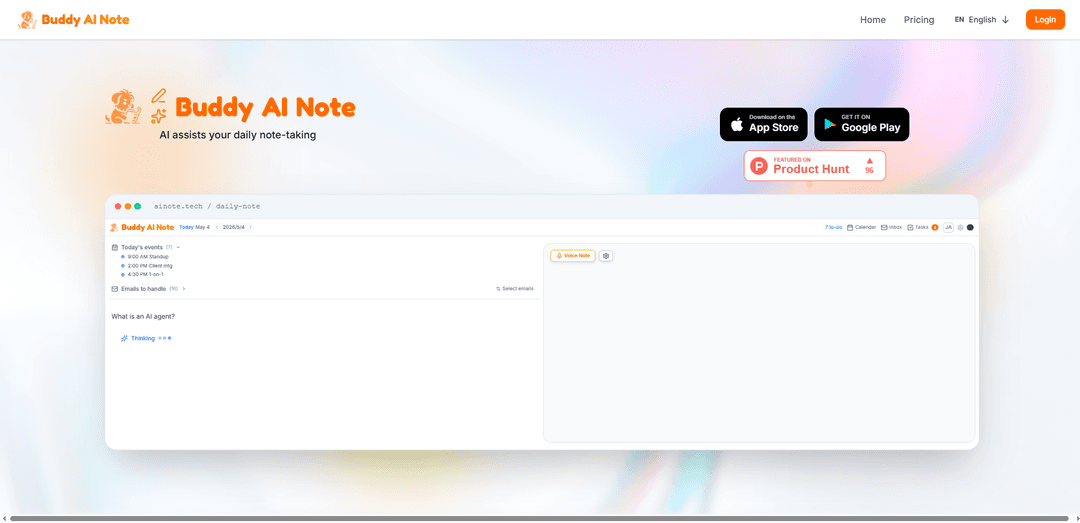
Buddy AI Note is a memo-first daily workspace that lets you write notes freely and uses AI to turn them into structured meeting minutes, tasks, calendar events, and draft email replies—with optional Gmail/Outlook and Google/Outlook Calendar integration.
https://ainote.tech/?ref=producthunt
Product Information
Updated:Jul 8, 2026
What is Buddy AI Note
Buddy AI Note is an AI-assisted note-taking web app designed to help you capture daily memos, meeting minutes, lectures, and homework faster without switching between separate tools like chatbots, task managers, and calendars. It focuses on a simple “write notes first” workflow, then layers in AI organization and productivity features such as auto-structuring, templates, voice notes, and collaboration. With optional integrations for Gmail/Outlook and Google/Outlook Calendar, it aims to connect what you write directly to the actions you need to take next.
Key Features of Buddy AI Note
Buddy AI Note is a memo-first daily workspace that combines simple note-taking with built-in AI so you don’t need to switch to separate chat tools. As you write (or record voice memos), it can auto-structure your content into organized blocks, generate meeting minutes, and convert notes into actionable outputs like tasks, calendar events, and draft email replies. It also supports real-time collaboration via shared pages, with optional integrations to Gmail/Outlook and Google/Outlook Calendar to help connect notes to your daily workflow.
Memo-first daily workspace: A single page for daily notes where you can write freely, then let AI transform raw memos into structured, actionable items.
AI organization & auto-structured blocks: Automatically categorizes and structures notes (e.g., splitting “Buy milk · slides · email Mr. A” into organized work/personal blocks).
Meeting minutes generation: Turns meeting notes into clean minutes with key points, status, and follow-ups (e.g., progress updates and TODOs).
Voice memo with instant transcription + summary: Record voice notes, get immediate speech-to-text, and generate concise summaries (e.g., next meeting date, budget status).
Tasks, calendar events, and email reply drafting: Extracts tasks and events from notes and helps draft replies, reducing manual copy/paste and context switching.
Real-time sharing & collaborative editing: Invite collaborators by email to edit the same page with live sync for shared plans, meeting notes, and project docs.
Use Cases of Buddy AI Note
Team standups & project syncs: Capture quick updates and decisions, then let AI format them into meeting minutes with clear action items and owners.
Client meetings & account management: Log discussion notes and automatically produce follow-up tasks, calendar reminders for next meetings, and draft client emails.
Personal daily planning: Write a messy daily memo and have AI split it into personal/work categories with a task list and schedule prompts.
1:1s and performance check-ins: Use templates for recurring meetings, track topics and commitments, and generate structured notes for consistent follow-through.
Cross-functional collaboration: Share a page for a release plan or design review, co-edit in real time, and keep decisions and next steps centralized.
Pros
Reduces context switching by combining notes and AI assistance on the same page (no need to jump to separate chat tools).
Converts unstructured notes into practical outputs (tasks, events, email drafts), improving follow-through.
Real-time sharing and co-editing supports team workflows and keeps pages synchronized.
Cons
Some productivity benefits may depend on connecting external services (optional Gmail/Outlook and Calendar integrations).
AI-generated structure, tasks, or summaries may still require user review to ensure correctness and preferred formatting.
How to Use Buddy AI Note
1) Open Buddy AI Note (Daily Note page): Go to https://ainote.tech/ and open the Daily Note workspace (ainote.tech/daily-note). This is the main page where you write notes and use AI features without switching to other AI tools.
2) Start a new daily note and write freely: In the memo area, type your raw notes as you normally would (e.g., “Buy milk · slides · email Mr. A”). Buddy AI Note is memo-first: you write first, then AI organizes.
3) Ask Buddy AI Note questions from your note: Use the “Ask Buddy AI Note” panel. Type your question and press Ctrl+Enter (⌘+Enter on macOS). The AI response appears in the right panel (e.g., ask for explanations, summaries, or clarifications).
4) Let AI organize your memo into structured items: Use the AI organize feature to transform unstructured bullets into categorized, structured blocks (e.g., split into Work vs Personal, and convert items into clearer tasks).
5) Turn meeting notes into meeting minutes: During or after a meeting, paste or write notes (including attendees like @Name). Use the meeting-minutes structuring feature so the AI formats progress, decisions, and TODOs into clean minutes.
6) Use templates to start faster: Choose a template (e.g., Daily standup, 1:1 meeting, Weekly review) and begin writing immediately. Templates provide a ready structure that the AI can further refine.
7) Record a voice memo and transcribe to text: Use Voice Memo to start recording. Buddy AI Note transcribes speech into text and can generate a short summary (e.g., “Next MTG: Mon · Budget: same”).
8) Review AI outputs (tasks, events, replies) in the workspace: Check the workspace sections (e.g., Inbox, Tasks, Calendar) to see how your memo has been converted into actionable items like tasks, calendar events, and draft replies.
9) Connect calendar and email (optional): Enable integrations if you want Buddy AI Note to work with your email and calendar (Gmail/Outlook and Google/Outlook Calendar are supported per the product description). This helps it generate events and email replies from your notes.
10) Share a page and collaborate in real time: Use Share to invite collaborators by email. Once shared, both views stay in sync instantly so you can co-edit notes and plans together.
Buddy AI Note FAQs
Buddy AI Note is a daily workspace where AI assists your note-taking and meeting minutes. You write notes, and the AI helps turn them into structured outputs like tasks, calendar events, and email replies.
Buddy AI Note Video
Popular Articles

Vosko AI: Localize and Dub Videos for Global Audiences
Oct 15, 2026

Atoms: A Multi-Agent AI Platform That Transforms Ideas into Launch-Ready Products
Oct 13, 2026

Nano Banana SBTI: What It Is, How It Works, and How to Use It in 2026
Apr 15, 2026

Atoms Review — The AI Product Builder Redefining Digital Creation in 2026
Apr 10, 2026
Latest AI Tools Similar to Buddy AI Note

Parcae
Parcae is a mind mapping mobile application that helps users organize thoughts and ideas into structured visual maps with intuitive gesture-based controls and automatic saving features.

想读 (WantRead)
想读(WantRead) is an AI-powered reading and note-taking platform that helps users easily import, read, annotate and build their personal knowledge base.

Hiring Studio by Metaview
Hiring Studio by Metaview is a free AI-powered tool that helps recruiting teams generate customized interview questions with follow-up suggestions and detailed answer rubrics.

AI Journaler
AI Journaler is a free Windows PC app that combines traditional journaling with AI-powered analysis and conversation capabilities to enhance emotional well-being and self-reflection.
Popular AI Tools Like Buddy AI Note
Lore
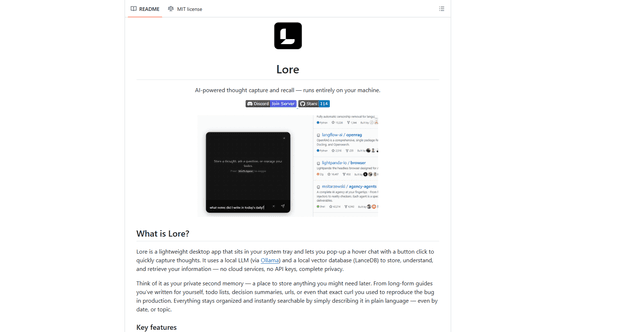
Lore is an AI-powered desktop application that enables quick thought capture and intelligent recall through a local LLM system, allowing users to store and retrieve information privately without cloud services.

Second Brain for AI
Second Brain for AI is a self-hosted, MCP-compatible persistent memory layer on Cloudflare that lets Claude, ChatGPT, Cursor, and other AI clients store and semantically recall shared context across sessions.
NotebookLM Tools Chrome Extension
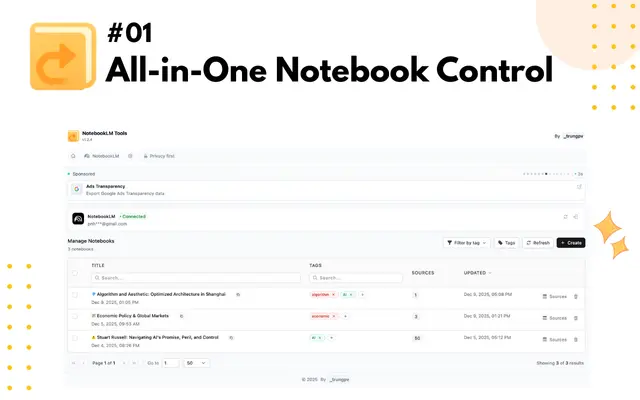
NotebookLM Tools is a comprehensive Chrome extension that enhances Google's NotebookLM with advanced notebook management, multi-language support, bulk operations, and seamless source importing capabilities.
CogniMemo Extension
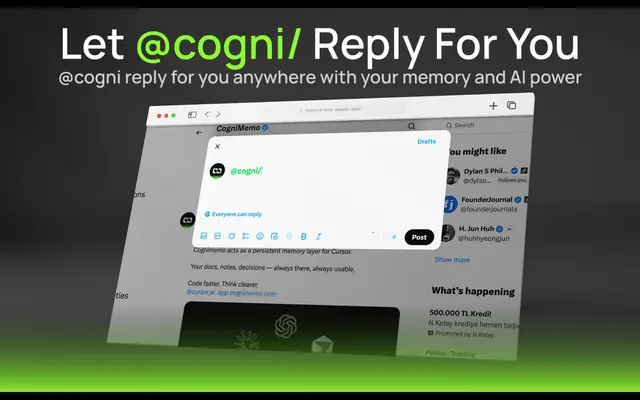
CogniMemo is a browser extension that adds long-term memory capabilities to AI tools like ChatGPT, Claude, Gemini, and DeepSeek by enabling context-aware conversations and knowledge management through saved notes and past chats.