
AI Emaily
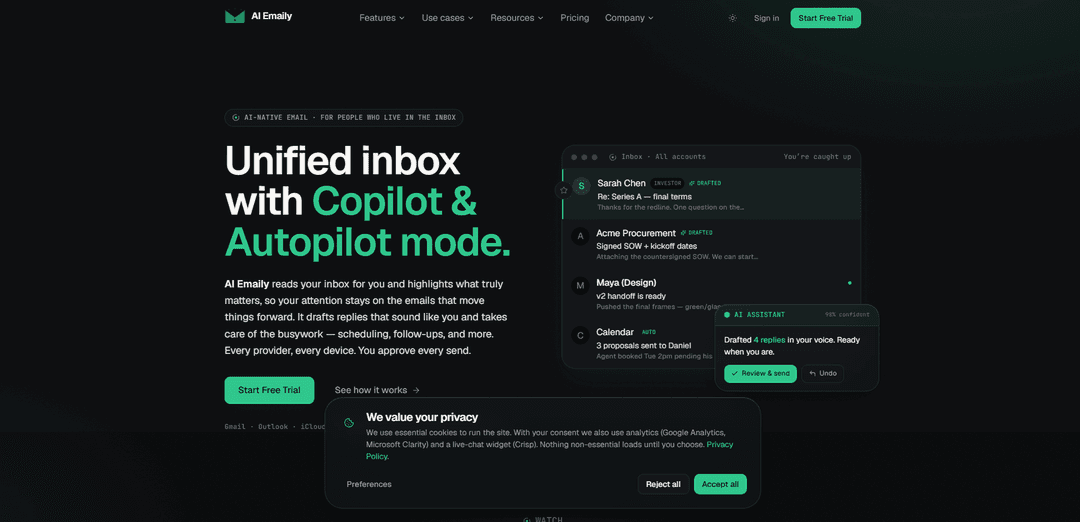
AI Emaily — это унифицированный, нативный для ИИ почтовый ящик, который сортирует электронную почту от любого провайдера, составляет ответы вашим голосом и может автоматизировать планирование и последующие действия с контролем утверждений, отменой и журналом аудита.
https://aiemaily.com/?ref=producthunt&utm_source=aipure
Информация о продукте
Обновлено:09/07/2026
Что такое AI Emaily
AI Emaily — это почтовый клиент на базе искусственного интеллекта, разработанный для людей, которые проводят много времени в своей папке «Входящие». Он подключается практически к любому почтовому провайдеру (включая Gmail, Outlook, iCloud, Fastmail, Proton и IMAP) и объединяет все в один быстрый кроссплатформенный почтовый ящик (веб, macOS, iOS и Android). Вместо того чтобы просто предлагать кнопку «написать с помощью ИИ», AI Emaily фокусируется на сквозном выполнении электронной почты: он выделяет то, что важно, готовит ответы, соответствующие вашему тону, и помогает завершать циклы, такие как планирование и последующие действия, при этом оставляя вам контроль над тем, что отправляется.
Ключевые особенности AI Emaily
AI Emaily – это унифицированный, изначально разработанный с использованием ИИ почтовый клиент, который подключается практически к любому провайдеру (Gmail, Outlook, iCloud, Fastmail, Proton, IMAP) и помогает вам управлять входящими сообщениями от начала до конца: он выделяет важное, сортирует сообщения по умным вкладкам, составляет черновики ответов в вашем стиле и выполняет рутинную работу, такую как планирование и последующие действия. Он предлагает три режима работы – ручной, Copilot (подготовка + ваше одобрение) и ограниченный концепт Autopilot (действует в рамках правил) – с возможностью отмены и журналами аудита для действий. Он также уделяет особое внимание конфиденциальности благодаря ИИ с нулевым хранением данных, отсутствию обучения на вашей электронной почте и таким опциям, как обработка на устройстве и использование собственного ключа (BYOK), а также кроссплатформенной доступности (веб, macOS, iOS, Android) и локализации на 20 языках (включая настоящую поддержку RTL для арабского/иврита).
Единый почтовый ящик для всех провайдеров: Объединяет несколько почтовых служб (Gmail, Outlook, iCloud, Fastmail, Proton, IMAP) в одном месте, чтобы вы могли управлять всем, не переключаясь между клиентами.
Сортировка ИИ + выделение «важного»: Автоматически выявляет важные электронные письма и организует сообщения с помощью автосортировки и умных вкладок (например, VIP, Команда, Рассылки, Квитанции) для уменьшения шума во входящих.
Составление черновиков ответов, соответствующих вашему стилю: Предварительно составляет черновики ответов, которые звучат как вы, так что рутинные ответы готовы к проверке и отправке с минимальным редактированием.
Автоматизация планирования и последующих действий: Помогает завершать циклы, подготавливая (а в более автономных режимах – выполняя) планирование, последующие действия и другие повторяющиеся административные задачи.
Движок контекста и переменных: Загружает контекст для каждого клиента и типизированные переменные (имена, цены, даты продления, ключевые заметки) для создания точных черновиков с использованием реальных значений и проверок «вы ничего не забыли?».
ИИ с приоритетом конфиденциальности + режимы управления: Обещает отсутствие обучения модели на вашей почте, поддерживает вывод с нулевым хранением данных, предлагает опции на устройстве/BYOK и предоставляет режимы управления в стиле Manual/Copilot/Autopilot с отменой и журналами аудита.
Варианты использования AI Emaily
Сортировка входящих сообщений для основателя/оператора: Приоритизирует важные цепочки писем, составляет быстрые решения и обновления в стиле пользователя, а также предотвращает пропуск последующих действий – полезно для быстро развивающихся руководящих должностей.
Продажи и управление аккаунтами: Использует профили клиентов и переменные (цены, даты продления, контактные лица) для создания точных рассылок, напоминаний о продлении и писем для планирования встреч, сохраняя при этом последовательный тон.
Поддержка клиентов и успех: Ускоряет ответы, составляя черновики для общих запросов, организуя входящие сообщения по срочности/категории и подготавливая последующие действия для обеспечения закрытия вопросов.
Инвесторы и команды по сделкам: Помогает управлять большим объемом срочной коммуникации, суммируя и сортируя цепочки писем, составляя черновики ответов для заинтересованных сторон и координируя расписание на разных устройствах.
Многоязычные и глобальные команды: Поддерживает локализованный пользовательский интерфейс и подсказки на 20 языках с автоматическим выбором языка (включая настоящие RTL-макеты), улучшая удобство использования для распределенных команд.
Кроссплатформенные профессионалы с несколькими аккаунтами: Единый рабочий процесс на веб, macOS, iOS и Android для людей, управляющих несколькими почтовыми ящиками, сокращая переключение контекста и обеспечивая согласованность действий повсюду.
Преимущества
Работает со многими провайдерами и устройствами, обеспечивая единый унифицированный рабочий процесс.
Сильный акцент на продуктивность: сортировка, черновики, соответствующие стилю, планирование и последующие действия в одной системе.
Акцент на контроле конфиденциальности (отсутствие обучения на вашей почте, нулевое хранение данных, опции на устройстве/BYOK).
Дизайн, ориентированный на управление: режимы одобрения, возможность отмены и журналы аудита для действий.
Недостатки
Автономные возможности «Autopilot» кажутся ограниченными/лимитированными и могут варьироваться в зависимости от версии/развертывания, поэтому полная автоматизация может быть не сразу доступна всем пользователям.
Для достижения наилучших результатов (соответствие стилю, контекст клиента) вероятно потребуется доступ к истории/контексту электронной почты – некоторым пользователям может быть неудобно подключать конфиденциальные почтовые ящики, несмотря на заявления о конфиденциальности.
Переход на новый почтовый клиент может привести к изменению рабочего процесса и кривой обучения по сравнению с использованием нативных интерфейсов Gmail/Outlook.
Как использовать AI Emaily
1) Создайте свою учетную запись AI Emaily: Перейдите на https://aiemaily.com/ и выберите «Начать бесплатно», чтобы создать учетную запись (доступен бесплатный план; для начала не требуется карта).
2) Подключите своего почтового провайдера(ов) к единому почтовому ящику: Добавьте используемые вами учетные записи почтовых ящиков (Gmail, Outlook, iCloud, Fastmail, Proton или любой провайдер IMAP). AI Emaily разработан для объединения нескольких провайдеров в единый почтовый ящик на разных устройствах.
3) Выберите степень полномочий ИИ (Ручной режим, Копилот или Автопилот): Выберите режим работы, соответствующий вашему уровню комфорта: Ручной (ИИ по запросу), Копилот (ИИ готовит сортировку/черновики; вы одобряете отправку) или Автопилот (ИИ может действовать в рамках определенных вами правил; действия обратимы и регистрируются). Примечание: сайт указывает на одобрение Копилота перед любой отправкой в v1, с ограниченным и контролируемым Автопилотом.
4) Позвольте AI Emaily отсортировать вашу папку «Входящие» и выделить важное: Откройте свой унифицированный почтовый ящик и просмотрите приоритеты/выделения ИИ. Помощник создан для автоматической сортировки и организации сообщений, чтобы вы сосредоточились на письмах, которые «продвигают дела вперед».
5) Просмотрите черновики, соответствующие вашему голосу (рабочий процесс Копилота): В режиме Копилота проверьте ответы, которые AI Emaily составил «вашим голосом». Отредактируйте при необходимости, затем одобрите одним щелчком для отправки (ничто не должно быть отправлено без вашего одобрения в режиме Копилота).
6) Используйте сводки и интеллектуальный поиск, когда вам нужен быстрый контекст: Когда цепочка сообщений длинная или неясная, используйте помощника ИИ, чтобы резюмировать и помочь вам быстро наверстать упущенное, затем переходите к составлению черновика или принятию следующих действий.
7) Планируйте встречи и обрабатывайте письма с расписанием: Используйте помощника для предложения времени, координации расписания и подготовки сообщений о расписании. В режиме Копилота вы одобряете; в режиме Автопилота (когда включен) агент может планировать в пределах ваших определенных границ.
8) Включите обработку последующих действий, чтобы не упустить циклы: Используйте возможности агента по последующим действиям для подготовки или отправки последующих действий и «завершения циклов». Позиционирование продукта подчеркивает подготовку последующих действий до того, как что-либо будет упущено, и поведение по завершению цикла.
9) Установите правила и границы для автономных действий (настройка Автопилота): Если вы включаете Автопилот, определите, что агенту разрешено делать (отправлять, планировать, завершать циклы) и где. Сайт указывает, что вы можете устанавливать границы глобально, для каждой учетной записи, для каждого контакта или для каждой цепочки сообщений, и изменять их в любое время.
10) Используйте механизм контекста и переменных для точных, специфичных для клиента ответов: Создавайте или используйте профили клиентов с ключами домена и типизированные переменные (например, имена, цены, даты продления, контактные лица). Когда вы открываете ответ, AI Emaily может автоматически загружать этот контекст и разрешать переменные, чтобы черновики использовали реальные значения, а не вымышленные детали.
11) Используйте проверки перед отправкой в стиле «вы забыли?»: Перед отправкой полагайтесь на проверки помощника перед отправкой, связанные с вашим сохраненным контекстом/заметками (например, напоминания типа «они спрашивали о дате продления»), чтобы уменьшить количество упущений.
12) Включите Living Brief для получения запланированных сводок в Slack/Telegram: Настройте утреннюю/дневную/вечернюю сводку, которая категоризирует электронную почту (например, Работа/Социальные сети/Другое), включает количество и сводки, а также выделяет то, что требует действий. Сводка может быть доставлена в Slack и Telegram, с поддержкой двусторонних действий из этих сообщений.
13) Используйте AI Emaily на разных устройствах и платформах: Получите доступ к тому же унифицированному почтовому ящику в Интернете, macOS, iOS и Android. Продукт подчеркивает быстрое взаимодействие и непрерывность работы на разных устройствах.
14) Настройте параметры конфиденциальности (на устройстве / BYOK, где доступно): Если у вас более строгие требования к конфиденциальности, используйте опцию на устройстве и/или подход «принеси свой собственный ключ» (BYOK), где это поддерживается. Сайт заявляет о «ИИ с нулевым хранением», «отсутствии обучения на вашей почте» и зашифрованной обработке с опцией вашего ключа.
15) Аудит, отмена и корректировка по ходу работы: Просматривайте журнал аудита действий и используйте полную отмену, где это предусмотрено. Итерируйте свои правила, категории и настройки для каждого контакта/каждой цепочки сообщений, чтобы постоянно увеличивать автоматизацию, оставаясь при этом под контролем.
Часто задаваемые вопросы о AI Emaily
AI Emaily – это AI-нативный почтовый клиент, который объединяет несколько почтовых провайдеров в один почтовый ящик и использует AI-помощника для сортировки сообщений, выделения важного, составления ответов в вашем стиле и помощи в рутинных задачах, таких как планирование и последующие действия. Вы контролируете, что ему разрешено делать, и одобряете отправку в версии 1.
Видео AI Emaily
Популярные статьи

Как создавать вирусные видео подкастов с говорящими малышами с помощью ИИ: пошаговое руководство
Nov 2, 2026

Proferex: облачная платформа для отслеживания рекламы и оптимизации кампаний
Nov 2, 2026

Vosko AI: локализация и дубляж видео для мировой аудитории
Oct 15, 2026

Atoms: Мультиагентная ИИ-платформа, которая превращает идеи в готовые к запуску продукты
May 22, 2026
Последние ИИ-инструменты, похожие на AI Emaily

10xBeast
10xBeast — это платформа для продаж, управляемая ИИ, которая помогает бизнесам автоматизировать и персонализировать холодные email-кампании, чтобы превращать лидов в клиентов всего в несколько кликов.
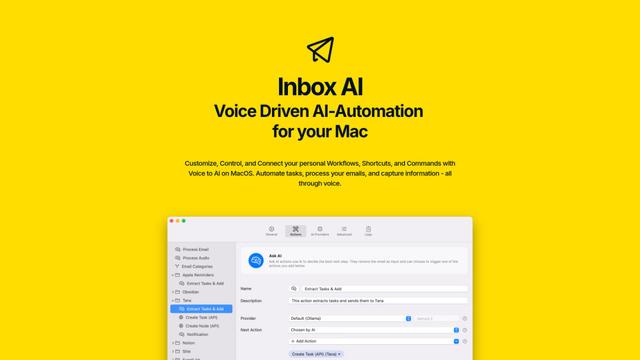
Inbox AI
Inbox AI — это приложение для продуктивности MacOS, ориентированное на конфиденциальность, которое объединяет голосовую автоматизацию ИИ с возможностями управления электронной почтой, позволяя пользователям создавать пользовательские рабочие процессы и команды, а также предлагая как облачные, так и локальные варианты ИИ.

MailSense
MailSense is an AI-powered email assistant that filters, summarizes, and generates replies to emails through a Telegram bot interface to help users manage their inbox more efficiently.
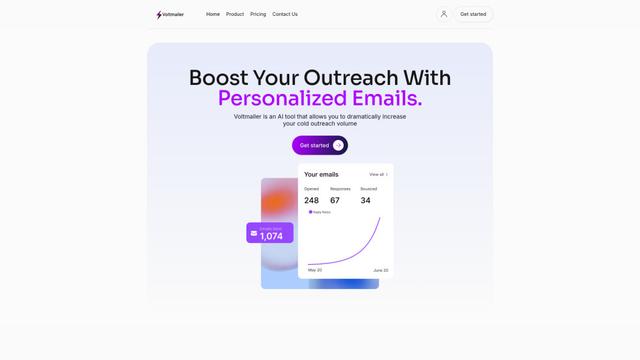
Voltmailer
Voltmailer - это инструмент автоматизации электронной почты на основе ИИ, который помогает бизнесу масштабировать свои холодные кампании по привлечению клиентов, генерируя персонализированные электронные письма через сбор данных с веб-сайтов и автоматизированную персонализацию.
Популярные ИИ-инструменты, похожие на AI Emaily
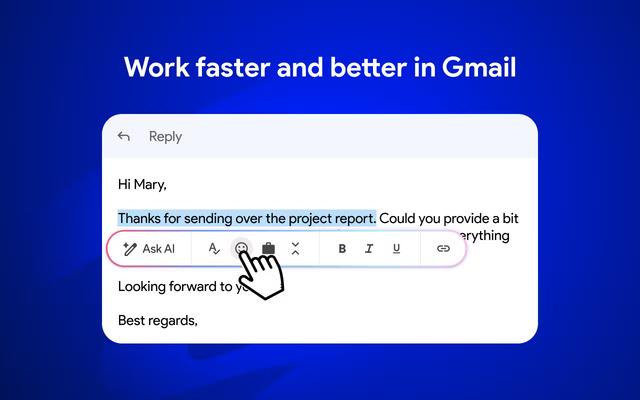
Mailmeteor AI for Gmail
Mailmeteor - это мощное расширение для Gmail, которое сочетает в себе написание электронных писем с использованием ИИ, слияние почты, автоматические напоминания и возможности экспорта электронной почты для повышения продуктивности и управления электронной почтой в Gmail.
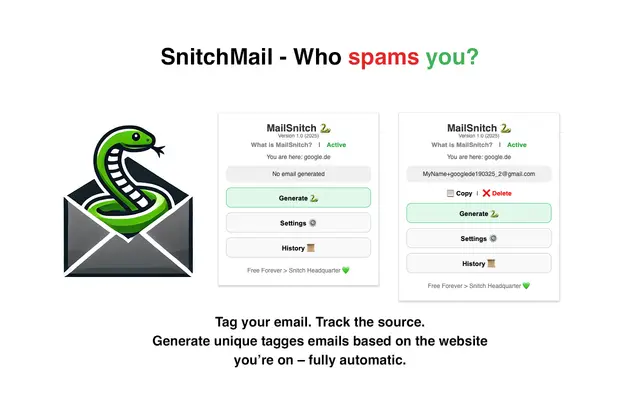
MailSnitch
MailSnitch - это бесплатное расширение Chrome для отслеживания электронной почты и защиты от спама, которое помогает пользователям идентифицировать источники спама с помощью автоматизированной системы пометки и отслеживания электронной почты.

MailMood - AI Email Rewriter
MailMood - это расширение Chrome, которое мгновенно преобразует сообщения Gmail в профессиональный, чистый и уверенный деловой язык с тремя различными вариантами тона - корпоративным, непринужденным или напористым - всего одним щелчком мыши.

Apparent for Gmail
Apparent для Gmail — это расширение Chrome, которое улучшает читаемость и удобство использования Gmail за счет реорганизации переписки, упрощения макетов и оптимизации рабочих процессов, сохраняя при этом конфиденциальность и безопасность.