
Adam CAD Copilot
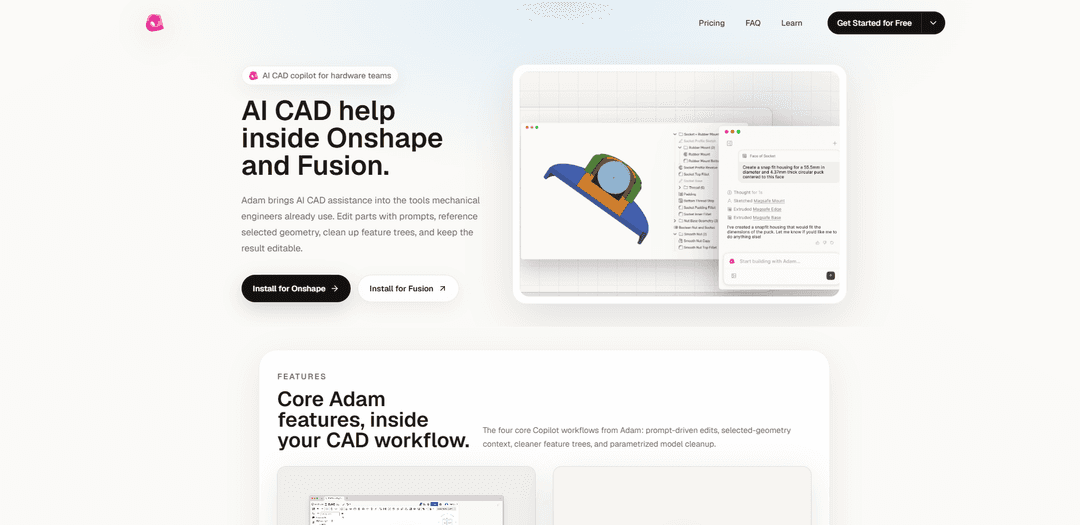
Adam CAD Copilot is an AI assistant that works inside Onshape and Autodesk Fusion to perform prompt-driven part edits, use selected-geometry context, optimize feature trees, and clean up/parameterize models while keeping designs editable.
https://adam.new/copilot?ref=producthunt
Product Information
Updated:Jul 8, 2026
What is Adam CAD Copilot
Adam CAD Copilot is an AI-powered copilot for hardware and mechanical engineering teams that brings natural-language CAD assistance directly into professional CAD workflows—especially Onshape Part Studios and Autodesk Fusion 360. Instead of being a separate modeling tool, it “sits” inside the CAD environment to help engineers modify parts, understand and restructure feature trees, and improve parametric intent. Adam is positioned as a productivity layer for real design work: it can help with repetitive modeling operations, documentation-style cleanup, and directed edits that preserve maintainability as designs evolve.
Key Features of Adam CAD Copilot
Adam CAD Copilot is an AI assistant that works inside existing CAD tools (notably Onshape and Autodesk Fusion) to help mechanical engineers edit and maintain parametric models faster. It supports prompt-driven part edits, uses selected geometry as context for precise operations, cleans and optimizes feature trees (e.g., renaming/organizing and merging redundant features), and helps convert ad-hoc geometry into more robust parametric designs by extracting variables and improving model intent—aiming to keep results editable and aligned with CAD history and references.
Prompt-driven CAD edits: Replaces many manual clicks with a single natural-language instruction to adjust dimensions, add features, or modify parts while preserving parametric editability.
Selection-aware commands: Uses selected faces/edges/bodies as context so high-level instructions can be applied precisely to the intended geometry inside the CAD workspace.
Feature tree optimization: Automates feature tree cleanup by organizing and renaming features and finding duplicate/redundant features that can be merged to make the model more robust and readable.
Parametrization & variable extraction: Helps convert “hardcoded” or ad-hoc models into maintainable parametric designs by extracting key dimensions into variables that cascade through the design.
In-tool workflow integration (Onshape & Fusion): Operates inside the CAD tools engineers already use, positioning the copilot between the model, feature tree, and prompts for a native workflow.
CAD-history-respecting edits: Edits are designed to respect existing model history and references—more like a careful teammate modifying an existing parametric file than regenerating geometry from scratch.
Use Cases of Adam CAD Copilot
Hardware product iteration: Rapidly apply design changes (e.g., adjust clearances, add mounting features, revise wall thickness) across evolving mechanical parts while keeping the model editable for ongoing iteration.
DFM/engineering cleanup before release: Optimize and standardize feature trees (rename, reorganize, merge duplicates) and parameterize critical dimensions to make designs easier to review, change, and hand off to manufacturing.
Team collaboration & model maintainability: Improve readability of feature trees and encode design intent via variables so teammates can confidently modify models later without breaking references.
Fusion 360 workflow automation for designers: In Autodesk Fusion, use natural language to automate common modeling actions and refinements, reducing time spent on repetitive CAD operations.
Onshape Part Studio refactoring: Inside Onshape Part Studios, refactor existing models by consolidating redundant features and extracting parameters, making complex Part Studios easier to manage.
Design review preparation: Compile build notes, open issues, and CAD screenshots into a design review brief to streamline communication and decision-making for upcoming reviews.
Pros
Works inside established CAD tools (Onshape/Fusion), reducing context switching and fitting existing engineering workflows.
Improves model maintainability by cleaning feature trees and strengthening parametric intent via variables.
Selection-aware prompting can make edits more precise and faster than purely text-only CAD interactions.
Cons
Best suited to editing/cleanup of existing CAD; may be less applicable if you need fully novel modeling workflows outside supported tools.
Effectiveness depends on the quality/structure of the underlying feature tree and constraints—messy models may require iterative guidance.
Native integrations are currently focused on specific CAD platforms, limiting teams standardized on other CAD systems.
How to Use Adam CAD Copilot
1) Confirm prerequisites: Have an Onshape or Autodesk Fusion 360 environment available, since Adam Copilot is designed to work inside these CAD tools (not as a separate CAD replacement).
2) Install/enable Adam Copilot in your CAD tool: Onshape: install Adam from the Onshape App Store (it runs inside Part Studios). Fusion 360: install the AdamFusion add-in, then restart Fusion if needed.
3) Start the Copilot UI inside the CAD session: Onshape: open the Part Studio where you want help and launch the Adam app panel. Fusion 360: open Fusion, then open the Add-Ins dialog (Shift+S) and locate the AdamFusion add-in.
4) (Fusion) Run the add-in and set it to auto-run: In Fusion 360 press Shift+S → Add-Ins tab → find AdamFusion → click “Run” once, then enable “Run on Startup” so the Copilot loads automatically in future sessions.
5) Choose the workflow you want Adam to perform: Adam’s core workflows are: (a) prompt-driven part edits, (b) selection-aware commands using chosen geometry as context, (c) feature tree cleanup/optimization (merge duplicates, rename/organize), and (d) parametrization (extract hardcoded dimensions into variables that cascade).
6) Use prompt-driven part editing: Type a high-level instruction describing the geometry change you want (e.g., add/remove/resize features). Adam translates the prompt into native CAD operations so you can avoid granular click-by-click modeling.
7) Use selection context for more precise edits: Select faces/edges/features in the model first, then prompt Adam with what to do to that selected geometry. This lets Adam use the selection as context to target the correct region of the part.
8) Clean up and optimize the feature tree: Ask Adam to find duplicate or redundant features and merge them, and to organize/rename features to make the tree clearer and more robust for future edits.
9) Parameterize an ad-hoc model: Ask Adam to convert fixed dimensions into named variables/parameters and set up relationships so changes cascade through the design, preserving parametric intent as the model evolves.
10) Review results and keep the model editable: Inspect the updated geometry and feature tree in your CAD tool. Adam is intended to keep outputs editable (i.e., changes are reflected as standard CAD features/parameters rather than a locked mesh).
Adam CAD Copilot FAQs
Adam is an AI CAD copilot for hardware teams that provides AI assistance inside CAD tools, helping with CAD actions like part edits, feature inspection, selection-aware commands, feature tree cleanup, and parametric cleanup.
Adam CAD Copilot Video
Popular Articles

Atoms: A Multi-Agent AI Platform That Transforms Ideas into Launch-Ready Products
May 22, 2026

Nano Banana SBTI: What It Is, How It Works, and How to Use It in 2026
Apr 15, 2026

Atoms Review — The AI Product Builder Redefining Digital Creation in 2026
Apr 10, 2026

Kilo Claw: How to Deploy and Use a True "Do‑It‑For‑You" AI Agent(2026 Update)
Apr 3, 2026
Latest AI Tools Similar to Adam CAD Copilot

Gait
Gait is a collaboration tool that integrates AI-assisted code generation with version control, enabling teams to track, understand, and share AI-generated code context efficiently.

invoices.dev
invoices.dev is an automated invoicing platform that generates invoices directly from developers' Git commits, with integration capabilities for GitHub, Slack, Linear, and Google services.

EasyRFP
EasyRFP is an AI-powered edge computing toolkit that streamlines RFP (Request for Proposal) responses and enables real-time field phenotyping through deep learning technology.

Cart.ai
Cart.ai is an AI-powered service platform that provides comprehensive business automation solutions including coding, customer relations management, video editing, e-commerce setup, and custom AI development with 24/7 support.
Popular AI Tools Like Adam CAD Copilot

GitHub Copilot Chat
GitHub Copilot Chat is an AI-powered coding assistant that provides natural language interactions, real-time code suggestions, and contextual support directly within supported IDEs and GitHub.com.

CopilotForXcode
CopilotForXcode is an Xcode Source Editor Extension that integrates GitHub Copilot, Codeium, and ChatGPT to provide AI-powered code suggestions, chat assistance, and prompt-to-code functionality within Xcode.

BrowserAI
BrowserAI is an open-source library that enables running local Large Language Models (LLMs) directly in web browsers with WebGPU acceleration, offering privacy-focused AI capabilities without requiring server infrastructure.

OpenAI Codex CLI
OpenAI Codex CLI is a lightweight, open-source coding agent that runs in your terminal, enabling developers to translate natural language into code execution while providing ChatGPT-level reasoning with the ability to run code, manipulate files, and iterate under version control.