
MyLens for Youtube
MyLens AI is an innovative tool that transforms YouTube videos into interactive visual timelines, enabling users to understand and navigate video content 10 times faster through AI-powered summaries and key moments extraction.
https://mylens.ai/youtube-to-timeline?ref=producthunt

製品情報
更新日:2025年11月18日
MyLens for Youtube の月間トラフィック傾向
MyLens for Youtubeは先月196.8kのアクセスを記録し、55.4%の大幅な成長を示しました。分析によると、このトレンドはAIツール分野の一般的な市場動向と一致しています。
過去のトラフィックを表示MyLens for Youtubeとは
MyLens for YouTube is a powerful AI-driven platform that revolutionizes how users consume video content. It serves as a Chrome extension that automatically converts YouTube videos into clear, interactive visual summaries, including timelines, mindmaps, flowcharts, and other visual formats. This tool bridges the gap between lengthy video content and quick comprehension by providing instant visual representations of key information, making it easier for users to grasp complex content without watching entire videos.
MyLens for Youtubeの主な機能
MyLens for YouTube is an AI-powered tool that transforms YouTube videos into interactive visual summaries like timelines, mindmaps, and flowcharts. It automatically extracts key moments, ideas, and timestamps from any YouTube video, allowing users to understand content 10x faster without watching the entire video. Users can click on any part of the visual summary to jump to specific timestamps, explore details, or generate additional insights.
Instant Visual Summarization: Automatically converts YouTube videos into clear, visual timelines and mindmaps by simply pasting the video URL
Interactive Navigation: Clickable timeline elements that allow users to jump directly to specific timestamps in the video and expand sections for more detail
AI-Powered Actions: Advanced features like 'Expand' and 'Drill Down' to generate deeper insights and additional context from video content
Multiple Visual Formats: Flexibility to generate different types of visuals including timelines, mindmaps, flowcharts, and quadrants based on content type
MyLens for Youtubeのユースケース
Education: Students and educators can transform long lectures and tutorials into structured study materials for more efficient learning
Professional Training: Teams can quickly digest webinars and training videos by converting them into concise, shareable visual summaries
Research & Analysis: Researchers can extract and organize key insights from lengthy interviews and expert discussions into referenced visual formats
Content Creation: Content creators and marketers can repurpose video content and create visual summaries for their audience or campaigns
メリット
Saves significant time by eliminating the need to watch entire videos
Offers multiple visual formats to suit different content needs
Integrates easily with Chrome browser extension
Free version available to try main features
デメリット
Some advanced features require paid subscription
Free version includes watermarks on downloads
Requires account creation for interactive features
MyLens for Youtubeの使い方
Install MyLens Chrome Extension: Visit the Chrome Extension Store, search for the official MyLens extension, and install it. The MyLens AI icon will appear in your browser toolbar.
Paste YouTube URL: Copy and paste any YouTube video URL into MyLens AI. The AI will automatically begin analyzing the video content without requiring any setup.
Select Visualization Type: Choose your preferred visualization format - timeline, mindmap, table, flowchart, or quadrant to showcase the key insights from the video.
Generate Visual Summary: Click Generate and MyLens AI will automatically extract key ideas, topics, and timestamps, creating an interactive visual summary within seconds.
Explore and Interact: Click on any part of the visualization to expand ideas, explore details, or jump to that exact moment in the YouTube video using the Citation feature.
Customize (Optional): Edit the generated visual by manually adjusting elements, asking AI to refine them, or customizing styles like colors, fonts, and layouts.
Share or Export: Present directly in MyLens, download high-quality visuals for PowerPoint/PDF reports, or embed interactive visualizations in websites and articles.
MyLens for Youtubeのよくある質問
MyLens AI is a tool that automatically converts YouTube videos into interactive timelines, extracting key moments and ideas to help users understand video content 10X faster without watching the entire video.




MyLens for Youtubeウェブサイトの分析
MyLens for Youtubeのトラフィック&ランキング
196.8K
月間訪問数
#175129
グローバルランク
#353
カテゴリーランク
トラフィックトレンド: Jul 2024-Jun 2025
MyLens for Youtubeユーザーインサイト
00:01:05
平均訪問時間
3.4
訪問あたりのページ数
41.88%
ユーザーバウンス率
MyLens for Youtubeの主要地域
US: 13.54%
IN: 4.71%
VN: 4.17%
TW: 3.93%
IT: 3.86%
Others: 69.8%
MyLens for Youtubeに類似した最新のAIツール
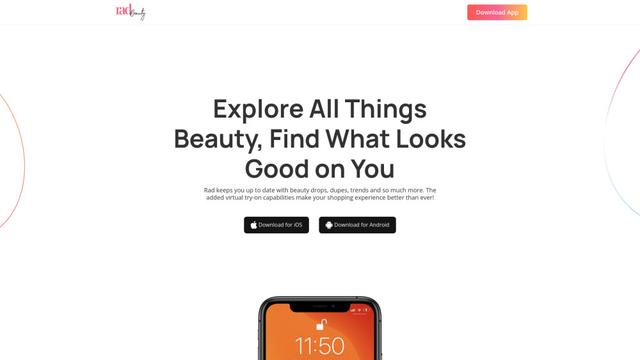
Rad Beauty
Rad Beautyは、パーソナライズされたメイクアップ推奨、バーチャル試着、AR技術を通じた製品発見を提供するAI駆動の美容アプリで、美容ショッピング体験を革新します

AnyEnhancer
AnyEnhancerは、アップスケーリング、ノイズ除去、カラー化、フレーム補間機能を通じて低品質のビデオを高解像度コンテンツに変換するAI駆動のビデオ強化ソフトウェアです
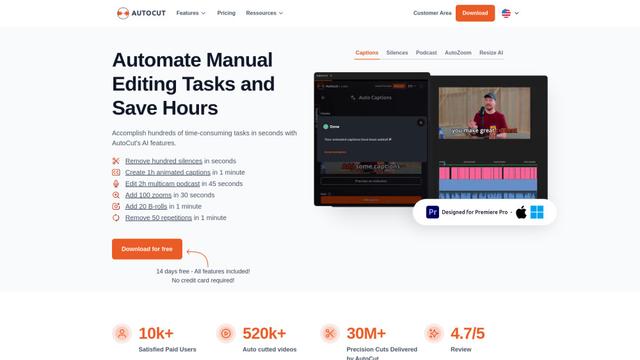
AutoCut
AutoCutは、アニメーションキャプションの追加、サイレンスの除去、ポッドキャストの編集などのビデオ編集作業を自動化し、手動作業の時間を節約するAI駆動のPremiere Proプラグインです。
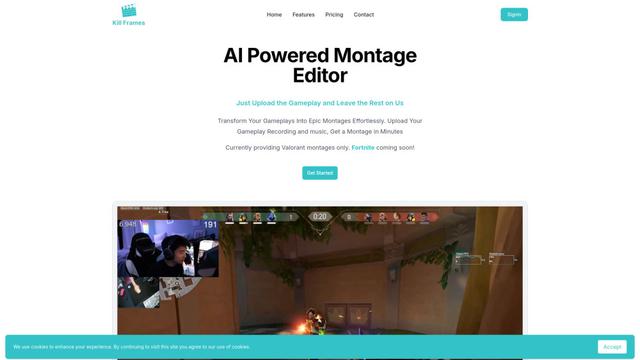
Kill Frames
Kill Framesは、アップロードされたゲームプレイ映像から自動的にエピックなゲームハイライトビデオを作成するAI駆動のモンタージュエディタです
MyLens for Youtubeに似た人気のAIツール

MediaSeg
MediaSegは、安定したローカルファーストのmacOSユーティリティで、大規模なMP4/WEBMメディアファイルを、ffmpeg/ffprobeとAI支援のターゲットベースのサイジング戦略を使用して品質を維持しながら、設定可能なサイズ制限以下のアップロード対応チャンクに分割します。

Google Veo 2
Veo 2は、テキストプロンプトからリアルな動き、広範なカメラコントロール、改善された物理シミュレーションを備えた高品質のビデオを最大4K解像度で作成できるGoogle DeepMindの最先端AIビデオ生成モデルです。
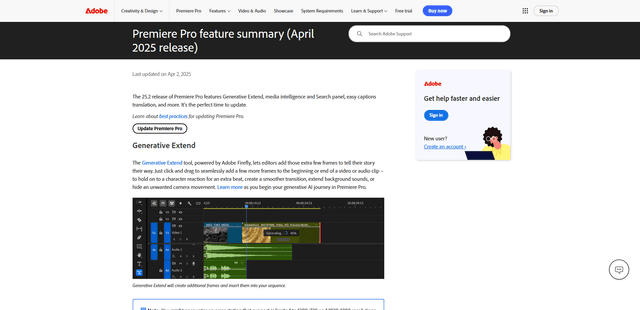
Adobe Premiere Pro 25.2
Adobe Premiere Pro 25.2 は、ジェネレーティブ拡張、強化されたメディアインテリジェンス検索機能、自動キャプション翻訳、および改善されたカラーマネジメントなどの強力な AI 搭載ツールを備えた、業界をリードするビデオ編集ソフトウェアの最新リリースです。
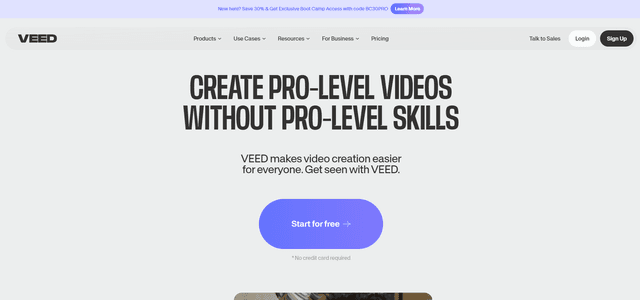
VEED
VEEDは、プロフェッショナル品質のビデオを簡単に作成できるAI駆動のオンラインビデオ編集プラットフォームです。