
Apparent for Gmail
Apparent for Gmail is a Chrome extension that enhances Gmail's readability and usability by reorganizing conversations, simplifying layouts, and streamlining workflows while maintaining privacy and security.
https://chromewebstore.google.com/detail/PowerPack%20for%20Gmail/fegjnknjcbfhfgciopbphbojbkmahjeo?ref=producthunt

製品情報
更新日:2026年04月08日
Apparent for Gmailとは
Apparent for Gmail is a lightweight Chrome extension designed to improve the Gmail experience without drastically changing its core functionality. It focuses on making email management more intuitive and efficient while running locally in the browser without requiring any account creation or remote processing. The extension was developed with a strong emphasis on privacy and security, ensuring that users' email data remains protected.
Apparent for Gmailの主な機能
Apparent for Gmail is a lightweight Chrome extension designed to enhance Gmail's usability by simplifying its interface and improving email management. It focuses on making conversations more readable by allowing users to view latest messages first, showing all messages in conversations, and reducing visual clutter. The extension operates locally in-browser without requiring an account or remote processing, prioritizing user privacy and security.
Conversation Management: Allows users to read the latest messages first and displays all messages in conversations for better thread following
Streamlined Layout: Reduces visual clutter and creates a cleaner inbox interface that's easier to scan and navigate
AI Overview Control: Provides the option to hide AI-generated email overviews for a more focused reading experience
Privacy-Focused Design: Runs entirely locally in the browser without requiring account creation or remote data processing
Apparent for Gmailのユースケース
Professional Email Management: Help business professionals manage high-volume email conversations more efficiently with cleaner threading and organization
Privacy-Conscious Users: Ideal for users who want to enhance their Gmail experience while maintaining strict data privacy and security
Daily Email Processing: Assists users who need to process and respond to multiple email threads quickly with improved conversation visibility
メリット
Lightweight and simple to use
Strong focus on privacy and security
No account required
デメリット
Limited to Chrome browser only
Basic feature set compared to more comprehensive Gmail extensions
Apparent for Gmailの使い方
Install the Extension: Go to Chrome Web Store and install 'Apparent for Gmail' extension. Note that you cannot add extensions in Incognito or Guest mode.
Access Gmail: Open Gmail in your Chrome browser after installing the extension.
View Latest Messages First: The extension will automatically display the most recent messages at the top of email conversations for easier reading.
See Full Conversations: All messages in email threads will be displayed, making it easier to follow conversations.
Experience Cleaner Layout: The extension automatically reduces visual clutter and creates a cleaner inbox interface that's easier to scan.
Disable AI Overviews: The extension hides AI overviews in emails for a more streamlined experience.
Use Without Account: No account creation is required - the extension runs locally in your browser while maintaining privacy and security.
Apparent for Gmailのよくある質問
Apparent for Gmail is a Chrome extension that makes Gmail easier to read and manage by showing the latest messages first, displaying every message in conversations, hiding AI overviews, and reducing visual clutter.




Apparent for Gmailに類似した最新のAIツール

10xBeast
10xBeastは、企業がリードを顧客に変換するためにコールドメールのアプローチを自動化し、パーソナライズするのを助けるAI駆動の営業プラットフォームです。

Inbox AI
Inbox AIは、音声駆動のAI自動化とメール管理機能を組み合わせたプライバシー重視のMacOS生産性アプリで、ユーザーがカスタムワークフローやコマンドを作成できるようにし、クラウドベースとデバイス上のAIオプションの両方を提供します。

MailSense
MailSenseは、Telegramボットインターフェースを通じてメールをフィルタリング、要約、返信生成するAI駆動のメールアシスタントであり、ユーザーが受信トレイをより効率的に管理するのに役立ちます
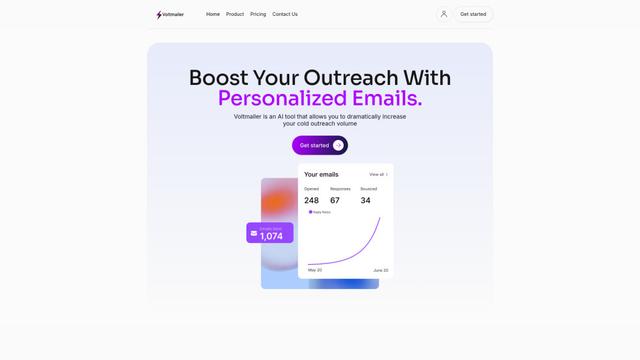
Voltmailer
Voltmailerは、ウェブサイトデータのスクレイピングと自動化されたパーソナライズを通じて、企業がコールドアウトリーチを拡大するのを支援するAI駆動のメール自動化ツールです
Apparent for Gmailに似た人気のAIツール
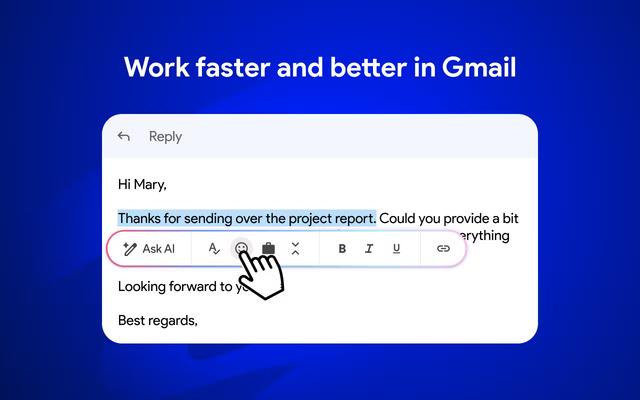
Mailmeteor AI for Gmail
Mailmeteorは、AIメールライティング、メールマージ、自動フォローアップ、メールエクスポート機能を組み合わせて、Gmail内での生産性とメール管理を向上させる強力なGmail拡張機能です
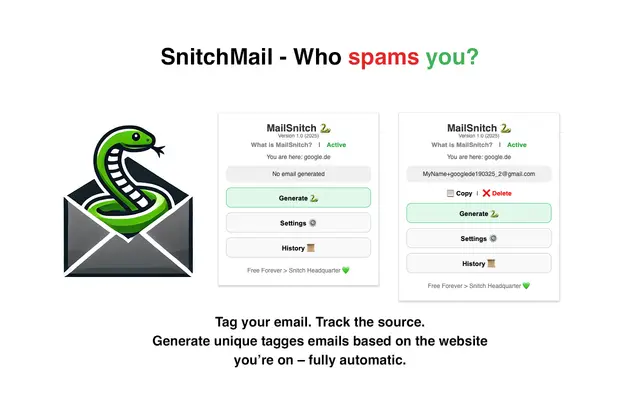
MailSnitch
MailSnitchは、自動化されたメールタグ付けおよび追跡システムを通じて、ユーザーがスパムソースを特定するのに役立つ無料のメール追跡およびアンチスパムChrome拡張機能です。

MailMood - AI Email Rewriter
MailMoodは、Gmailメッセージをプロフェッショナルでクリーン、かつ自信に満ちたビジネス言語に瞬時に変換するChrome拡張機能です。コーポレート、カジュアル、またはアサーティブの3つの異なるトーンオプションがあり、すべてワンクリックで実現できます。
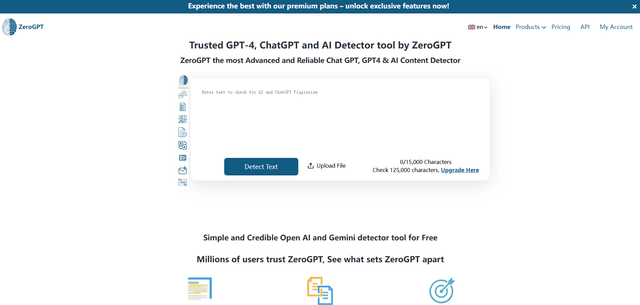
ZeroGPT
ZeroGPTは、テキストがAI(ChatGPT、GPT-4、Geminiなど)によって書かれたか人間によって書かれたかを判断するために分析する非常に正確なAI検出ツールを備えた包括的なAIコンテンツスイートであり、要約、言い換え、翻訳、文法チェック機能などの追加機能も提供しています。