
Zoho Projects
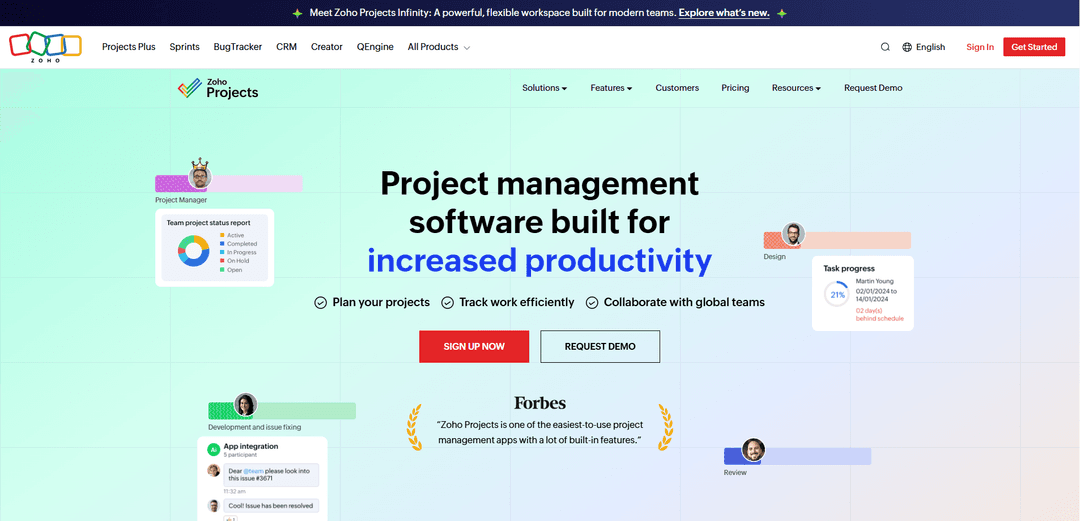
Zoho Projects is a cloud-based project management software that helps teams plan, track, and collaborate on projects with features like Gantt charts, task automation, time tracking, and comprehensive reporting tools.
http://www.zoho.com/projects?ref=producthunt
Ürün Bilgisi
Güncellendi:Apr 10, 2026
Zoho Projects Aylık Trafik Trendleri
Zoho Projects geçen ay 62.4m ziyaret aldı ve 1.5% oranında bir Hafif Artış gösterdi. Analizimize göre, bu eğilim yapay zeka araçları sektöründeki tipik pazar dinamikleriyle uyumludur.
Geçmiş trafiği görüntüleZoho Projects Nedir
Zoho Projects is an online project management software launched in 2006 that has evolved into a comprehensive solution for managing projects from start to finish. Designed to help businesses of all sizes—from startups to enterprises—run their operations with ease, it serves as a complete platform for day-to-day project management challenges. The software offers flexible pricing plans starting from as low as $4 per user per month, with a free plan available for up to 5 users and 3 projects. With over 4.5 million projects managed on the platform and 50+ integrations available through its marketplace, Zoho Projects has become a trusted solution for teams across various industries including construction, manufacturing, software development, education, marketing, and consulting. The platform features a user-friendly interface accessible via web and mobile apps, allowing teams to access their projects anytime, anywhere, while maintaining enterprise-grade ISO 27001 security standards.
Zoho Projects Temel Özellikleri
Zoho Projects is a comprehensive cloud-based project management software designed to help teams plan, track, and collaborate on projects effectively. It offers robust features including Gantt charts for visual project planning, advanced task management with automation capabilities, time tracking with timesheet integration, issue tracking with SLA management, and built-in team collaboration tools. The platform supports extensive customization through custom fields, workflows, and blueprints, while providing AI-powered assistance through Zia for intelligent insights and productivity enhancement. With seamless integrations to over 50 third-party applications and other Zoho products, mobile accessibility, and flexible pricing plans including a free tier, Zoho Projects serves as an affordable yet feature-rich solution for businesses of all sizes across various industries.
Gantt Charts and Task Dependencies: Visual project planning tool that enables users to build project schedules, set milestones, establish task dependencies, and track critical paths. The system immediately shows deviations between planned and actual progress, helping teams stay on schedule and identify potential delays before they impact delivery.
Task Automation and Blueprints: Drag-and-drop workflow automation that allows teams to automate repetitive tasks, set up business rules, and create custom workflows. Blueprint features enable users to design process flows, configure settings, and execute processes easily, ensuring the right process is followed throughout project implementation while saving significant time.
Time Tracking and Timesheet Management: Comprehensive time logging system that records billable and non-billable hours either manually or with built-in timers. Integrated with Zoho Invoice for automatic invoice generation from timesheets, enabling accurate client billing, payroll management, and performance reviews based on tracked work hours.
AI-Powered Zia Intelligence: Intelligent assistant that provides contextual business insights, maximizes productivity through smart search and information retrieval, enhances communication with content improvement suggestions, and delivers smart analytics with intelligent breakdowns of reports and charts for better decision-making.
Customization and Flexibility: End-to-end project customization capabilities including personalized fields, modules, statuses, and workflows to capture industry-specific requirements. Custom roles, profiles, and project templates enable teams to tailor the platform to their unique business processes and work metrics.
Comprehensive Collaboration Tools: Built-in chat, discussion forums, document sharing, and real-time updates that centralize team communication. Features include the ability to involve external users and clients, share files through document management portals, and maintain accountability through automated notifications and reminders.
Zoho Projects Kullanım Alanları
Construction Project Management: Construction companies can use Zoho Projects to manage complex building projects with Gantt charts for scheduling, budget tracking for cost management, document management for blueprints and permits, and issue tracking for site problems. The mobile app enables field teams to update progress in real-time from construction sites.
Software Development and IT Teams: Development teams can leverage task automation, integration with GitHub and Jira, issue tracking with SLA management, and QEngine for test automation. The platform supports agile workflows through integration with Zoho Sprints, enabling sprint planning, backlog management, and detailed sprint reporting.
Marketing Campaign Management: Marketing teams can plan and execute campaigns using task lists, track deliverables with timelines, collaborate on creative assets through document sharing, and monitor campaign budgets. Integration with marketing tools and the ability to assign tasks to multiple people facilitates cross-functional campaign coordination.
Consulting and Professional Services: Consulting firms can manage client projects with time tracking for billable hours, automatic invoice generation through Zoho Books/Invoice integration, resource utilization charts to optimize staff allocation, and custom workflows to ensure consistent service delivery across different client engagements.
Manufacturing and Inventory Management: Manufacturing businesses can track production projects, manage purchase orders, monitor inventory levels, and coordinate cross-departmental workflows. Custom fields and modules allow tracking of industry-specific metrics like production schedules, quality control checkpoints, and supplier management.
Remote Team Collaboration: Distributed teams can maintain productivity through cloud-based access, built-in video meetings with Zoho Meeting integration, real-time chat and discussions, mobile apps for on-the-go updates, and automated notifications to keep everyone aligned regardless of location or time zone.
Artıları
Affordable pricing with a robust free plan for up to 5 users and 3 projects, making it accessible for small businesses and startups with plans starting at $5 per user per month
Comprehensive feature set including Gantt charts, time tracking, automation, AI assistance, and extensive integrations with 50+ applications at competitive price points
High customization capabilities with custom fields, workflows, blueprints, and templates that allow businesses to tailor the platform to industry-specific needs
Strong ecosystem integration with other Zoho products (CRM, Books, Invoice, Sprints) providing seamless data flow for businesses using multiple Zoho applications
Eksileri
Steep learning curve and complex user experience, particularly during initial setup, which can be time-consuming and overwhelming for new users despite available tutorials and templates
Mobile app limitations with reported bugs, slower performance, and missing key features compared to the desktop version, making it challenging for users who rely heavily on mobile task management
Interface can feel clunky with all its features, and some users report that navigation becomes unintuitive when dealing with advanced features like permissions, reporting, and managing multiple projects
Occasional performance issues including slow loading times due to the SaaS model, and some essential features may require upgrading to higher-tier paid plans
Zoho Projects Nasıl Kullanılır
1. Sign Up for Zoho Projects: Navigate to the Zoho Projects Sign Up Page. Enter your Company Name, which will also be your portal name (must be unique). Provide your email address to create an account, or link it to your Google, Microsoft, or LinkedIn account. Note that an email ID can only be used to create one portal.
2. Explore the Dashboard: After logging in, you'll be directed to the Homepage, which displays key stats such as open tasks and active projects. Familiarize yourself with the main navigation including Home, Feed, Projects, Reports, Calendar, and Discuss modules.
3. Configure Personal Settings: Navigate to the top-right corner and select 'Setup'. Under 'Personal Settings', customize your landing page by choosing the most used module (Home, Feed, Projects, Reports, Calendar, or Discuss). Configure Date & Time Settings, Project & Budget, and Task & Timesheet preferences. Set up and verify your email and change your portal URL under 'Configurations'.
4. Create Your First Project: Click the '+' icon in the top right corner and select 'New Project'. Enter project details including name, description, start and end dates. Choose project visibility (Public for portal users with Read access, or Private). You can create projects from scratch or use predefined, industry-specific templates from the Template Library for quick setup.
5. Add Users to Your Project: Go to your project dashboard and click the '+' icon in the top right corner. Select 'User' from the options. Add team members by entering their email addresses. Assign appropriate roles and permissions to each user. Users must be added to individual projects before tasks can be assigned to them.
6. Set Up Project Structure: Define project phases using Milestones by navigating to 'Gantt & Reports' > 'Milestone Gantt'. Create Task Lists to organize related tasks together. Set up custom fields, statuses, and workflows to capture unique requirements. Use sections in task layouts to bring clarity to the data you store.
7. Create and Manage Tasks: Create tasks within your project and assign them to team members. Set start and end dates, due dates, priorities, and dependencies. Break down complex projects using subtasks and checklists. Add recurring tasks for regular activities. Use the Gantt chart to visualize task schedules and dependencies, and track critical tasks.
8. Track Time: Record billable and non-billable hours using the timesheet module. Log time manually or use built-in timers. Enable time log or timesheet approvals for enhanced project management. The system integrates with Zoho Invoice to automatically generate invoices from timesheets.
9. Collaborate with Your Team: Use chat, forums, comments, and feeds to communicate with team members and stakeholders. Share files, documents, and images through the Documents module or Zoho WorkDrive integration. Access project information from any device using the mobile app.
10. Automate Workflows: Set up task automation to save time on routine tasks. Use the drag-and-drop interface to create simple or complex workflows. Implement Blueprints to define and enforce standardized processes. Configure automation rules based on triggers and conditions.
11. Track Issues and Bugs: Use the Issues module to track blockers or bugs linked to specific tasks. Set up SLA (Service Level Agreements) for issue resolution. Link issues to tasks and projects for better tracking and context.
12. Monitor Progress with Reports: Generate custom reports and dashboards to track key metrics like time spent, budget, issues, risks, and quality. Use charts, graphs, and widgets to visualize data. View and compare project timelines using Task Gantt view with various filter and customization options. Set or compare baselines (up to 10 per project) to track planned vs actual progress.
13. Manage Project Finances: Track project budgets and expenses. Enable staff-hours based billing with varied user rates. Integrate with Zoho Books or Zoho Invoice for comprehensive financial management including billing and expense tracking.
14. Integrate with Other Tools: Connect Zoho Projects with other Zoho apps (CRM, Books, Invoice, etc.) and third-party applications (Slack, GitHub, Jira, Dropbox, Microsoft Office 365, etc.). Explore the Marketplace for over 50 integrations and extensions. Use Zoho Flow to create custom integrations and automated workflows across platforms.
15. Leverage AI Features: Use Zia, the intelligent assistant, to get contextual help and insights. Utilize AI for maximizing productivity, enhancing communication, and getting smart analytics breakdowns. Make Projects agent-ready by connecting to AI providers through MCP (Module Context Protocol) for cross-app work execution.
16. Edit and Manage Projects: Modify project details as needed including dates, status, and users. Control who can view or modify your project through permission settings. Move task lists between projects when needed (associated tasks will move to the new project).
17. Use Mobile Apps: Download Zoho Projects mobile apps for iOS (App Store) and Android (Google Play). Access projects, tasks, timesheets, and collaborate with teams from anywhere. Manage work on-the-go with full mobile functionality.
Zoho Projects SSS
Project management software is a digital tool designed to plan, track, and execute projects from start to finish, making it easier for individuals and businesses to organize tasks, manage budgets, and complete projects on time efficiently.
Zoho Projects Videosu
Popüler Makaleler

Atoms: Fikirleri Lansmana Hazır Ürünlere Dönüştüren Çoklu Ajan Yapay Zeka Platformu
May 22, 2026

Nano Banana SBTI: Nedir, Nasıl Çalışır ve 2026'da Nasıl Kullanılır
Apr 15, 2026

Atoms İncelemesi — 2026'da Dijital Oluşumu Yeniden Tanımlayan Yapay Zeka Ürün Geliştiricisi
Apr 10, 2026

Kilo Claw: Gerçek Bir "Senin Yerine Yapan" Yapay Zeka Aracısı Nasıl Kurulur ve Kullanılır (2026 Güncellemesi)
Apr 3, 2026
Zoho Projects Web Sitesi Analitiği
Zoho Projects Trafik ve Sıralamaları
62.4M
Aylık Ziyaretler
#420
Küresel Sıralama
#19
Kategori Sıralaması
Trafik Trendleri: Jul 2024-Jun 2025
Zoho Projects Kullanıcı İçgörüleri
00:15:35
Ort. Ziyaret Süresi
13.91
Ziyaret Başına Sayfa Sayısı
25.51%
Kullanıcı Hemen Çıkma Oranı
Zoho Projects'in En Çok Kullanıldığı Bölgeler
US: 25.64%
IN: 16.14%
BR: 5.6%
CA: 4.22%
AE: 3.81%
Others: 44.58%
Zoho Projects Benzer En Yeni Yapay Zeka Araçları
Plani.ai
Plani.ai, girişimcilerin, yeni başlayanların ve küçük işletmelerin iş hedeflerine ulaşmalarına yardımcı olmak için özelleştirilmiş stratejiler, görevler ve uygulanabilir planlar oluşturan AI destekli bir iş planlama aracıdır.
Tendery.ai
Tendery.ai, otomatik ihale keşfi, akıllı eşleştirme ve geliştirilmiş teklif oluşturma yetenekleri sunarak AB kamu tedarikini dönüştüren yapay zeka destekli bir platformdur.

Devozy.ai
Devozy.ai, Agile proje yönetimi, DevSecOps, çoklu bulut altyapı yönetimi ve BT hizmet yönetimini birleştiren AI destekli bir geliştirici kendi kendine hizmet platformudur ve yazılım teslimatını hızlandırmak için birleşik bir çözüm sunar.
MDLR
MDLR, entegre 3D görüntüleme, gerçek zamanlı panolar ve etkileşimli beyaz tahtalar aracılığıyla tasarım ve inşaat proje yönetimini kolaylaştıran açık kaynaklı AI destekli bir platformdur.
Zoho Projects Gibi Popüler Yapay Zeka Araçları
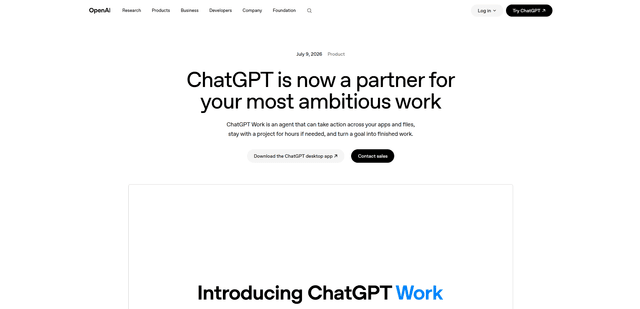
ChatGPT Work
ChatGPT Work, ChatGPT içinde çok adımlı projeleri saatlerce çalıştırabilen, bağlı uygulamalarınızdan ve dosyalarınızdan bağlam çekebilen ve belgeler, slaytlar, sayfalar ve etkileşimli Siteler gibi bitmiş çıktılar üretebilen bir ajan modudur; tüm bunları yaparken onaylar ve kurumsal yönetişim ile kontrol sizde kalır.
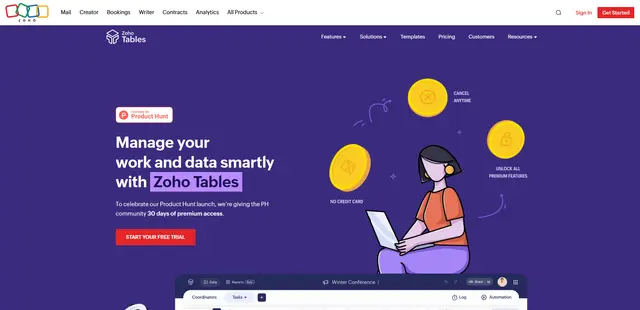
Zoho Tables
Zoho Tables, ekiplerin verileri ilişkisel bağlantılarla düzenlemesine, görünümler ve panolar oluşturmasına, gerçek zamanlı işbirliği yapmasına ve kodsuz ve yapay zeka yardımıyla iş akışlarını otomatikleştirmesine yardımcı olan modern bir e-tablo-veritabanı hibritidir.
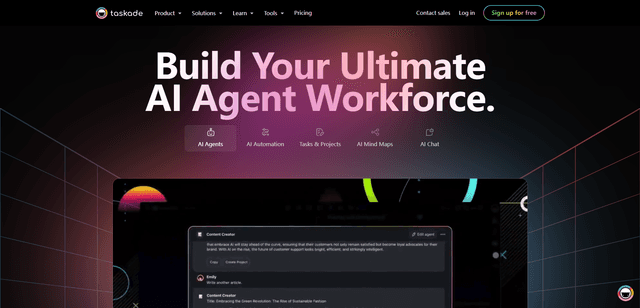
Taskade
Taskade, görev yönetimi, gerçek zamanlı işbirliği ve yapay zeka otomasyonunu ekipler ve bireyler için tek bir birleşik çalışma alanında birleştiren yapay zeka destekli bir üretkenlik platformudur.
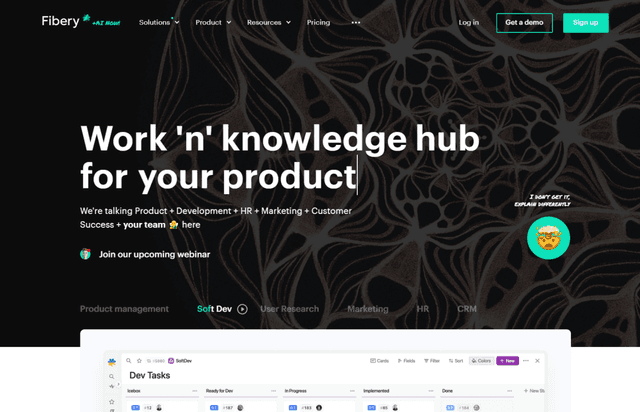
Fibery
Fibery, takımların kullanıcı geri bildirimlerini analiz etmelerine, projeleri yönetmelerine ve özelliklerin önceliklendirilmesine yardımcı olmak için AI entegrasyonu sunan bir ürün keşfi ve geliştirme platformudur.