
ZeroGPU
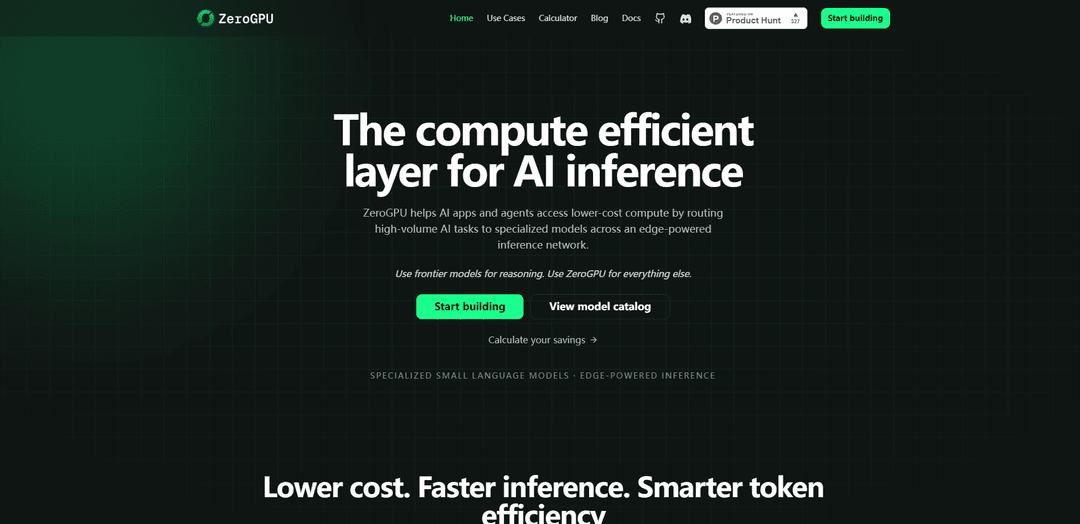
ZeroGPU is a compute-efficiency inference layer that routes high-volume AI workloads to specialized small and nano models over an edge-powered network via an OpenAI-compatible API to reduce cost and latency at scale.
https://zerogpu.ai/?ref=producthunt
Product Information
Updated:Jun 15, 2026
What is ZeroGPU
ZeroGPU is a distributed AI inference infrastructure designed to make production AI applications more compute-efficient by offloading routine, structured tasks—such as document analysis, summarization, classification, signal extraction, PII detection, moderation, and web content processing—from expensive frontier models to faster, lower-cost specialized models. It positions itself as a drop-in layer for existing stacks, offering OpenAI-compatible interfaces (e.g., chat/responses-style APIs) and a catalog of purpose-built small language models so teams can use frontier models for deep reasoning while sending everything else to cheaper, optimized inference.
Key Features of ZeroGPU
ZeroGPU is a compute-efficiency inference layer that routes high-volume, structured AI workloads away from expensive frontier models and onto specialized small/nano models running across an edge-powered network with cloud fallback. It exposes an OpenAI-compatible API so teams can drop it into existing stacks, and it focuses on lowering cost and latency by matching each request to the right model and compute location while providing usage/latency/savings analytics for optimization.
Smarter inference routing: Automatically offloads routine, high-volume tasks (e.g., classification, extraction, moderation) from frontier LLMs to specialized small/nano models to reduce waste and improve responsiveness.
Edge-powered execution + cloud fallback: Runs inference across approved edge devices and optimized servers, with fallback to cloud capacity for reliability, availability, and performance.
OpenAI-compatible API: Supports familiar OpenAI-style chat and responses APIs, enabling integration without redesigning application logic or developer workflows.
Specialized model catalog: Provides purpose-built small language models and nano models tuned for common production workloads like signal extraction, routing, and policy checks.
Project-level auth and analytics: Uses project-scoped API keys and provides visibility into usage, latency, and savings to identify optimization opportunities and control spend.
Built for token and cost efficiency at scale: Targets large savings by shifting a significant portion of production traffic (structured work) to cheaper, faster models—often delivering lower latency for real-time workloads.
Use Cases of ZeroGPU
AI agents: intent detection and tool routing: Handles agent plumbing tasks (intent classification, tool selection/routing, memory classification, summarization, moderation) using fast specialized models, escalating to frontier models only when deeper reasoning is needed.
Document AI: extraction and summarization: Processes high volumes of documents to classify content, extract structured signals, and generate summaries with lower latency and cost than relying on frontier models for every page.
Adtech: contextual classification and audience signals: Performs real-time page/content classification, intent extraction, and signal generation to support targeting and decisioning pipelines where speed and throughput matter.
Compliance: PII and policy detection: Detects PII, regulated content, and policy violations as a first-pass filter, reducing expensive compute usage and enabling scalable governance workflows.
Security: alert triage and jailbreak detection: Classifies security alerts, flags suspicious behavior, and detects jailbreak/prompt abuse patterns quickly before escalating to heavier analysis.
Fraud & risk: lightweight scoring and escalation: Scores transactions or events with lightweight risk signals and routes only ambiguous/high-risk cases to more expensive systems for deeper investigation.
Pros
Lower inference cost by shifting routine workloads to specialized small/nano models instead of frontier LLMs
Lower latency and higher throughput for structured tasks like classification and extraction
Easy adoption via OpenAI-compatible APIs and project-level keys
Improved operational visibility with usage/latency/savings analytics
Cons
Not intended for complex, frontier-level reasoning tasks (still requires escalation to larger models)
Performance and savings depend on workload fit and routing configuration
Edge/heterogeneous execution can introduce variability and requires careful reliability/quality management
How to Use ZeroGPU
1) Create a ZeroGPU account and project: Go to https://zerogpu.ai/ and create an account. In the dashboard, create (or select) a Project so you can obtain a Project ID for authentication and usage tracking.
2) Generate credentials (API key + Project ID): In the ZeroGPU dashboard, generate an API key and copy your Project ID. You will send both on every request using headers (x-api-key and x-project-id).
3) (Recommended) Set environment variables: Export your credentials as environment variables so you don’t hardcode secrets. Use the same names referenced in ZeroGPU snippets: ZEROGPU_API_KEY and ZEROGPU_PROJECT_ID.
4) Pick a specialized model for your workload: Choose a model from ZeroGPU’s specialized small/nano model catalog based on the task (e.g., classification, summarization, signal extraction, PII detection, moderation, routing). Example model shown in the snippet: zlm-v1-iab-classify-cloud.
5) Call the OpenAI-compatible Chat Completions API (curl): Send a POST request to https://api.zerogpu.ai/v1/chat/completions with headers x-api-key, x-project-id, and content-type: application/json. In the JSON body, set model and messages (role/content). This lets you drop ZeroGPU into an existing OpenAI-style integration without rebuilding your app.
6) Example request body structure: Use a payload like: { "model": "<model-name>", "messages": [ { "role": "user", "content": "<your task prompt>" } ] }. Replace <model-name> with your chosen specialized model and provide the text you want to classify/summarize/extract from.
7) Use cloud fallback automatically when edge is unavailable: Keep using the same API endpoint and request format. ZeroGPU provides cloud fallback on the same path when edge capacity is unavailable, so you do not need a second integration.
8) Use an official typed SDK (optional): Install an official client library if you prefer SDKs over raw HTTP. Sources mention npm (zerogpu-api) and PyPI (pip install zerogpu-api → import zerogpu), plus Go, Ruby, Java, Rust, C#, PHP, and Swift in the SDK monorepo.
9) Route the right traffic to ZeroGPU (recommended pattern): Send structured, high-volume tasks to ZeroGPU (document analysis, summarization, page classification, intent/signal extraction, PII detection, moderation, tool routing). Reserve frontier models for complex reasoning. This is the core cost/latency optimization workflow described by ZeroGPU.
10) Monitor usage, latency, and savings: Use ZeroGPU’s project-level analytics to track request volume, latency, and model distribution, and to quantify savings from offloading routine workloads to specialized models.
ZeroGPU FAQs
ZeroGPU is a compute efficiency layer for AI inference that helps applications route high-volume, repeatable workloads to faster and cheaper specialized small and nano language models instead of sending everything to frontier models.
ZeroGPU Video
Popular Articles

Atoms: A Multi-Agent AI Platform That Transforms Ideas into Launch-Ready Products
May 22, 2026

Nano Banana SBTI: What It Is, How It Works, and How to Use It in 2026
Apr 15, 2026

Atoms Review — The AI Product Builder Redefining Digital Creation in 2026
Apr 10, 2026

Kilo Claw: How to Deploy and Use a True "Do‑It‑For‑You" AI Agent(2026 Update)
Apr 3, 2026
Latest AI Tools Similar to ZeroGPU

Folderr
Folderr is a comprehensive AI platform that enables users to create custom AI assistants by uploading unlimited files, integrating with multiple language models, and automating workflows through a user-friendly interface.

InDesign Translator
InDesign Translator is an online translation service that enables users to translate InDesign files while maintaining formatting and styles, offering AI-assisted translation and easy collaboration features without requiring translators to have InDesign installed.

Specgen.ai
Specgen.ai is an AI-powered platform that helps businesses optimize their bid responses by automatically analyzing tender requirements and generating personalized responses while ensuring 100% data confidentiality through proprietary AI models.
TurboDoc
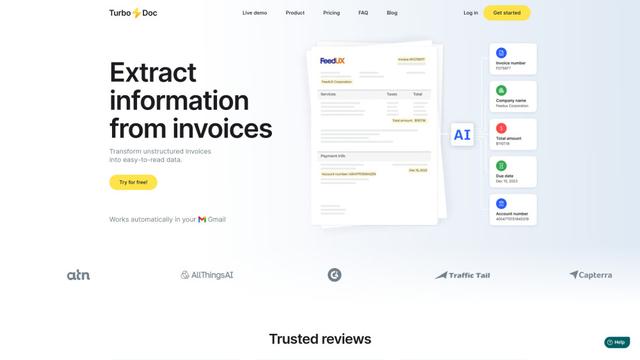
TurboDoc is an AI-powered invoice processing software that automatically extracts and transforms unstructured invoice data into organized, easy-to-read structured data through Gmail integration and intelligent document processing.
Popular AI Tools Like ZeroGPU
R2R
R2R (Reason to Retrieve) is an advanced AI retrieval system that provides production-ready Retrieval-Augmented Generation (RAG) capabilities with multimodal content ingestion, hybrid search, knowledge graphs, and comprehensive document management through a RESTful API.

Claude Folder Upload
A Chrome extension that enables users to upload entire folders to Claude AI while intelligently preserving directory structures and file relationships, with smart filtering capabilities for irrelevant files.
Web Clipper for NotebookLM
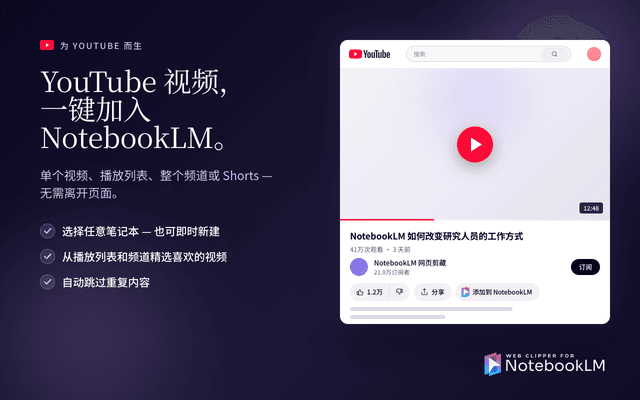
Web Clipper for NotebookLM is a Chrome extension that saves web pages, PDFs, YouTube content, social posts/threads, and even AI chat conversations directly into Google NotebookLM in one click, plus adds powerful export, sync, and notebook-management tools.

ReadHero
ReadHero is a comprehensive book tracking and note-taking app that helps readers remember and retain more of what they read by enabling progress tracking, note-taking, and book management all in one place.