Whisk AI
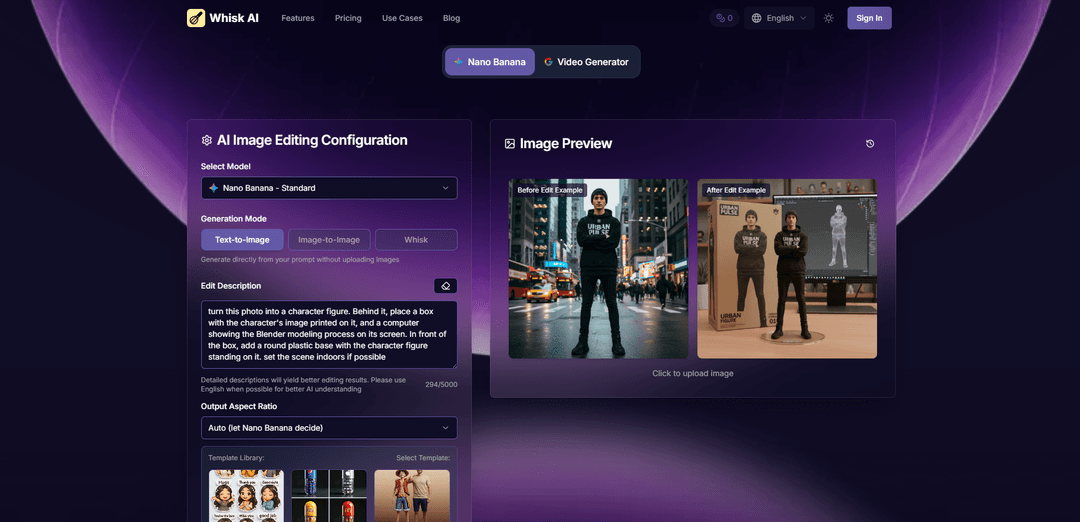
Whisk AI adalah generator gambar AI eksperimental Google Labs yang menciptakan karya seni unik dengan me-remix tiga input visual—subjek, adegan, dan gaya—menggunakan teknologi Gemini dan Imagen 3 Google, menghilangkan kebutuhan akan perintah teks yang kompleks.
https://whisk-ai.io/?utm_source=aipure
Informasi Produk
Diperbarui:Apr 13, 2026
Apa itu Whisk AI
Whisk AI adalah alat pembuatan gambar inovatif yang dibangun di atas teknologi Gemini dan Imagen 3 Google yang canggih. Tidak seperti alat seni AI tradisional yang sangat bergantung pada perintah teks, Whisk AI merevolusi proses kreatif dengan menggunakan gambar sebagai perintah. Cukup unggah gambar referensi untuk subjek Anda (orang, hewan peliharaan, objek), adegan (lingkungan, pengaturan), dan gaya (pendekatan artistik), dan saksikan saat AI menangkap esensi mereka untuk menciptakan sesuatu yang sama sekali baru. Platform ini menggunakan Gemini untuk secara otomatis memahami gambar Anda dan membuat deskripsi terperinci, kemudian Imagen 3 menghasilkan karya seni baru yang menggabungkan ketiga input menjadi kreasi orisinal yang kohesif. Dengan dukungan untuk beragam output termasuk seni digital, pin enamel, stiker, desain plushie, gaya anime, dan efek cat air, Whisk AI membuat remix gambar berkualitas profesional dapat diakses oleh pembuat konten dari semua tingkat keahlian. Hasilkan hasil resolusi tinggi dalam waktu kurang dari 30 detik, sempurnakan dengan perintah teks tambahan, atau buat beberapa variasi untuk menjelajahi berbagai kemungkinan kreatif.
Fitur Utama Whisk AI
Whisk AI adalah alat pembuatan gambar eksperimental dari Google Labs yang merevolusi alur kerja kreatif dengan menggunakan gambar sebagai perintah, bukan teks. Dibangun dengan teknologi Gemini dan Imagen 3 dari Google, alat ini memungkinkan pengguna menggabungkan tiga masukan visual—subjek, adegan, dan gaya—untuk membuat karya seni unik dalam hitungan detik. Platform ini memiliki antarmuka seret dan lepas yang intuitif, opsi gaya prasetel (seperti stiker, boneka mewah, pin enamel), dan kemampuan untuk melihat dan mengedit perintah teks yang dihasilkan AI untuk penyempurnaan. Dengan penambahan Whisk Animate yang didukung oleh Veo 2, pengguna bahkan dapat mengubah gambar statis menjadi video pendek, menjadikannya alat serbaguna untuk pembuatan prototipe cepat, eksplorasi visual, dan remixing kreatif tanpa memerlukan deskripsi teks yang kompleks atau keahlian desain.
Sistem Perintah Berbasis Gambar: Unggah hingga tiga gambar referensi untuk subjek, adegan, dan gaya alih-alih menulis perintah teks. Gemini menganalisis gambar dan secara otomatis menghasilkan keterangan terperinci, yang digunakan Imagen 3 untuk membuat karya seni remix unik yang menangkap esensi dari masukan Anda.
Perpustakaan Prasetel Gaya: Akses prasetel gaya sekali klik termasuk pin enamel, boneka mewah digital, stiker, seni anime, efek cat air, dan lainnya, memungkinkan eksplorasi cepat berbagai arah kreatif tanpa konfigurasi manual.
Perintah AI yang Dapat Diedit: Lihat dan modifikasi perintah teks dasar yang dihasilkan oleh Gemini kapan saja, memungkinkan kontrol yang disempurnakan atas fitur seperti tinggi badan, gaya rambut, warna kulit, dan estetika keseluruhan untuk mencapai hasil yang lebih presisi.
Fitur Whisk Animate: Ubah gambar statis yang dihasilkan menjadi video pendek yang menarik perhatian (hingga 8 detik) menggunakan teknologi Veo 2 dengan satu klik pada tombol Animate, menambahkan gerakan dinamis ke kreasi Anda.
Pembuatan & Iterasi Cepat: Hasilkan beberapa variasi gambar dalam rata-rata kurang dari 30 detik, sempurna untuk pembuatan prototipe cepat, sesi brainstorming, dan menjelajahi kombinasi kreatif yang tidak terduga dengan cepat.
Aksesibilitas Lintas Platform: Buat dengan mulus dari perangkat apa pun dengan dukungan peramban web penuh di desktop dan seluler, menawarkan fitur dan kinerja yang konsisten di semua platform.
Kasus Penggunaan Whisk AI
Desain Produk & Pembuatan Prototipe: Desainer produk menggunakan Whisk AI untuk membuat prototipe konsep merchandise dengan cepat, mengubah desain karakter menjadi gaya pin enamel, mockup stiker, atau desain boneka mewah dalam hitungan detik, bukan jam, mempercepat proses iterasi desain.
Konsep Seni & Pengembangan Visual: Seniman digital dan ilustrator memanfaatkan Whisk AI untuk menjelajahi variasi konsep seni dengan mencampur gambar referensi menjadi komposisi unik, memungkinkan pembuatan mood board cepat dan eksplorasi visual untuk proyek kreatif.
Pembuatan Konten Media Sosial: Pembuat konten dan pemasar menghasilkan visual unik dan menarik perhatian untuk kampanye media sosial dengan menggabungkan referensi gaya dengan elemen merek mereka, menciptakan konten khas yang melibatkan pengikut tanpa perangkat lunak desain yang kompleks.
Aset Pemasaran & Periklanan: Tim pemasaran menggunakan Whisk AI untuk membuat visual iklan yang beragam dan variasi fotografi produk dengan gaya dan nada yang konsisten, kemudian menggabungkan output dengan Whisk Animate untuk menghasilkan urutan iklan video yang dinamis.
Brainstorming & Inspirasi Kreatif: Profesional kreatif menggunakan fitur 'Inspire Me' dan lemparan dadu untuk menghasilkan perintah yang disarankan AI dan kombinasi visual yang tidak terduga, memicu ide-ide baru dan mengatasi hambatan kreatif selama sesi brainstorming.
Eksplorasi Karakter & Gaya: Pengembang game dan animator bereksperimen dengan estetika karakter dan gaya lingkungan yang berbeda dengan mencampur referensi visual, menjelajahi berbagai arah artistik dengan cepat sebelum berkomitmen pada desain akhir.
Kelebihan
Antarmuka visual intuitif yang menghilangkan kebutuhan akan perintah teks yang kompleks, membuat pembuatan gambar AI dapat diakses oleh pengguna tanpa pengalaman desain atau keterampilan rekayasa perintah
Kecepatan pembuatan yang cepat (rata-rata di bawah 30 detik) memungkinkan iterasi cepat dan eksplorasi beberapa variasi kreatif untuk brainstorming dan pembuatan prototipe yang efisien
Dibangun dengan teknologi Gemini dan Imagen 3 mutakhir dari Google memastikan output berkualitas tinggi dengan pemahaman dan kemampuan pembuatan AI yang canggih
Aplikasi kreatif serbaguna dengan gaya prasetel, perintah yang dapat diedit, dan fitur Whisk Animate untuk pembuatan gambar statis dan konten video
Kekurangan
Ketersediaan geografis terbatas (awalnya hanya AS, kemudian diperluas tetapi masih dibatasi di beberapa negara), memerlukan solusi VPN untuk akses di wilayah yang tidak didukung
Tidak memiliki presisi sempurna piksel karena menangkap 'esensi' daripada replika yang tepat, berpotensi menghasilkan subjek dengan tinggi badan, berat badan, gaya rambut, atau warna kulit yang berbeda dari yang dimaksudkan
Lebih cocok untuk eksplorasi dan inspirasi kreatif daripada produk akhir yang dapat dikontrol dan dipoles yang memerlukan spesifikasi yang tepat
Mungkin tidak menawarkan kedalaman fitur yang ditemukan di platform seni AI profesional khusus, memposisikannya lebih sebagai taman bermain kreatif daripada alat desain yang komprehensif
Cara Menggunakan Whisk AI
1: Buka situs web Whisk AI di labs.google/whisk atau buat akun/masuk untuk mengakses semua fitur
2: Unggah gambar referensi Anda dengan menyeret dan meletakkannya ke dalam tiga area yang ditentukan: Subjek (orang atau objek utama), Adegan (latar belakang atau pengaturan), dan Gaya (tampilan artistik yang Anda inginkan)
3: Secara opsional gunakan fitur 'Inspire Me' atau klik ikon dadu untuk mendapatkan saran yang dihasilkan AI jika Anda memerlukan inspirasi untuk gambar Anda
4: Tambahkan panduan teks opsional di bidang teks di bawah gambar untuk menyempurnakan kreasi Anda, seperti 'robot sedang berlari' atau 'gunakan skema warna pastel' untuk memandu pose, tindakan, atau suasana hati
5: Pilih preset gaya dari perpustakaan jika diinginkan, seperti Stiker, Plushie, Pin Enamel, Anime, atau Cat Air untuk menerapkan arah artistik tertentu dengan cepat
6: Pilih rasio aspek output yang Anda sukai untuk gambar yang dihasilkan
7: Klik tombol Hasilkan dan tunggu Whisk memproses input Anda (biasanya membutuhkan waktu kurang dari 30 detik)
8: Tinjau hasil yang dihasilkan AI - Whisk akan membuat beberapa versi remix untuk Anda jelajahi
9: Jika diperlukan, lihat dan edit perintah teks yang dihasilkan AI untuk menyempurnakan deskripsi untuk kontrol kreatif yang lebih tepat
10: Unduh kreasi resolusi tinggi Anda atau hasilkan variasi baru untuk menjelajahi berbagai kemungkinan kreatif
FAQ Whisk AI
Whisk AI adalah alat pembuatan gambar inovatif yang dibangun di atas model Gemini dan Imagen 3 dari Google. Ia mengubah gambar menjadi karya seni unik dengan menggabungkan tiga masukan: subjek, adegan, dan gaya. Alih-alih mengetik perintah teks, Anda cukup menyeret dan menjatuhkan gambar referensi, dan AI menangkap esensi mereka untuk menghasilkan sesuatu yang benar-benar baru. Gemini secara otomatis memahami gambar Anda dan membuat deskripsi terperinci, sementara Imagen 3 menghasilkan karya seni baru.
Artikel Populer

Atoms: Platform AI Multi-Agen yang Mengubah Ide menjadi Produk Siap Diluncurkan
May 22, 2026

Nano Banana SBTI: Apa Itu, Bagaimana Cara Kerjanya, dan Cara Menggunakannya di Tahun 2026
Apr 15, 2026

Ulasan Atoms — Pembuat Produk AI yang Mendefinisikan Ulang Kreasi Digital di Tahun 2026
Apr 10, 2026

Kilo Claw: Cara Menerapkan dan Menggunakan Agen AI "Lakukan-Untuk-Anda" Sejati (Pembaruan 2026)
Apr 3, 2026
Alat AI Terbaru Serupa dengan Whisk AI
SnapShift
SnapShift adalah aplikasi transformasi gambar yang didukung oleh AI yang mengubah foto menjadi gaya artistik yang menakjubkan seperti karakter video game, render 3D, dan banyak lagi.
Xona.ai
Xona.ai adalah alat bertenaga AI yang menghasilkan desain interior dari gambar yang diunggah pengguna, menawarkan perpaduan yang mulus antara teknologi dan kreativitas.
FLUX.2 - Official
FLUX.2 adalah model pembuatan dan pengeditan gambar AI kelas produksi canggih yang menghasilkan output fotorealistik 4MP dengan kontrol multi-referensi, kepatuhan prompt yang luar biasa, dan pelestarian karakter/gaya yang konsisten.
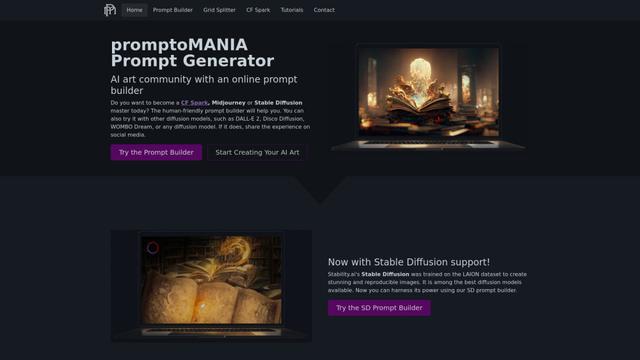
PromptoMANIA
PromptoMANIA adalah platform komunitas seni AI gratis dengan pembuat prompt online yang membantu pengguna membuat prompt terperinci untuk berbagai model difusi teks-ke-gambar.
Alat AI Populer Seperti Whisk AI
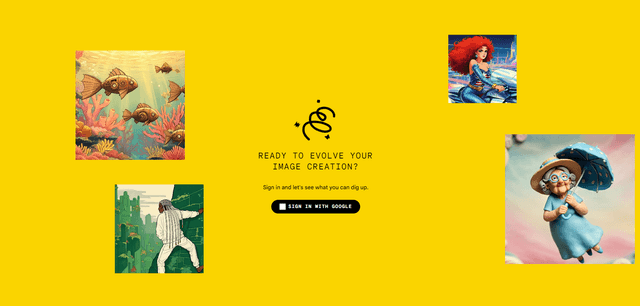
Google Whisk
Whisk adalah alat generasi gambar AI inovatif dari Google Labs yang memungkinkan pengguna untuk membuat gambar baru menggunakan gambar yang ada sebagai pemicu daripada mengandalkan deskripsi teks.
Google Whisk
FreeImage to Image
Google Whisk adalah alat pembuatan gambar bertenaga AI eksperimental yang memungkinkan pengguna membuat gambar baru dengan menggunakan gambar yang ada sebagai perintah daripada deskripsi teks.
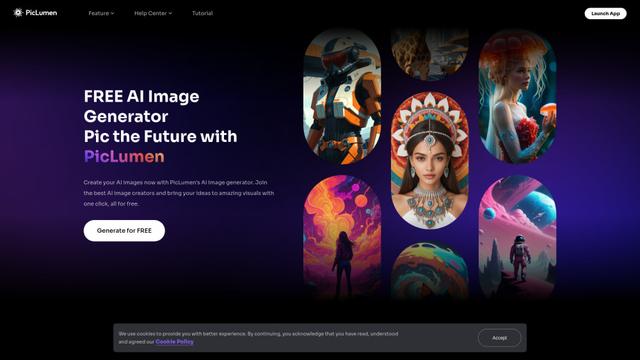
PicLumen AI Image Generator
PicLumen AI Image Generator adalah alat gratis yang kuat yang mengubah teks menjadi gambar berkualitas tinggi menggunakan teknologi AI canggih, menawarkan generasi tak terbatas di berbagai gaya.
Shakker
Shakker AI adalah pusat premium untuk model pembuatan gambar AI, menawarkan alat canggih untuk membuat, mengedit, dan mengubah konten visual menggunakan kecerdasan buatan.