
Vozo AI — Video localization
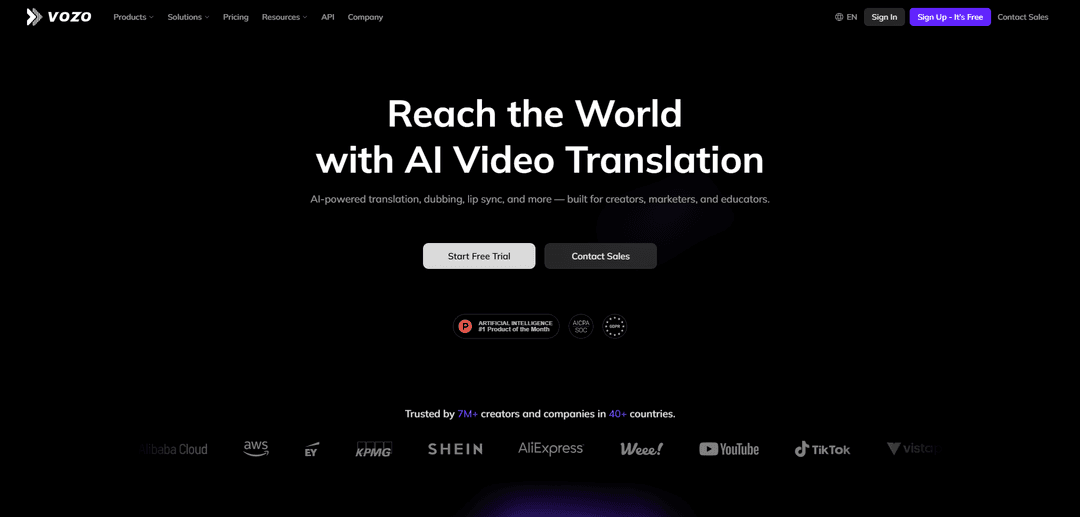
Vozo AI is an AI-powered SaaS platform that localizes videos into 110+ languages with accurate translations, authentic dubbing, realistic lip sync, and visual text adaptation - all without requiring editing skills or voice actors.
https://www.vozo.ai/?ref=producthunt
Product Information
Updated:Mar 15, 2026
Vozo AI — Video localization Monthly Traffic Trends
Vozo AI — Video localization received 613.7k visits last month, demonstrating a Significant Decline of -20.1%. Based on our analysis, this trend aligns with typical market dynamics in the AI tools sector.
View history trafficWhat is Vozo AI — Video localization
Vozo AI is an advanced video localization and creation platform that leverages multimodal AI technology to help businesses, creators, and educators adapt their video content for global audiences. Built with professional controls and enterprise-grade features, it offers a comprehensive solution for translating and localizing videos while maintaining the original tone, context, and production quality. The platform is trusted by over 7 million creators and companies across 40+ countries and is backed by partnerships with major cloud providers like Microsoft Azure, AWS, and Google Cloud.
Key Features of Vozo AI — Video localization
Vozo AI is a comprehensive video localization platform that leverages advanced AI technology to translate, dub, and adapt video content into 110+ languages. It offers features like natural voice cloning (VoiceREAL™), precise lip synchronization (LipREAL™), visual text translation, and subtitle generation. The platform combines automated AI processing with professional controls for terminology consistency, translation style adjustment, and quality assurance, making it suitable for both individual creators and enterprise teams looking to scale their global content production efficiently.
AI-Powered Voice Cloning & Dubbing: VoiceREAL™ technology clones speaker voices and maintains natural emotion and tone across languages, with support for 300+ lifelike AI voices in 60+ languages
Advanced Lip Synchronization: LipREAL™ technology delivers precise lip-sync for translated speech, working effectively with multiple speakers, head movements, and facial obstructions
Visual Translation System: Automatically detects, translates, and rebuilds on-screen text while preserving original layout, styling, and animations
Professional Control Suite: Offers real-time editing capabilities, glossary support for terminology consistency, and customizable translation style controls for maintaining brand voice
Use Cases of Vozo AI — Video localization
Corporate Training & E-Learning: Localize training videos and educational content for global teams while maintaining professional terminology and clear instruction delivery
Marketing Campaign Localization: Adapt marketing videos for different regions while preserving brand voice and emotional impact across cultures
Social Media Content Scaling: Convert and localize long-form content into multiple short-form videos with auto-reframing and animated subtitles for different social platforms
Product Demonstrations: Create multilingual product demos and explanatory videos that maintain technical accuracy and professional presentation across languages
Pros
Comprehensive all-in-one solution for video localization
High-quality voice cloning and lip-sync capabilities
Professional controls for maintaining brand consistency
Supports 110+ languages with natural-sounding translations
Cons
Lip-sync generation can take significant processing time
Some users report occasional glitches in the system
Limited avatar gestures in Talking Photo mode for longer videos
How to Use Vozo AI — Video localization
Sign up and access Vozo AI: Go to app.vozo.ai and create a free account or sign in to your existing account
Upload your video: Click 'Upload Video' or 'New Project' button and select your video file (supported formats: MP4, MOV, AVI, WMV). File size limit is typically 5-10GB
Select original language: Choose the source language of your video from the language options
Choose target language(s): Select which language(s) you want to translate your video into from the 110+ available languages
Transcribe original audio: Use Auto-Transcribe feature, or if you have existing subtitles, upload SRT/VTT files or extract embedded subtitles for higher accuracy
Review and edit translation: Use the intuitive editor to review and modify translations in real-time. You can click on text to edit and use the AI Pilot to help refine translations
Generate dubbed audio: After editing translations, click 'Generate Speech' button to create new dubbed audio with your changes. You can adjust voice parameters like tone and speed
Apply lip sync: The LipREAL™ technology will automatically sync the dubbed audio with the speaker's lip movements for a natural look
Review final video: Preview the complete localized video with translated audio, subtitles, and lip sync to ensure quality
Export and download: Click the Export button in the top-right corner to process the final video. Once complete, use the Download button to save your localized video
Vozo AI — Video localization FAQs
Vozo AI supports translations in 110+ languages.
Vozo AI — Video localization Video
Popular Articles

Vosko AI: Localize and Dub Videos for Global Audiences
Oct 15, 2026

Atoms: A Multi-Agent AI Platform That Transforms Ideas into Launch-Ready Products
Oct 13, 2026

Nano Banana SBTI: What It Is, How It Works, and How to Use It in 2026
Apr 15, 2026

Atoms Review — The AI Product Builder Redefining Digital Creation in 2026
Apr 10, 2026
Analytics of Vozo AI — Video localization Website
Vozo AI — Video localization Traffic & Rankings
613.7K
Monthly Visits
#67107
Global Rank
#458
Category Rank
Traffic Trends: Jul 2024-Jun 2025
Vozo AI — Video localization User Insights
00:02:39
Avg. Visit Duration
4.19
Pages Per Visit
37.25%
User Bounce Rate
Top Regions of Vozo AI — Video localization
US: 25.16%
IN: 5.73%
BR: 5.18%
RU: 4.35%
CN: 3.49%
Others: 56.09%
Latest AI Tools Similar to Vozo AI — Video localization

EzVideos
EzVideos is an all-in-one video creation tool that helps users generate viral videos for social media platforms like Instagram, TikTok, and YouTube with automated editing features and built-in resources.

Blanc AI
Blanc AI is a revolutionary AI solution that enables video content translation and dubbing into 47+ languages while preserving the original voice, emotions, and lip synchronization.

Wink Mody
Wink Mody is a modified version of the Wink video editing app that offers premium features like AI-powered retouching, 4K exports, and watermark-free editing completely free of charge.

Shortmake AI
ShortMake is an AI-powered video creation platform that transforms ideas into viral-ready videos by automatically generating scripts, voiceovers, visuals, and subtitles specifically optimized for platforms like TikTok and YouTube Shorts.
Popular AI Tools Like Vozo AI — Video localization

AI Clips - New Gen
AI Clips - New Gen is an AI-powered video clipping tool that automatically generates engaging short-form content from long videos for multiple social media platforms like YouTube Shorts, TikTok, Instagram Reels and more.

Edit Mind
Edit Mind is an open-source, AI-powered video indexing and semantic search platform that enables users to analyze and search through video content using natural language queries, with features including transcription, frame analysis, face recognition, and object detection.

Dinamo Notebook
FreeAI Video Editing
Dinamo Notebook is a free, MIT-licensed, local-first browser extension for football video analysis that lets you draw tactical annotations on YouTube/Dailymotion/Twitch footage and optionally use AI (with your own OpenAI API key) for tactical insights.

MediaSeg
MediaSeg is a stable, local-first macOS utility that splits large MP4/WEBM media files into upload-ready chunks under a configurable size limit while preserving quality using ffmpeg/ffprobe and an AI-assisted, target-based sizing strategy.