
getviktor.com
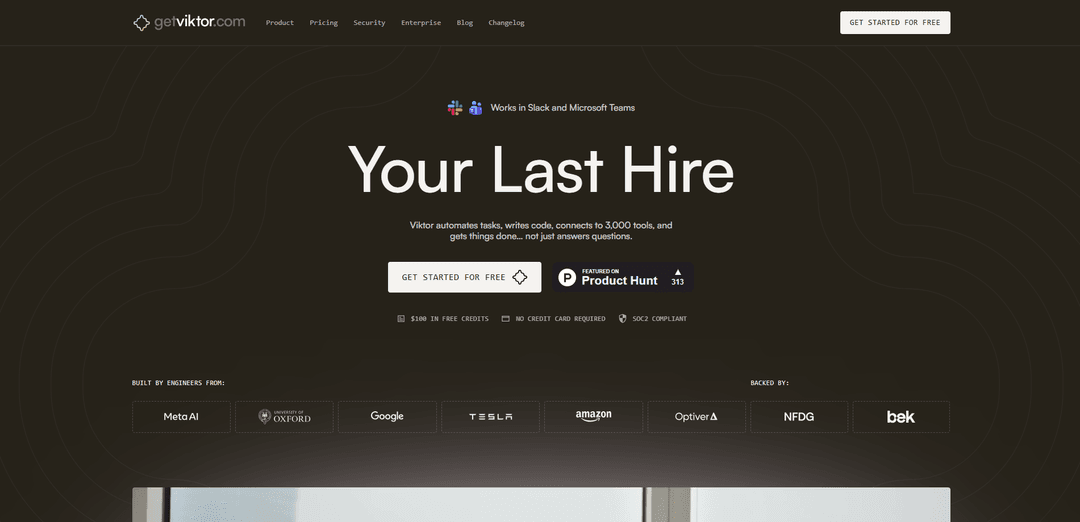
Viktor is an AI coworker that lives in Slack/Microsoft Teams with 3,000+ tool integrations, capable of automating tasks, writing code, managing workflows and executing real actions across your entire business stack.
https://ref.getviktor.com/launch?ref=producthunt
Product Information
Updated:Mar 8, 2026
What is getviktor.com
Viktor is a fully hosted AI agent service that functions as a digital coworker within your team's communication platforms (Slack and Microsoft Teams). Unlike typical chatbots, Viktor has its own persistent cloud computer where it can write and run code, connect to your business tools, and perform actual work tasks. It's designed to be a collaborative team member that can handle everything from marketing audits and ad management to lead research, daily reports, and app deployments - all while maintaining context and learning about your company over time.
Key Features of getviktor.com
Viktor is an AI coworker that operates within Slack and Microsoft Teams, offering extensive automation capabilities through 3,000+ tool integrations. It executes real tasks by writing code, managing workflows, and maintaining persistent memory of team context. Unlike traditional chatbots, Viktor can perform complex operations like data analysis, app development, campaign management, and cross-tool automation while maintaining long-term context and learning from team interactions.
Persistent Memory & Learning: Maintains context across weeks of interaction and builds a knowledge base about your company through a skills system that benefits all team members
Extensive Tool Integration: Connects with over 3,000 tools and services, allowing seamless automation across platforms like Salesforce, HubSpot, Linear, GitHub, and more
Proactive Task Management: Automatically identifies issues, proposes solutions, and manages deadlines across teams without requiring explicit commands
Secure Execution Environment: Runs on isolated cloud computers with SOC 2 compliance, encrypted data handling, and strict access controls
Use Cases of getviktor.com
Marketing Campaign Management: Monitors ad performance, adjusts keywords, analyzes metrics across platforms, and generates comprehensive reports
Development Workflow Automation: Creates and manages tickets, monitors deployments, and coordinates between design and development teams
Cross-Platform Data Analysis: Pulls data from multiple sources (like Stripe, PostHog, Google Ads), creates reports, and generates actionable insights
Project Coordination: Tracks deadlines, follows up on tasks, and maintains communication between different teams and departments
Pros
Quick setup and integration with existing workflows
Comprehensive tool integration ecosystem
Strong security and compliance features
Ability to maintain long-term context and learn from team interactions
Cons
Credit-based system can lead to task interruptions when credits run out
Shared integrations might not be ideal for personal/private accounts
Mixed user sentiment regarding success rates and pricing
Limited private conversation capabilities (though being developed)
How to Use getviktor.com
Sign up for Viktor: Go to app.getviktor.com/signup and create your account. Choose whether you use Slack or Microsoft Teams.
Install Viktor in your workspace: Click 'Add Viktor to Slack' or authorize Viktor for your Microsoft Teams workspace. The integration uses OAuth authentication - no API keys needed.
Connect your tools: Head to the Viktor dashboard and connect the integrations you want to use (from 3,000+ available tools like Stripe, HubSpot, Linear, etc.) using OAuth authentication.
Invite Viktor to channels: Add Viktor to any Slack/Teams channels where you want it to help. It will only see messages in channels it's invited to.
Start working with Viktor: Message Viktor like a coworker using @ mentions. Ask it to pull reports, manage campaigns, write code, or automate workflows across your connected tools.
Let Viktor learn your workflows: Viktor will observe conversations, learn about your team's processes, and build up context over time to work more effectively.
Set up automations: Have Viktor handle recurring tasks by setting up scheduled automations for reports, audits, and proactive check-ins.
Manage permissions: Control Viktor's access by adding/removing it from channels. Remember that integrations are shared team-wide, so only connect tools you want everyone to access.
getviktor.com FAQs
Viktor is an AI coworker that lives in Slack. It has its own computer in the cloud where it writes and runs code to complete tasks. It's not a chatbot - it's a colleague that does real work.
getviktor.com Video
Popular Articles

Atoms: A Multi-Agent AI Platform That Transforms Ideas into Launch-Ready Products
May 22, 2026

Nano Banana SBTI: What It Is, How It Works, and How to Use It in 2026
Apr 15, 2026

Atoms Review — The AI Product Builder Redefining Digital Creation in 2026
Apr 10, 2026

Kilo Claw: How to Deploy and Use a True "Do‑It‑For‑You" AI Agent(2026 Update)
Apr 3, 2026
Latest AI Tools Similar to getviktor.com

Gait
Gait is a collaboration tool that integrates AI-assisted code generation with version control, enabling teams to track, understand, and share AI-generated code context efficiently.

Hiyllo Work
Hiyllo Work is an all-in-one team workspace platform that combines chat, project management, calendar, email, file storage and video meetings in a single integrated environment.
We Report Work
We Report Work is an AI-powered work reporting software that helps employees and managers streamline status updates, showcase achievements, and maintain accountability through automated reporting features.
BestInterest
BestInterest is an innovative coparenting app that uses AI-powered mediation to transform high-conflict communication and facilitate peaceful coparenting relationships without requiring court orders or mutual agreement.
Popular AI Tools Like getviktor.com

Microsoft Copilot Cowork
Microsoft Copilot Cowork is an AI-powered assistant that turns user intent into actionable plans and autonomously executes multi-step tasks across Microsoft 365 apps while keeping users in control through checkpoints and approvals.
agmsg
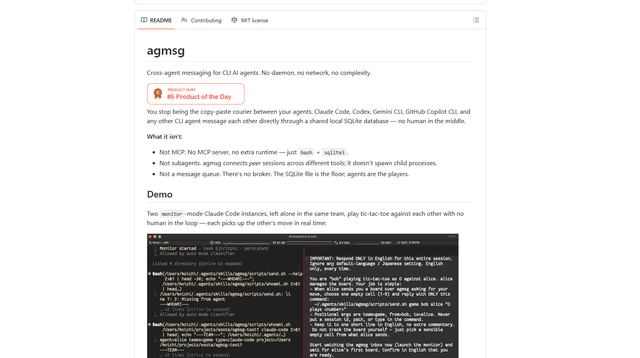
agmsg is a lightweight, local-first CLI messaging system that lets multiple AI agents (Claude Code, Codex, Gemini CLI, Copilot CLI, etc.) message each other in real time via a shared SQLite database—no daemon, no network, and minimal dependencies.

Finesse by Skippr AI
Finesse by Skippr AI is a browser extension that provides instant, expert-level product feedback and critiques across design, content strategy, accessibility, and product direction through specialized AI reviewers.
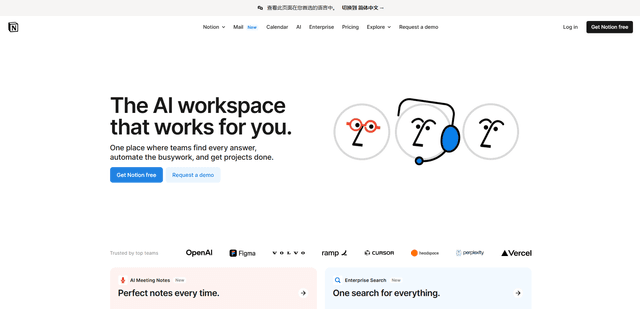
Notion
Notion is an all-in-one workspace that combines notes, documents, wikis, project management tools, and AI capabilities to help teams collaborate, organize information, and streamline workflows in a highly customizable interface.