
Utter
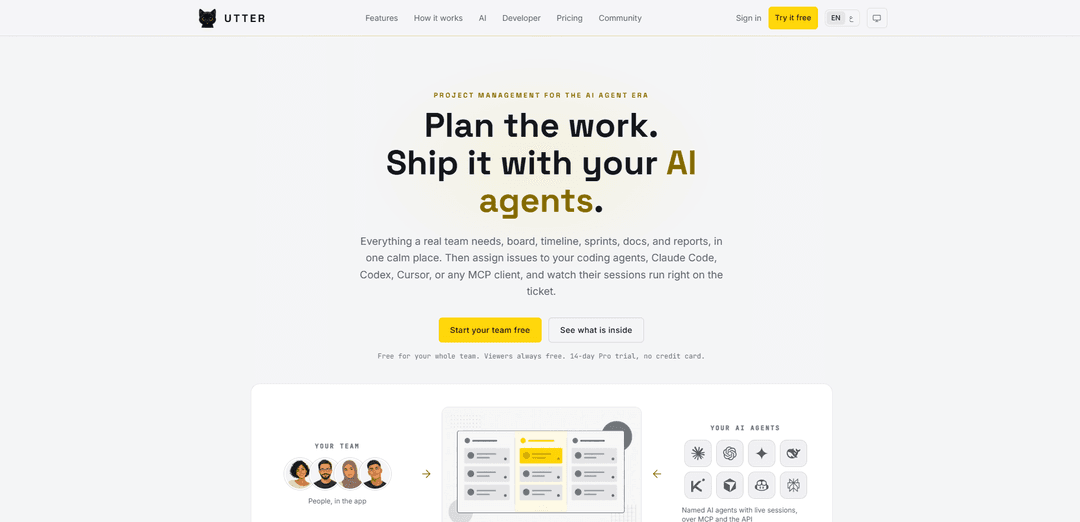
Utter is a project management platform for teams and AI agents that combines boards, timelines, sprints, docs, reports, and live agent sessions via MCP and a full REST API in one traceable workspace.
https://utter.ae/?ref=producthunt
Product Information
Updated:Aug 8, 2026
What is Utter
Utter is a modern project management tool built for the “AI agent era,” where humans and coding agents work side by side on the same backlog. It provides the core planning and delivery surfaces teams expect—board, backlog, list, calendar, timeline (Gantt), sprints, docs, and reporting—while treating AI agents as first-class teammates you can assign issues to and @mention in conversations. Designed to feel calm and lightweight while still offering real workflow controls, Utter supports English and Arabic with full right-to-left (RTL) support, uses passwordless sign-in, and keeps every change attributable to the human or agent that made it.
Key Features of Utter
Utter is a project management platform designed for teams working alongside AI coding agents. It combines core delivery tools (boards, backlog, sprints, timeline/Gantt, docs, and reports) with first-class AI-agent collaboration: agents can join as named members, be assigned issues, be @mentioned in threads, and run their work sessions live on the ticket. Utter also provides automation, AI-powered triage/summaries/digests, and developer-grade integrations via a REST API, webhooks, GitHub sync, and a first-party MCP server so agents (Claude Code, Codex, Cursor, or any MCP client) can read and update work through the same workflows and permissions as humans.
AI agents as teammates: Add AI agents as named members, assign them issues, @mention them in threads or channels, and watch their work sessions and progress stream directly on the ticket with clear attribution.
Full project toolkit (not stripped-down): Includes board, backlog, list, calendar, timeline/Gantt, sprints, milestones/releases, docs, search, and dashboards/reports—available out of the box across plans.
Workflow engine with guardrails: Per-project custom statuses with allowed-transition rules and WIP limits so work can’t skip steps and overloaded columns are flagged—humans and agents follow the same rules.
AI that reduces PM busywork: Auto-triage new issues (human-in-the-loop), summarize long threads, generate weekly digests that reason about slippage, and provide an in-app assistant that answers questions about project state.
Developer + agent integrations (REST + MCP): A versioned REST API with OpenAPI spec, scoped API keys, webhooks, and a first-party MCP server to connect Claude/Cursor/other MCP clients; enables programmatic “twins” of human actions for traceable automation.
Code-to-work traceability: GitHub sync links commits to issues when you reference a task key, so tickets show the actual code shipped and keep delivery history attached to the work item.
Use Cases of Utter
Software product teams with coding agents: Run a shared backlog where engineers and AI coding agents collaborate: agents implement tickets via MCP/REST, post progress updates on the issue, and move work through enforced workflow stages.
Startups coordinating roadmap + execution: Founders and small teams plan sprints, track milestones, and publish a public roadmap while using AI summaries/digests to reduce meeting overhead and keep stakeholders aligned.
Agencies delivering client projects: Manage multiple client workspaces/projects with free viewers and role-based access, use intake forms to convert requests into issues, and use AI agents to accelerate implementation and documentation.
Enterprise engineering orgs needing governance: Adopt SSO/SAML and SCIM (Business plan) for identity lifecycle management, enforce workflow rules/WIP limits, and integrate with internal tooling via webhooks and scoped API keys.
DevOps / platform teams automating operations work: Use automation rules (WHEN/IF/THEN) and API-driven updates to route incidents/requests, auto-assign tasks, and have agents generate status updates and summaries inside the ticket thread.
Open-source or community-driven roadmaps: Use a public roadmap with voting plus GitHub-linked issues to make progress transparent; maintainers can leverage AI summaries and digests to manage high-volume discussion threads.
Pros
Purpose-built for human + AI-agent collaboration (agents as first-class members with live sessions and traceability).
Strong integration surface (REST API, webhooks, GitHub sync, first-party MCP server) for automation and agent workflows.
Rich feature set included out of the box (workflow engine, Gantt/timeline, sprints, docs, reports) at relatively low per-builder pricing with free viewers.
Cons
AI-heavy workflows may be less relevant for teams that don’t use coding agents or prefer simpler task trackers.
Some advanced capabilities (e.g., SSO/SCIM, larger storage) are gated to higher tiers, and AI features depend on available AI credits.
How to Use Utter
1) Create your Utter workspace (passwordless sign-in): Go to https://utter.ae/login?intent=start, enter your email, and use the magic link to sign in. Name your workspace, then invite teammates. (Utter supports English and Arabic, including right-to-left.)
2) Pick a plan and understand seats: Start on Free ($0) to get going (includes up to 5 projects, unlimited issues, and free viewers). If you need unlimited projects and developer/agent integrations, start the 14-day Pro trial (no credit card).
3) Create a project and choose how you’ll view work: Inside your workspace, create a project. Use the built-in views to manage work: Board (Kanban), Backlog (ranked list), List (table), Calendar (due dates), and Timeline (Gantt-style planning).
4) Add issues using the built-in templates: Create an issue (task/story/bug, etc.). Utter can pre-fill the description with a structured template so you’re not starting from a blank page. Add details, acceptance criteria, and any attachments (up to 25 MB).
5) Organize issues with fields, labels, milestones, and releases: Tag issues with labels for filtering, add milestones/releases for dated goals, and use custom fields (multiple field types) to track anything specific to your team’s workflow.
6) Plan delivery with sprints and backlog ranking: Rank items in the backlog by priority, then create a sprint with a goal and pull work into it. Track sprint progress using the board/list and built-in reports.
7) Customize your workflow (statuses, rules, and WIP limits): Configure per-project status columns (name, color, order). Add allowed-transition rules so work can’t skip steps, and set WIP limits to flag overloaded columns. The board reflects your workflow.
8) Assign work to humans and collaborate in-context: Assign issues to teammates, then discuss directly on the issue thread. Use @mentions to notify people and link related work with #KEY references so context stays attached to the work.
9) Break work down with subtasks and track progress: Add subtasks directly on an issue. As subtasks are completed, the parent issue’s progress bar updates automatically. Use this to manage delivery without external spreadsheets.
10) Estimate and track time spent: On each issue, enter an estimate and log time spent. Use the budget/progress indicators and rollups (per project and per assignee) to understand where time is going.
11) Use automation rules (WHEN / IF / THEN): Create automation rules triggered by issue events. Example: WHEN an issue is created, IF it has a certain label, THEN auto-assign it, set status, apply additional labels, or post an update.
12) Use built-in AI features for triage and summaries: Enable AI assistance to suggest priority/type/labels for new issues (human-in-the-loop), summarize long threads, generate weekly digests that reason about slippage, and answer questions about the project via an in-app assistant.
13) Chat with AI agents in Utter (DM or @mention): DM an AI agent or @mention it in a channel/thread. The agent can respond and stream progress while it works, with its provider shown on the message badge.
14) Assign issues to AI agents and monitor sessions on the ticket: Add AI agents as named members, then assign them issues like teammates. Watch the agent’s session run live on the ticket, and review changes in the activity log with attribution to the actor (human or agent).
15) Connect external coding agents via MCP or the REST API: Use Utter’s first-party MCP server to connect Claude, Cursor, or any MCP client so the agent can read/update work in plain language. Alternatively, use the versioned REST API (/api/v1) to create issues, move statuses, and post comments over HTTPS.
16) Manage API keys and integrations from the developer dashboard: Open the developer dashboard to mint scoped API keys/tokens and monitor requests. Use webhooks to send outbound events to your systems, and wire Utter into scripts or internal tools.
17) Sync work with code using GitHub: Connect your GitHub repo. Mention an issue key in commit messages so commits automatically appear on the issue page, keeping implementation and planning in sync.
18) Use docs and search to keep specs next to execution: Create project docs/specs inside Utter so requirements live beside the backlog. Use typo-tolerant search across issues and docs to quickly find decisions and context.
19) Track delivery with reports and dashboards: Use built-in reporting (velocity, burndown, cumulative flow, cycle time, and status dashboards) to understand throughput, bottlenecks, and progress over time.
20) Share progress externally with intake forms and roadmaps: Create a public intake form so anyone can submit requests that land as issues. Publish a public roadmap board where users can view what you’re shipping and vote on ideas.
21) Invite stakeholders as free viewers and control access: Add clients/founders/stakeholders as viewers (free on every plan). Use roles (owner/admin/member/viewer) and single-project guest access to control who can see and change what.
22) Import existing work from other tools: If you’re migrating, import from Jira, Trello, Asana, Linear, ClickUp, Monday, or CSV to bring projects/issues into Utter without starting over.
23) Ship and close the loop: Move issues through the workflow to Done, confirm linked commits are attached, and use summaries/digests to communicate outcomes. Keep the activity log as the source of truth for who changed what (human or agent).
Utter FAQs
Utter is a project management tool built for teams and their AI agents. It includes boards, timeline/Gantt, sprints, docs, reports, and lets you assign issues to AI coding agents (e.g., Claude Code, Codex, Cursor, or any MCP client) with sessions running on the ticket and actions attributed to the actor.
Popular Articles

Vosko AI: Localize and Dub Videos for Global Audiences
Oct 15, 2026

Atoms: A Multi-Agent AI Platform That Transforms Ideas into Launch-Ready Products
Oct 13, 2026

Nano Banana SBTI: What It Is, How It Works, and How to Use It in 2026
Apr 15, 2026

Atoms Review — The AI Product Builder Redefining Digital Creation in 2026
Apr 10, 2026
Latest AI Tools Similar to Utter

Plani.ai
Plani.ai is an AI-powered business planning tool that generates customized strategies, tasks, and actionable plans to help entrepreneurs, startups, and small businesses achieve their business goals.

Tendery.ai
Tendery.ai is an AI-powered platform that transforms EU public procurement by providing automated tender discovery, intelligent matching, and enhanced proposal creation capabilities.

Devozy.ai
Devozy.ai is an AI-powered developer self-service platform that combines Agile project management, DevSecOps, multi-cloud infrastructure management, and IT service management into a unified solution for accelerating software delivery.
MDLR
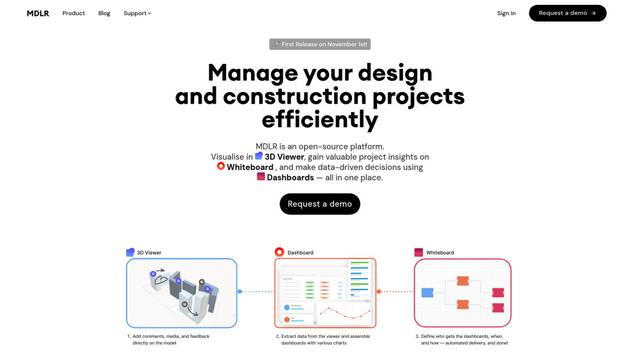
MDLR is an open-source AI-powered platform that streamlines design and construction project management through integrated 3D viewing, real-time dashboards, and interactive whiteboards.
Popular AI Tools Like Utter
ChatGPT Work
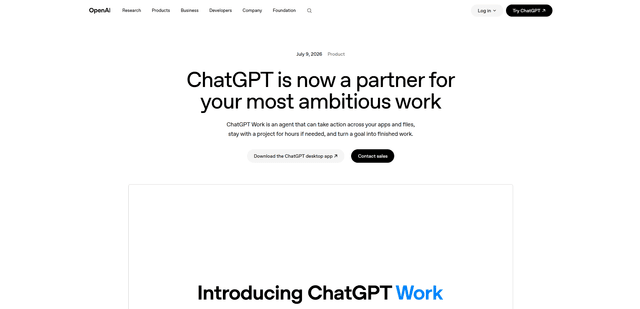
ChatGPT Work is an agent mode inside ChatGPT that can run multi-step projects for hours, pull context from your connected apps and files, and produce finished outputs like docs, slides, sheets, and interactive Sites—while keeping you in control with approvals and enterprise governance.
Zoho Projects
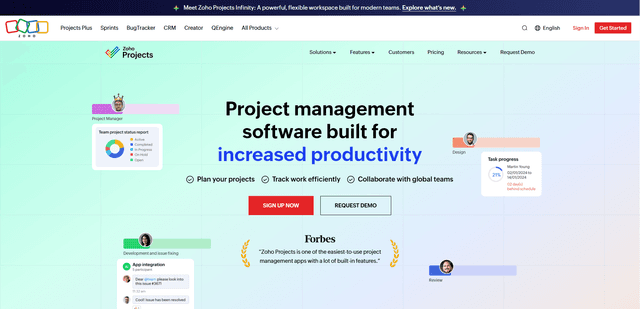
Zoho Projects is a cloud-based project management software that helps teams plan, track, and collaborate on projects with features like Gantt charts, task automation, time tracking, and comprehensive reporting tools.

Zoho Tables
Zoho Tables is a modern spreadsheet-database hybrid that helps teams organize data with relational links, build views and dashboards, collaborate in real time, and automate workflows with no-code and AI assistance.
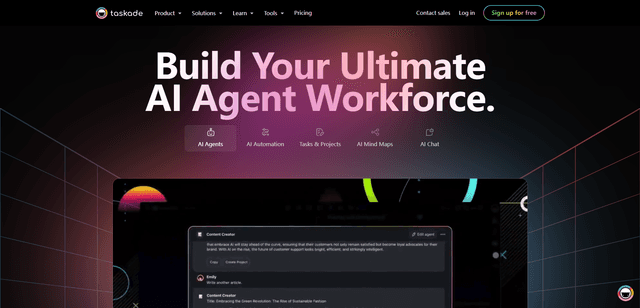
Taskade
Taskade is an AI-powered productivity platform that combines task management, real-time collaboration, and AI automation in one unified workspace for teams and individuals.