
Troopr AI Scrum Master
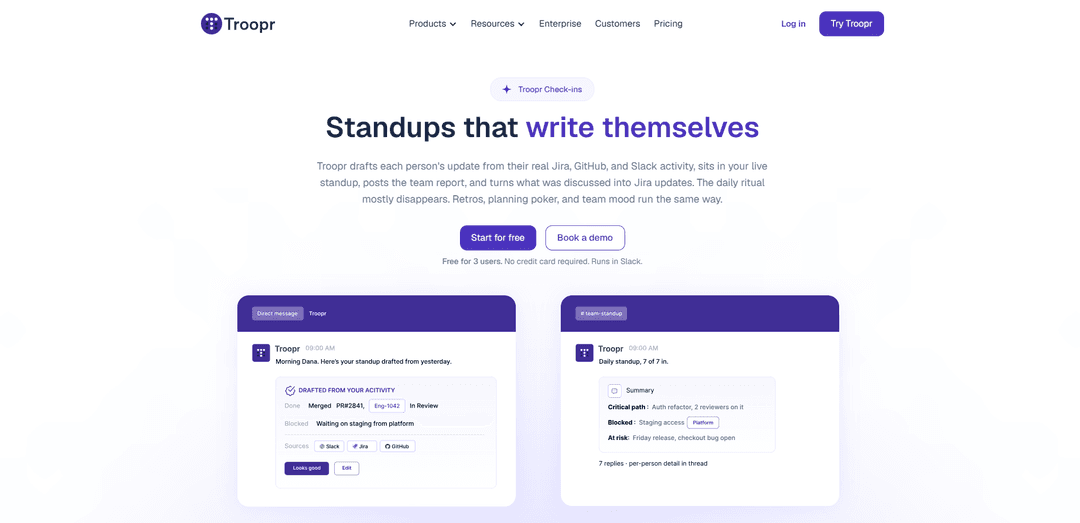
Troopr AI Scrum Master is a Slack-native agile assistant that runs async or live standups, retrospectives, planning poker, and mood check-ins, auto-drafting updates from Jira/GitHub/Slack activity and posting reality-grounded reports with AI summaries and Jira update proposals.
https://www.troopr.ai/check-ins?ref=producthunt
Product Information
Updated:Aug 14, 2026
What is Troopr AI Scrum Master
Troopr AI Scrum Master (via Troopr Check-ins in Slack) is built to take the busywork out of Scrum ceremonies for distributed engineering teams. It helps teams run standups that “write themselves,” plus retrospectives, planning poker, team mood pulses, and Jira-focused check-ins—without forcing everyone into another meeting. Working directly inside Slack, Troopr connects to tools like Jira (Cloud and Data Center) and GitHub to bring real work context into each check-in, compile searchable reports and dashboards, and keep teams aligned while keeping Jira updated with less manual effort.
Key Features of Troopr AI Scrum Master
Troopr AI Scrum Master (Troopr Check-ins) runs core scrum ceremonies directly in Slack—async, live, or both—by drafting standup updates from real Jira/GitHub/Slack activity, collecting responses on a schedule, and posting a channel report with AI summaries, blockers, themes, and action items. It can also join live standups to take notes and produce a reality-grounded report cross-referenced with Jira/GitHub, then proposes Jira updates that users confirm in DM. Built-in templates cover standups, retrospectives, planning poker, team mood, and Jira-issue-based check-ins, with searchable history/dashboards, multi-timezone scheduling, absences/holidays handling, and Slack Connect support for cross-org teams.
Standups that write themselves: Drafts each person’s standup update from their Jira, GitHub, and Slack activity and sends it via DM to confirm or edit; if they don’t respond in time, Troopr can post the draft on their behalf so the standup doesn’t stall.
AI standup summaries with blockers & actions: After each check-in, generates an executive-style summary highlighting blockers, themes, critical path, and action items, posting the summary to the channel with per-person details in the thread.
Live-standup note taking (PM-style): Can join a live standup to listen and capture notes, then produces a reality-grounded report (not a transcript) that cross-references what was said against Jira/GitHub and flags discrepancies.
Closes the loop with Jira updates: Turns standup outcomes into proposed Jira updates and waits for user confirmation in DM; includes a Jira Issues Check-in where people can update assigned Jira issues directly from Slack.
Agile ceremony templates in Slack: Out-of-the-box templates for Daily Standup, Retrospective, Planning Poker, Instant Planning Poker, Team Mood, and Jira Issues Check-in—each producing compiled reports delivered to Slack and saved to history.
Distributed-team operations & reporting: Multi-timezone prompts, reminders, late submissions, skip/leave handling, planned absences/holidays (including bulk upload), Slack Connect support, and searchable dashboards/history with export options (e.g., PDF).
Use Cases of Troopr AI Scrum Master
Distributed software engineering teams: Replace or reduce daily status calls with async standups in Slack, automatically grounded in Jira/GitHub activity and summarized with blockers and action items for faster alignment across time zones.
Hybrid teams running live + async ceremonies: Run a live standup when needed while Troopr listens, dedupes overlap with async updates, and produces a single consolidated report that reflects both discussion and tool activity.
Sprint retrospectives for continuous improvement: Collect retro feedback asynchronously in Slack, compile responses into an aggregate report, and extract actionable items for tracking—useful for product/engineering and operational teams iterating on process.
Estimation workflows (Planning Poker): Facilitate planning poker in Slack threads (or instantly via command), aggregate votes into a report, and keep discussion centralized—helpful for teams that want lightweight, tool-connected estimation.
Cross-company project coordination via Slack Connect: Run shared check-ins with partners/contractors in a Slack Connect channel and generate one unified report, reducing coordination overhead in agency-client or vendor collaboration scenarios.
Team health and engagement monitoring: Use Team Mood check-ins to track sentiment and engagement trends over time, surfacing morale issues early for managers in engineering, IT, and other knowledge-work teams.
Pros
Reduces manual status reporting by drafting updates from real Jira/GitHub/Slack activity and auto-compiling reports.
Keeps work systems current by proposing (and enabling) Jira updates directly from Slack with user confirmation.
Works well for distributed teams: multi-timezone prompts, absences/holidays handling, reminders, and searchable history.
Supports both async and live standups, producing a consolidated, reality-grounded report rather than a raw transcript.
Cons
Requires integration access to Slack/Jira/GitHub to deliver the “self-writing” and cross-referenced reporting value; setup and permissions may be non-trivial in some orgs.
Auto-generated drafts may miss context for work that isn’t reflected in tools, requiring user edits to stay accurate.
Some capabilities are constrained by plan/user limits (e.g., free tier user cap), which may limit larger teams without upgrading.
How to Use Troopr AI Scrum Master
1) Install Troopr in your Slack workspace: In Slack, click “Add apps” (or open Slack App Directory), search for “Troopr Assistant”, and install it so it appears under Apps in your Slack sidebar.
2) Open Troopr Assistant Home in Slack: In Slack, open “Troopr Assistant” and go to the “Home” tab. This is where team members see their assigned Check-ins and where admins create new ones.
3) Create a new Check-in (choose a Scrum ceremony template): From Troopr Assistant → Home, click “New check-in” (or “New team check-in”) and select a template such as Daily Standup, Retrospective, Planning Poker, Instant Planning Poker, Team Mood, or Jira Issues Check-in.
4) Configure the Check-in schedule (Step 1 of setup): Set when Troopr should prompt participants. Troopr supports multi-timezone prompting (each person receives prompts at their local time) and recurring schedules (including options like every 2/3/4 weeks, first week of month, last week of month).
5) Configure the questions (Step 2 of setup): Customize the questions for the chosen ceremony (e.g., standup prompts, retro questions, mood options). Troopr can also attach live work context from tools like Jira to keep answers grounded in actual activity.
6) Configure reporting and delivery (Step 3 of setup): Choose where the report should be delivered (typically a Slack channel). Troopr posts a summary at the top and per-person details in a thread, calling out blockers and critical path items.
7) Connect work tools for “standups that write themselves”: Connect Jira (and optionally GitHub) so Troopr can draft each person’s standup update from real activity and include issue context, updates, comments, status changes, and sprint events in the report.
8) Run an async Daily Standup: Troopr sends each participant a draft update in DM based on their Jira/GitHub/Slack activity. Participants confirm or edit. If someone doesn’t reply within the window, Troopr can post the auto-generated draft on their behalf so the standup doesn’t stall.
9) Review the standup report in the channel: Troopr posts the team report to the configured Slack channel: a summary up top, and each person’s details in the thread. Blockers and key dependencies are highlighted.
10) Close the loop by updating Jira from Slack: Troopr can propose Jira updates based on activity, edits, and (if applicable) meeting notes. Jira changes are confirmed by the person in DM first. In “Jira Issues Check-in”, participants can directly update assigned Jira issues from Slack and sync changes back to Jira.
11) Run a live standup (optional) with Troopr in the room: If your team meets live, Troopr can join the call, listen, and take notes (it does not run or speak). Afterward it produces a reality-grounded report cross-referenced against Jira/GitHub, dedupes action items against existing tickets, and flags discrepancies between claims and data.
12) Run a Retrospective Check-in: Create a new Check-in using the “Retrospective” template. Troopr collects participant feedback asynchronously in Slack and extracts actionable items from responses for tracking.
13) Run Planning Poker (and Instant Planning Poker): Use the Planning Poker template to estimate collaboratively in Slack; discussion continues in the thread until consensus. For Instant Planning Poker, trigger an on-the-spot estimate and Troopr aggregates votes into a report posted in the channel.
14) Run Team Mood check-ins: Create a “Team Mood” check-in to pulse how the team is doing with a quick question. Customize mood options (including emoji-based choices) and track sentiment trends over time.
15) Manage absences, holidays, reminders, and late submissions: Configure team and personal holidays and planned absences so Troopr skips prompts and reflects leave in reports. Use reminders to nudge responses, allow late submissions, and let participants skip or answer ahead when needed. Bulk-upload absences via CSV if required.
16) Administer access and governance: Assign multiple admins at the check-in level and/or account level. Admins can view the full list of team check-ins, search and filter, and manage workspace-level settings (e.g., enabling/disabling products, notification preferences, and connections).
17) Use dashboards to analyze history and engagement: Use Troopr’s web app dashboards to browse and search historical check-ins, drill down by user and question over a time range, and track engagement and insights. Export reports to PDF when needed.
Troopr AI Scrum Master FAQs
Troopr runs agile ceremonies in Slack—especially standups—by drafting each person’s update from real Jira, GitHub, and Slack activity, sending it via DM to confirm/edit, then posting a compiled team report to a channel. It can also turn what was discussed into proposed Jira updates that the user confirms in DM.
Troopr AI Scrum Master Video
Popular Articles

How to Create Viral Talking Baby Podcast Videos with AI: Step-by-Step Guide
Nov 2, 2026

Proferex: A Cloud-Based Ad Tracking and Campaign Optimization Platform
Nov 2, 2026

Vosko AI: Localize and Dub Videos for Global Audiences
Oct 15, 2026

Atoms: A Multi-Agent AI Platform That Transforms Ideas into Launch-Ready Products
Oct 13, 2026
Latest AI Tools Similar to Troopr AI Scrum Master

Ticknotes
Ticknotes is an AI-powered meeting assistant that automatically records, transcribes, and generates personalized meeting summaries, action items, and key insights from audio, video, and text content.

Feta
Feta is an AI-powered meeting tool that helps product and engineering teams run efficient meetings by capturing discussions, automating tasks, and providing actionable insights through smart summaries and integrations.

Aimeet
Aimeet is a comprehensive AI-powered communication platform that combines real-time translation, transcription, screen sharing, and unlimited meeting capabilities for effective virtual collaboration.

MinutesLink
MinutesLink is an advanced AI-powered note-taking assistant that automatically records, transcribes, summarizes and organizes virtual meetings while building personalized digital avatars from meeting data.
Popular AI Tools Like Troopr AI Scrum Master
Second Brain for AI
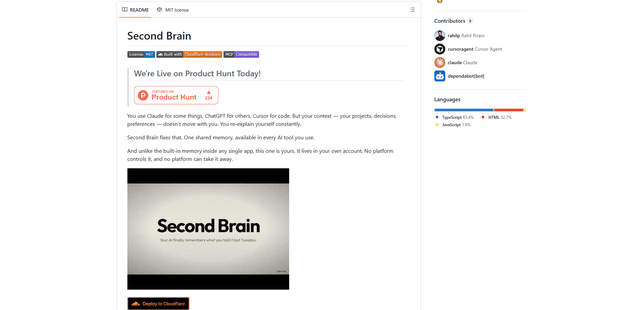
Second Brain for AI is a self-hosted, MCP-compatible persistent memory layer on Cloudflare that lets Claude, ChatGPT, Cursor, and other AI clients store and semantically recall shared context across sessions.
Slack
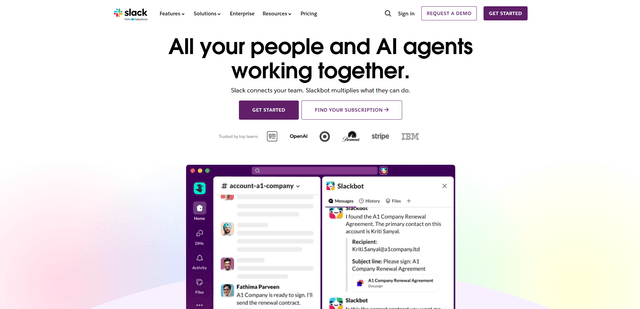
Slack is an AI-powered work platform that brings team communication, channels, files, automation, and app integrations into one conversational workspace.
24me Smart Personal Assistant
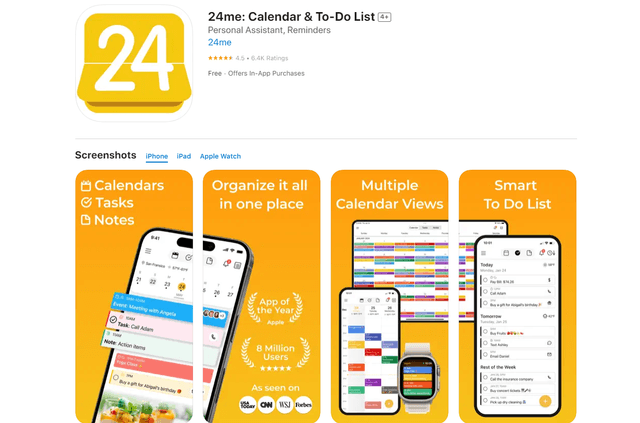
24me is an award-winning smart personal assistant app that combines calendar, to-do lists, notes, and personal accounts in one unified platform to help boost productivity and time management.
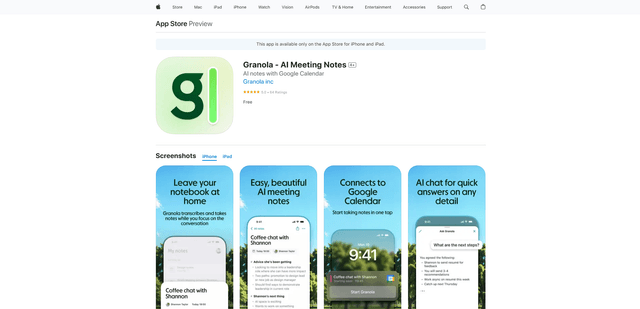
Granola for iOS
Granola for iOS is an AI-powered notepad app that helps users effortlessly capture, transcribe and summarize meeting conversations through intelligent note-taking and one-tap recording capabilities.