
superlog
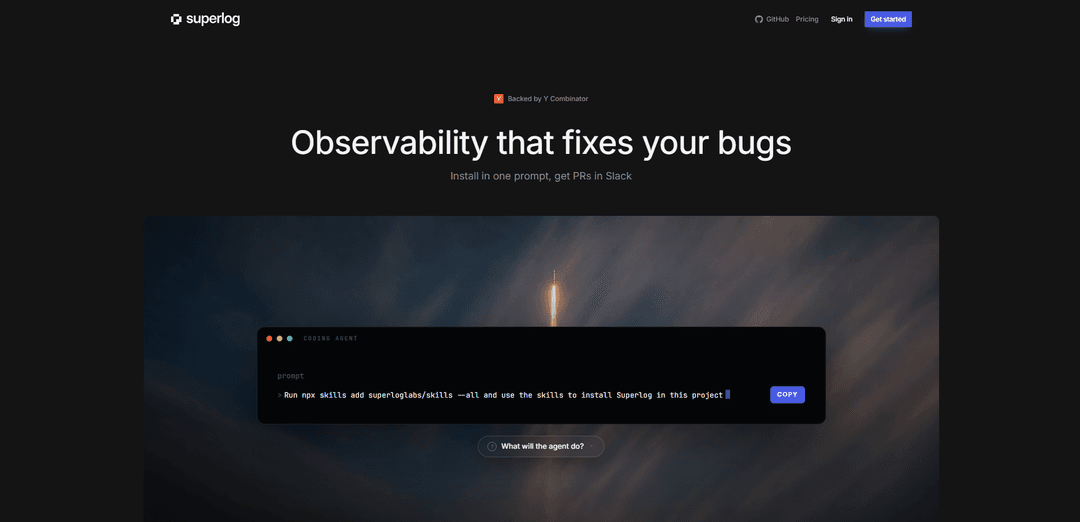
Superlog is an OpenTelemetry-based observability product that auto-instruments your code, keeps dashboards/alerts from drifting, and can investigate incidents and ship fix PRs via an agent.
https://superlog.sh/?ref=producthunt
Product Information
Updated:Jun 8, 2026
What is superlog
Superlog (superlog.sh) is an “observability that fixes your bugs” platform backed by Y Combinator. It helps teams add production-grade logs, traces, and metrics with minimal setup by instrumenting applications using native OpenTelemetry SDKs and semantic conventions. Beyond collecting telemetry, Superlog focuses on turning raw signals into actionable incidents—grouping similar errors, scoring severity (SEV1–3), estimating impact, and making the resulting data accessible to developer workflows (e.g., Slack and MCP-enabled AI tools).
Key Features of superlog
Superlog (superlog.sh) is an AI-native observability product that installs and maintains high-quality telemetry for you. An open-source agent “wizard” scans your repo to add production-grade OpenTelemetry instrumentation (structured logs, traces, and metrics) with correct semantic conventions and service/environment tagging, then keeps it from drifting as your code changes by continuously adding dashboards, alerts, and coverage for new failure modes. It groups noisy errors into clear incidents with severity/impact summaries, exposes all telemetry via MCP (so teams don’t need to live in another UI), and can investigate incidents and propose fixes by opening resolution PRs (with a confidence gate to avoid low-quality auto-fixes).
One-prompt OTel instrumentation: A repo-scanning wizard automatically adds native OpenTelemetry SDK instrumentation (logs, traces, metrics) with proper semantic conventions and consistent service/environment tagging.
Observability that doesn’t drift: Runs ongoing “check-ins” that keep instrumentation, alerts, metrics, and dashboards up to date as new code ships, preventing observability decay.
Incident fingerprinting & grouping: Automatically merges similar errors into consolidated incidents to reduce noise and avoid alert fatigue.
Severity, impact, and concise summaries: Produces incident summaries with severity scoring (e.g., SEV1–3) and impact assessments, backed by evaluations to keep outputs terse and relevant.
Cost and usage visibility by tenant/model/callsite: Tracks endpoint performance, per-tenant usage, and LLM/upstream costs broken down by callsite, tenant, and model.
MCP access + PR-based remediation: Makes telemetry available through MCP for AI tools, and can investigate incidents and open pull requests with fixes; if confidence is low, it posts findings and routes to the right engineers.
Use Cases of superlog
SaaS production reliability for fast-moving teams: Auto-instrument services and continuously maintain alerts/dashboards as features ship, while grouping errors into actionable incidents with severity/impact.
LLM application monitoring and cost control: Attribute LLM and upstream spend by callsite, tenant, and model, correlate costs with latency/errors, and quickly identify regressions tied to specific code paths.
Multi-tenant platform usage & performance analytics: Measure usage per tenant and endpoint performance to detect noisy neighbors, enforce SLOs, and prioritize fixes based on quantified impact.
On-call noise reduction and faster triage: Replace floods of duplicate logs/alerts with fingerprinted incidents, concise summaries, and trace-backed context to speed up incident response.
DevOps/Platform engineering standardization: Roll out consistent OpenTelemetry conventions across many repos/services with minimal manual work, keeping instrumentation aligned as systems evolve.
Pros
Reduces manual observability setup by automatically adding and maintaining OpenTelemetry instrumentation.
Cuts alert fatigue via error grouping and incident-level summaries with severity/impact.
Can shorten time-to-fix by investigating incidents and proposing PRs, while gating low-confidence fixes.
Cons
Requires granting an agent access to scan and modify code (organizational/security review may be needed).
Best results depend on OpenTelemetry ecosystem fit and the product’s ongoing check-ins/automation matching your stack and workflows.
Automated PRs and summaries may still need human validation, especially for complex or domain-specific failures.
How to Use superlog
1) Run the one-shot CLI: From your project root, run: `npx @superlog/cli` (or install globally with `npm i -g @superlog/cli`). This launches Superlog’s setup wizard without requiring a prior install.
2) Initialize Superlog instrumentation: Run `superlog init` (optionally `superlog init --cwd <path>`). The wizard detects your stack, writes native OpenTelemetry (OTel) instrumentation into your codebase, and configures semantic conventions plus service/environment tagging.
3) Start your app and verify telemetry is flowing: Run your service as usual. After initialization, your project should begin sending traces, logs, and metrics to Superlog immediately (via the configured intake endpoint).
4) (Optional) Install the managed agent for ongoing check-ins: Install the agent so it can keep observability from drifting (adding new logs/alerts/dashboards as code changes) and investigate incidents: `superlog agent install --endpoint https://intake.superlog.sh --token <ingest-token> --project-id <project-id> --service-name <my-service>`.
5) Check agent status: Confirm the agent is running and connected: `superlog agent status`.
6) Use Superlog’s incident workflow: As errors occur, Superlog fingerprints and groups similar failures into incidents, assigns severity (SEV1–3) and impact, and produces concise summaries to avoid alert fatigue.
7) Let Superlog propose fixes (PRs): For each incident, Superlog can prepare a resolution PR. If its Confidence Gate fails, it posts investigation findings and pulls in relevant engineers for context instead of shipping a risky change.
8) Query telemetry via MCP (zero-click access): Access logs, traces, metrics, alerts, and dashboards through MCP so your AI tools can query telemetry without maintaining another UI-heavy observability workflow.
9) (Alternative) Install via Skills (agent tooling): If you’re using the Skills workflow, run: `npx skills add superloglabs/skills --all` and then use the installed skills to instrument the project with native OTel SDKs and recommended conventions.
10) Uninstall the agent (if needed): To remove the managed agent from your environment, run: `superlog agent uninstall`.
superlog FAQs
Superlog is an AI-native observability product that installs itself into your codebase and helps fix the bugs it finds. It adds logs, traces, and metrics using OpenTelemetry and can prepare resolution pull requests for incidents.
superlog Video
Popular Articles

Vosko AI: Localize and Dub Videos for Global Audiences
Oct 15, 2026

Atoms: A Multi-Agent AI Platform That Transforms Ideas into Launch-Ready Products
Oct 13, 2026

Nano Banana SBTI: What It Is, How It Works, and How to Use It in 2026
Apr 15, 2026

Atoms Review — The AI Product Builder Redefining Digital Creation in 2026
Apr 10, 2026
Latest AI Tools Similar to superlog

Hapticlabs
Hapticlabs is a no-code toolkit that enables designers, developers and researchers to easily design, prototype and deploy immersive haptic interactions across devices without coding.

Deployo.ai
Deployo.ai is a comprehensive AI deployment platform that enables seamless model deployment, monitoring, and scaling with built-in ethical AI frameworks and cross-cloud compatibility.

CloudSoul
CloudSoul is an AI-powered SaaS platform that enables users to instantly deploy and manage cloud infrastructure through natural language conversations, making AWS resource management more accessible and efficient.

Devozy.ai
Devozy.ai is an AI-powered developer self-service platform that combines Agile project management, DevSecOps, multi-cloud infrastructure management, and IT service management into a unified solution for accelerating software delivery.
Popular AI Tools Like superlog

A2A Protocol
A2A (Agent2Agent) Protocol is an open interoperability protocol developed by Google that enables seamless communication and collaboration between AI agents across different frameworks and vendors, regardless of their underlying architecture.

VoltOps
VoltOps is a framework-agnostic LLM observability platform that provides real-time visual monitoring, debugging, and optimization tools for AI agents across any technology stack.

Chaterm
Chaterm is an open-source AI-native terminal and SRE copilot that enables engineers to manage complex infrastructure through natural language, automating deployment, troubleshooting, and operations without memorizing commands.

Open Browser Use
Open Browser Use is an open-source, agent-runtime-neutral browser automation layer that pairs a Chrome extension with a CLI/SDK/MCP to enable DOM-aware, CDP-powered tab control, navigation, and actions across different AI agent tools.