Spoke
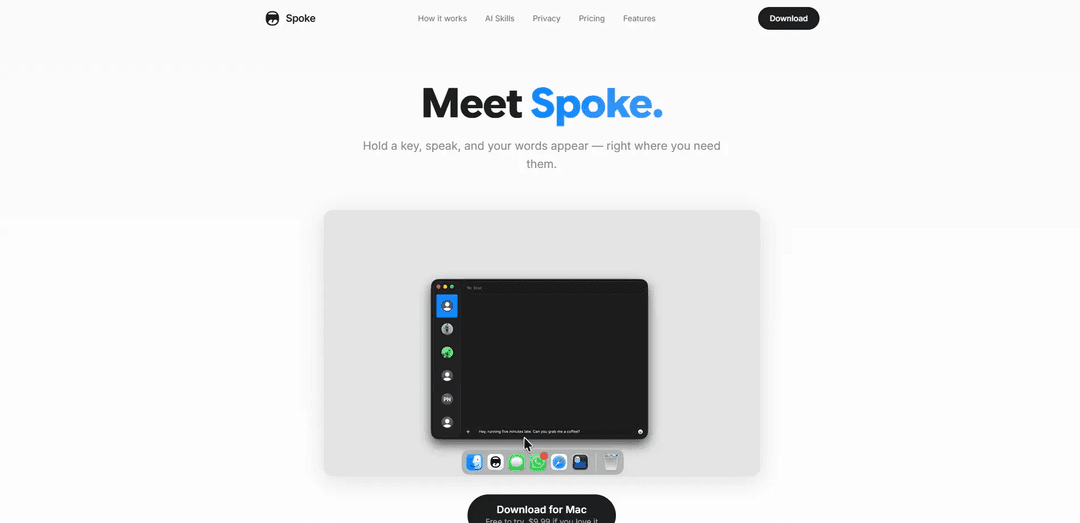
Spoke là một ứng dụng chuyển giọng nói thành văn bản được hỗ trợ bởi AI, phiên âm ngay lập tức giọng nói thành văn bản với các kỹ năng AI tích hợp để dịch thuật, định dạng và tùy chỉnh đồng thời duy trì quyền riêng tư hoàn toàn thông qua xử lý trên thiết bị.
https://usespoke.app/?ref=producthunt&utm_source=aipure
Thông tin Sản phẩm
Đã cập nhật:Mar 8, 2026
Spoke là gì
Spoke là một công cụ đọc chính tả và phiên âm mang tính cách mạng được thiết kế cho người dùng Mac, những người suy nghĩ nhanh hơn tốc độ gõ của họ. Nó cung cấp một cách thức dễ dàng để chuyển đổi giọng nói thành văn bản thông qua giao diện nhấn để nói đơn giản, mà không cần chuyển đổi ứng dụng hoặc điều hướng menu. Ứng dụng nổi bật nhờ cam kết về quyền riêng tư bằng cách xử lý tất cả các bản ghi âm giọng nói cục bộ trên thiết bị, đồng thời cung cấp các tính năng hỗ trợ AI tùy chọn thông qua tích hợp với các nhà cung cấp khác nhau như OpenAI, Anthropic, Google Gemini và Ollama.
Các Tính năng Chính của Spoke
Spoke là một ứng dụng chuyển giọng nói thành văn bản đa năng, cung cấp khả năng phiên âm tức thì với các tính năng hỗ trợ bởi AI. Ứng dụng chạy cục bộ trên các thiết bị Mac, cung cấp khả năng nhận dạng giọng nói theo thời gian thực bằng 25 ngôn ngữ mà không cần kết nối internet cho các chức năng cốt lõi. Ứng dụng có các điều khiển nhấn để nói, các kỹ năng AI để dịch và xử lý văn bản, và tích hợp liền mạch với các ứng dụng khác trong khi vẫn duy trì quyền riêng tư thông qua xử lý trên thiết bị.
Nhận Dạng Giọng Nói Trên Thiết Bị: Sử dụng CoreML để xử lý giọng nói cục bộ trên Mac mà không cần tải âm thanh lên, đảm bảo quyền riêng tư và chức năng ngoại tuyến
Các Kỹ Năng Hỗ Trợ Bởi AI: Cung cấp các tính năng nâng cao như dịch thuật, sửa lỗi ngữ pháp và lời nhắc tùy chỉnh bằng cách sử dụng nhiều nhà cung cấp AI khác nhau (OpenAI, Anthropic, Google Gemini, Ollama)
Đơn Giản Với Nhấn Để Nói: Chức năng giữ và nói đơn giản với các phím tắt tùy chỉnh để phiên âm tức thì
Hỗ Trợ Đa Ngôn Ngữ: Hỗ trợ 25 ngôn ngữ châu Âu với khả năng tự động phát hiện ngôn ngữ
Các Trường hợp Sử dụng của Spoke
Ghi Chú Chuyên Nghiệp: Hoàn hảo cho các chuyên gia cần nhanh chóng ghi lại suy nghĩ, ghi chú cuộc họp hoặc tài liệu mà không cần dùng tay
Giao Tiếp Đa Ngôn Ngữ: Hỗ trợ dịch thuật và giao tiếp theo thời gian thực giữa các ngôn ngữ khác nhau cho kinh doanh quốc tế
Sáng Tạo Nội Dung: Cho phép tạo nội dung nhanh chóng cho các nhà văn, blogger và người sáng tạo nội dung, những người suy nghĩ nhanh hơn tốc độ gõ
Công Cụ Hỗ Trợ Tiếp Cận: Cung cấp phương pháp nhập liệu thay thế cho những người gặp khó khăn với việc gõ phím truyền thống
Ưu điểm
Mua một lần thay vì đăng ký
Bảo mật hoàn toàn với xử lý trên thiết bị
Không cần internet cho các chức năng cốt lõi
Phiên âm nhanh chóng và chính xác
Nhược điểm
Chỉ khả dụng cho Mac OS 14+ và Apple Silicon
Giới hạn ở các ngôn ngữ châu Âu
Yêu cầu khóa API cho các tính năng AI nâng cao
Cách Sử dụng Spoke
Tải xuống và cài đặt: Tải xuống ứng dụng Spoke từ App Store (iOS/Android) hoặc tải xuống phiên bản dành cho máy tính để bàn cho Mac/Windows. Cài đặt và mở ứng dụng.
Đăng nhập/Thiết lập: Đối với người dùng điện thoại doanh nghiệp: Đăng nhập bằng thông tin đăng nhập do quản trị viên của bạn cung cấp. Đối với phiên âm cuộc họp: Không cần tài khoản, chỉ cần bắt đầu sử dụng.
Cấu hình cài đặt: Đối với người dùng đọc chính tả trên Mac: Thiết lập phím tắt ưa thích của bạn (ví dụ: phím fn hoặc phím Right Command). Bật tự động cập nhật nếu cần. Chọn ngôn ngữ ưa thích của bạn nếu không sử dụng tiếng Anh.
Sử dụng cơ bản để đọc chính tả: 1. Giữ phím tắt đã định cấu hình của bạn 2. Nói một cách tự nhiên với tốc độ bình thường của bạn 3. Thả phím để thấy văn bản đã phiên âm của bạn xuất hiện ngay lập tức trong ứng dụng đang hoạt động của bạn
Sử dụng các tính năng AI: Truy cập các kỹ năng AI như dịch thuật, sửa lỗi ngữ pháp và lời nhắc tùy chỉnh bằng cách định cấu hình nhà cung cấp AI ưa thích của bạn (OpenAI, Anthropic, Google Gemini hoặc Ollama) bằng khóa API của riêng bạn
Đối với phiên âm cuộc họp: 1. Tham gia cuộc họp video của bạn (Zoom/Teams/Meet) 2. Bật Spoke để ghi âm 3. Để nó tự động phiên âm cuộc trò chuyện 4. Truy cập bản ghi, tóm tắt và video clip sau cuộc họp
Quản lý lịch sử: Truy cập lịch sử phiên âm của bạn thông qua giao diện ứng dụng. Sử dụng tính năng tìm kiếm để tìm các bản ghi trước đó. Tạo điểm nổi bật và thẻ cho nội dung quan trọng.
Chia sẻ và xuất: Chia sẻ bản ghi, tóm tắt hoặc video clip với các thành viên trong nhóm. Xuất nội dung sang các ứng dụng tích hợp khác như Slack hoặc hệ thống CRM của bạn.
Câu hỏi Thường gặp về Spoke
Spoke là một ứng dụng chuyển giọng nói thành văn bản cho phép người dùng đọc chính tả bằng cách giữ một phím, nói và thả ra. Nó ngay lập tức chuyển giọng nói thành văn bản ngay tại nơi bạn cần trong bất kỳ ứng dụng nào bạn đang sử dụng.
Video Spoke
Bài viết phổ biến

Vosko AI: Bản địa hóa và Lồng tiếng Video cho Khán giả Toàn cầu
Oct 15, 2026

Atoms: Nền tảng AI đa tác nhân biến ý tưởng thành sản phẩm sẵn sàng ra mắt
May 22, 2026

Nano Banana SBTI: Nó là gì, Cách thức hoạt động và Cách sử dụng nó vào năm 2026
Apr 15, 2026

Đánh giá Atoms — Trình tạo sản phẩm AI định nghĩa lại việc tạo nội dung số vào năm 2026
Apr 10, 2026
Công cụ AI Mới nhất Tương tự Spoke

Ticknotes
Ticknotes là một trợ lý cuộc họp được hỗ trợ bởi AI tự động ghi lại, phiên âm và tạo ra các tóm tắt cuộc họp cá nhân hóa, các mục hành động và những hiểu biết chính từ nội dung âm thanh, video và văn bản.

Feta
Feta là một công cụ cuộc họp được hỗ trợ bởi AI giúp các nhóm sản phẩm và kỹ thuật tổ chức các cuộc họp hiệu quả bằng cách ghi lại các cuộc thảo luận, tự động hóa các nhiệm vụ và cung cấp các thông tin có thể hành động thông qua các tóm tắt thông minh và các tích hợp.
TranscriptionPlus
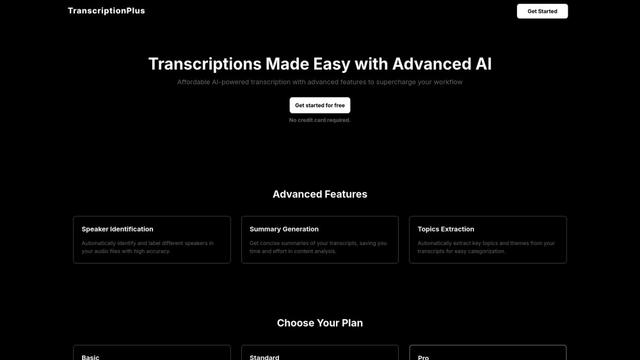
TranscriptionPlus là dịch vụ chuyển đổi văn bản được hỗ trợ bởi AI cung cấp chuyển đổi giọng nói thành văn bản chính xác với các tính năng nâng cao như nhận diện người nói, tạo tóm tắt và hỗ trợ đa ngôn ngữ với mức giá phải chăng.
AudioScribe.io
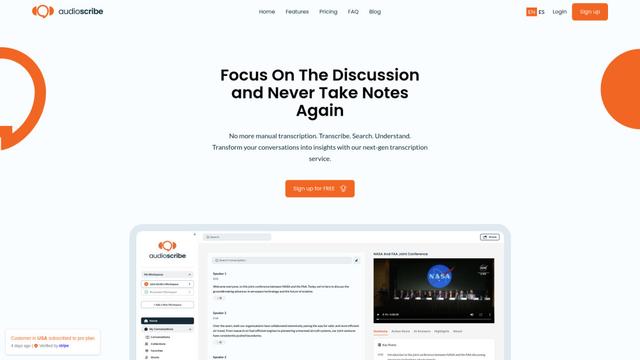
AudioScribe.io là một dịch vụ chuyển đổi lời nói thành văn bản được hỗ trợ bởi AI cách mạng, chuyển đổi nội dung âm thanh và video thành văn bản chính xác trong khi cung cấp các tính năng tiên tiến như ghi âm cuộc họp tự động, tìm kiếm toàn văn và hỗ trợ đa ngôn ngữ.
Công cụ AI Phổ biến Giống Spoke
Ghost Pepper 🌶️
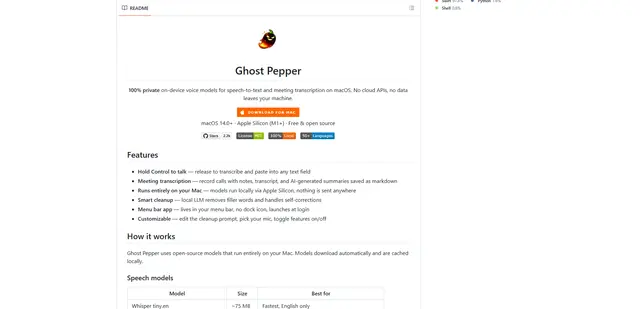
Ghost Pepper là một ứng dụng phiên âm cuộc họp và chuyển giọng nói thành văn bản tập trung vào quyền riêng tư, cục bộ 100% cho macOS, chạy hoàn toàn trên máy Mac của bạn bằng các mô hình AI mã nguồn mở, có tính năng ghi âm giữ để nói, dọn dẹp văn bản thông minh và hỗ trợ đa ngôn ngữ mà không cần gửi bất kỳ dữ liệu nào lên đám mây.
Whisper AI
Whisper là một hệ thống nhận dạng giọng nói tự động mã nguồn mở từ OpenAI có độ chính xác và độ mạnh mẽ gần đạt mức con người trong việc phiên âm và dịch giọng nói sang nhiều ngôn ngữ.

Youtube to transcript
Youtube to Transcript is a Chrome extension that allows users to easily convert YouTube videos into text transcripts with features like multi-language support, AI-powered summarization, and downloadable formats.
inFin
inFin là một ứng dụng ghi chú giọng nói nhẹ, thân thiện với người dùng, được hỗ trợ bởi AI, cung cấp khả năng ghi âm không giới hạn, phiên âm theo thời gian thực và dịch thuật giữa tiếng Trung và tiếng Anh, với khả năng ngoại tuyến và lưu trữ cục bộ để tăng cường quyền riêng tư.