
SnapZoom - AI Auto-Zoom on Click
SnapZoom is a free Chrome screen-recording extension that auto-zooms with smooth spring animations on every click in real time, exporting private 1080p MP4/WebM videos locally with no watermark or account.
https://snapzoom.pro/?ref=producthunt
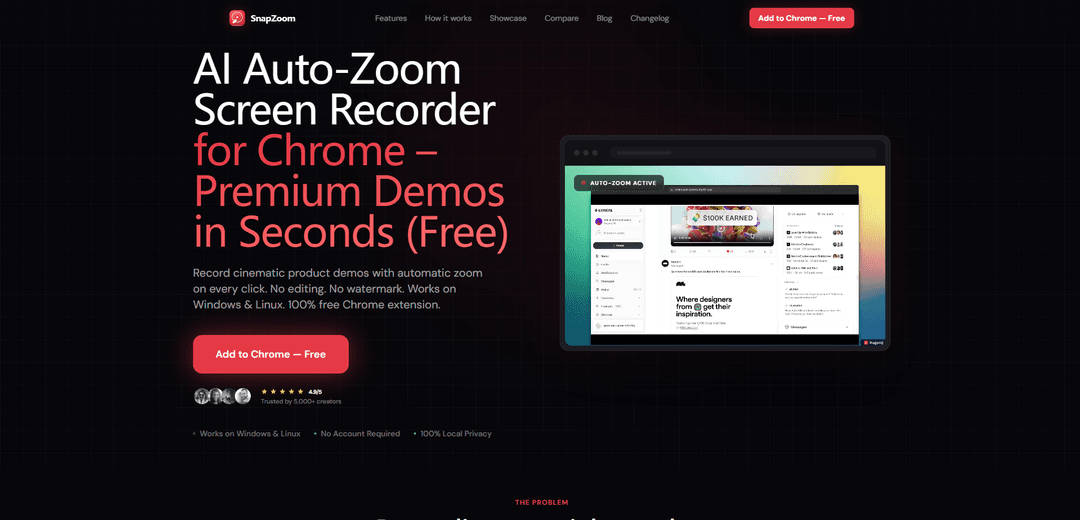
Product Information
Updated:Jun 8, 2026
What is SnapZoom - AI Auto-Zoom on Click
SnapZoom – AI Auto-Zoom on Click is a Chrome extension built to turn everyday tab recordings into polished, cinematic product demos and tutorials without post-editing. Designed for developers, SaaS founders, and creators, it records your browser tab in 1080p and automatically emphasizes interactions by zooming into clicks and key cursor activity. It’s positioned as a fast, privacy-first alternative to tools like Loom and editor-based auto-zoom recorders, with everything running locally on your machine and no sign-up required.
Key Features of SnapZoom - AI Auto-Zoom on Click
SnapZoom — Screen Recorder with Auto-Zoom on Click is a Chrome extension that records your browser tab and automatically applies smooth, cinematic spring-animated zooms to every click in real time, producing polished 1080p demo videos with little to no editing. It emphasizes speed (one-click record and instant export), simplicity (no account required), and privacy (100% local processing with no uploads), with exports available as MP4 or WebM and optional customization like zoom intensity and cursor/background styling.
Real-time auto-zoom on every click: Tracks clicks (and mouse movement) while you work and adds cinematic zoom animations instantly—no manual keyframing or post-editing required.
One-click tab recording workflow: Start recording a selected Chrome tab from the extension, use the web app normally, then stop to immediately review/export.
Instant high-quality export (1080p): Exports a share-ready video quickly, with support for common formats like MP4 or WebM and no watermark in the described offering.
Privacy-first local processing: Runs locally on your machine—no account needed, no uploads, and no tracking as described, making it suitable for sensitive internal demos.
Customizable presentation polish: Adjust zoom intensity and visual styling such as cursor and background to match your brand or tutorial style.
Transparent, minimal permissions: Uses Chrome permissions aligned to recording and effects (e.g., tab capture, scripting for click tracking, offscreen/background recording, storage for temporary data).
Use Cases of SnapZoom - AI Auto-Zoom on Click
SaaS product demos for marketing: Create short, professional walkthroughs of key features with automatic focus on interactions—ideal for landing pages, Product Hunt launches, and sales enablement.
Developer bug reports & repro steps: Record a failing flow in the browser and let auto-zoom highlight the exact clicks that trigger issues, improving clarity for engineering teams.
Customer support tutorials: Produce quick how-to videos for help centers or ticket replies where the viewer needs to follow precise UI steps.
Client walkthroughs & status updates: Share polished, time-saving async updates (e.g., reviewing a dashboard or configuration) without spending time editing zooms.
SaaS onboarding & training: Build onboarding clips that keep attention on the UI actions, reducing confusion for new users or internal teams.
Pros
Hands-free, real-time click zooms dramatically reduce editing time for tutorials and demos
Local-only processing and no-account workflow supports privacy-sensitive recording
Fast, simple workflow with instant export to common formats (MP4/WebM)
Designed for polished UI-focused recordings (108oom, cursor/background/zoom adjustments)
Cons
Primarily focused on Chrome tab recording (not full desktop/app capture in the described sources)
Auto-zoom behavior may be less ideal for workflows that need custom, manually directed framing
Some materials mention an editor step after stopping (e.g., preview/export), so it may not be purely ‘record and done’ for all users
Feature comparisons depend on competitor changes over time (claims are time-bound to the cited period)
How to Use SnapZoom - AI Auto-Zoom on Click
1) Install SnapZoom: Install the SnapZoom Chrome extension (works on Windows & Linux). No account is required.
2) Start a tab recording: Click the SnapZoom extension icon and choose Start recording to begin recording your current Chrome tab.
3) Use the tab normally (SnapZoom tracks clicks): Navigate through your demo/tutorial as usual. SnapZoom tracks your clicks and movements while recording.
4) Let the auto-zoom happen on every click: As you click UI elements, SnapZoom automatically applies smooth, spring-animated cinematic zoom in real time (no manual keyframes or editing).
5) Stop recording: When finished, stop the recording. SnapZoom opens its editor/preview instantly.
6) (Optional) Adjust visual settings: If needed, tweak settings such as zoom intensity, cursor appearance, and background using the built-in editor with real-time preview.
7) Export the finished video: Export/download your polished recording instantly in 1080p as MP4 or WebM (no watermark).
8) Share your video (privacy-first): Share the exported file anywhere. Processing runs 100% locally—nothing is uploaded and no account is required.
SnapZoom - AI Auto-Zoom on Click FAQs
SnapZoom is a Chrome screen-recording extension that automatically adds cinematic, spring-animated zooms on every click in real time, so you can create polished demo/tutorial videos without editing.
Popular Articles

Vosko AI: Localize and Dub Videos for Global Audiences
Oct 15, 2026

Atoms: A Multi-Agent AI Platform That Transforms Ideas into Launch-Ready Products
Oct 13, 2026

Nano Banana SBTI: What It Is, How It Works, and How to Use It in 2026
Apr 15, 2026

Atoms Review — The AI Product Builder Redefining Digital Creation in 2026
Apr 10, 2026
Latest AI Tools Similar to SnapZoom - AI Auto-Zoom on Click

EzVideos
EzVideos is an all-in-one video creation tool that helps users generate viral videos for social media platforms like Instagram, TikTok, and YouTube with automated editing features and built-in resources.

Blanc AI
Blanc AI is a revolutionary AI solution that enables video content translation and dubbing into 47+ languages while preserving the original voice, emotions, and lip synchronization.

Wink Mody
Wink Mody is a modified version of the Wink video editing app that offers premium features like AI-powered retouching, 4K exports, and watermark-free editing completely free of charge.

Shortmake AI
ShortMake is an AI-powered video creation platform that transforms ideas into viral-ready videos by automatically generating scripts, voiceovers, visuals, and subtitles specifically optimized for platforms like TikTok and YouTube Shorts.
Popular AI Tools Like SnapZoom - AI Auto-Zoom on Click

AI Clips - New Gen
AI Clips - New Gen is an AI-powered video clipping tool that automatically generates engaging short-form content from long videos for multiple social media platforms like YouTube Shorts, TikTok, Instagram Reels and more.

Edit Mind
Edit Mind is an open-source, AI-powered video indexing and semantic search platform that enables users to analyze and search through video content using natural language queries, with features including transcription, frame analysis, face recognition, and object detection.

Dinamo Notebook
FreeAI Video Editing
Dinamo Notebook is a free, MIT-licensed, local-first browser extension for football video analysis that lets you draw tactical annotations on YouTube/Dailymotion/Twitch footage and optionally use AI (with your own OpenAI API key) for tactical insights.

MediaSeg
MediaSeg is a stable, local-first macOS utility that splits large MP4/WEBM media files into upload-ready chunks under a configurable size limit while preserving quality using ffmpeg/ffprobe and an AI-assisted, target-based sizing strategy.