ScrollJail
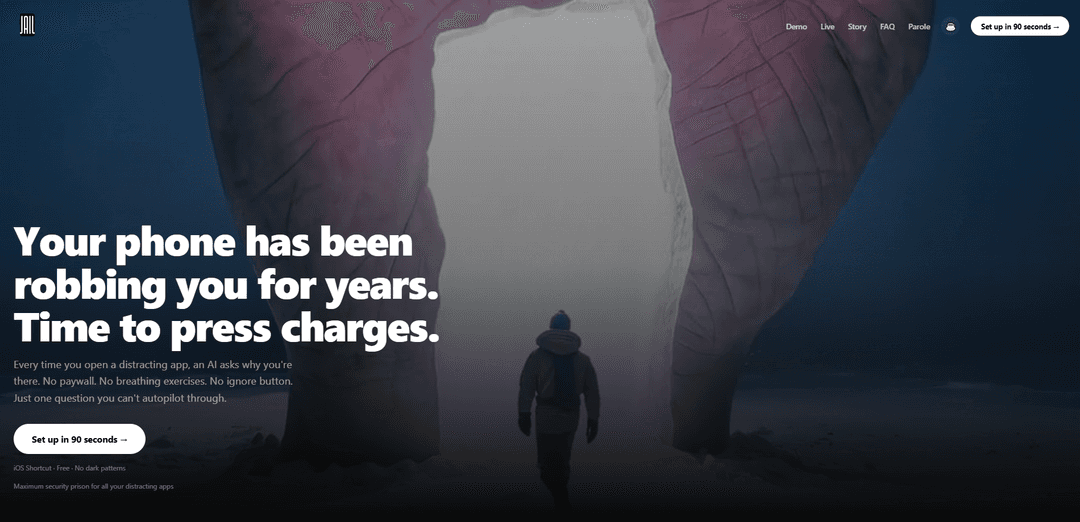
ScrollJail is a free iOS Shortcut that intercepts distracting apps and makes you answer an AI “warden” about why you’re opening them, then allows, denies, or limits access with timed sessions and anti-autopilot friction.
https://scrolljail.com/?ref=producthunt
Product Information
Updated:Jun 16, 2026
What is ScrollJail
ScrollJail is a doomscrolling interrupter for iPhone designed to stop compulsive, mindless app-opening without forcing you to delete social apps entirely. Instead of relying on simple timers or easy-to-ignore limits, it adds a “consciousness check” the moment you try to open a distracting app (Instagram, TikTok, YouTube, Snapchat, or any app you choose). It’s positioned as a no-paywall, no-dark-pattern alternative to tools like One Sec and Opal, aiming to preserve intentional use (e.g., checking friends’ updates) while blocking the autopilot habit.
Key Features of ScrollJail
ScrollJail is a free iOS Shortcut that intercepts opening distracting apps and forces a short “why are you here?” conversation with an AI “Warden” before the app can load. The Warden reads your typed reason (with context from your prior attempts), then allows, denies, or challenges you, and—if allowed—can enforce a timed session plus friction like grayscale to reduce “one more minute” doomscrolling. It’s designed to interrupt autopilot behavior rather than simply blocking a single app, with no trial, no feature limits on core interventions, and optional premium extras like custom Warden personalities.
App-open interception via iOS Shortcuts: Uses Apple’s app-open automation to trigger instantly when you launch selected apps, stopping the app before it loads.
AI “Warden” consciousness check: Prompts you to type a real reason for opening the app; you can’t bypass it with a single tap like “Ignore Limit.”
Context-aware decisions (allow/deny/challenge): The AI evaluates your excuse in real time and can challenge vague reasons (e.g., asking for specifics) or deny obvious doomscrolling.
Timed sessions with anti-binge friction: If you’re granted access, ScrollJail can constrain usage with timed sessions and options like grayscale, removing easy “one more minute” escalation.
Block any apps you choose (not limited to one): You can “jail” any distracting app (Instagram, TikTok, YouTube, Snapchat, etc.) rather than being restricted by a free-tier limit.
Parole word for intentional use: Provides a daily word that grants a limited number of no-questions-asked sessions (e.g., 2×15 minutes/day), supporting planned, intentional scrolling.
Use Cases of ScrollJail
Personal productivity & focus: Reduce compulsive app-checking during work or study by forcing a moment of reflection and limiting access to short, intentional sessions.
Digital wellbeing for students: Help students curb social media and short-form video loops while still allowing purposeful use (messages, updates, specific tasks).
Remote work boundary-setting: Create friction against “quick breaks” that turn into long scroll sessions, especially during deep-work blocks or late-night work hours.
Habit change & behavior interruption: Supports behavior-focused interventions (interrupting autopilot) rather than app bans, useful for people who migrate between apps when one is blocked.
Accountability with friends: Encourages social accountability by inviting/daring friends to use it too, making it easier to stick to reduced scrolling habits.
Pros
Core features are free (no trial period, no feature limits for the main AI intervention).
Interrupts autopilot behavior with a mandatory prompt you can’t mindlessly tap through.
Works with any apps you choose to block, reducing “migration” to another doomscroll app.
Fast setup and lightweight approach (no separate app install, no VPN, no device management profile).
Cons
iOS-only and currently requires iOS Shortcuts (no Android support yet).
Effectiveness depends on user honesty and willingness to engage (you can still lie, even if friction helps).
Requires sending your typed reasons to an AI service and storing history for context, which may concern privacy-sensitive users.
How to Use ScrollJail
1) Confirm you’re on iPhone (iOS): ScrollJail currently relies on iOS Shortcuts (Apple-only). Android isn’t supported yet.
2) Open ScrollJail’s setup page: Go to https://scrolljail.com/get-started and follow the prompt to install the free iOS Shortcut.
3) Add the ScrollJail Shortcut to the Shortcuts app: When iOS asks to add the Shortcut, approve it so it appears in your Shortcuts library.
4) Choose which apps you want to ‘jail’: During setup, select the distracting apps you want intercepted (e.g., Instagram, TikTok, YouTube, Snapchat—any app on your iPhone).
5) Enable the App-Open automation for those apps: In the Shortcuts app, create/enable an automation triggered by ‘App is opened’ for each selected app, and set it to run the ScrollJail Shortcut so it intercepts before the app loads.
6) Test the interception: Open one of your blocked apps. The Shortcut should trigger immediately and show the Warden prompt asking why you’re opening the app.
7) Answer the Warden’s question (no skipping): Type a real reason for opening the app. ScrollJail is designed so you can’t autopilot past this step.
8) Follow the verdict: allowed, denied, or challenged: Based on your answer (and your history), the AI Warden will either let you in, block you, or ask a follow-up challenge (e.g., ‘Name the project. One word.’).
9) If allowed, use the timed session intentionally: When you’re granted access, ScrollJail can allow a limited, timed session (and may apply constraints like grayscale) to reduce ‘one more minute’ scrolling.
10) Use the daily parole word for question-free sessions (optional): Visit https://scrolljail.com/ and copy ‘TODAY’S PAROLE WORD’. When prompted by the Warden, enter that word as your reason to get up to 2 × 15-minute sessions per day (resets at midnight UTC).
11) Add more apps if your scrolling migrates: If you notice you’re switching to another app to doomscroll, repeat steps 4–5 to add that app too—ScrollJail is meant to interrupt the behavior, not just block one app.
12) (Optional) Make it social for accountability: ScrollJail ‘works better when someone you know is also in jail.’ Use the site’s ‘Dare a friend’ link to invite someone to try it too.
ScrollJail FAQs
ScrollJail is a free iOS Shortcut that intercepts distracting apps when you open them and forces a quick “why are you here?” check. An AI (“the Warden”) reads your reason and then allows, denies, or challenges access to interrupt mindless doomscrolling while keeping intentional use.
Popular Articles

Vosko AI: Localize and Dub Videos for Global Audiences
Oct 14, 2026

Atoms: A Multi-Agent AI Platform That Transforms Ideas into Launch-Ready Products
Oct 13, 2026

Nano Banana SBTI: What It Is, How It Works, and How to Use It in 2026
Apr 15, 2026

Atoms Review — The AI Product Builder Redefining Digital Creation in 2026
Apr 10, 2026
Latest AI Tools Similar to ScrollJail

Ticknotes
Ticknotes is an AI-powered meeting assistant that automatically records, transcribes, and generates personalized meeting summaries, action items, and key insights from audio, video, and text content.

Feta
Feta is an AI-powered meeting tool that helps product and engineering teams run efficient meetings by capturing discussions, automating tasks, and providing actionable insights through smart summaries and integrations.

Aimeet
Aimeet is a comprehensive AI-powered communication platform that combines real-time translation, transcription, screen sharing, and unlimited meeting capabilities for effective virtual collaboration.

MinutesLink
MinutesLink is an advanced AI-powered note-taking assistant that automatically records, transcribes, summarizes and organizes virtual meetings while building personalized digital avatars from meeting data.
Popular AI Tools Like ScrollJail

Second Brain for AI
Second Brain for AI is a self-hosted, MCP-compatible persistent memory layer on Cloudflare that lets Claude, ChatGPT, Cursor, and other AI clients store and semantically recall shared context across sessions.

Slack
Slack is an AI-powered work platform that brings team communication, channels, files, automation, and app integrations into one conversational workspace.

24me Smart Personal Assistant
24me is an award-winning smart personal assistant app that combines calendar, to-do lists, notes, and personal accounts in one unified platform to help boost productivity and time management.

Granola for iOS
Granola for iOS is an AI-powered notepad app that helps users effortlessly capture, transcribe and summarize meeting conversations through intelligent note-taking and one-tap recording capabilities.