
Screentell
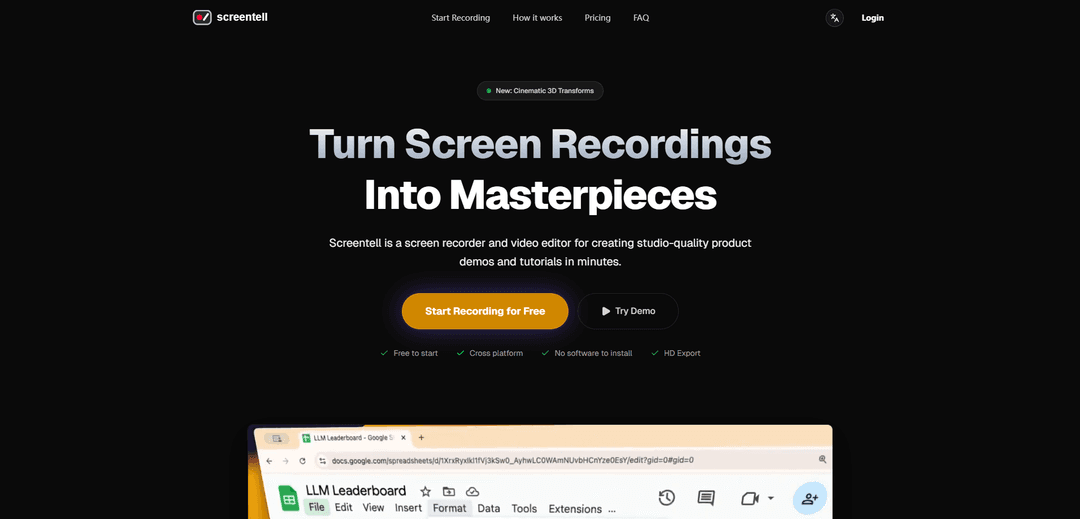
Screentell is a browser-based screen recorder and video editor that enables users to create studio-quality product demos and tutorials with professional camera movements, 3D transforms, and rich annotations without requiring software installation.
https://screentell.com/?ref=producthunt
Product Information
Updated:Feb 8, 2026
What is Screentell
Screentell is a comprehensive web-based platform designed for creating professional-grade screen recordings and video content. It combines screen recording capabilities with advanced editing features, making it an ideal solution for creators, professionals, and teams who need to produce high-quality product demonstrations, tutorials, and educational content. The platform operates entirely within modern web browsers, eliminating the need for software installation while offering both free and premium subscription options.
Key Features of Screentell
Screentell is a browser-based screen recording and video editing tool that combines professional recording capabilities with advanced editing features. It offers high-quality screen and webcam capture, cinematic 3D transforms, customizable annotations, and a comprehensive editing suite - all without requiring software installation. The tool processes everything locally in the browser, ensuring privacy, and allows users to export in multiple formats with various quality options.
Cinematic 3D Transforms: Create immersive demos with professional camera movements, perspective control, and rotation effects to guide viewer attention
Dynamic Camera Layer: Flexible webcam integration that can be customized, moved, resized, or hidden even after recording is complete
Advanced Video Editing: Comprehensive editing capabilities including clip splitting, speed control, cropping, and multi-track control with real-time preview
Rich Annotation System: Customizable stickers, arrows, bubbles, and shapes with full control over colors and borders, plus support for custom image uploads
Use Cases of Screentell
Product Demonstrations: Create professional product walkthroughs and demos with focused zooms and annotations to highlight features
Tutorial Creation: Develop clear, engaging educational content with step-by-step instructions enhanced by visual cues and camera presence
Social Media Content: Produce polished, studio-quality video content optimized for sharing on various social platforms
Pros
No software installation required - runs entirely in browser
Privacy-focused with local processing of all recordings
Professional-grade features with intuitive interface
Cons
Limited to Chromium-based browsers for optimal experience
Free version includes watermark and video length restrictions
Requires stable internet connection for browser-based operation
How to Use Screentell
Access Screentell: Go to screentell.com in a Chromium-based browser (Chrome, Edge, Brave, or Arc) - no installation needed as it runs directly in browser
Start Recording: Click 'Start Recording' and select what you want to capture - you can choose to record your screen, webcam, system audio, and microphone simultaneously
Configure Recording Settings: Choose your recording preferences including which window/screen to record, whether to include webcam, and audio input sources before starting the actual recording
Record Content: Once settings are configured, begin recording your content. The recording will capture everything happening on your selected screen/window
Edit Recording: After recording, use the editor to enhance your video with features like: zoom effects, 3D transforms, stickers/annotations, clip cutting, speed adjustments, and camera layer positioning
Add Visual Enhancements: Customize your video with stickers, arrows, bubbles, shapes, and other visual elements to highlight important points. You can also add backgrounds and adjust layouts
Preview Changes: Use the preview player to verify your edits and ensure everything looks as intended before exporting
Export Video: Choose your preferred export format (MP4, WebM, or GIF) and quality settings, then export your final video for sharing
Screentell FAQs
Yes! You can record and edit unlimited videos for free. A Pro plan is available for higher resolution exports, removing the watermark, and unlimited video length on export.
Screentell Video
Popular Articles

Vosko AI: Localize and Dub Videos for Global Audiences
Oct 15, 2026

Atoms: A Multi-Agent AI Platform That Transforms Ideas into Launch-Ready Products
Oct 13, 2026

Nano Banana SBTI: What It Is, How It Works, and How to Use It in 2026
Apr 15, 2026

Atoms Review — The AI Product Builder Redefining Digital Creation in 2026
Apr 10, 2026
Latest AI Tools Similar to Screentell

Claap
Claap is an AI-powered sales assistant that automates post-meeting tasks like note-taking, CRM updates, and follow-up emails while providing valuable deal insights and coaching capabilities.
Streamie
Streamie is an AI-powered app that helps users discover, stream, and manage various types of camera feeds on Apple devices while also providing personalized movie and TV show recommendations.

MyItura
MyItura is a leading data-centric digital health startup in Nigeria that provides an affordable and convenient platform for remote healthcare services, including AI-assisted health insights, diagnostic testing, doctor consultations, and medication delivery.
Ssemble
Ssemble is an AI-powered online video editor that automatically creates engaging shorts from longer videos, with features like trimming, captioning, transitions, and sound effects.
Popular AI Tools Like Screentell
VEED
VEED is an AI-powered online video editing platform that makes creating professional-quality videos easy and accessible to everyone.
Ssemble
Ssemble is an AI-powered online video editor that automatically creates engaging shorts from longer videos, with features like trimming, captioning, transitions, and sound effects.
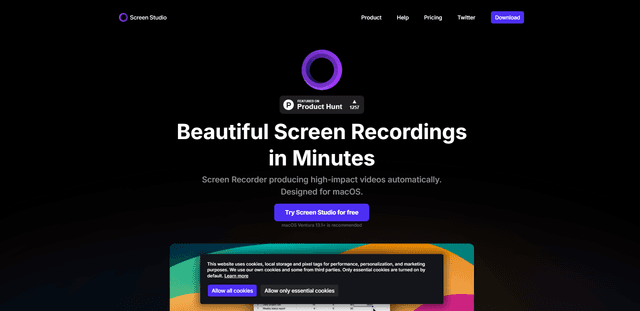
Screen Studio
Screen Studio is a professional screen recording software for macOS that automatically creates high-quality videos with smart features like automatic zoom, smooth cursor movements, and cinematic effects.
Claap
Claap is an AI-powered sales assistant that automates post-meeting tasks like note-taking, CRM updates, and follow-up emails while providing valuable deal insights and coaching capabilities.