
Rova AI
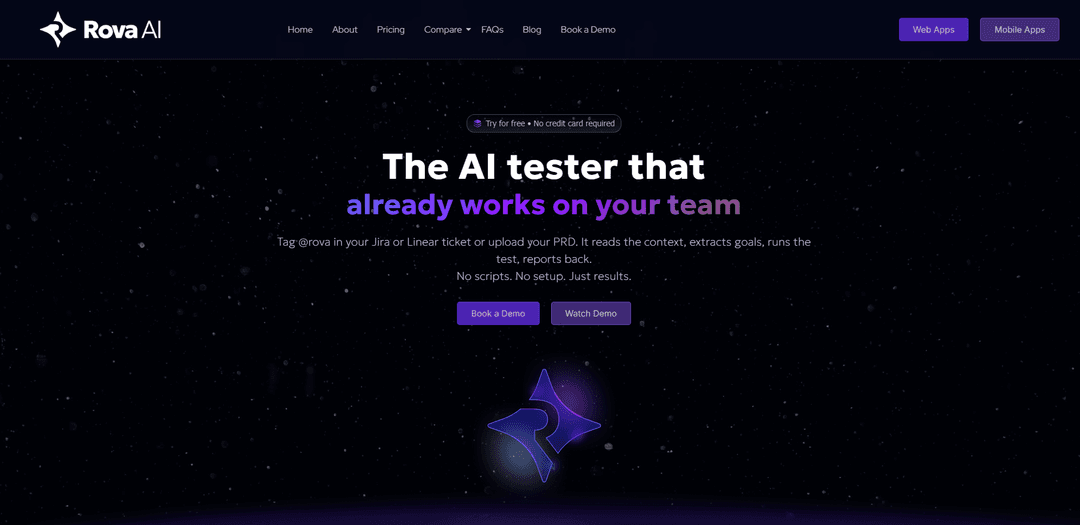
Rova AI là một nền tảng kiểm thử phần mềm tự động, có tác nhân, tạo, thực thi và duy trì các bài kiểm thử web và di động từ ý định (URL, PRD hoặc phiếu), sau đó ghi lại kết quả, gắn cờ lỗi và đồng bộ hóa báo cáo với các công cụ QA của bạn.
https://rova.qa/?ref=producthunt&utm_source=aipure
Thông tin Sản phẩm
Đã cập nhật:May 18, 2026
Rova AI là gì
Rova AI là một tác nhân kiểm thử phần mềm tự động được xây dựng để giúp các nhóm xác thực ứng dụng web và di động mà không cần viết kịch bản hoặc duy trì các bộ chọn dễ vỡ. Thay vì các quy trình tự động hóa kiểm thử truyền thống, Rova AI tập trung vào kết quả: bạn cung cấp ngữ cảnh như URL, PRD hoặc phiếu Jira/Linear, và nó tạo ra các kế hoạch kiểm thử và kịch bản có cấu trúc phù hợp với mục tiêu của bạn. Sau đó, nó chạy các bài kiểm thử đó, ghi lại các phát hiện với nhật ký và bằng chứng chi tiết, và chia sẻ kết quả trở lại các công cụ mà nhóm của bạn đã sử dụng.
Các Tính năng Chính của Rova AI
Rova AI là một nền tảng kiểm thử phần mềm tự động, có khả năng tác nhân dành cho các ứng dụng web và di động, biến ý định và ngữ cảnh (URL, vé Jira/Linear, PRD, tài liệu kiểm thử hoặc lời nhắc đơn giản) thành các kế hoạch kiểm thử có cấu trúc, có thể chỉnh sửa, sau đó thực hiện chúng liên tục và báo cáo kết quả với các tạo phẩm có thể hành động. Nó tập trung vào xác thực dựa trên kết quả thay vì các bước được viết kịch bản, thích ứng khi giao diện người dùng thay đổi để giảm bảo trì, khám phá các ứng dụng như một người kiểm thử thủ công để tự động tạo các kịch bản, và tích hợp vào quy trình làm việc của sprint bằng cách đăng các phát hiện trở lại các công cụ như Jira, Linear, Slack và GitHub với các xuất khẩu để chia sẻ và truy xuất nguồn gốc.
Kiểm thử tự động dựa trên ý định: Bạn mô tả thành công trông như thế nào (mục tiêu/kết quả), và Rova AI tìm ra cách xác minh nó—giảm sự phụ thuộc vào các bước và bộ chọn được viết kịch bản dễ hỏng.
Đầu vào đa phương thức (URL, vé, PRD, lời nhắc): Nhập URL web, vấn đề Jira/Linear, PRD hoặc tài liệu kiểm thử để trích xuất mục tiêu và tự động tạo các kịch bản và kế hoạch kiểm thử phù hợp.
Tạo kế hoạch kiểm thử có cấu trúc, có thể chỉnh sửa: Tạo các kế hoạch và bước kiểm thử chi tiết mà các nhóm có thể xem xét, điều chỉnh và phê duyệt trước khi thực hiện để giữ con người kiểm soát.
Thực hiện liên tục trên web và di động: Chạy xác thực liên tục các hành trình người dùng trên ứng dụng web và trên thiết bị di động thực cho các bản dựng iOS/Android, giúp phát hiện hồi quy nhanh chóng.
Bảo trì và khám phá thích ứng: Khám phá các đường dẫn khác nhau như một người kiểm thử thủ công và phát triển các kiểm thử khi ứng dụng thay đổi, nhằm giảm sự cố do cập nhật giao diện người dùng.
Báo cáo toàn diện + tích hợp quy trình làm việc: Ghi nhật ký kết quả, gắn cờ lỗi, đính kèm ảnh chụp màn hình/nhật ký và đăng lại lên Jira/Slack (và các công cụ khác); có thể xuất tạo phẩm (ví dụ: Excel) và bàn giao các kiểm thử ổn định cho các bộ hồi quy.
Các Trường hợp Sử dụng của Rova AI
QA sẵn sàng cho Sprint thông qua gắn thẻ Jira/Linear: Các nhóm kỹ thuật và sản phẩm kích hoạt kiểm thử bằng cách gắn thẻ @rova trong một vé; Rova đọc ngữ cảnh, chạy xác thực và bình luận kết quả trở lại để lặp lại nhanh chóng.
Mở rộng phạm vi QA tinh gọn cho startup: Các nhà sáng lập/nhóm tinh gọn sử dụng Rova để khám phá ứng dụng và tự động tạo các kịch bản, tăng phạm vi bao phủ mà không cần thuê kỹ sư tự động hóa chuyên trách.
Xác thực hồi quy cho các sản phẩm web giao hàng nhanh: Các nhóm nhập URL và chỉ định các hành trình quan trọng (đăng ký, thanh toán, cài đặt) để liên tục xác thực các luồng cốt lõi khi các bản phát hành được triển khai.
Tự tin phát hành di động trên thiết bị thực: Các nhóm di động tải lên các bản dựng iOS/Android để kiểm thử các hành trình chính trên thiết bị thực, nhận nhật ký và ảnh chụp màn hình để tăng tốc phân loại.
Kiểm thử dựa trên kết quả từ PRD/thông số kỹ thuật: Các nhóm sản phẩm và QA tải lên PRD hoặc thông số kỹ thuật tính năng để Rova có thể suy ra các kiểm tra kiểu chấp nhận và tạo một kế hoạch thực thi phù hợp với các yêu cầu.
Quy trình phân loại và bàn giao QA: Sau khi thực hiện, các nhóm sử dụng phân loại của Rova (ổn định so với thất bại) để quyết định những gì cần tự động hóa vào các bộ hồi quy và những gì cần điều tra thủ công sâu hơn.
Ưu điểm
Quy trình làm việc không kịch bản, thiết lập thấp (dựa trên URL/PRD/vé) phù hợp với các công cụ sprint hiện có như Jira/Linear/Slack/GitHub.
Khám phá tự động và hành vi thích ứng có thể giảm các kiểm thử không ổn định/dễ hỏng do thay đổi giao diện người dùng/bộ chọn.
Phê duyệt có sự tham gia của con người thông qua các kế hoạch kiểm thử có thể chỉnh sửa giúp duy trì kiểm soát và phù hợp với các yêu cầu.
Các tạo phẩm báo cáo phong phú (nhật ký/ảnh chụp màn hình/xuất khẩu) hỗ trợ gỡ lỗi nhanh hơn và chia sẻ/truy xuất nguồn gốc.
Nhược điểm
Các tác nhân tự động dựa trên kết quả vẫn có thể yêu cầu định nghĩa mục tiêu và xem xét cẩn thận để tránh kiểm thử các hành vi sai.
Các tuyên bố về tích hợp và CI/CD có thể khác nhau tùy theo môi trường; các nhóm có thể cần xác nhận sự phù hợp với ngăn xếp và nhu cầu tuân thủ của họ.
Khám phá tự động có thể tạo ra các kịch bản ồn ào hoặc quá rộng mà không có các ràng buộc và ưu tiên mạnh mẽ.
Nền tảng dường như bị giới hạn bởi quyền truy cập/danh sách chờ trong một số ngữ cảnh, điều này có thể hạn chế việc áp dụng ngay lập tức.
Cách Sử dụng Rova AI
1) Chọn điểm bắt đầu của bạn (Web hoặc Di động): Quyết định những gì bạn muốn kiểm thử: một ứng dụng web hoặc một ứng dụng di động. Đối với web, bạn có thể bắt đầu từ một URL. Đối với di động, bạn sẽ sử dụng bản dựng iOS/Android và chạy trên các thiết bị thực.
2) Cung cấp ngữ cảnh cho Rova AI (đầu vào đa phương thức): Cung cấp cho Rova AI những gì nó cần để hiểu tính năng và tiêu chí thành công. Bạn có thể: (a) thả một URL, (b) liên kết các phiếu Jira, (c) tải lên PRD/tài liệu kiểm thử, hoặc (d) viết một lời nhắc bằng văn bản thuần túy mô tả mục tiêu (thế nào là “thành công”). Bạn có thể kết hợp các đầu vào này.
3) Kích hoạt Rova từ các công cụ quy trình làm việc của bạn (tùy chọn): Nếu bạn sử dụng Jira hoặc Linear, hãy gắn thẻ @rova trong phiếu để kích hoạt kiểm thử từ nơi nhóm của bạn đã làm việc. Rova AI cũng có thể tích hợp với Slack và GitHub để chia sẻ kết quả và chuyển giao quy trình làm việc.
4) Để Rova tạo một kế hoạch kiểm thử có thể chỉnh sửa: Rova AI phân tích ngữ cảnh được cung cấp và tự động tạo một kế hoạch kiểm thử có cấu trúc (kịch bản, các bước và kiểm tra) phù hợp với mục tiêu của bạn. Kế hoạch này có thể chỉnh sửa để bạn có thể tinh chỉnh phạm vi, thêm các ràng buộc hoặc điều chỉnh các bước.
5) Xem xét và phê duyệt kế hoạch (bạn vẫn kiểm soát): Trước khi thực hiện, hãy xem xét kế hoạch đã tạo. Chỉnh sửa bất kỳ bước nào, thêm các kịch bản còn thiếu hoặc loại bỏ những kịch bản không liên quan. Phê duyệt kế hoạch khi nó khớp với những gì bạn muốn xác thực.
6) Chạy kiểm thử tự động: Bắt đầu thực hiện (ví dụ: nhấn “Run”). Rova AI sau đó thực thi các bài kiểm thử đã được phê duyệt từ đầu đến cuối, khám phá các luồng như một người kiểm thử thủ công trong khi xác thực các kết quả bạn đã định nghĩa.
7) Giám sát bằng chứng và nhật ký trong quá trình thực hiện: Khi các bài kiểm thử chạy, Rova AI ghi lại những gì đã xảy ra và thu thập các tạo phẩm. Đối với kiểm thử di động, nó báo cáo lại bằng ảnh chụp màn hình và nhật ký từ các lần chạy trên thiết bị thực.
8) Xem xét kết quả và cờ lỗi: Sau khi thực hiện, Rova AI tạo ra một báo cáo chi tiết về các lần vượt qua/thất bại và gắn cờ các lỗi gặp phải, với các chi tiết có thể hành động để giúp nhóm của bạn tái tạo và sửa lỗi.
9) Phân loại kết quả để chuyển giao: Sử dụng phương pháp chuyển giao thông minh của Rova AI: các bài kiểm thử ổn định có thể được gắn cờ để tự động hóa/hồi quy, trong khi các bài kiểm thử thất bại có thể được chuyển đến để điều tra QA sâu hơn.
10) Xuất hoặc đồng bộ hóa kết quả trở lại các công cụ của bạn: Chia sẻ kết quả mà không cần sao chép-dán bằng cách xuất ra Excel hoặc đăng kết quả dưới dạng bình luận Jira. Bạn cũng có thể gửi kết quả đến Slack và sử dụng tích hợp CI/CD có sẵn để đưa kiểm thử tự động vào quy trình phân phối của bạn.
Câu hỏi Thường gặp về Rova AI
Rova AI là một công cụ kiểm thử phần mềm tự động (có tác nhân) dành cho các ứng dụng web và di động, có khả năng lập kế hoạch, thực thi và cải thiện các bài kiểm thử. Nó có thể tiếp nhận một URL, PRD, phiếu sự cố, tài liệu kiểm thử hoặc lời nhắc, tạo các kế hoạch kiểm thử có thể chỉnh sửa, chạy kiểm thử tự động và báo cáo kết quả với các phát hiện lỗi có thể hành động.
Video Rova AI
Bài viết phổ biến

Vosko AI: Bản địa hóa và Lồng tiếng Video cho Khán giả Toàn cầu
Oct 15, 2026

Atoms: Nền tảng AI đa tác nhân biến ý tưởng thành sản phẩm sẵn sàng ra mắt
May 22, 2026

Nano Banana SBTI: Nó là gì, Cách thức hoạt động và Cách sử dụng nó vào năm 2026
Apr 15, 2026

Đánh giá Atoms — Trình tạo sản phẩm AI định nghĩa lại việc tạo nội dung số vào năm 2026
Apr 10, 2026
Công cụ AI Mới nhất Tương tự Rova AI
ExoTest
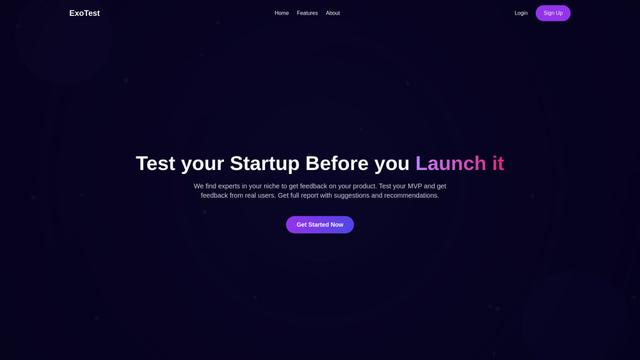
ExoTest là một nền tảng thử nghiệm sản phẩm dựa trên AI kết nối các công ty khởi nghiệp với các chuyên gia thử nghiệm trong ngách cụ thể của họ để cung cấp phản hồi toàn diện và các hiểu biết có thể hành động trước khi ra mắt sản phẩm.
AI Dev Assess
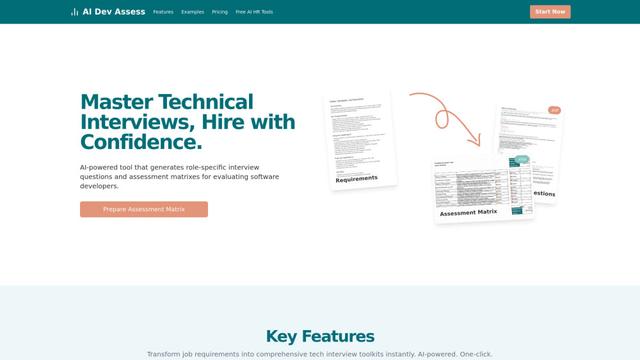
AI Dev Assess là một công cụ được hỗ trợ bởi AI tự động tạo ra các câu hỏi phỏng vấn và ma trận đánh giá cụ thể cho vai trò để giúp các chuyên gia nhân sự và người phỏng vấn kỹ thuật đánh giá ứng viên phát triển phần mềm một cách hiệu quả.
Tyne
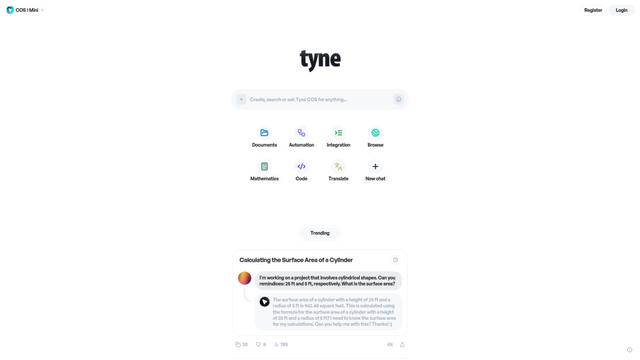
Tyne là một công ty phần mềm và tư vấn chuyên nghiệp được hỗ trợ bởi AI giúp các doanh nghiệp đơn giản hóa các nhu cầu hàng ngày thông qua phân tích dữ liệu, hệ thống cải thiện thu hồi và các giải pháp AI.

MTestHub
MTestHub là nền tảng tuyển dụng và đánh giá dựa trên AI tất cả trong một, giúp tinh giản quy trình tuyển dụng với sàng lọc tự động, đánh giá kỹ năng và các biện pháp chống gian lận tiên tiến.
Công cụ AI Phổ biến Giống Rova AI
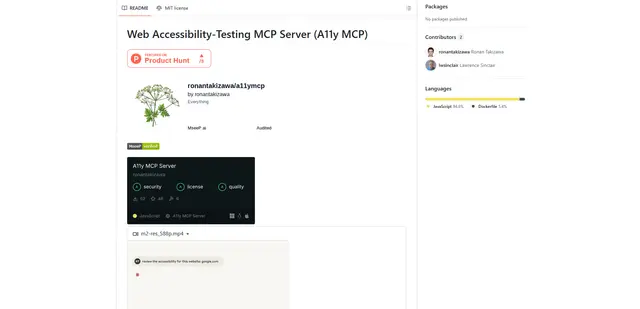
Web Accessibility Testing MCP
A11y MCP là một máy chủ Model Context Protocol cho phép các mô hình ngôn ngữ AI thực hiện kiểm tra khả năng truy cập web tự động bằng cách tích hợp với Axe-core API của Deque và Puppeteer để phân tích nội dung web để tuân thủ WCAG.
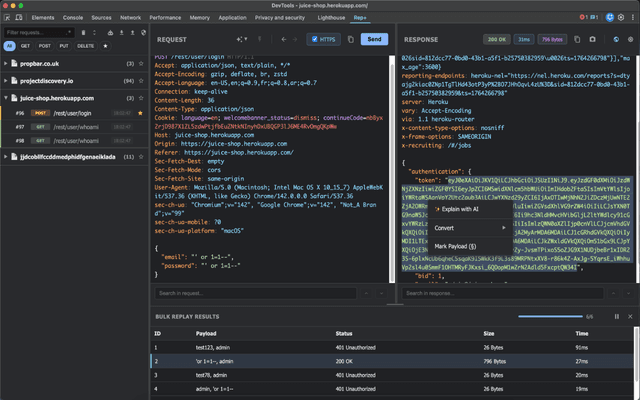
rep+
rep+ là một tiện ích mở rộng Chrome DevTools mạnh mẽ mang chức năng Burp Suite Repeater trực tiếp vào trình duyệt của bạn, cho phép kiểm tra yêu cầu HTTP, phân tích bảo mật và đề xuất tấn công hỗ trợ bởi AI mà không cần thiết lập proxy.
Gatling AI Assistant for VS Code
Gatling AI Assistant là một tiện ích mở rộng được hỗ trợ bởi AI cho Visual Studio Code, giúp các nhà phát triển tạo và quản lý các kịch bản kiểm thử tải bằng khung kiểm thử tải của Gatling.
KaneAI
KaneAI là đại lý kiểm tra phần mềm được hỗ trợ bởi AI đầu tiên trên thế giới từ đầu đến cuối, cho phép người dùng tạo, gỡ lỗi và phát triển các bài kiểm tra bằng ngôn ngữ tự nhiên.