
rep+
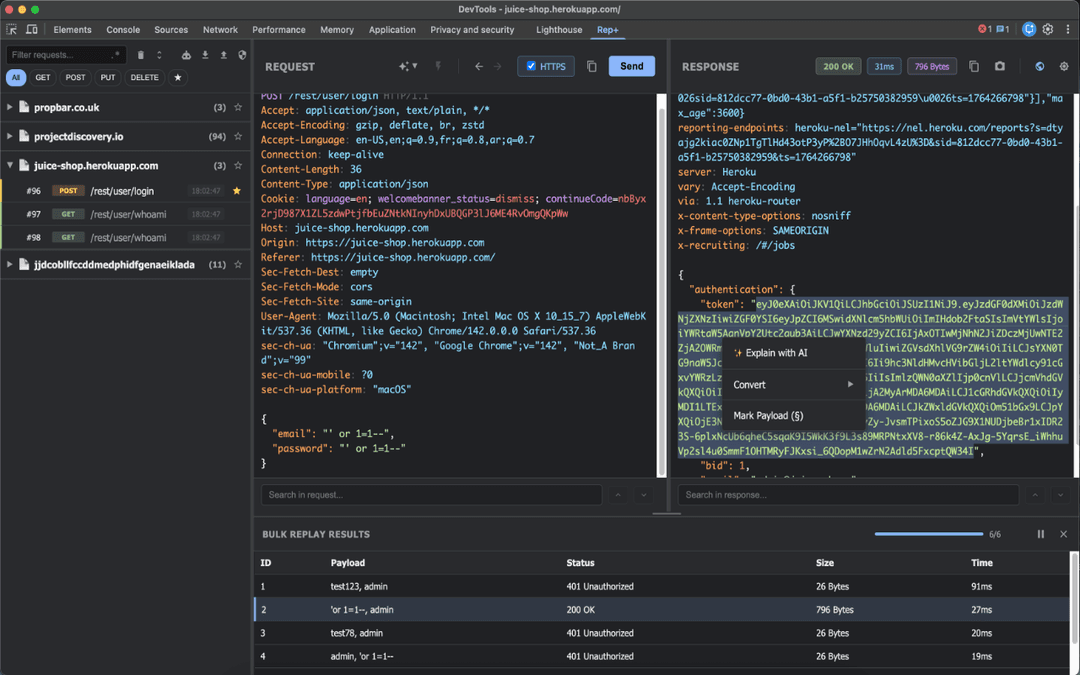
rep+ is a powerful Chrome DevTools extension that brings Burp Suite Repeater functionality directly into your browser, enabling HTTP request testing, security analysis, and AI-powered attack suggestions without proxy setup.
https://chromewebstore.google.com/detail/rep+/dhildnnjbegaggknfkagdpnballiepfm?ref=producthunt
Product Information
Updated:Jan 8, 2026
What is rep+
rep+ is a Chrome DevTools extension designed for developers, security researchers, and bug bounty hunters who need to test and analyze HTTP requests. It provides Burp Suite Repeater-like capabilities natively within Chrome, eliminating the need for complex proxy configurations. The extension offers a comprehensive set of tools for capturing, modifying, and replaying HTTP requests while incorporating advanced features like AI-powered analysis and automated security testing.
Key Features of rep+
rep+ is a powerful Chrome DevTools extension that brings Burp Suite Repeater functionality directly into the browser, allowing users to capture, modify, and replay HTTP requests without proxy setup. It offers comprehensive features including request filtering, response analysis, secret detection, AI-powered security analysis, and automated attack capabilities, making it an essential tool for security testing and API debugging.
Request Capture and Modification: Capture HTTP requests from any tab and modify methods, headers, or body content without requiring proxy configuration
Advanced Security Analysis: Automatically detect secrets, endpoints, and parameters with risk classification and confidence scoring using high-coverage Kingfisher rules
AI-Powered Testing: Leverage AI for request explanations and attack suggestions through API integration or local LLM via Ollama
Built-in Automated Attacks: Run various attack modes including Sniper, Battering Ram, Pitchfork, and Cluster Bomb for comprehensive security testing
Use Cases of rep+
Security Research: Bug bounty hunters and security researchers can efficiently test applications for vulnerabilities and analyze HTTP requests
API Development: Developers can debug, test and analyze API endpoints during development process with immediate feedback
Penetration Testing: Security professionals can conduct thorough penetration tests using automated attack features and AI-suggested approaches
Pros
Native browser integration without proxy setup requirements
Comprehensive feature set combining manual and automated testing capabilities
Local data storage with no tracking or analytics
Cons
Limited to Chrome browser environment
Requires technical knowledge to fully utilize features
Some AI features require external API keys or local LLM setup
How to Use rep+
Install the extension: Install rep+ from the Chrome Web Store to add it to your Chrome browser
Open Chrome DevTools: Open Chrome DevTools by pressing F12 or right-clicking and selecting 'Inspect'
Navigate to rep+ panel: Head to the rep+ panel in Chrome DevTools after installation
Capture requests: The extension will automatically capture HTTP requests from any open tab without requiring proxy setup
Modify and replay requests: Edit captured requests by modifying methods, headers, or body content and replay them to test responses
Use search and filters: Use the built-in grouping, filtering, and search capabilities to organize and find specific requests using text or regex
Analyze responses: Inspect responses in multiple formats with syntax highlighting and line numbers for better analysis
Run automated attacks: Utilize built-in attack modes (Sniper, Battering Ram, Pitchfork, Cluster Bomb) for security testing
Enable AI features: If using AI features, either configure API access or set up local LLM via Ollama for request explanations and attack suggestions
Export findings: Export discovered endpoints, parameters, and secrets to CSV or Postman format for further analysis
rep+ FAQs
rep+ is a Chrome DevTools extension that allows users to capture, modify, and replay HTTP requests directly in their browser. It brings Burp Suite Repeater functionality to Chrome without requiring proxy setup, making it useful for developers, security researchers, and bug bounty hunters.
Popular Articles

Atoms: A Multi-Agent AI Platform That Transforms Ideas into Launch-Ready Products
May 22, 2026

Nano Banana SBTI: What It Is, How It Works, and How to Use It in 2026
Apr 15, 2026

Atoms Review — The AI Product Builder Redefining Digital Creation in 2026
Apr 10, 2026

Kilo Claw: How to Deploy and Use a True "Do‑It‑For‑You" AI Agent(2026 Update)
Apr 3, 2026
Latest AI Tools Similar to rep+

ExoTest
ExoTest is an AI-driven product testing platform that connects startups with expert testers in their specific niche to provide comprehensive feedback and actionable insights before product launch.
AI Dev Assess
AI Dev Assess is an AI-powered tool that automatically generates role-specific interview questions and assessment matrices to help HR professionals and technical interviewers evaluate software developer candidates efficiently.
Tyne
Tyne is a professional AI-powered software and consulting company that helps businesses streamline their everyday needs through data analysis, yield improvement systems, and AI solutions.

MTestHub
MTestHub is an all-in-one AI-powered recruitment and assessment platform that streamlines hiring processes with automated screening, skill evaluations, and advanced anti-cheating measures.
Popular AI Tools Like rep+
Web Accessibility Testing MCP
A11y MCP is a Model Context Protocol server that enables AI language models to perform automated web accessibility testing by integrating with Deque's Axe-core API and Puppeteer to analyze web content for WCAG compliance.
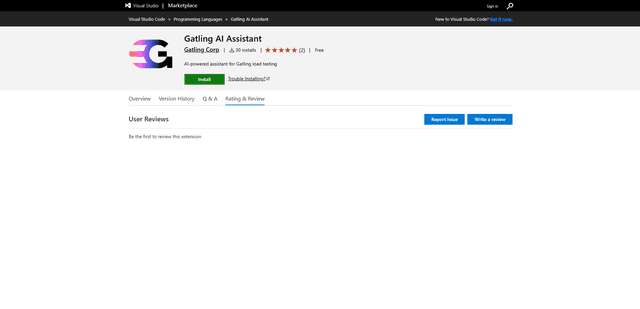
Gatling AI Assistant for VS Code
Gatling AI Assistant is an AI-powered extension for Visual Studio Code that helps developers create and manage load testing scenarios using Gatling's load testing framework.
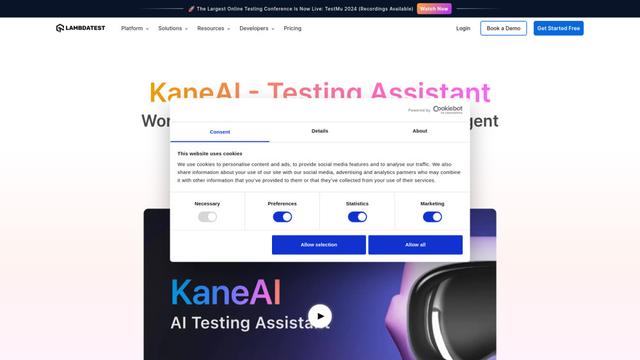
KaneAI
KaneAI is the world's first end-to-end AI-powered software testing agent that enables users to create, debug, and evolve tests using natural language.
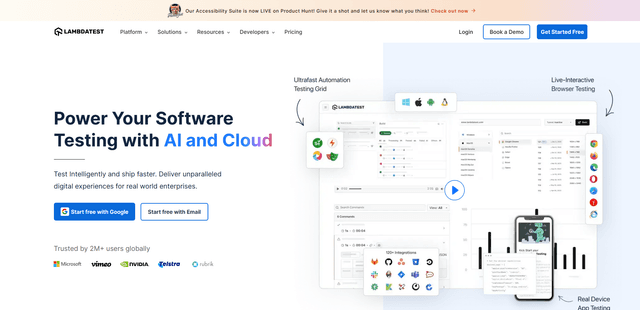
LambdaTest
LambdaTest is an AI-Native test orchestration and execution platform that enables both manual and automated testing across 3000+ browser environments, making it a top choice for software testing in the cloud.