
Reignat
Reignat is a simple, privacy-friendly web analytics platform offering realtime dashboards, visitor journeys, funnels, traffic source insights, Core Web Vitals/performance monitoring, and optional AI-powered insights without GA4-level complexity.
https://reignat.com/?ref=producthunt

Product Information
Updated:Jun 16, 2026
What is Reignat
Reignat is a lightweight web analytics tool designed for founders and teams who want clear, actionable insights without complex reporting. It brings essential metrics—realtime visitors, pageviews, traffic sources, visitor journeys, funnels, and performance signals—into one fast dashboard. Built to be privacy-friendly and GDPR-conscious, Reignat focuses on useful measurement (not surveillance) and aims to make it easy to understand what’s happening on your website and what’s driving growth.
Key Features of Reignat
Reignat is a simple, privacy-friendly web analytics platform designed to replace complex tools like GA4 with a clean, realtime dashboard. It tracks traffic and engagement signals (visits, pageviews, sources, devices, locations), visitor journeys and funnels, and also includes performance monitoring such as Core Web Vitals and load-time trends. Installation is lightweight (a small script), supports unlimited websites, offers long-term retention, and provides access to data via an API—aiming to deliver actionable insights without invasive cookie-based surveillance.
Realtime analytics dashboard: Shows active visitors, live pageviews, locations, devices/browsers, and traffic sources as they happen for fast feedback and monitoring.
Visitor journeys & engagement insights: Tracks entry/exit pages, session duration, and click-through navigation paths to understand how people move through your site.
Funnel analysis & conversion tracking: Defines and measures funnel steps to identify drop-offs and optimize sign-ups, activations, or purchases.
Privacy-friendly, cookieless tracking: Collects useful traffic signals without relying on invasive cookies, supporting GDPR-friendly analytics and reducing consent-banner dependence.
Performance monitoring (Core Web Vitals): Monitors Core Web Vitals, load-time trends, and performance scores alongside traffic data to connect UX speed with outcomes.
API access + unlimited websites: Provides API access for integrating analytics into internal tools and supports tracking across multiple sites under one plan.
Use Cases of Reignat
SaaS product growth & activation funnels: Track acquisition sources, user journeys, and funnel steps (signup → onboarding → activation) to improve conversion and retention.
Ecommerce campaign and landing-page optimization: Measure realtime traffic spikes from ads, see which landing pages perform best, and use funnels to reduce checkout drop-offs.
Content sites and newsletters: Identify top-performing pages, entry/exit patterns, and geographic distribution to guide editorial strategy and distribution.
Agencies managing multiple client websites: Use unlimited websites, simple reporting, and visitor insights to monitor many properties without GA4 complexity.
Performance-focused teams (SEO/UX/engineering): Track Core Web Vitals and load times over time and correlate performance regressions with engagement or conversion changes.
Privacy-sensitive organizations: Adopt cookieless, GDPR-friendly analytics to understand traffic while minimizing surveillance-style tracking and compliance overhead.
Pros
Simple, realtime dashboards that avoid GA4-style report complexity
Privacy-friendly, cookieless tracking approach
Includes both analytics and performance monitoring (Core Web Vitals) in one tool
Lightweight script and supports unlimited websites with API access
Cons
Pricing scales by monthly event usage, which can grow with high-traffic sites
Competitor comparison details are simplified and may vary by plan (may require validation during evaluation)
Focus on simplicity may not cover every advanced enterprise analytics need found in larger suites
How to Use Reignat
1) Create your Reignat account and open the dashboard: Go to Reignat (reignat.com) and sign up/log in. From your dashboard, prepare to add your first website so Reignat can start collecting analytics.
2) Add your website/project in Reignat: In the dashboard, add your website (project). Reignat will provide a lightweight tracking script for that site.
3) Install the Reignat script on your site: Copy the provided script tag and paste it into your website HTML before the closing </head> tag. This is the “one small script” Reignat uses to start tracking.
4) Publish your changes: Deploy/publish your website so the script is live for real visitors. Once live, Reignat can begin recording signals.
5) Verify data is coming in (Realtime Analytics): Open Reignat’s realtime view to confirm you can see active visitors and live pageviews as people interact with your site.
6) Monitor traffic sources and basic audience context: Use the realtime and overview dashboards to see traffic sources, visitor locations (countries/regions/cities), devices, and browsers.
7) Review Visitor Intelligence (journeys and engagement): Check visitor journeys, session duration, entry pages, exit pages, and engagement metrics to understand how people move through your site and where they drop off.
8) Use Visitor Profiles to understand behavior (without personal identity): Open visitor profiles to see sessions, visited pages, source, device, and country—useful for diagnosing user flows while staying privacy-friendly.
9) Track conversions with funnels: Set up funnel steps in the dashboard (based on the pages/events you care about) to measure conversions and identify where users drop off.
10) Collect and use custom events: Define the key actions you want to measure (e.g., sign-up, activation, button clicks) as custom events so they appear in your analytics and can be used in funnels.
11) Monitor performance (Core Web Vitals and load times): Go to Performance Monitoring to track Core Web Vitals, page load time trends, performance scores, and user experience metrics to keep your site fast.
12) Keep an eye on usage-based billing (events): Understand that pageviews and custom events count toward monthly event usage. Start small and scale your plan as traffic grows.
13) Use the API when you need integrations: If you want to connect Reignat to other tools or build internal reporting, use Reignat’s API access (available as part of the included features).
Reignat FAQs
No. Reignat tracks useful traffic signals without relying on invasive cookies, enabling cookieless tracking.
Popular Articles

Vosko AI: Localize and Dub Videos for Global Audiences
Oct 14, 2026

Atoms: A Multi-Agent AI Platform That Transforms Ideas into Launch-Ready Products
Oct 13, 2026

Nano Banana SBTI: What It Is, How It Works, and How to Use It in 2026
Apr 15, 2026

Atoms Review — The AI Product Builder Redefining Digital Creation in 2026
Apr 10, 2026
Latest AI Tools Similar to Reignat

TubeVoice
TubeVoice is an AI-powered YouTube comment analyzer that helps content creators understand their audience by providing insights from video comments through automated analysis.

ReviewPower
ReviewPower is an all-in-one platform that aggregates and analyzes trusted reviews from G2 and Capterra to help businesses gain valuable insights from customer feedback.

Insightfull
Insightfull is an AI-powered health tracking platform that helps users monitor symptoms, analyze health data, and receive personalized insights through symptom tracking, food logging, and medication management features.
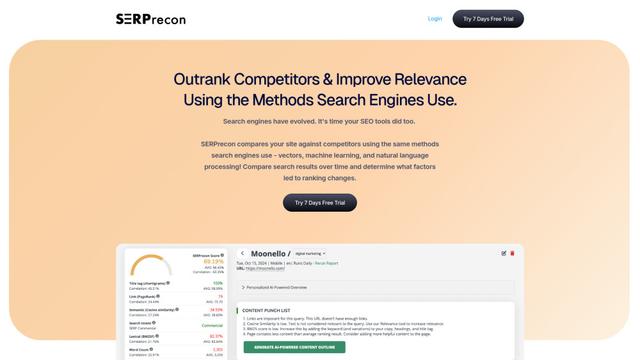
SERPrecon
SERPrecon is an advanced SEO tool that leverages vectors, machine learning, and natural language processing to help users analyze and outrank competitors by using the same methods as modern search engines.
Popular AI Tools Like Reignat
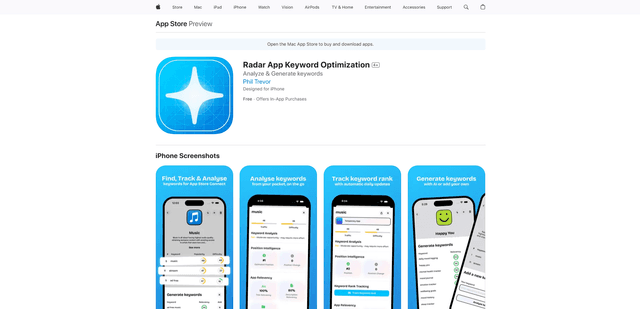
Radar
App Radar is a comprehensive app store optimization (ASO) tool that leverages AI-powered keyword research, competitor analysis, and automated tools to help improve app visibility and rankings across the Apple App Store and Google Play Store.
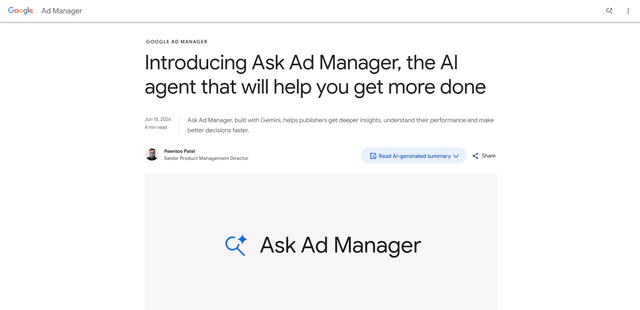
Ask Ad Manager by Google Ads
Ask Ad Manager is a Gemini-powered conversational agent inside Google Ad Manager that helps publishers troubleshoot issues in real time, generate custom performance reports from prompts, and navigate directly to the right settings using their own Ad Manager data.

Intercom
Intercom is an AI-powered customer service platform that provides instant support, enhances agent productivity, and delivers insights to support leaders.

Branded
Branded is a market research company that uses AI and advanced sampling techniques to provide high-quality consumer insights and data.