
Redactify
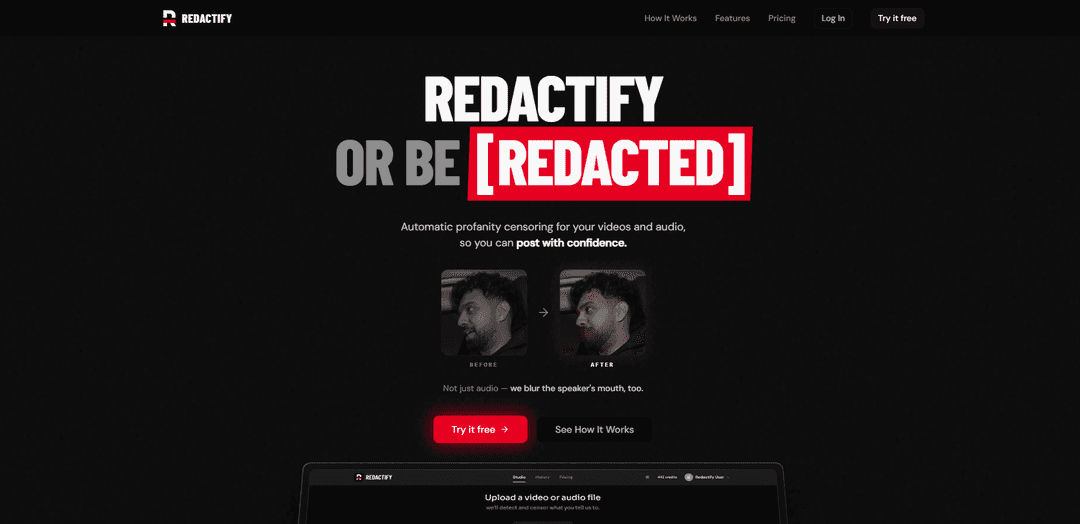
Redactify is an automatic profanity-censoring tool for video and audio that detects offensive words, applies platform-ready censorship, and can even blur the speaker’s mouth for safer publishing.
https://redactify.studio/?ref=producthunt
Product Information
Updated:Jul 8, 2026
What is Redactify
Redactify is a creator-focused censorship and redaction product designed to help you make videos and audio “platform-safe” with minimal manual editing. Built for workflows on platforms like TikTok, YouTube, and Twitch, it streamlines the process of finding profanity and applying censorship in a controlled, reviewable way. It emphasizes speed (turning around long-form content quickly), flexibility (multiple censorship modes and custom word controls), and creator confidence (so you can post without worrying about demonetization, suppression, or removals).
Key Features of Redactify
Redactify is an AI-powered redaction product family used to automatically censor or remove sensitive content across different media types. Depending on the variant, it can (a) detect and anonymize PII in documents using a hybrid pipeline (transformer-based NER + regex + Presidio) with options for full redaction or partial masking, often emphasizing privacy-first/local processing and integration into workflows; and/or (b) automatically censor profanity in video and audio with platform-tuned presets, multi-speaker handling, and automatic mouth blurring for safer publishing.
Hybrid sensitive-data detection (NER + rules): Combines transformer-based named-entity recognition with regex and Presidio-style analysis to identify PII and other sensitive strings with higher recall than pattern matching alone.
Flexible anonymization outputs: Supports full redaction (irreversible removal) or partial masking/pseudonymization to preserve some utility while meeting privacy/compliance needs.
Multi-format document support: Designed to redact PII from common legal/business formats such as PDFs, Word documents, and scanned files (including image-based content).
Privacy-first / local processing options: Positioned for workflows where sensitive data should not leave the device or premises, reducing reliance on third-party cloud processing.
Profanity censoring for video & audio: Automatically detects profanity and censors audio, and can blur the speaker’s mouth in video to match censored segments.
Creator controls & platform presets: Includes one-click presets tuned to platform rules (e.g., TikTok/YouTube/Twitch), custom word lists/whitelists, and review controls for what gets censored.
Use Cases of Redactify
Legal document sharing & eDiscovery prep: Redact client identifiers and sensitive clauses in contracts, briefs, correspondence, and discovery sets before sharing with co-counsel, courts, or external vendors.
Healthcare & insurance de-identification: Remove HIPAA-relevant identifiers from patient/claims documents and supporting scans prior to analytics, research, or use with AI assistants.
Enterprise data governance for AI workflows: Sanitize invoices, HR records, and internal reports before sending content to LLMs or third-party tools, reducing privacy and training-data exposure risk.
Compliance-ready document publishing: Prepare public-facing releases (reports, PDFs, case studies) by masking names, emails, account numbers, and other identifiers while keeping documents readable.
Creator monetization and brand-safety editing: Censor profanity in podcasts, streams, and videos with automated bleeps/mutes and mouth blur so content can be posted without demonetization or policy strikes.
Media teams handling multi-speaker content: Process interviews and panel discussions with overlapping dialogue and speaker identification to speed up review and consistent censoring.
Pros
Hybrid NLP + rule-based detection can improve coverage over regex-only approaches for PII/profanity identification.
Supports automation at scale (bulk uploads / fast processing) while still offering review and control.
Privacy-first/on-device or on-prem options are well-suited to sensitive or regulated data handling.
Cons
“Redactify” refers to multiple similarly named products (PII/document redaction vs profanity censoring), which can cause feature/fit confusion during evaluation.
Detection accuracy can vary by domain, document quality (scans/OCR), accents, and context—often requiring human review for high-stakes compliance.
Some advanced capabilities (e.g., higher volumes, priority processing, bulk features) may be gated behind paid tiers or more complex deployment.
How to Use Redactify
1) Open Redactify: Go to https://redactify.studio/ in your browser to access Redactify’s automatic profanity censoring tool for video and audio.
2) Start a new redaction job: From the main interface, begin a new session/job so you can upload media for analysis and censoring.
3) Upload your media (video or audio): Drag and drop your video or audio file into Redactify (the site describes this as the first step: “Upload — Drag in your video or audio.”).
4) Let Redactify detect profanity automatically: Wait while Redactify analyzes the file and identifies profanity instances; it provides a review interface with a detection list and a timeline.
5) Review detections on the timeline: Use the review UI (detection list + timeline) to inspect each detected moment and confirm what should be censored.
6) Choose a platform preset (optional): Apply one-click “Platform presets” tuned to TikTok, YouTube, and Twitch rules to align censoring behavior with the platform you plan to post on.
7) Configure censorship controls: Adjust what makes the final cut using Redactify’s “Full control” options; Pro plans include additional censorship modes and custom sounds.
8) Use multi-speaker features when needed (optional): If your content includes multiple people or overlapping dialogue, enable multi-speaker support to handle overlaps and identify who said what.
9) Enable mouth blur for video (optional): For video, turn on mouth blur so Redactify not only censors audio but also automatically blurs the speaker’s mouth.
10) Add custom words and whitelists (optional, Pro+): If you’re on Pro (or higher), add custom words to catch additional terms and use a whitelist to prevent censoring words you want to allow.
11) Bulk upload multiple videos (optional, Pro+): If you have many files, use bulk video upload (available on Pro plans) to process multiple items more efficiently.
12) Reprocess if you change settings (optional): If you adjust presets or censorship settings after reviewing, use reprocessing (noted as included on Pro) to regenerate the censored output.
13) Export the censored result: After review and configuration, export/download the processed media so it’s ready to publish (“Upload. Redactify. Post.”).
14) Get started for free or upgrade if needed: Use the Free tier to test (up to 10 minutes lifetime, no card required). Upgrade to Pro or Premium for more minutes and features like mouth blur, speaker identification, bulk upload, and priority processing.
Redactify FAQs
Redactify automatically detects and censors profanity in videos and audio, including muting/replacing profane words and blurring the speaker’s mouth in video.
Redactify Video
Popular Articles

Vosko AI: Localize and Dub Videos for Global Audiences
Oct 15, 2026

Atoms: A Multi-Agent AI Platform That Transforms Ideas into Launch-Ready Products
Oct 13, 2026

Nano Banana SBTI: What It Is, How It Works, and How to Use It in 2026
Apr 15, 2026

Atoms Review — The AI Product Builder Redefining Digital Creation in 2026
Apr 10, 2026
Latest AI Tools Similar to Redactify

EzVideos
EzVideos is an all-in-one video creation tool that helps users generate viral videos for social media platforms like Instagram, TikTok, and YouTube with automated editing features and built-in resources.

Blanc AI
Blanc AI is a revolutionary AI solution that enables video content translation and dubbing into 47+ languages while preserving the original voice, emotions, and lip synchronization.

Wink Mody
Wink Mody is a modified version of the Wink video editing app that offers premium features like AI-powered retouching, 4K exports, and watermark-free editing completely free of charge.

Shortmake AI
ShortMake is an AI-powered video creation platform that transforms ideas into viral-ready videos by automatically generating scripts, voiceovers, visuals, and subtitles specifically optimized for platforms like TikTok and YouTube Shorts.
Popular AI Tools Like Redactify

AI Clips - New Gen
AI Clips - New Gen is an AI-powered video clipping tool that automatically generates engaging short-form content from long videos for multiple social media platforms like YouTube Shorts, TikTok, Instagram Reels and more.

Edit Mind
Edit Mind is an open-source, AI-powered video indexing and semantic search platform that enables users to analyze and search through video content using natural language queries, with features including transcription, frame analysis, face recognition, and object detection.

Dinamo Notebook
FreeAI Video Editing
Dinamo Notebook is a free, MIT-licensed, local-first browser extension for football video analysis that lets you draw tactical annotations on YouTube/Dailymotion/Twitch footage and optionally use AI (with your own OpenAI API key) for tactical insights.

MediaSeg
MediaSeg is a stable, local-first macOS utility that splits large MP4/WEBM media files into upload-ready chunks under a configurable size limit while preserving quality using ffmpeg/ffprobe and an AI-assisted, target-based sizing strategy.