
Osaurus
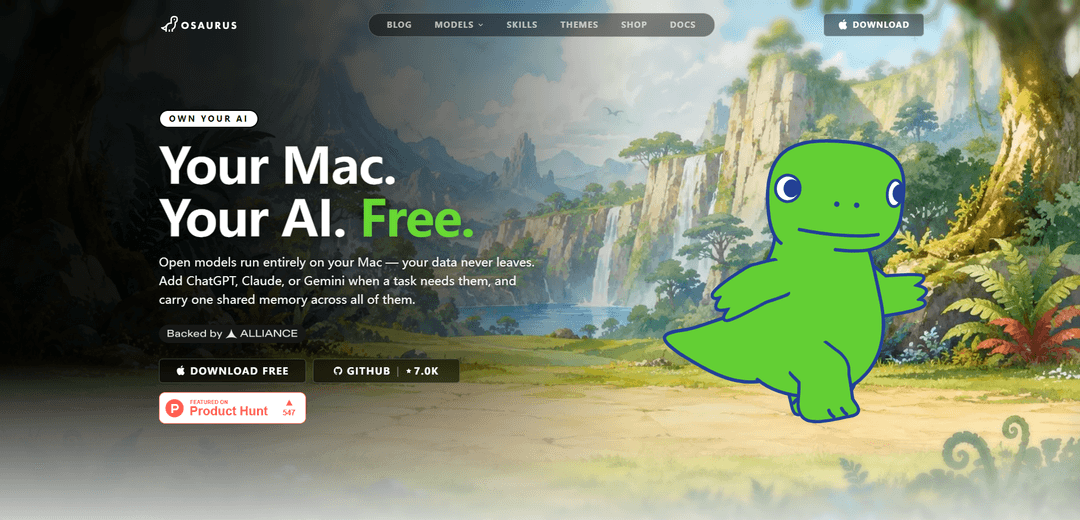
Osaurus is a native Swift macOS AI harness for Apple Silicon that runs local or cloud models through a unified API while keeping agents, memory, tools, and cryptographic identity private on your Mac—offline and open source.
https://osaurus.ai/?ref=producthunt
Product Information
Updated:Jul 15, 2026
What is Osaurus
Osaurus is a local-first AI runtime and “continuity layer” for macOS that sits between you and any language model—whether it runs on-device (MLX/Ollama/LM Studio) or in the cloud (OpenAI, Anthropic, Gemini, and others). Instead of locking your context into a vendor’s servers, Osaurus keeps your agents, persistent memory, tools/plugins, and identity on your own machine. Built purely in Swift, MIT-licensed, and designed for Apple Silicon, it aims to make AI personal and durable: your assistants can remember what matters, access your local environment, and stay usable across different models without losing context.
Key Features of Osaurus
Osaurus is a native macOS “AI harness”/edge runtime for Apple Silicon that sits between you and any model (local or cloud) and keeps the irreplaceable layer—your memory, tools, and identity—on your Mac. It runs local inference (e.g., MLX/Ollama/LM Studio) fully offline, while also connecting to cloud providers (e.g., OpenAI/Anthropic/Gemini) when needed, all with a shared, persistent memory system. It supports autonomous agents that can execute tasks, run real code in isolated environments, access files and tools (including via MCP), and integrate system-wide through macOS features like Shortcuts/Spotlight/Siri and global hotkeys. Osaurus is open source (MIT), privacy-first (no telemetry by default), and designed to make AI workflows continuous and personal across sessions and models.
Local-first, offline inference on Apple Silicon: Runs open models directly on your Mac via MLX and integrates with local model servers like Ollama and LM Studio, enabling private, offline use with low latency.
Model-agnostic with cloud fallback: Treats models as interchangeable engines—use local models by default and switch to cloud providers (e.g., OpenAI, Anthropic, Gemini, OpenRouter) for tasks that need frontier capability while keeping the same workflow layer.
Persistent memory that stays on-device: Maintains long-lived agent/user memory across conversations and models, using a layered approach that injects only relevant context instead of flooding prompts, improving continuity and context efficiency.
Autonomous agents + Work Mode execution: Agents can decompose tasks, track issues, run parallel jobs, and perform file operations; supports schedules/watchers for recurring or background automation.
Tools, plugins, and MCP server interoperability: Exposes and consumes tools via Model Context Protocol (MCP), includes developer tooling (e.g., tool inspector, inference monitoring), and supports OpenAI-compatible function calling for standard client integrations.
Native macOS integration and secure key handling: Ships with App Intents for Shortcuts/Spotlight/Siri, global UI/hotkeys (e.g., quick chat/transcription), and uses macOS Keychain to store API keys securely.
Use Cases of Osaurus
Privacy-sensitive professional workflows (legal/healthcare/finance): Run local models offline so confidential documents, notes, and case/work files stay on-device; use cloud models only when explicitly required.
Developer local agent workspace: Use agents that can read/write repos, run code and scripts, and automate debugging or refactors—while monitoring inference/tool calls and integrating with standard APIs and MCP tools.
Offline research and writing on the go: Work with Wi‑Fi disabled (travel, secure environments) using local models for drafting, summarization, and organization, with persistent memory that accumulates context over time.
Operations automation with schedules and watchers: Set agents to run recurring tasks (e.g., daily journaling, report generation, folder-based processing) in the background and maintain issue tracking for long-running work.
Cross-app AI tooling hub for teams and power users: Share tools across multiple AI clients via MCP and keep a consistent tool/memory layer on each Mac; push settings via shared configuration for multi-machine setups.
Pros
Privacy-first and offline-capable: local inference keeps data on your Mac with no telemetry by default.
Model flexibility: supports both local engines (MLX/Ollama/LM Studio) and major cloud providers while preserving shared memory and workflow continuity.
Native macOS experience: Swift app with system-wide integrations (Shortcuts/Spotlight/Siri) and secure Keychain-based API key management.
Extensible agent runtime: autonomous execution, tool/plugin support (including MCP), and developer diagnostics for inspecting calls and performance.
Cons
Platform-limited: designed for Apple Silicon Macs and requires relatively new macOS versions (e.g., macOS 15.5+).
Local performance depends on hardware/model size: large models may be slower or require more memory on lower-end machines.
Enterprise features are limited: lacks full centralized management/enterprise directory integration compared to hosted platforms.
Early-stage product rough edges: described as early beta in some coverage, so stability and UX may evolve quickly.
How to Use Osaurus
1) Install Osaurus (macOS Apple Silicon): Download the latest Osaurus .dmg from the GitHub releases link on osaurus.ai and drag the app to Applications, then launch it from Spotlight. Alternatively install via Homebrew: `brew install osaurus`.
2) Start the local server (always-on runtime): Launch the Osaurus app (UI) or run the server from Terminal using the `osaurus` CLI (e.g., `osaurus serve`). By default, Osaurus exposes an OpenAI-compatible API on `http://127.0.0.1:1337`.
3) Add a model (local-first): In Osaurus, connect a local model provider such as MLX, Ollama, or LM Studio. This lets you run models entirely on your Mac (offline) so prompts and files stay local.
4) Run a local model from the CLI (example): Download/run a model with the CLI (example from docs snippet): `osaurus run llama-3.2-3b-instruct-4bit`.
5) Call Osaurus via OpenAI-compatible Chat Completions (curl example): Send a request to the local API: `curl http://127.0.0.1:1337/v1/chat/completions -H "Content-Type: application/json" -d '{"model":"llama-3.2-3b-instruct-4bit","messages":[{"role":"user","content":"Hello!"}]}'`.
6) Use per-agent memory injection (Agent ID header): When calling `POST /v1/chat/completions`, add `X-Osaurus-Agent-Id: <agent-id>`. Osaurus will automatically retrieve relevant memory (identity/profile, working memory, summaries, knowledge graph) and prepend it to the system prompt before the request reaches the model.
7) Create and use Agents (custom assistants): Create Agents (formerly Personas) to define a system prompt, preferred model, theme, and assigned tools. Use different agents for different jobs (e.g., coding, research) so each has its own scoped tools and memory.
8) Connect cloud providers when needed (optional): Add remote providers (e.g., OpenAI, Anthropic, Gemini, Grok, OpenRouter, Venice, Liquid AI) for tasks that need more capability than local models. Osaurus acts as the harness so you can switch providers while keeping one shared memory layer on your Mac.
9) Use Osaurus as a unified API endpoint for existing SDKs/tools: Point tools that already speak OpenAI/Anthropic/Ollama/Open Responses formats at Osaurus’ local endpoint (same port). This lets existing clients work with local or cloud models through one consistent interface.
10) Share tools via MCP (Model Context Protocol): Run Osaurus as an MCP server so MCP-compatible clients can discover and use your installed tools through Osaurus. This centralizes tool access and avoids configuring the same tools separately in each client.
11) Install or build Skills/Tools packages (optional automation): Use the Osaurus tools system to package and install plugins/skills (example workflow shown in sources): extract a manifest, package, then install (e.g., `osaurus manifest extract ...`, `osaurus tools package ...`, `osaurus tools install ...`). Once installed, tools can be assigned to agents.
12) Enable macOS permissions for automation tools (if you use them): If you install macOS automation plugins, grant required permissions in System Settings → Privacy & Security. Accessibility is commonly required; Screen Recording is required only for vision/screenshot modes (per the plugin docs snippet).
13) Use Work Mode for autonomous execution (optional): Use Work Mode (formerly Agent Mode) to run agents autonomously with capabilities like issue tracking, file operations, parallel jobs, watchers, and schedules—so tasks can run while you’re away.
14) Expose an agent securely over the internet (optional): If you need remote access, use Osaurus’ secure tunnel via `agent.osaurus.ai` to give an agent a stable public URL without port forwarding or ngrok. Issue scoped access keys per agent for outside tools, and revoke them whenever needed.
15) Change host/port if needed (advanced): If the default port is occupied, start the server on a different binding (example from sources): `osaurus serve --port 8080 --host 0.0.0.0`.
Osaurus FAQs
Osaurus is an open-source, native Swift AI harness (edge runtime) for macOS that lets you run AI agents with memory, tools, and identity on your Mac, using either local models (offline) or cloud models when needed.
Popular Articles

Vosko AI: Localize and Dub Videos for Global Audiences
Oct 15, 2026

Atoms: A Multi-Agent AI Platform That Transforms Ideas into Launch-Ready Products
Oct 13, 2026

Nano Banana SBTI: What It Is, How It Works, and How to Use It in 2026
Apr 15, 2026

Atoms Review — The AI Product Builder Redefining Digital Creation in 2026
Apr 10, 2026
Latest AI Tools Similar to Osaurus
Folderr
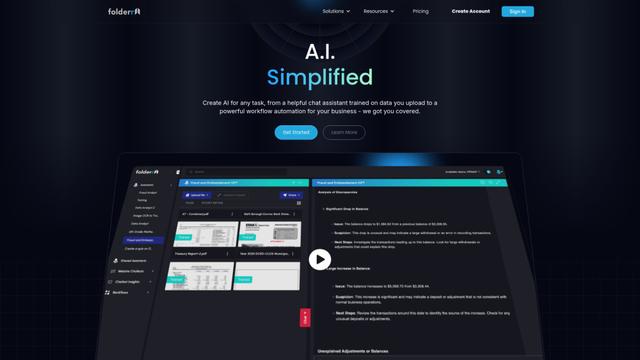
Folderr is a comprehensive AI platform that enables users to create custom AI assistants by uploading unlimited files, integrating with multiple language models, and automating workflows through a user-friendly interface.
Peache.ai
Peache.ai is an AI character chat playground that enables users to engage in flirty, witty, and daring conversations with diverse AI personalities through real-time interactions.

TalkPersona
TalkPersona is an AI-powered video chatbot that provides real-time human-like conversation through a virtual talking face with natural voice and lip-sync capabilities.
Thaly AI
Thaly AI is an AI-powered sales assistant that automates customer conversations and lead qualification to help businesses scale their sales operations while saving time.
Popular AI Tools Like Osaurus
GPT‑5.5 | ChatGPT Official
GPT‑5.5 in ChatGPT is OpenAI’s latest work-focused model designed to understand complex goals, use tools effectively, check its work, and carry multi-step tasks (coding, research, documents, spreadsheets) through to completion with stronger safeguards.
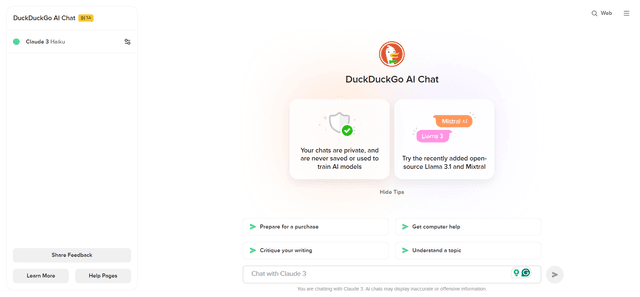
DuckDuckGo AI Chat
DuckDuckGo AI Chat is a free, anonymous way to access popular AI chatbots like GPT-3.5, Claude, and others while preserving user privacy.

Arch
Arch is an intelligent Layer 7 gateway built on Envoy Proxy that provides secure handling, robust observability, and seamless integration of prompts with APIs for building fast, robust, and personalized AI agents.
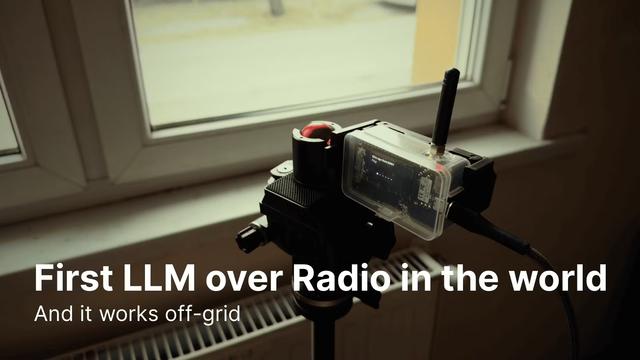
Off-grid LLM over Radio
A platform that integrates Large Language Models (LLMs) with Meshtastic mesh communication networks to enable off-grid AI interactions and automated task execution through radio communication.