
Open Comet
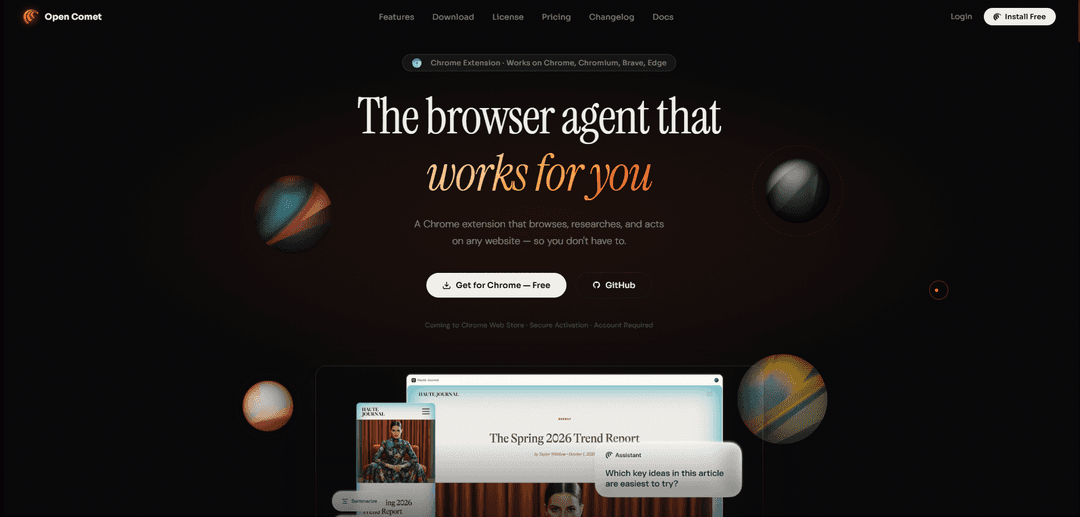
Open Comet is an autonomous AI browser agent Chrome extension that browses, researches, and automates tasks directly in your browser with enterprise-grade privacy and support for multiple AI providers.
https://opencomet.onrender.com/?ref=producthunt
Product Information
Updated:Apr 15, 2026
What is Open Comet
Open Comet is a privacy-first Chrome extension that functions as an autonomous AI agent within your browser's sidepanel, designed specifically for researchers, developers, and power users. Unlike traditional browser automation tools, Open Comet operates as a secure, locally-focused solution that never stores your data on external servers, with all screenshot processing happening on your machine. The extension works seamlessly with Chrome, Chromium, Brave, and Edge browsers without requiring any new software installation. It supports over 6 major AI providers including Anthropic Claude, OpenAI GPT-4, Google Gemini, Groq, Mistral, and Ollama for completely local operation, allowing users to bring their own API keys or run models entirely offline. As an open-source project (v1.1.0), Open Comet combines powerful autonomous capabilities with transparent, community-driven development.
Key Features of Open Comet
Open Comet is an autonomous AI browser agent deployed as a Chrome extension that browses, researches, and automates tasks directly within your browser. Built for researchers, developers, and power users, it operates as a sidepanel extension supporting 6+ AI providers including OpenAI, Anthropic, Gemini, Groq, Mistral, and Ollama. The platform prioritizes privacy with zero data storage on servers, local screenshot processing, and BYOK (Bring Your Own Key) architecture. It features self-healing runtime, autonomous actions through screenshot and DOM grounding, deep research capabilities with multi-source synthesis, data extraction to JSON/CSV, approval guards for sensitive actions, and a reusable skills system for complex workflows.
Autonomous Actions with Visual Grounding: Uses screenshot and DOM grounding to see and interact with web pages exactly as a human does, enabling the agent to perform complex browser tasks autonomously with self-healing runtime and confidence scoring.
Deep Research and Multi-Source Synthesis: Automatically researches dozens of sources simultaneously, cross-references and reconciles conflicting information, and delivers cited, structured reports in seconds with clear documentation of findings.
Privacy-First Architecture: Processes all data locally with zero bytes stored on servers, 100% local screenshot processing, and no history or session tracking. All visual processing remains on your machine or uses your own API keys.
Multi-Provider AI Support: Supports 6+ AI providers including OpenAI, Anthropic, Gemini, Groq, Mistral, and Ollama. Users can bring their own API keys or run entirely offline with local models through Ollama at no cost.
Data Extraction and Automation: Extracts structured data including tables, lists, and complex information to JSON or CSV formats with a single command, enabling seamless data collection and workflow automation.
Skills System and Approval Guards: Create reusable agent macros to trigger complex multi-step workflows with single phrases, while approval guards pause sensitive actions for user review to maintain control at every step.
Use Cases of Open Comet
Academic Research and Literature Review: Researchers can use Open Comet to automatically gather information from multiple academic sources, synthesize findings, and generate cited reports, significantly reducing manual research time while maintaining accuracy.
Competitive Intelligence and Market Analysis: Business analysts can deploy the agent to monitor competitor websites, extract pricing data, track product changes, and compile comprehensive market reports with structured data extraction to CSV/JSON formats.
Web Scraping and Data Collection: Developers can automate complex web scraping tasks across multiple pages, extract structured data from tables and lists, and compile information into standardized formats without writing custom scraping code.
Automated Testing and QA: QA teams can create reusable skills to test user workflows, verify form submissions, check page elements, and validate multi-step processes across web applications with autonomous browser interactions.
Content Aggregation and Monitoring: Content creators and journalists can monitor multiple news sources, aggregate relevant information, and generate summaries with proper citations, streamlining content curation workflows.
E-commerce Price Tracking: Consumers and businesses can automate price monitoring across multiple e-commerce platforms, extract product specifications, compare offerings, and receive structured reports on pricing trends.
Pros
Complete privacy protection with zero server-side data storage and 100% local screenshot processing
Flexible AI provider support with BYOK architecture and ability to run entirely offline with Ollama
No new browser installation required - works as a sidepanel extension in Chrome, Brave, Edge, and Chromium
Open-source (v1.1.0 released on GitHub) enabling transparency, community contributions, and customization
Cons
Requires users to provide their own API keys or set up local models, which may be a barrier for non-technical users
Premium monthly plan (Rs 299/month) pricing structure with payment gateway integration still in development
Limited to Chromium-based browsers only (Chrome, Brave, Edge) - no support for Firefox or Safari
Requires account creation and JWT-secured authentication, adding an extra setup step compared to simpler extensions
How to Use Open Comet
1: Install the Open Comet Chrome extension from the Chrome Web Store (works on Chrome, Chromium, Brave, and Edge browsers)
2: Create an account and obtain a license key - start with the free Student plan (one-day trial key) or upgrade to Premium Monthly (Rs 299/month)
3: Configure your AI provider by choosing from 6+ supported options: Anthropic (Claude), OpenAI (GPT-4o), Google Gemini, Groq, Mistral, or Ollama for local models
4: Add your own API keys for cloud providers (OpenAI, Anthropic, Gemini, etc.) OR set up Ollama locally at http://127.0.0.1:11434 to run 100% offline with no API costs
5: Open the Open Comet sidepanel within your browser - it appears as an extension panel alongside your regular browsing
6: Give the agent a task by typing your command or question in natural language (e.g., research requests, data extraction, website automation, or multi-step workflows)
7: Watch the agent work autonomously - it will take screenshots, interact with page elements, navigate websites, and perform actions just like a human would
8: Review approval guards for sensitive actions - the agent will pause and ask for your confirmation before executing critical operations
9: Receive results in your preferred format - structured reports with citations for research tasks, JSON/CSV files for data extraction, or completed automated workflows
10: Create reusable Skills (agent macros) for frequently performed multi-step tasks that can be triggered with a single command in future sessions
Open Comet FAQs
Open Comet is an autonomous AI browser agent that works as a Chrome extension. It browses, researches, and automates tasks directly in your browser sidepanel. It's designed for researchers, developers, and power users, and works on Chrome, Chromium, Brave, and Edge browsers.
Popular Articles

Atoms: A Multi-Agent AI Platform That Transforms Ideas into Launch-Ready Products
May 22, 2026

Nano Banana SBTI: What It Is, How It Works, and How to Use It in 2026
Apr 15, 2026

Atoms Review — The AI Product Builder Redefining Digital Creation in 2026
Apr 10, 2026

Kilo Claw: How to Deploy and Use a True "Do‑It‑For‑You" AI Agent(2026 Update)
Apr 3, 2026
Latest AI Tools Similar to Open Comet

Gait
Gait is a collaboration tool that integrates AI-assisted code generation with version control, enabling teams to track, understand, and share AI-generated code context efficiently.

invoices.dev
invoices.dev is an automated invoicing platform that generates invoices directly from developers' Git commits, with integration capabilities for GitHub, Slack, Linear, and Google services.

EasyRFP
EasyRFP is an AI-powered edge computing toolkit that streamlines RFP (Request for Proposal) responses and enables real-time field phenotyping through deep learning technology.

Cart.ai
Cart.ai is an AI-powered service platform that provides comprehensive business automation solutions including coding, customer relations management, video editing, e-commerce setup, and custom AI development with 24/7 support.
Popular AI Tools Like Open Comet

GitHub Copilot Chat
GitHub Copilot Chat is an AI-powered coding assistant that provides natural language interactions, real-time code suggestions, and contextual support directly within supported IDEs and GitHub.com.

CopilotForXcode
CopilotForXcode is an Xcode Source Editor Extension that integrates GitHub Copilot, Codeium, and ChatGPT to provide AI-powered code suggestions, chat assistance, and prompt-to-code functionality within Xcode.

BrowserAI
BrowserAI is an open-source library that enables running local Large Language Models (LLMs) directly in web browsers with WebGPU acceleration, offering privacy-focused AI capabilities without requiring server infrastructure.

OpenAI Codex CLI
OpenAI Codex CLI is a lightweight, open-source coding agent that runs in your terminal, enabling developers to translate natural language into code execution while providing ChatGPT-level reasoning with the ability to run code, manipulate files, and iterate under version control.