
Open Agents
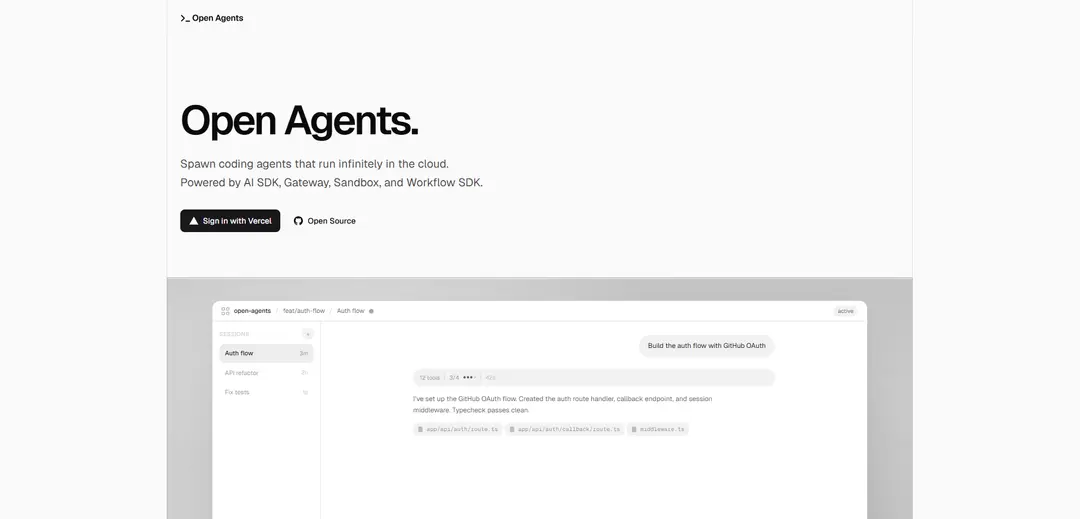
Open Agents is an open-source platform for spawning autonomous coding agents that run infinitely in the cloud with full sandbox environments, durable workflows, and seamless GitHub integration.
https://open-agents.dev/?ref=producthunt
Product Information
Updated:Apr 16, 2026
What is Open Agents
Open Agents is a comprehensive platform built on Vercel's infrastructure that enables developers to create and deploy autonomous coding agents capable of working continuously in isolated cloud environments. Each agent operates within its own secure sandbox featuring complete filesystem access, network capabilities, and runtime execution. The platform leverages production-grade primitives including AI SDK for multi-model support, AI Gateway for intelligent request routing, Vercel Sandbox for secure isolation, and Workflow SDK for durable operations. With automatic GitHub integration, agents can clone repositories, create branches, commit changes, and open pull requests autonomously, making it a powerful solution for background development tasks and automated code generation.
Key Features of Open Agents
Open Agents is an open-source platform that enables developers to spawn autonomous coding agents that run infinitely in the cloud with full sandbox environments. Built on Vercel's production-grade infrastructure including AI SDK, Gateway, Sandbox, and Workflow SDK, it provides isolated execution environments with filesystem, network, and runtime access. The platform features durable workflows that survive restarts and failures, automatic git integration with branch management, and multi-model support. Each agent can perform file operations, execute shell commands, delegate tasks, and work autonomously until completion, with all work automatically committed and preserved through ephemeral sandboxes that hibernate on inactivity and restore instantly.
Autonomous Cloud Sandboxes: Each agent runs in an isolated Vercel sandbox environment with full filesystem, network, and runtime access, including automatic git integration, branch management, and auto-commit functionality that preserves work even when sandboxes expire.
Durable Workflow Orchestration: Agent loops run as durable workflows with automatic checkpointing that survive restarts, retry on failure, and coordinate multi-step operations over time, allowing reconnection to running workflows from any client without losing progress.
Multi-Model AI Gateway: Unified interface across multiple AI models with built-in provider fallbacks, rate limiting, and observability, enabling seamless switching between providers while maintaining consistent tool calling and streaming capabilities.
Parallel Agent Architecture: Built-in explorer and executor subagents that work in parallel, with file operations, search, shell access, and task delegation capabilities for autonomous multi-step development workflows.
Ephemeral Environment Management: Sandboxes automatically hibernate after inactivity and restore instantly with snapshot and restore functionality, exposing standard development ports (3000, 5173, 4321, 8000) for preview and testing.
Production-Grade Infrastructure: Built on Vercel's ecosystem primitives including AI SDK for unified model interfaces, Gateway for routing and observability, Sandbox for secure isolation, and Workflow SDK for durable execution patterns.
Use Cases of Open Agents
Automated Feature Development: Development teams can describe features in natural language and let agents autonomously build, test, and commit code changes with automatic branch creation and pull request generation, reducing development time from hours to minutes.
Continuous Code Review and Maintenance: Agents can automatically summarize pull requests, apply feedback, fix failing tests, and push corrections, streamlining the code review process and maintaining code quality across large codebases.
Multi-Step Deployment Workflows: Organizations can orchestrate complex deployment operations that span multiple steps and survive interruptions, with agents coordinating infrastructure changes, running migrations, and validating deployments across distributed systems.
Background Task Automation: Teams can run multiple agents in parallel as background services for tasks like documentation generation, test creation, dependency updates, and technical debt resolution without manual intervention.
Rapid Prototyping and Experimentation: Developers can quickly spin up isolated sandbox environments to experiment with new features, test integrations, or validate architectural decisions with full runtime access and automatic cleanup.
Cross-Platform Agent Development: Researchers and developers can build custom agent networks and systems using the SDK, creating specialized agents for data analysis, web browsing, plugin integration, and collaborative workflows across different domains.
Pros
Open-source platform with production-grade infrastructure built on proven Vercel ecosystem components
Durable workflows with automatic checkpointing ensure no work is lost during failures or restarts
Full sandbox isolation with git integration provides secure, ephemeral environments for each agent session
Multi-model support with AI Gateway enables flexibility in choosing providers with built-in fallbacks and observability
Cons
Requires understanding of Vercel infrastructure and deployment patterns for optimal usage
Sandbox hibernation after inactivity may cause delays when resuming long-running tasks
Auto-commit and auto-PR features are preference-driven rather than always-on, requiring configuration
Limited to exposed ports (3000, 5173, 4321, 8000) which may not cover all development scenarios
How to Use Open Agents
1. Set up prerequisites: Ensure you have Python 3.10 or newer installed on your system. You'll also need an OpenAI API key - create one at the OpenAI platform if you don't have one already.
2. Install Open Agents: Install the Open Agents package using pip: 'pip install openagents' or with uv: 'uv add openagents'. For voice support, use 'pip install openai-agents[voice]'. For Redis session support, use 'pip install openai-agents[redis]'.
3. Configure GitHub App (for Vercel Open Agents): Create a GitHub App for installation-based repo access. For local development, set the callback URL to 'http://localhost:3000/api/github/app/callback' and homepage URL to 'http://localhost:3000'.
4. Set environment variables: Set your OPENAI_API_KEY environment variable and any other required API keys for the models you plan to use (Claude, GPT, Gemini, etc.).
5. Create your first agent: Define an agent with instructions, name, and optional configuration: 'agent = Agent(name="Your Agent Name", instructions="Your agent instructions here")'. You can also specify tools, model settings, and output types.
6. Add tools to your agent (optional): Define function tools using the @function_tool decorator and add them to your agent's tools list. Tools allow agents to take actions like fetching data, making API calls, or performing calculations.
7. Run your agent: Use Runner to execute the agent: 'result = Runner.run(agent, input="Your task description")'. The agent will process the request and return a RunResult with the output.
8. Deploy to cloud (Vercel Open Agents): For cloud deployment, each agent session runs in an isolated Vercel sandbox with its own branch. The sandbox includes filesystem, network, and runtime access. Work is automatically committed and pushed.
9. Monitor and debug: View traces of your agent runs in the OpenAI Dashboard Trace viewer. This helps you review what happened during execution, debug issues, and optimize performance.
10. Configure advanced features: Set up handoffs between agents, add guardrails for input/output validation, implement human-in-the-loop mechanisms, and configure durable workflows that survive restarts and coordinate multi-step operations.
Open Agents FAQs
Open Agents is an open-source platform that allows you to build and run background coding agents on Vercel. It provides everything you need to spawn coding agents that run autonomously in the cloud, with full sandbox environments including filesystem, network, and runtime access.
Popular Articles

Vosko AI: Localize and Dub Videos for Global Audiences
Oct 15, 2026

Atoms: A Multi-Agent AI Platform That Transforms Ideas into Launch-Ready Products
Oct 13, 2026

Nano Banana SBTI: What It Is, How It Works, and How to Use It in 2026
Apr 15, 2026

Atoms Review — The AI Product Builder Redefining Digital Creation in 2026
Apr 10, 2026
Latest AI Tools Similar to Open Agents

Gait
Gait is a collaboration tool that integrates AI-assisted code generation with version control, enabling teams to track, understand, and share AI-generated code context efficiently.

invoices.dev
invoices.dev is an automated invoicing platform that generates invoices directly from developers' Git commits, with integration capabilities for GitHub, Slack, Linear, and Google services.

EasyRFP
EasyRFP is an AI-powered edge computing toolkit that streamlines RFP (Request for Proposal) responses and enables real-time field phenotyping through deep learning technology.

Cart.ai
Cart.ai is an AI-powered service platform that provides comprehensive business automation solutions including coding, customer relations management, video editing, e-commerce setup, and custom AI development with 24/7 support.
Popular AI Tools Like Open Agents

GitHub Copilot Chat
GitHub Copilot Chat is an AI-powered coding assistant that provides natural language interactions, real-time code suggestions, and contextual support directly within supported IDEs and GitHub.com.

CopilotForXcode
CopilotForXcode is an Xcode Source Editor Extension that integrates GitHub Copilot, Codeium, and ChatGPT to provide AI-powered code suggestions, chat assistance, and prompt-to-code functionality within Xcode.

BrowserAI
BrowserAI is an open-source library that enables running local Large Language Models (LLMs) directly in web browsers with WebGPU acceleration, offering privacy-focused AI capabilities without requiring server infrastructure.

OpenAI Codex CLI
OpenAI Codex CLI is a lightweight, open-source coding agent that runs in your terminal, enabling developers to translate natural language into code execution while providing ChatGPT-level reasoning with the ability to run code, manipulate files, and iterate under version control.