
LLMTest
LLMTest is a proxy-based platform for shipping and testing LLM features that tracks cost, benchmarks 340+ models, adds automatic fallbacks and drift detection, and can auto-optimize prompts and model choices on real production traffic (Autopilot).
https://llmtest.io/?ref=producthunt

Product Information
Updated:Jun 8, 2026
What is LLMTest
LLMTest is an LLM reliability and optimization layer that sits between your application and model providers (e.g., OpenAI- and Anthropic-style APIs). It helps teams move from “it works on my prompt” to production-grade AI features by monitoring real usage, measuring quality, and controlling cost. In addition to evaluation and testing workflows, LLMTest provides practical production tooling—like routing, failover, and cost dashboards—so you can ship quickly while still improving quality and efficiency over time.
Key Features of LLMTest
LLMTest is a proxy and optimization layer for LLM-powered product features that benchmarks 340+ models, tracks per-flow cost/latency, and continuously improves prompts and model choices using real production traffic. It can auto-run weekly experiments (Autopilot) to find faster/cheaper prompt variants and model swaps, enforce safety gates (confidence, judge agreement, golden-set regression checks), and provide automatic failover when providers are overloaded or down—so teams can ship quickly, then systematically improve quality, reliability, and spend over time.
Smart benchmarking across 340+ models: Describe your AI feature and LLMTest generates test prompts, runs evaluations across many candidate models, and uses an AI judge to score quality so you can pick strong models before (or after) shipping.
Autopilot prompt + model optimization: Opt-in weekly background runs rewrite prompts and test cheaper/better models on real traffic; only changes that meet statistical confidence and regression safeguards are promoted, with easy revert.
Prompt optimization strategies in parallel: Automatically shortens/clarifies/restructures prompts via multiple optimization strategies and selects winners that beat the baseline at high confidence rather than relying on one-off manual tweaks.
Automatic fallbacks and in-request failover: When a provider is rate-limited or errors (e.g., 5xx/overloaded), LLMTest routes the same request to the next best model to keep user-facing features online.
Drift detection with rollback: Re-checks optimizations over time; if model behavior changes or traffic shifts cause quality to slip, it rolls back and reports what happened.
Per-flow cost tracking and dashboards: Tracks what each AI feature costs by model/flow/day to prevent spend surprises and to quantify savings from prompt/model changes.
Use Cases of LLMTest
SaaS customer support automation: Keep support bots reliable during API outages with automatic fallbacks, while Autopilot tunes prompts/models to reduce cost per ticket without degrading helpfulness.
E-commerce product tagging and structured extraction: Improve JSON/structured output reliability by detecting failures and failing over to a stronger model within the same request, reducing pipeline crashes and manual clean-up.
Marketing and SEO content pipelines: Optimize multi-step generation workflows (research → outline → draft → rewrite → format) by assigning cheaper models to easier steps and benchmarking quality tradeoffs end-to-end.
Developer tools and IDE assistants: Use MCP integration to surface prompt/model improvement suggestions inside tools like Cursor/Claude Code and apply changes directly to code with one-click accept/revert.
Fintech/healthcare compliance-sensitive assistants: Run controlled, confidence-gated changes with golden-set regression checks and drift detection to reduce the risk of quality regressions in regulated or high-stakes user flows.
Pros
Continuous optimization on real production traffic (not just offline evals), with confidence gates and regression checks.
Improves reliability via automatic failover when models/providers are down or overloaded.
Clear cost visibility per feature/flow/day, enabling measurable savings and budgeting.
Cons
Requires routing LLM calls through a proxy layer, which may add integration/operational considerations.
Autopilot eligibility constraints (e.g., account age and minimum real-call volume) may limit immediate benefits for brand-new apps.
Quality scoring relies on AI judges, which can introduce evaluator bias and may still require human review for edge cases.
How to Use LLMTest
1) Create an account: Go to https://llmtest.io/signup and create an account (no credit card required).
2) Add credits (optional): If you want to run paid traffic/benchmarks immediately, add credits ($5, $10, $25, $50, or $200). Credits never expire. You’ll be charged the underlying model cost + a 10% LLMTest fee.
3) Route your LLM calls through LLMTest: Update your app to send requests “through LLMTest” instead of calling a provider directly. LLMTest is designed to work with any OpenAI-compatible app, so you can typically point your existing OpenAI-style client at LLMTest and keep the rest of your code the same.
4) Define a “flow” per AI feature: Organize requests by feature (a ‘flow’), e.g., support-bot, product-tagger, seo-blog-generator. This lets LLMTest track cost and quality per feature and apply optimizations/fallbacks at the flow level.
5) Ship your initial prompt + model (don’t overthink it): Start with a working prompt and any model. LLMTest is built to make a rough first version production-grade by learning from real usage and running benchmarks/optimizations.
6) Use Smart Benchmarks before shipping (greenfield mode): If you’re choosing a model for the first time: (1) Describe your AI feature, (2) let LLMTest generate test prompts, (3) run smart benchmarks across 340+ models. An AI judge scores outputs and LLMTest recommends the best model for your use case.
7) Monitor real traffic once live: After you deploy, LLMTest observes real prompts and responses for each flow, learning how the feature is used and where it fails.
8) Enable Automatic Fallbacks: Turn on failover so that if a model is down, rate-limited, or returns unusable output (e.g., invalid JSON that won’t parse), LLMTest can retry or route the request to the next best model within the same request—so users don’t see outages or crashes.
9) Use Prompt Optimization: Run prompt optimization to shorten/clarify/restructure prompts. LLMTest tries multiple strategies in parallel and only selects a winner if it beats the baseline at 95% confidence.
10) Turn on Autopilot (for live systems): Opt in to Autopilot in the dashboard (or via an IDE agent). Autopilot becomes available once your account is 14+ days old and a flow has 20+ real calls.
11) Review Autopilot’s weekly changes: Autopilot runs weekly on real traffic, testing cheaper/shorter prompt variants and alternative models. You’ll get a ‘Monday-morning diff’ email summarizing what changed, what you saved, and a 24-hour revert link.
12) Understand the 5 safety gates before changes ship: Autopilot only ships ‘safe wins’ that pass: (1) 95% confidence win rate (Wilson lower bound clears 50% or 4 wins/0 losses), (2) two independent judges (Claude Sonnet and GPT-4o, position-swapped) agree ≥ 80%, (3) at least 20% savings, (4) a golden set of 5 known-good inputs does not regress, (5) no length bias (variants 50% longer than baseline require human sign-off).
13) Track cost per flow: Use the cost dashboard to see what each AI feature costs per model/per flow/per day to avoid end-of-month surprises and to identify steps in multi-step pipelines where cheaper models can be substituted.
14) Use Drift Detection: Let LLMTest re-check optimizations weekly. If quality slips due to model changes or traffic shifts, LLMTest rolls back and tells you why.
15) Integrate with your IDE via MCP (optional): Connect LLMTest’s MCP server to tools like Claude Code, Cursor, Windsurf, etc. Receive optimization suggestions directly in your IDE and accept them to apply code edits.
16) Keep up with Model Radar: Enable/monitor model radar so LLMTest detects new models and price drops daily and benchmarks your flows against them before switching—helping you stay current without manual re-evaluation.
LLMTest FAQs
LLMTest is an LLM API proxy and optimization platform that tracks cost, benchmarks models, and can automatically rewrite prompts to be shorter and cheaper while preserving quality.
Popular Articles

How to Create Viral Talking Baby Podcast Videos with AI: Step-by-Step Guide
Nov 2, 2026

Proferex: A Cloud-Based Ad Tracking and Campaign Optimization Platform
Nov 2, 2026

Vosko AI: Localize and Dub Videos for Global Audiences
Oct 15, 2026

Atoms: A Multi-Agent AI Platform That Transforms Ideas into Launch-Ready Products
Oct 13, 2026
Latest AI Tools Similar to LLMTest

Hapticlabs
Hapticlabs is a no-code toolkit that enables designers, developers and researchers to easily design, prototype and deploy immersive haptic interactions across devices without coding.
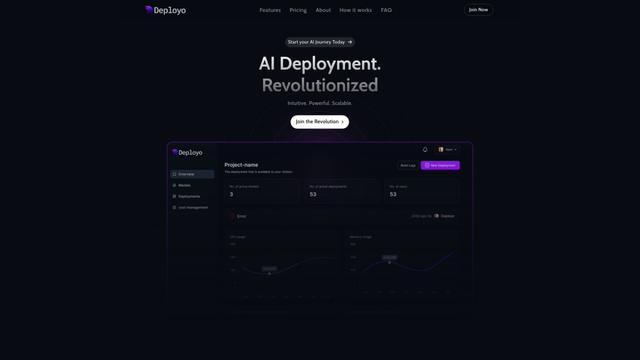
Deployo.ai
Deployo.ai is a comprehensive AI deployment platform that enables seamless model deployment, monitoring, and scaling with built-in ethical AI frameworks and cross-cloud compatibility.
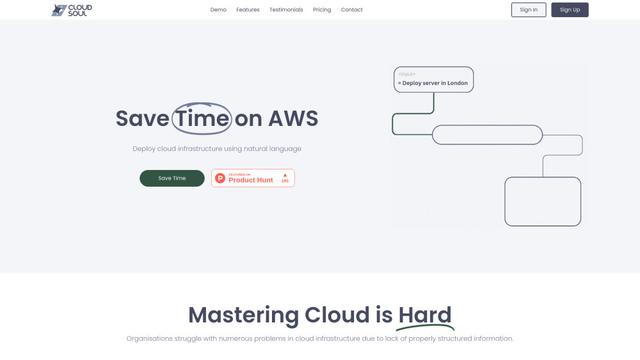
CloudSoul
CloudSoul is an AI-powered SaaS platform that enables users to instantly deploy and manage cloud infrastructure through natural language conversations, making AWS resource management more accessible and efficient.

Devozy.ai
Devozy.ai is an AI-powered developer self-service platform that combines Agile project management, DevSecOps, multi-cloud infrastructure management, and IT service management into a unified solution for accelerating software delivery.
Popular AI Tools Like LLMTest

A2A Protocol
A2A (Agent2Agent) Protocol is an open interoperability protocol developed by Google that enables seamless communication and collaboration between AI agents across different frameworks and vendors, regardless of their underlying architecture.
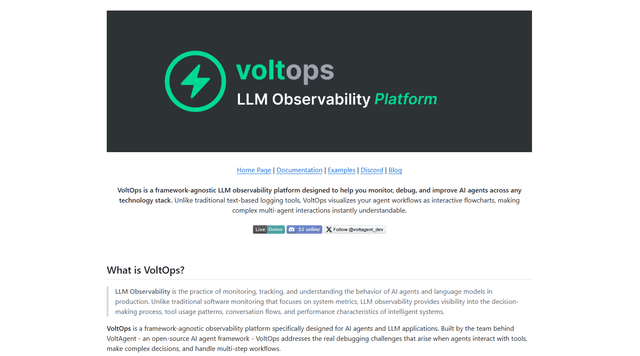
VoltOps
VoltOps is a framework-agnostic LLM observability platform that provides real-time visual monitoring, debugging, and optimization tools for AI agents across any technology stack.
Chaterm
Chaterm is an open-source AI-native terminal and SRE copilot that enables engineers to manage complex infrastructure through natural language, automating deployment, troubleshooting, and operations without memorizing commands.
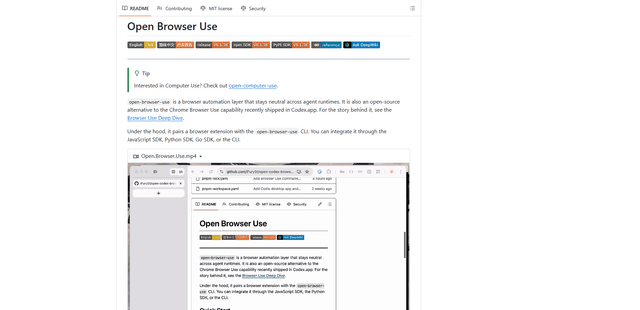
Open Browser Use
Open Browser Use is an open-source, agent-runtime-neutral browser automation layer that pairs a Chrome extension with a CLI/SDK/MCP to enable DOM-aware, CDP-powered tab control, navigation, and actions across different AI agent tools.